

Hello XSS Members,
I hope you're all doing well. Today, I wanted to share an easy and efficient way to protect your privacy by keeping apps and spyware from tapping into your microphone.
By following the steps I'll outline below, you'll gain more control over how your device's microphone is used.
I hope you're all doing well. Today, I wanted to share an easy and efficient way to protect your privacy by keeping apps and spyware from tapping into your microphone.
By following the steps I'll outline below, you'll gain more control over how your device's microphone is used.
Step 1: Download and Install PilferShushJammer To begin, head over to either the Play Store or F-Droid and grab the PilferShushJammer app. It's available at this URL: https://f-droid.org/en/packages/cityfreqs.com.pilfershushjammer/.
Step 2: Open the ApplicationOnce you've finished installing PilferShushJammer, go ahead and open it on your device.
Step 3: Enable the Passive JammerWithin the app, you'll find an option to enable the "Passive Jammer." By turning this feature on, you create a safeguard against any unauthorized attempts to access your microphone.
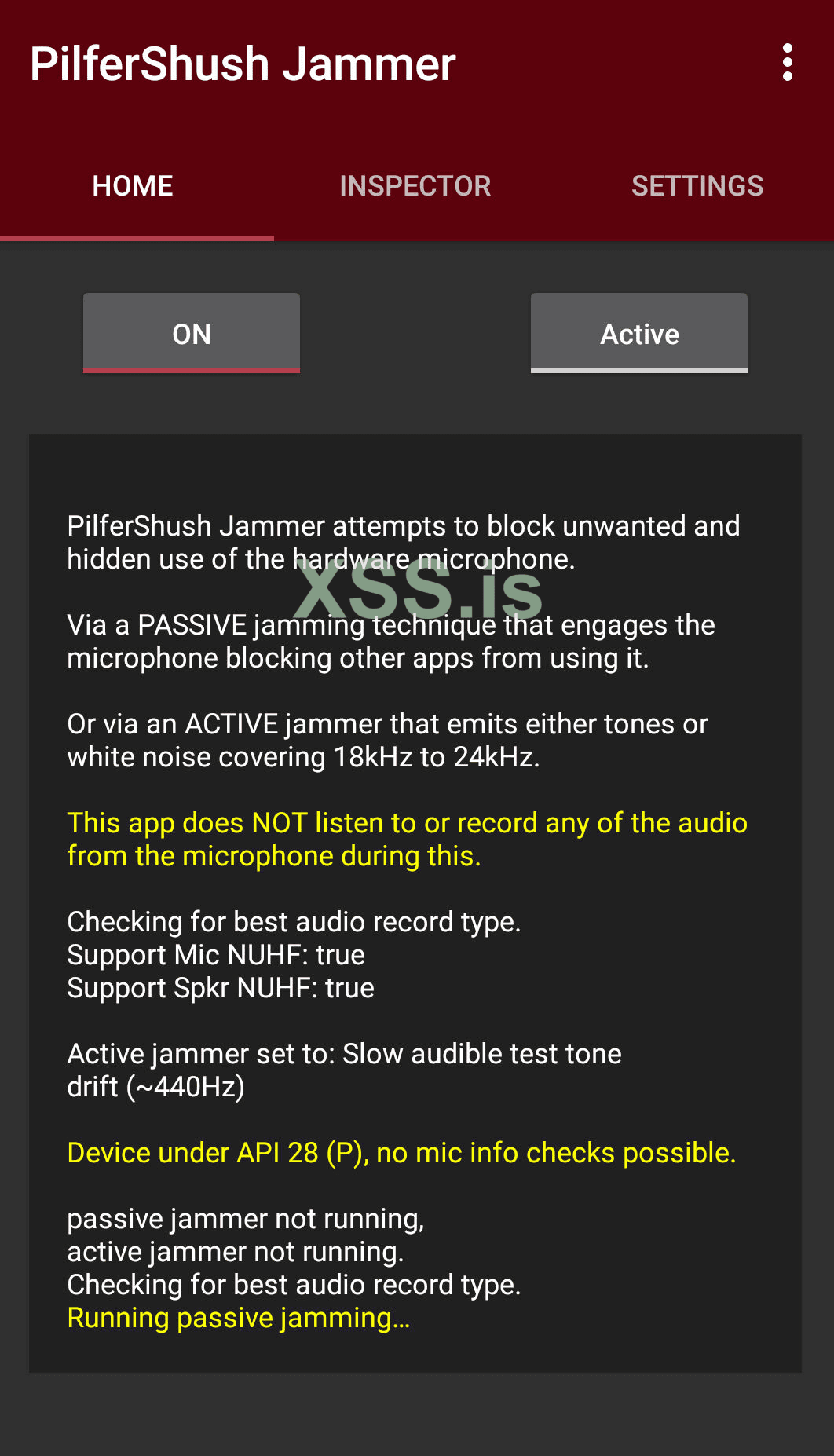
Note: After Turning on the Passive jammer you will not be able to send voice messages.
Remember, it's crucial to be proactive in safeguarding your privacy in today's digital world. Don't hesitate to share this information with your friends and family, so they can also take control of their privacy.
