- Автор темы
- Добавить закладку
- #61
Type cargo run with deleted mutex.I tested it, it didn't give any error
Type cargo run with deleted mutex.I tested it, it didn't give any error
Does not work, tried on xp, win7, win10.Type cargo run with deleted mutex.
i faced the same problemDoes not work, tried on xp, win7, win10.
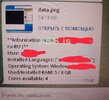
Files are not captured, only screenshot is sent to tg, at the same time logsx is created in appdata with all files (cookies, passwords, etc.), but these files do not come
It is possible that this error is caused by the sending module not working properly, because capturing files works, but sending does not.i faced the same problem
Just had a talk with a customer, which had the same isssue, his tg config was wrong(group id).Does not work, tried on xp, win7, win10.
Files are not captured, only screenshot is sent to tg, at the same time logsx is created in appdata with all files (cookies, passwords, etc.), but these files do not come
Just had a talk with a customer, which had the same isssue, his tg config was wrong(group id).
I couldn't really find out whats wrong because its working for me
So i would need help from some1 were its not working.
I think i already found the issue(Unpushed Changes i didnt pushed yet), Update will be happening in ~15minПосмотреть вложение 39285
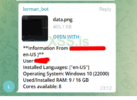
Logs come to the group, which already says that the ID is correct, but the files do not come, comes only a screenshot and info.
Thanks, looking forward to it.I think i already found the issue(Unpushed Changes i didnt pushed yet), Update will be happening in ~15min
Logs come to the group, which already says that the ID is correct, but the files do not come, comes only a screenshot and info.
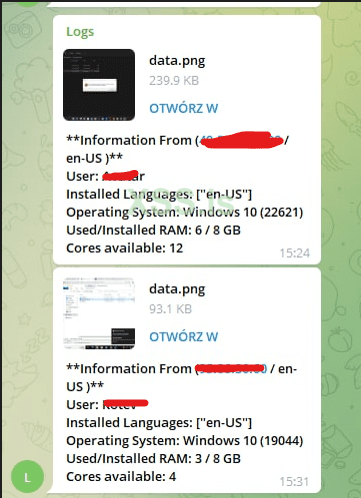
You forgot to blur language in "Information From" ))Logs come to the group, which already says that the ID is correct, but the files do not come, comes only a screenshot and info.
Yes, I also checked the new version, the problem remains the same - the files do not come, only a screenshot...Посмотреть вложение 39289
Yeah, i got the same, update will fix this
same problem)Yes, I also checked the new version, the problem remains the same - the files do not come, only a screenshot...
Idk what was fixed except line 26 ( const MUTEX: bool = true; ) but the problem remains the same.same problem)
same problem)
Is there a error in %localappdata%\\logsxc\\error.txt?Yes, I also checked the new version, the problem remains the same - the files do not come, only a screenshot...
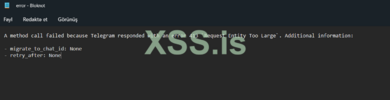
A method call failed because Telegram responded with an error 413 `Request Entity Too Large`. Additional information:%localappdata%\\logsxc\\error.txt dosyasında bir hata mı var?
Thanks for the info.A method call failed because Telegram responded with an error 413 `Request Entity Too Large`. Additional information:
- migrate_to_chat_id: None
- retry_after: None
how can we preventThanks for the info.
There error is that the output file is too big.
No, all files are collected in the logsxc folder, but they are not sent to Telegram, only a screenshot comes to Telegram! Also, the grabber still doesn't work correctly, and doesn't collect .txt .pdf files or any from the desktopIs there a error in %localappdata%\\logsxc\\error.txt?