No, I just want to modify cs4.5
No, I just want to modify cs4.5
Hey, do you still plan do release the HCS script ? Or maby did I miss it on an other thread ?You can use the C2 RedGuard or JARM randomizor.
No, i make it for paid services only.Hey, do you still plan do release the HCS script ? Or maby did I miss it on an other thread ?
This is before 2019, now you need to bypass the online scanners for scanning your JA3 aka.This is realy good , but if we just encrypt the network traffic over 80 http by encrypting cobaltstrike traffic i think most of these steps will never needed more
cause the way of scanner to catch the teamserver by reading the banner , but if this banner is not available any more there is no network detection and also the command should encrypted also not plain json text
I think u did not understand me very well and i think it still work if there is no ssl cert banner no network detection !!! example if i open port 21 default its for ftp but i can run ssh server on 21 port !! how can i know it's ssh not ftp ?? by connect to port and the server will respond with a banner like ftp anonymous login disabled or opensshThis is before 2019, now you need to bypass the online scanners for scanning your JA3 aka.

This is most basic you can find for modify cobaltstrike + beacon.dll, but if you mean about using cobaltstrike and make pentest inside network, cna, powershells and bypass technique, then we can schedule it in private as a traning sessions i can provide you, for more details write in PM or in TOX.r1z Do you happen to have a basic tutorial on Cobalt Strike or how to go about it? I'm trying to learn more about it but I can't seem to find a definitive guide for it, your efforts and posts are much appreciated.
$ java -classpath cobaltstrike.jar;./ CrackSleeve decode

┌──(kali㉿kali)-[~/Downloads/r1z@XSS_cobaltstrike/4.5/untitled1]
└─$ sudo java -classpath cobaltstrike.jar;./ CrackSleeve decode
Usage: java [options] <mainclass> [args...]
           (to execute a class)
   or  java [options] -jar <jarfile> [args...]
           (to execute a jar file)
   or  java [options] -m <module>[/<mainclass>] [args...]
       java [options] --module <module>[/<mainclass>] [args...]
           (to execute the main class in a module)
   or  java [options] <sourcefile> [args]
           (to execute a single source-file program)

 Arguments following the main class, source file, -jar <jarfile>,
 -m or --module <module>/<mainclass> are passed as the arguments to
 main class.

 where options include:

    -zero         to select the "zero" VM
    -dcevm        to select the "dcevm" VM
    -cp <class search path of directories and zip/jar files>
    -classpath <class search path of directories and zip/jar files>
    --class-path <class search path of directories and zip/jar files>
                  A : separated list of directories, JAR archives,
                  and ZIP archives to search for class files.
    -p <module path>
    --module-path <module path>...
                  A : separated list of directories, each directory
                  is a directory of modules.
    --upgrade-module-path <module path>...
                  A : separated list of directories, each directory
                  is a directory of modules that replace upgradeable
                  modules in the runtime image
    --add-modules <module name>[,<module name>...]
                  root modules to resolve in addition to the initial module.
                  <module name> can also be ALL-DEFAULT, ALL-SYSTEM,
                  ALL-MODULE-PATH.
    --enable-native-access <module name>[,<module name>...]
                  modules that are permitted to perform restricted native operations.
                  <module name> can also be ALL-UNNAMED.
    --list-modules
                  list observable modules and exit
    -d <module name>
    --describe-module <module name>
                  describe a module and exit
    --dry-run     create VM and load main class but do not execute main method.
                  The --dry-run option may be useful for validating the
                  command-line options such as the module system configuration.
    --validate-modules
                  validate all modules and exit
                  The --validate-modules option may be useful for finding
                  conflicts and other errors with modules on the module path.
    -D<name>=<value>
                  set a system property
    -verbose:[class|module|gc|jni]
                  enable verbose output for the given subsystem
    -version      print product version to the error stream and exit
    --version     print product version to the output stream and exit
    -showversion  print product version to the error stream and continue
    --show-version
                  print product version to the output stream and continue
    --show-module-resolution
                  show module resolution output during startup
    -? -h -help
                  print this help message to the error stream
    --help        print this help message to the output stream
    -X            print help on extra options to the error stream
    --help-extra  print help on extra options to the output stream
    -ea[:<packagename>...|:<classname>]
    -enableassertions[:<packagename>...|:<classname>]
                  enable assertions with specified granularity
    -da[:<packagename>...|:<classname>]
    -disableassertions[:<packagename>...|:<classname>]
                  disable assertions with specified granularity
    -esa | -enablesystemassertions
                  enable system assertions
    -dsa | -disablesystemassertions
                  disable system assertions
    -agentlib:<libname>[=<options>]
                  load native agent library <libname>, e.g. -agentlib:jdwp
                  see also -agentlib:jdwp=help
    -agentpath:<pathname>[=<options>]
                  load native agent library by full pathname
    -javaagent:<jarpath>[=<options>]
                  load Java programming language agent, see java.lang.instrument
    -splash:<imagepath>
                  show splash screen with specified image
                  HiDPI scaled images are automatically supported and used
                  if available. The unscaled image filename, e.g. image.ext,
                  should always be passed as the argument to the -splash option.
                  The most appropriate scaled image provided will be picked up
                  automatically.
                  See the SplashScreen API documentation for more information
    @argument files
                  one or more argument files containing options
    -disable-@files
                  prevent further argument file expansion
    --enable-preview
                  allow classes to depend on preview features of this release
To specify an argument for a long option, you can use --<name>=<value> or
--<name> <value>.

zsh: permission denied: ./┌──(kali㉿kali)-[~/Downloads/r1z@XSS_cobaltstrike/4.5/untitled1]
└─$ sudo java -classpath cobaltstrike.jar;./ CrackSleeve decode
Usage: java [options] <mainclass> [args...]
           (to execute a class)
   or  java [options] -jar <jarfile> [args...]
           (to execute a jar file)
   or  java [options] -m <module>[/<mainclass>] [args...]
       java [options] --module <module>[/<mainclass>] [args...]
           (to execute the main class in a module)
   or  java [options] <sourcefile> [args]
           (to execute a single source-file program)

 Arguments following the main class, source file, -jar <jarfile>,
 -m or --module <module>/<mainclass> are passed as the arguments to
 main class.

 where options include:

    -zero         to select the "zero" VM
    -dcevm        to select the "dcevm" VM
    -cp <class search path of directories and zip/jar files>
    -classpath <class search path of directories and zip/jar files>
    --class-path <class search path of directories and zip/jar files>
                  A : separated list of directories, JAR archives,
                  and ZIP archives to search for class files.
    -p <module path>
    --module-path <module path>...
                  A : separated list of directories, each directory
                  is a directory of modules.
    --upgrade-module-path <module path>...
                  A : separated list of directories, each directory
                  is a directory of modules that replace upgradeable
                  modules in the runtime image
    --add-modules <module name>[,<module name>...]
                  root modules to resolve in addition to the initial module.
                  <module name> can also be ALL-DEFAULT, ALL-SYSTEM,
                  ALL-MODULE-PATH.
    --enable-native-access <module name>[,<module name>...]
                  modules that are permitted to perform restricted native operations.
                  <module name> can also be ALL-UNNAMED.
    --list-modules
                  list observable modules and exit
    -d <module name>
    --describe-module <module name>
                  describe a module and exit
    --dry-run     create VM and load main class but do not execute main method.
                  The --dry-run option may be useful for validating the
                  command-line options such as the module system configuration.
    --validate-modules
                  validate all modules and exit
                  The --validate-modules option may be useful for finding
                  conflicts and other errors with modules on the module path.
    -D<name>=<value>
                  set a system property
    -verbose:[class|module|gc|jni]
                  enable verbose output for the given subsystem
    -version      print product version to the error stream and exit
    --version     print product version to the output stream and exit
    -showversion  print product version to the error stream and continue
    --show-version
                  print product version to the output stream and continue
    --show-module-resolution
                  show module resolution output during startup
    -? -h -help
                  print this help message to the error stream
    --help        print this help message to the output stream
    -X            print help on extra options to the error stream
    --help-extra  print help on extra options to the output stream
    -ea[:<packagename>...|:<classname>]
    -enableassertions[:<packagename>...|:<classname>]
                  enable assertions with specified granularity
    -da[:<packagename>...|:<classname>]
    -disableassertions[:<packagename>...|:<classname>]
                  disable assertions with specified granularity
    -esa | -enablesystemassertions
                  enable system assertions
    -dsa | -disablesystemassertions
                  disable system assertions
    -agentlib:<libname>[=<options>]
                  load native agent library <libname>, e.g. -agentlib:jdwp
                  see also -agentlib:jdwp=help
    -agentpath:<pathname>[=<options>]
                  load native agent library by full pathname
    -javaagent:<jarpath>[=<options>]
                  load Java programming language agent, see java.lang.instrument
    -splash:<imagepath>
                  show splash screen with specified image
                  HiDPI scaled images are automatically supported and used
                  if available. The unscaled image filename, e.g. image.ext,
                  should always be passed as the argument to the -splash option.
                  The most appropriate scaled image provided will be picked up
                  automatically.
                  See the SplashScreen API documentation for more information
    @argument files
                  one or more argument files containing options
    -disable-@files
                  prevent further argument file expansion
    --enable-preview
                  allow classes to depend on preview features of this release
To specify an argument for a long option, you can use --<name>=<value> or
--<name> <value>.

zsh: permission denied: ./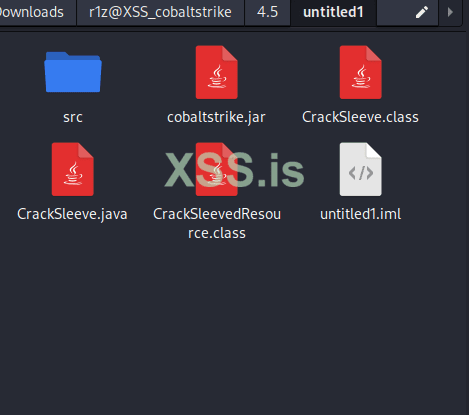
There are errors in the script, which can be seen in the author's screenshot.Пробую всавить свой файл или выше указанный автора скриптб , не работает ... Какие еще варианты для подсчета checksum8 есть?
public class EchoTest {
    public static long checksum8(String text) {
        if (text.length() < 4) {
            return 0L;
        }
        text = text.replace("/", "");
        long sum = 0L;
        for (int x = 0; x < text.length(); x++) {
            sum += text.charAt(x);
        }
        return sum;
    }
    public static void main(String[] args) throws Exception {
        System.out.println(checksum8("xssr1zxssr1zxssr1z.pdf"));
    }
}