Advanced Exploitation of HTA Files in Targeted Attacks
HTA (HTML Application) files are one of the most flexible exploit media, as they operate outside of browser restrictions and with extended permissions within the Windows Script Host environment. These files can be exploited to execute malicious commands in advanced ways, including:
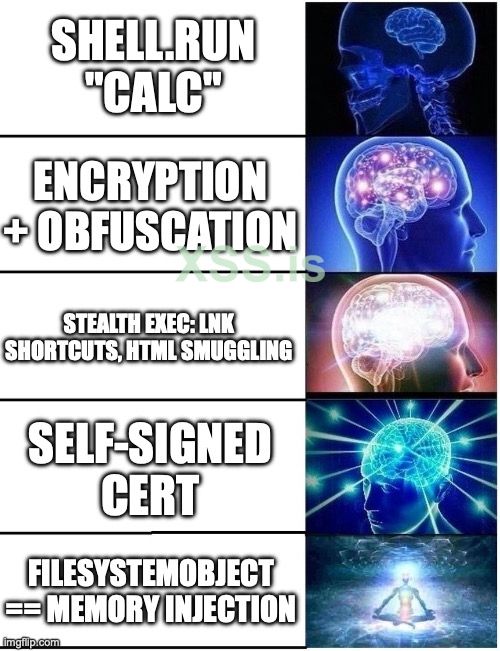
In this example, the script creates a new instance of wscript.Shell and uses it to run the calc command (which opens the calculator on the target system). This is just a basic example.
Obfuscating the Code for Stealth and Evasion
To enhance stealth and evade detection, VBScript can be obfuscated, making it significantly harder for security tools and analysts to analyze. Tools like VBS Obfuscator allow for transforming the script into an unreadable format while preserving its execution. This technique helps bypass signature-based detection and ensures the payload remains undetected. Additionally, applying a custom signature to the file can further enhance its credibility and reduce suspicion.
 Digital Signing Bypass: The HTA file can be signed with a self-signed certificate, which helps bypass some security systems that rely on signature verification.
When combined with these techniques, HTA exploitation becomes one of the most effective methods of targeted attacks, with a high probability of bypassing both traditional and modern defenses.
Important Note on VBScript in Windows
Since 2020, Microsoft has been phasing out VBScript in Windows 10 and newer versions, encouraging users to switch to safer technologies like PowerShell and JavaScript. Although still supported in Windows 11, VBScript is considered insecure and should be avoided in modern applications. It is expected to be fully deprecated by 2027.
HTA (HTML Application) files are one of the most flexible exploit media, as they operate outside of browser restrictions and with extended permissions within the Windows Script Host environment. These files can be exploited to execute malicious commands in advanced ways, including:
Example Code:
Here’s an example of a simple HTA file that uses VBScript to execute a command:
JavaScript:
<html>
  <head>
    <title>Hello World</title>
  </head>
  <body>
    <h2>Hello World</h2>
    <p>This is an HTA...</p>
  </body>

  <script language="VBScript">
    Function Pwn()
      Set shell = CreateObject("wscript.Shell")
      shell.run "calc"
    End Function

    Pwn
  </script>
</html>
In this example, the script creates a new instance of wscript.Shell and uses it to run the calc command (which opens the calculator on the target system). This is just a basic example.
Obfuscating the Code for Stealth and Evasion
To enhance stealth and evade detection, VBScript can be obfuscated, making it significantly harder for security tools and analysts to analyze. Tools like VBS Obfuscator allow for transforming the script into an unreadable format while preserving its execution. This technique helps bypass signature-based detection and ensures the payload remains undetected. Additionally, applying a custom signature to the file can further enhance its credibility and reduce suspicion.
Digital Signing Bypass: The HTA file can be signed with a self-signed certificate, which helps bypass some security systems that rely on signature verification.When combined with these techniques, HTA exploitation becomes one of the most effective methods of targeted attacks, with a high probability of bypassing both traditional and modern defenses.
Important Note on VBScript in Windows
Since 2020, Microsoft has been phasing out VBScript in Windows 10 and newer versions, encouraging users to switch to safer technologies like PowerShell and JavaScript. Although still supported in Windows 11, VBScript is considered insecure and should be avoided in modern applications. It is expected to be fully deprecated by 2027.
Вложения
Последнее редактирование: