

[size=large] Zeus Grabber v1.0 (GUI)[/size]
Multi-Function Domain Tool: Reverse IP, IP Generator, Domain-to-IP Conversion, Google Search Dork & SQli, Zone-H
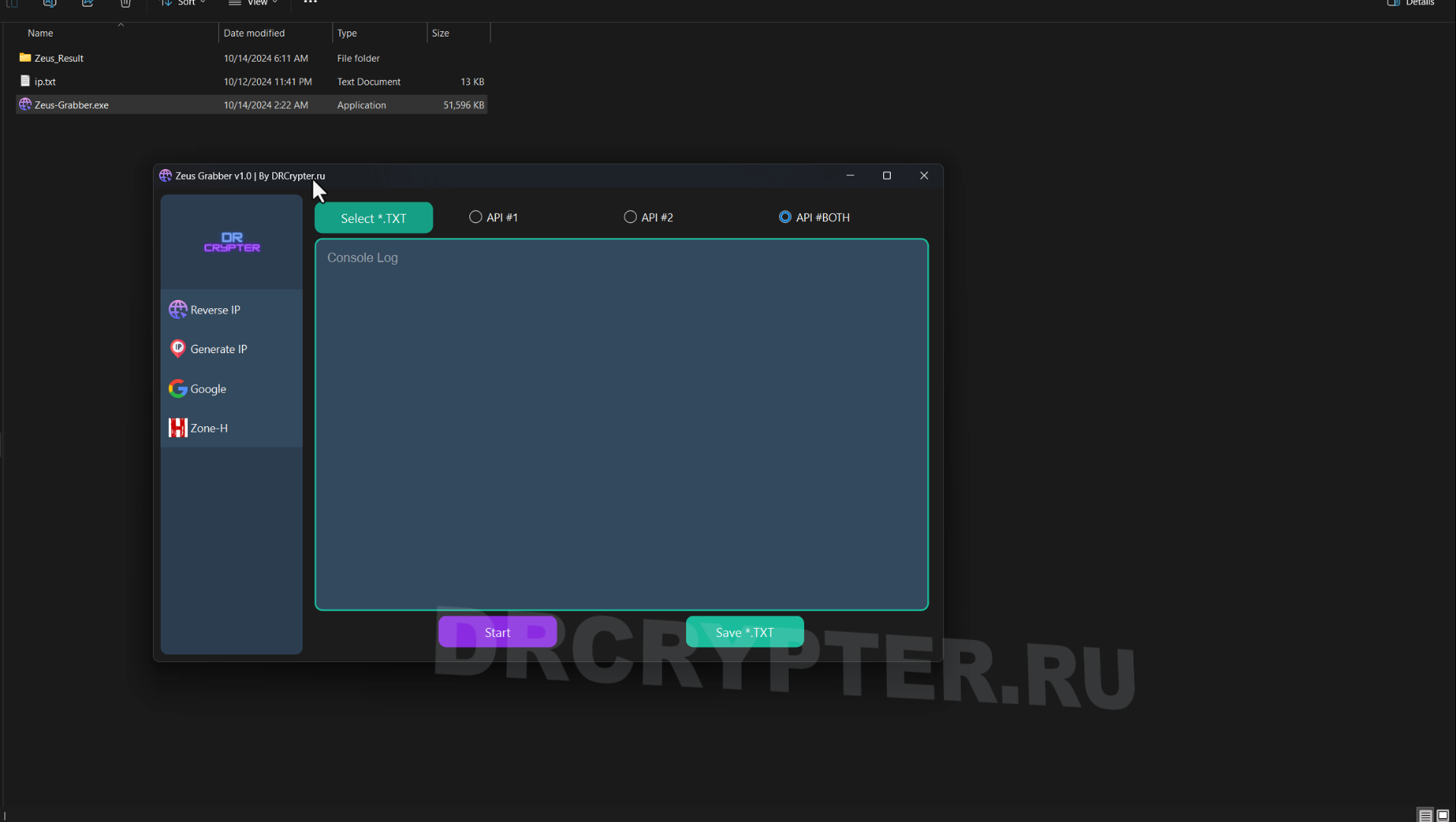
Zeus Grabber is an open-source multi-tool for managing domains, automating reverse IP lookups, generating random IPs, converting domains to IPs, performing Google searches, and Zone-H Grab Domain.
Enjoy using this tool for free!
Screenshots:
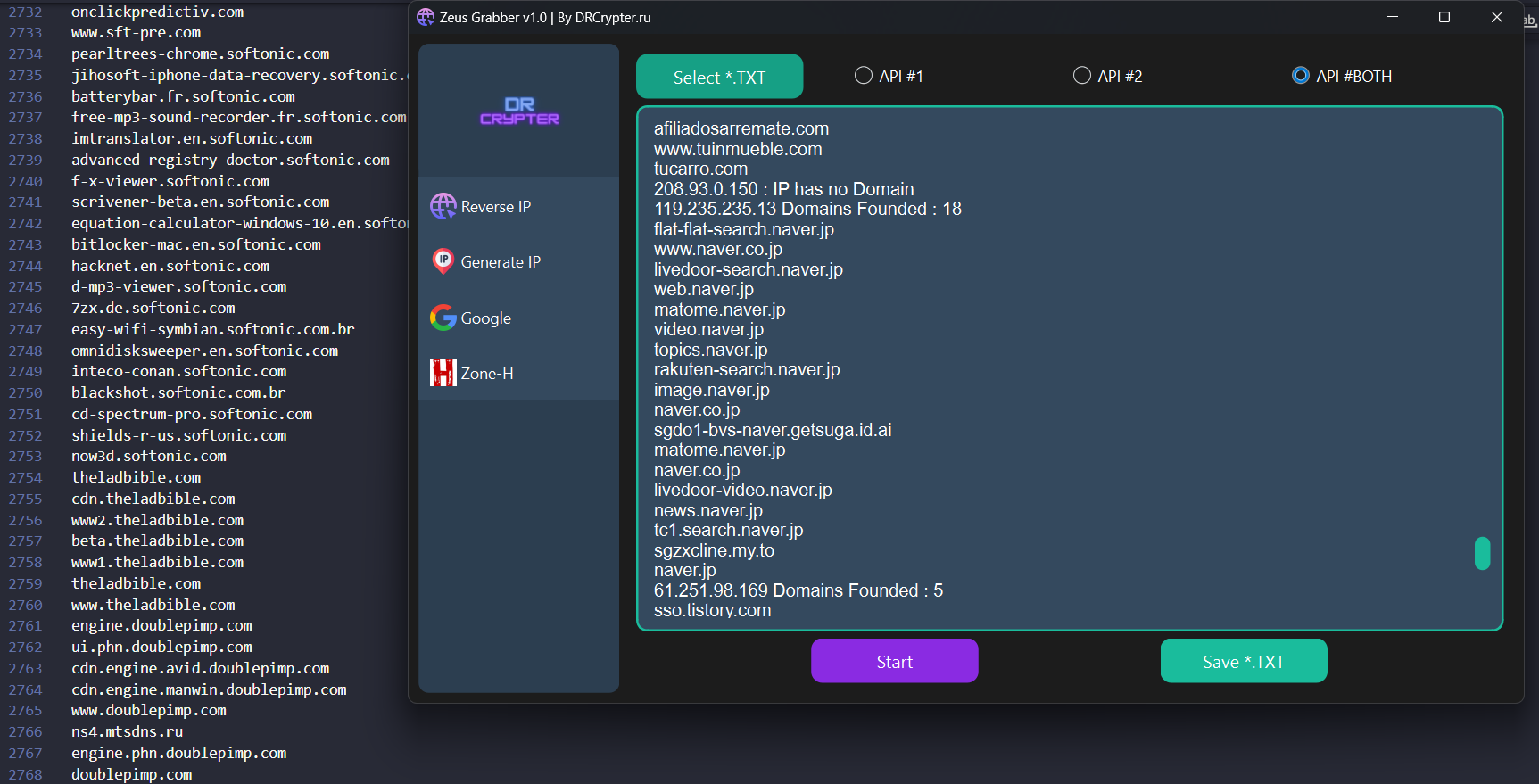
 Reverse IP
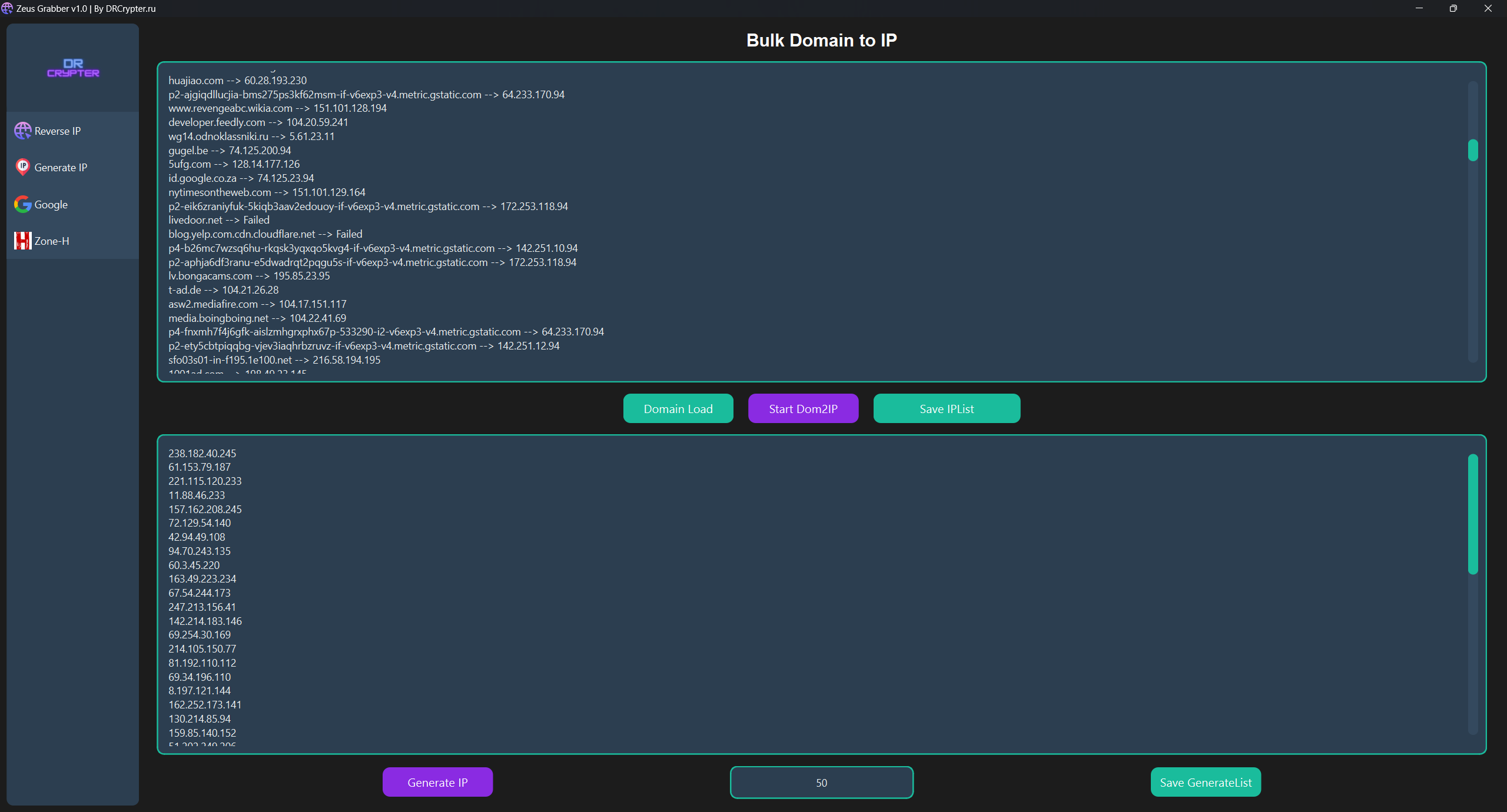
Generate IP
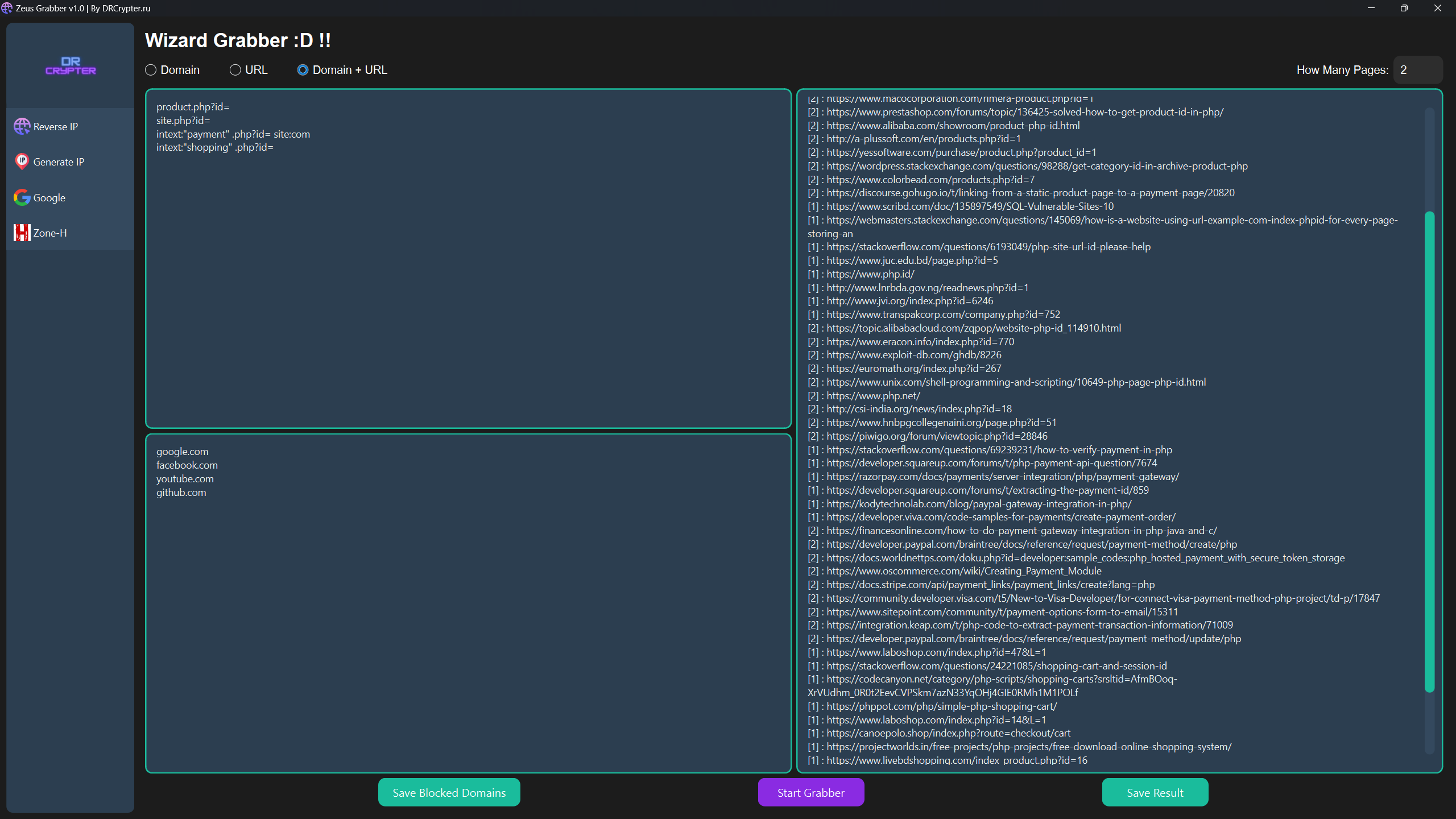
Google Grabber
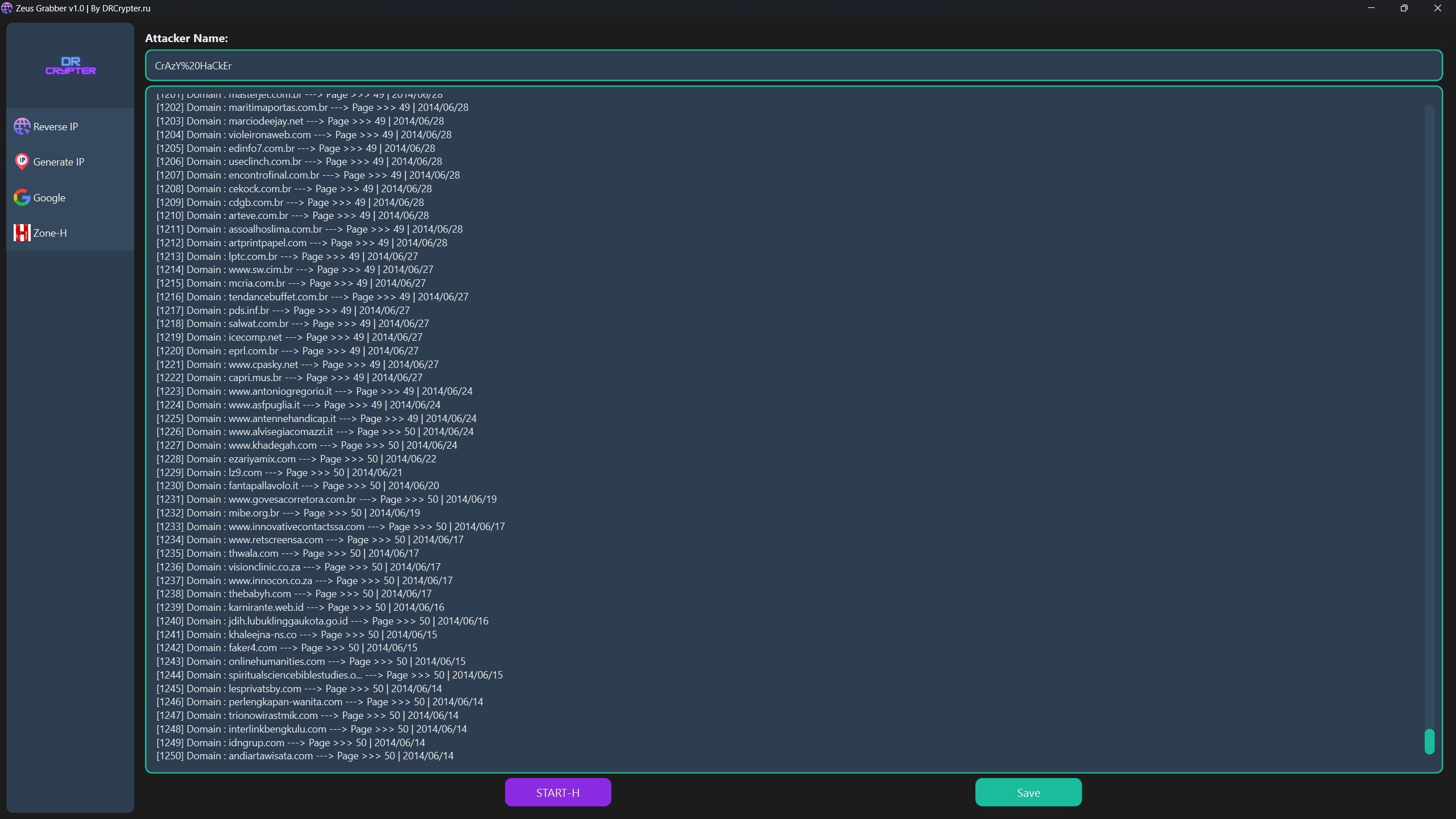
Zone-H
 Installation
[size=medium]Run from Source (Python)[/size]
[size=medium]Run from EXE (No Installation Needed)[/size]
You can download and run the executable from the Releases section. No Python installation is required, just one click to run.
 Features
 Reverse IP
IP Generator
 Google Search Dork & SQLi
 Zone-H Grab Domain
[size=medium] Reverse IP[/size]
Select a TXT file (IP_List.txt) containing a list of IP addresses.
Choose API #1, API #2, or Both APIs. Note: Using both might be slower depending on your network speed.
Save the results as a .txt file.
Click Start to begin the reverse IP lookup.
[size=medium] IP Generator[/size]
This tool offers two IP generation options:
Convert Domain to IP:
Load your domain list (Domain_List.txt).
Save the generated IP list as a .txt file.
Click Start Dom2IP.
Generate Random IPs:
Input the number of IPs you want to generate.
Save the results to a .txt file.
Click Generate IP.
[size=medium] Google Search Automation[/size]
Input your search queries (dorks) into Dork_List.txt, either one per line or multiple at once.
The program automates Google search for each query. Just like using Google manually but faster!
Important: Google captcha bypass is not supported, so you’ll need to solve captchas manually when prompted.
Save the results in two formats:
Domain format (e.g., google.com).
Full URL format (e.g., example.com/product.php?id=...).
Or both formats.
If you want to exclude certain domains, use the Block Domain feature at the bottom of the dork list and save before starting.
[size=medium] Zone-H Username Input[/size]
Input the Zone-H Grab Domain you want to search.
Click Save and then Start-H to retrieve data.
Note: Captchas need to be solved manually, including for Zone-H searches.
How to Run
After installation, launch the application by running:
Or, use the executable version available in Releases for running Zeus-Grabber.
Video Usage
Reported with Total-Virus : Link TV
MD5 : fa9991835a099c7168c34c4f1856fc59
SHA-1 : 1374fcf2fa3436f12f18126545b48cdc8ae3c53a
SHA-256 : f50b0e471436f99a0a5ecec3dca12279bacb3f2f3a6e7fdbd83053ac27a00219
Zeus Grabber v1.0 (GUI)[/size]Multi-Function Domain Tool: Reverse IP, IP Generator, Domain-to-IP Conversion, Google Search Dork & SQli, Zone-H
Zeus Grabber is an open-source multi-tool for managing domains, automating reverse IP lookups, generating random IPs, converting domains to IPs, performing Google searches, and Zone-H Grab Domain.
Note: I have an announcement! Google and Zone-H Grabber was originally coded in 2022 (copyright 2022), but I have made it public in 2024 with updated code to further improve its performance and usability.
Enjoy using this tool for free!
Screenshots:
Reverse IP
Generate IP
Google Grabber
Zone-H
Installation[size=medium]Run from Source (Python)[/size]
У вас должно быть более 1 сообщений для просмотра скрытого контента.
Link Download Source code & Exe : Download LINK
[size=medium]Run from EXE (No Installation Needed)[/size]
You can download and run the executable from the Releases section. No Python installation is required, just one click to run.
Features Reverse IP IP Generator Google Search Dork & SQLi Zone-H Grab Domain[size=medium]
Reverse IP[/size]Select a TXT file (IP_List.txt) containing a list of IP addresses.
Choose API #1, API #2, or Both APIs. Note: Using both might be slower depending on your network speed.
Save the results as a .txt file.
Click Start to begin the reverse IP lookup.
[size=medium]
IP Generator[/size]This tool offers two IP generation options:
Convert Domain to IP:
Load your domain list (Domain_List.txt).
Save the generated IP list as a .txt file.
Click Start Dom2IP.
Generate Random IPs:
Input the number of IPs you want to generate.
Save the results to a .txt file.
Click Generate IP.
[size=medium]
Google Search Automation[/size]Input your search queries (dorks) into Dork_List.txt, either one per line or multiple at once.
The program automates Google search for each query. Just like using Google manually but faster!
Important: Google captcha bypass is not supported, so you’ll need to solve captchas manually when prompted.
Save the results in two formats:
Domain format (e.g., google.com).
Full URL format (e.g., example.com/product.php?id=...).
Or both formats.
If you want to exclude certain domains, use the Block Domain feature at the bottom of the dork list and save before starting.
[size=medium]
Zone-H Username Input[/size]Input the Zone-H Grab Domain you want to search.
Click Save and then Start-H to retrieve data.
Note: Captchas need to be solved manually, including for Zone-H searches.
How to RunAfter installation, launch the application by running:
Код:
python Main.pyOr, use the executable version available in Releases for running Zeus-Grabber.
Video Usage
Reported with Total-Virus : Link TV
MD5 : fa9991835a099c7168c34c4f1856fc59
SHA-1 : 1374fcf2fa3436f12f18126545b48cdc8ae3c53a
SHA-256 : f50b0e471436f99a0a5ecec3dca12279bacb3f2f3a6e7fdbd83053ac27a00219
