

so i'm kinda new in such stuffs like about 2days only for a project that i've been work for, so baseclly, instead of using the API of chatGPT , i was likely making a tool with python to login into the chatGPT, with a large timeout because of my internet, of course without any cookies first:

the function
this are the cookies:
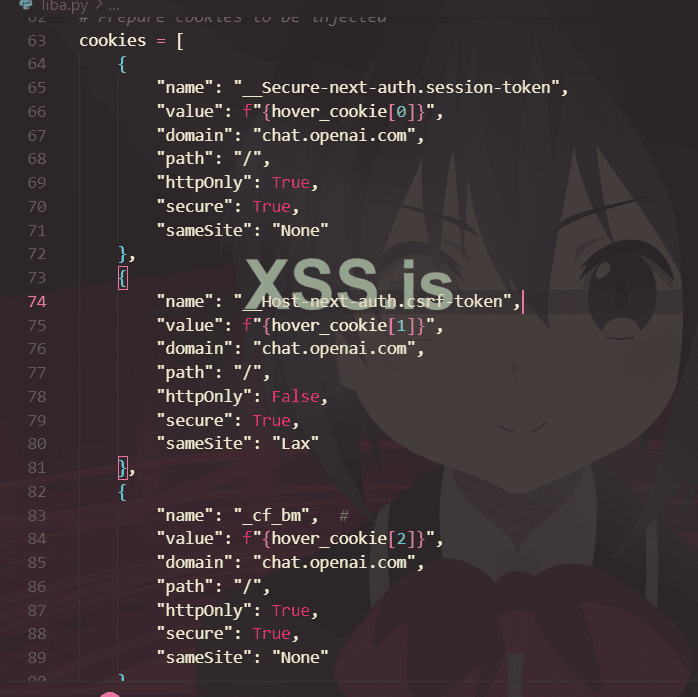
i just made three cookies, the last one which is
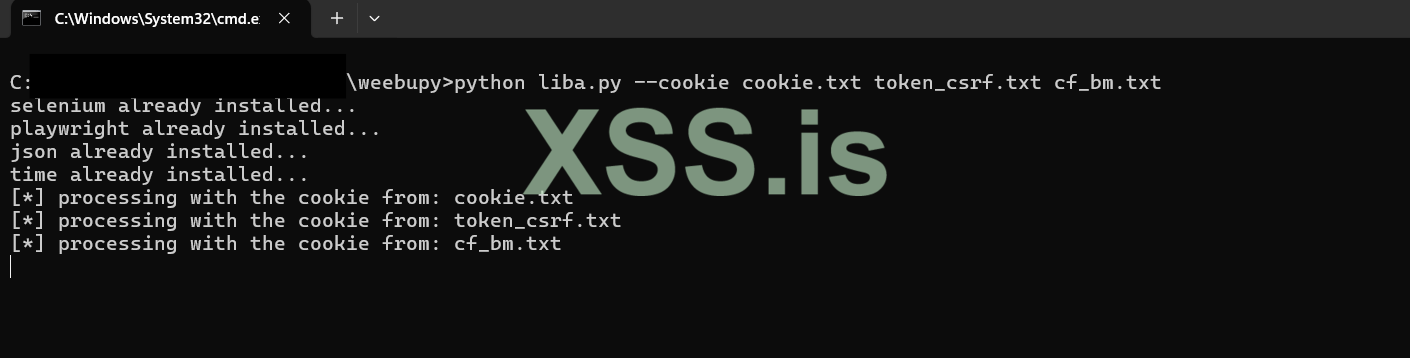
*
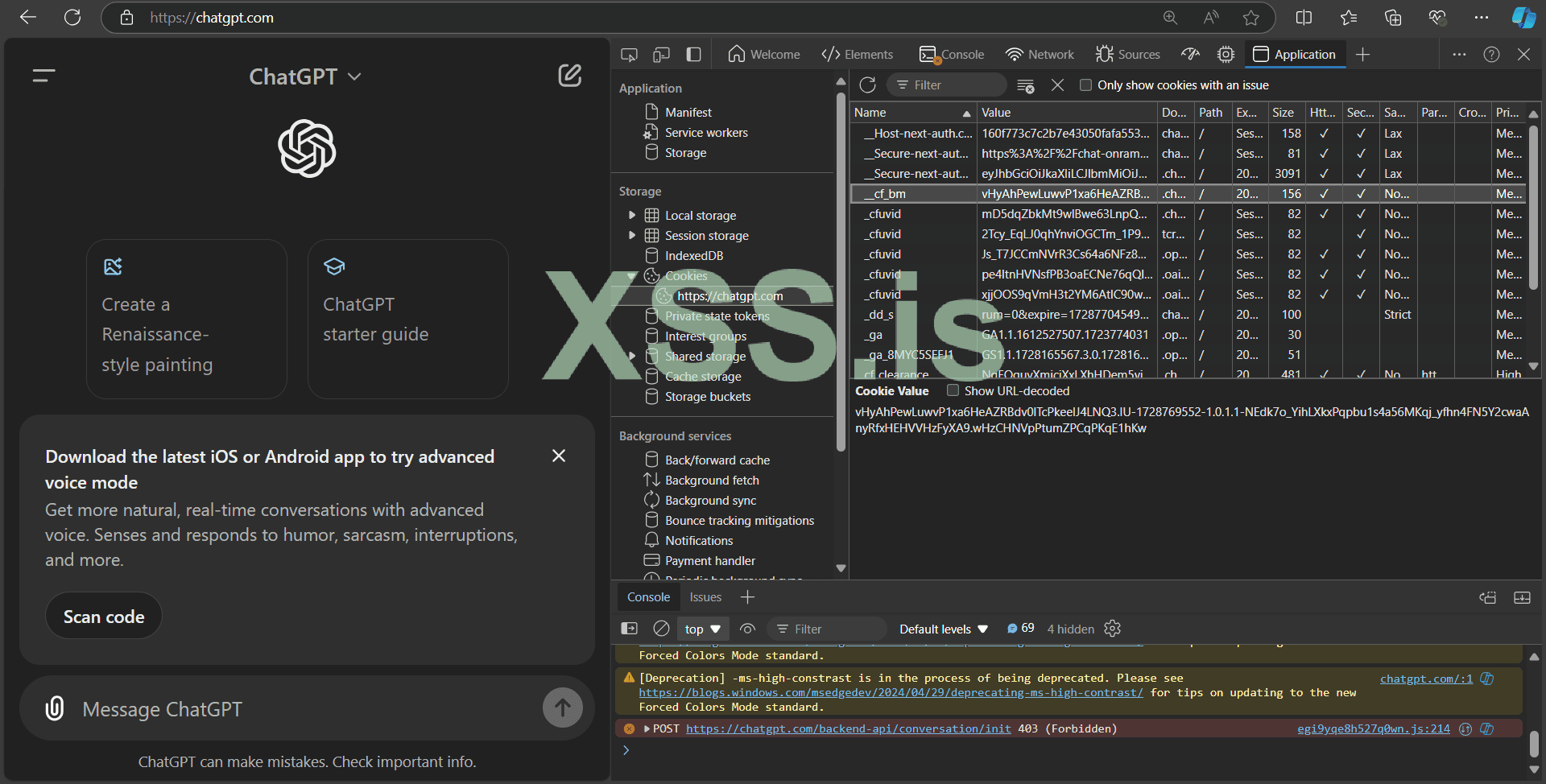
i got them from the browser with inspect ( F12) , then storage << cookies and put them inside txt files:
and here's what the hole func do, since i didn't yet finish the hole code, i mean searching about the xpath to put our input and get back the output and so on:
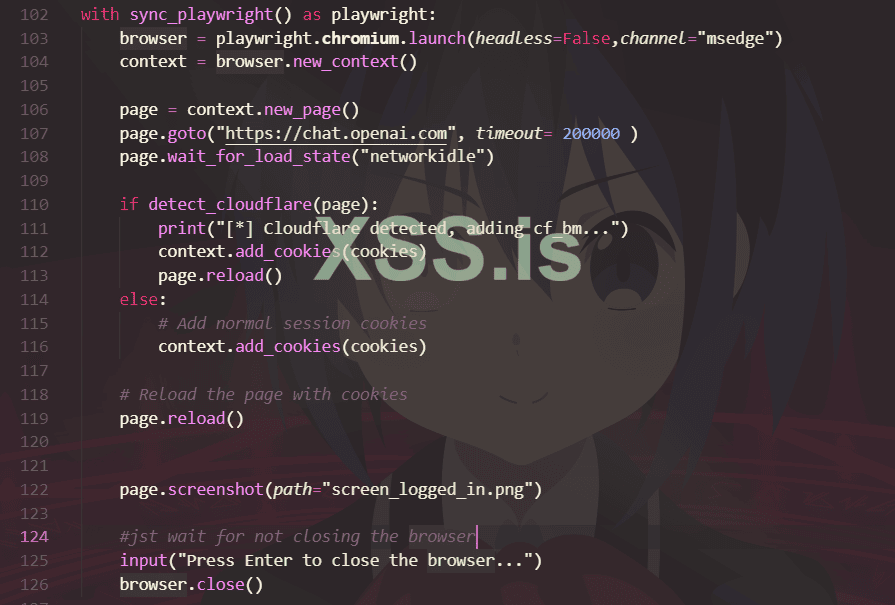
it's just put the cookies to bypass cloud far, i already made an account on chatGPT just for test, but now the problem is that it's load normally the browser, log into the website, stay until it's finish loading, and then...when it's trying to put the cookies it's stay refreshing and asking to bypass the cloudfare, is there any way to bypass it? or upade my code?
here's the code:
if anyone has an idea, i'll be really thankull ))
the function
wait_for_load_state()will just wait until the hole page loaded, at that time we can push the cookiesthis are the cookies:
i just made three cookies, the last one which is
_cf_bm is for bypassing the cloudfare, the others for my account, the values are on array cz i put them as an input withargparse as we'll put the cookies inside an txt file or just directly, as on this way:
*
i got them from the browser with inspect ( F12) , then storage << cookies and put them inside txt files:
and here's what the hole func do, since i didn't yet finish the hole code, i mean searching about the xpath to put our input and get back the output and so on:
it's just put the cookies to bypass cloud far, i already made an account on chatGPT just for test, but now the problem is that it's load normally the browser, log into the website, stay until it's finish loading, and then...when it's trying to put the cookies it's stay refreshing and asking to bypass the cloudfare, is there any way to bypass it? or upade my code?
here's the code:
Python:
import sys
import subprocess
import importlib
import argparse


def install_packages(package):
    for pkg in package:
        try:
            importlib.import_module(pkg)
            print(f"{pkg} already installed...")
        except ImportError:
            print(f"Packages are not installed, error: {ImportError}")
            print(f"Installing the package {pkg}...")
            subprocess.check_call([sys.executable, "-m", "pip", "install", pkg])


all_packages = ['selenium', 'playwright', 'json', 'time']
install_packages(all_packages)


# Fix: Allow multiple cookies using nargs='+'
parser = argparse.ArgumentParser(description='Web scraping for ChatGPT')
parser.add_argument('-k', '--cookie', type=str, nargs='+', help='Set the cookie as one or more TXT files or directly')
parser.add_argument('-ex', '--execute', type=str, help='Run the whole tool')
parser.add_argument('-b', '--browser', type=str, help='Choose your browser', default='edge')

args = parser.parse_args()

execute = args.execute
browser = args.browser
cookie_list = args.cookie  # Fix: Corrected from args.cookiee to args.cookie


def cookie_manage(cookielist):
    cookies_all = []
    if cookielist:
        for cookie in cookielist:
            if cookie.endswith('.txt'):
                print(f"[*] processing with the cookie from: {cookie}")
                # Load the cookie from the TXT file
                with open(cookie, 'r') as cookie_file:
                    cookie_data = cookie_file.read()
                    cookies_all.append(cookie_data)

            else:
                cookies_all.append(cookie)

    return cookies_all


hover_cookie = cookie_manage(cookie_list)

# Check that you have exactly three cookies loaded
if len(hover_cookie) < 3:
    print("Error: You must provide 3 cookies (session token, csrf token, and Cloudflare cookie).")
    sys.exit(1)

# Dealing with browser stuff
from playwright.sync_api import sync_playwright

# Prepare cookies to be injected
cookies = [
    {
        "name": "__Secure-next-auth.session-token",
        "value": f"{hover_cookie[0]}",
        "domain": "chat.openai.com",
        "path": "/",
        "httpOnly": True,
        "secure": True,
        "sameSite": "None"
    },
    {
        "name": "__Host-next-auth.csrf-token",
        "value": f"{hover_cookie[1]}",
        "domain": "chat.openai.com",
        "path": "/",
        "httpOnly": False,
        "secure": True,
        "sameSite": "Lax"
    },
    {
        "name": "_cf_bm",  #
        "value": f"{hover_cookie[2]}",
        "domain": "chat.openai.com",
        "path": "/",
        "httpOnly": True,
        "secure": True,
        "sameSite": "None"
    }
]

def detect_cloudflare(page):
    try:
        # Detect Cloudflare challenge based on page content
        page.wait_for_selector('text=Verifying you are human. This may take a few seconds.', timeout=5000)
        return True
    except:
        return False


with sync_playwright() as playwright:
    browser = playwright.chromium.launch(headless=False,channel="msedge")
    context = browser.new_context()

    page = context.new_page()
    page.goto("https://chat.openai.com", timeout= 200000 )
    page.wait_for_load_state("networkidle")

    if detect_cloudflare(page):
        print("[*] Cloudflare detected, adding cf_bm...")
        context.add_cookies(cookies)
        page.reload()
    else:
        # Add normal session cookies
        context.add_cookies(cookies)

    # Reload the page with cookies
    page.reload()


    page.screenshot(path="screen_logged_in.png")

    #jst wait for not closing the browser
    input("Press Enter to close the browser...")
    browser.close()
if anyone has an idea, i'll be really thankull ))
Последнее редактирование: