

hello XSS!
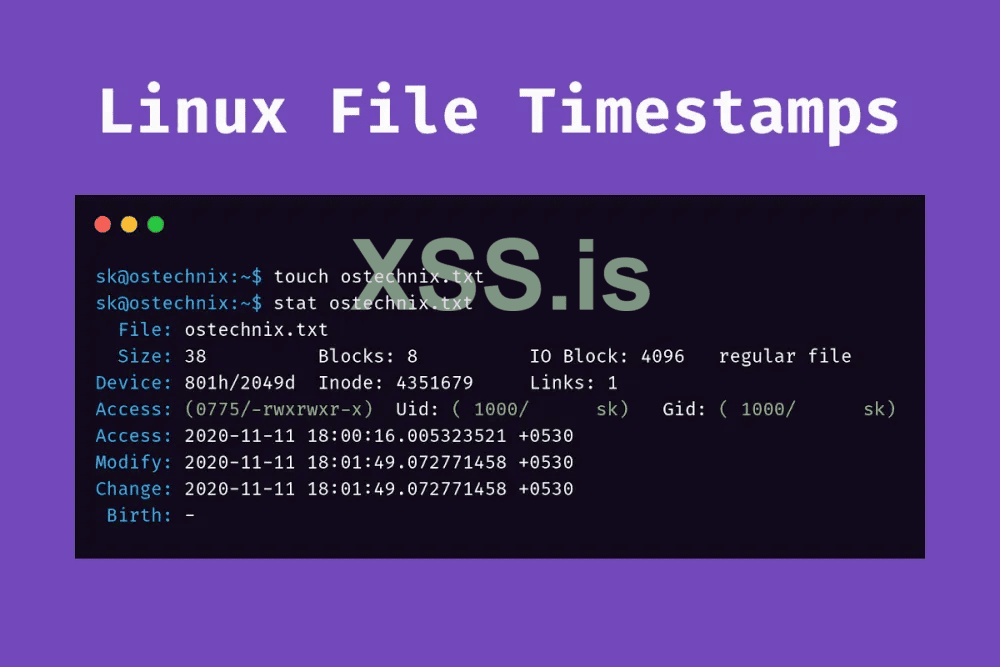
The “-t” option modifies the time stamp of the file and the format is YYYYMMDDHHMM.
The time stamp is changed to current system date and time after touch command is run with ‘-m’ option.as example if we got a file called xss.php
executing the command
another command
will change timestamp to 07/07/1977 to touch a file with specific time :
additionally we can copy other file timestamp by using this command:
smart server manger will keep eye on date of his files , this is one of the ways if u edited a file to keep it less hidden on server.
Credits Please if Copied never shared in other forums!
show some love to keep this going by reaction or whatever support !
any translation to Russian is appreciated from experienced user !
./0x0
The “-t” option modifies the time stamp of the file and the format is YYYYMMDDHHMM.
The time stamp is changed to current system date and time after touch command is run with ‘-m’ option.as example if we got a file called xss.php
executing the command
Код:
stat xss.php
Access: 2022-7-6 21:58:21
Modify: 2022-7-6 21:58:21
another command
Код:
touch -a -m -t 19770707 xss.phpwill change timestamp to 07/07/1977 to touch a file with specific time :
Код:
touch -d "1977-07-07 12:12:12" xss.phpadditionally we can copy other file timestamp by using this command:
Код:
touch a.php -r b.phpCredits Please if Copied never shared in other forums!
show some love to keep this going by reaction or whatever support !
any translation to Russian is appreciated from experienced user !
./0x0