Hello dear friends, in this article, we intend to review and explain a project using Flask and the GitHub API that allows users to search for new CVEs from GitHub and clone the related repositories. In this project, Python is used for development, and Flask is used as the web framework to build the user interface.
First of all, let me give an explanation about Flask in Python and its functionality in this project. (Note that this article is prepared for beginners, but this can be a very good and professional tool for all individuals.)
What is Python Flask?
Python Flask: Flask is a micro web framework for Python that, due to its simplicity and flexibility, is very suitable for small to medium-sized projects. Flask allows developers to quickly implement web applications with minimal coding and configuration.
GitHub API: GitHub API allows developers to receive information about repositories, users, and other GitHub resources using HTTP requests. In this project, the GitHub API is used to search for repositories related to CVEs.
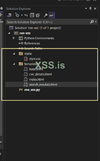
Project structure:
Well, I wrote this script using VS 2022. You can download it by clicking here.
First, let's install Flask using pip:
Now, let's create a Python project in VS and create the necessary files and folders.
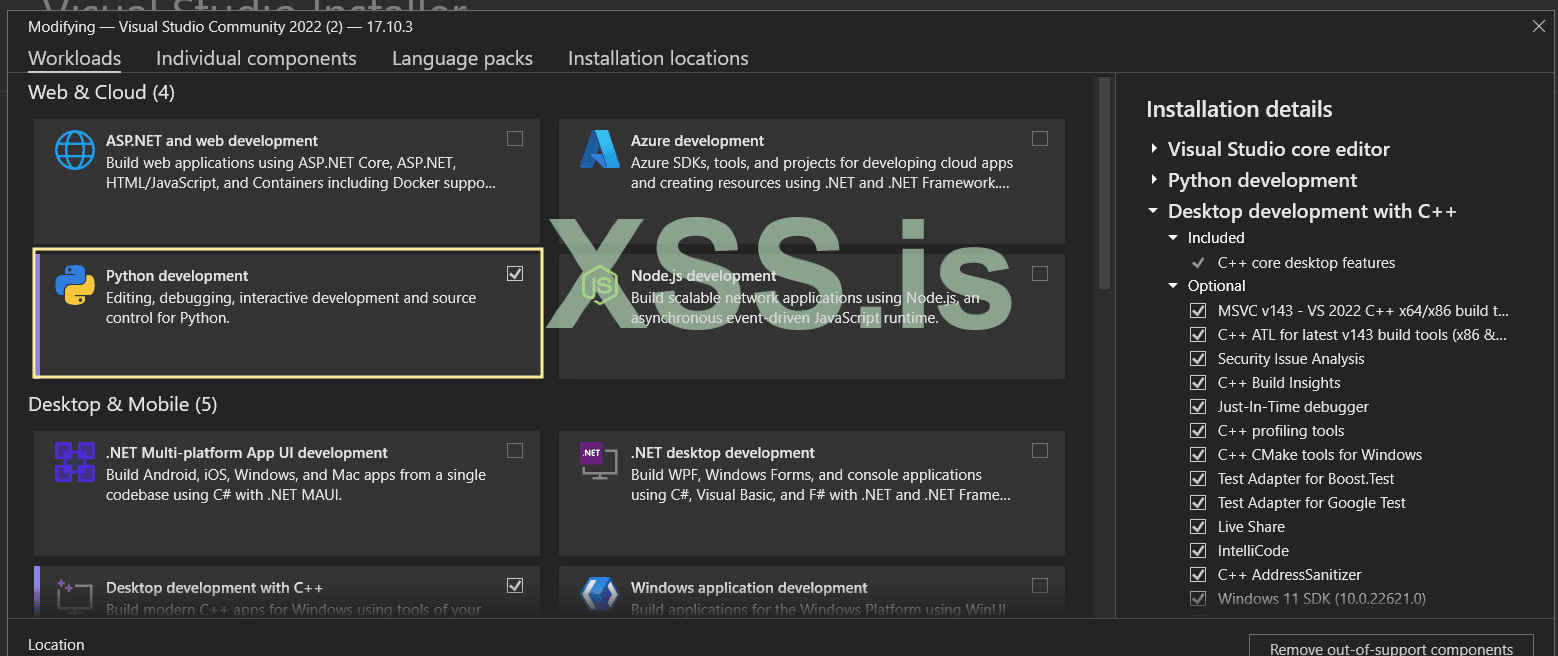
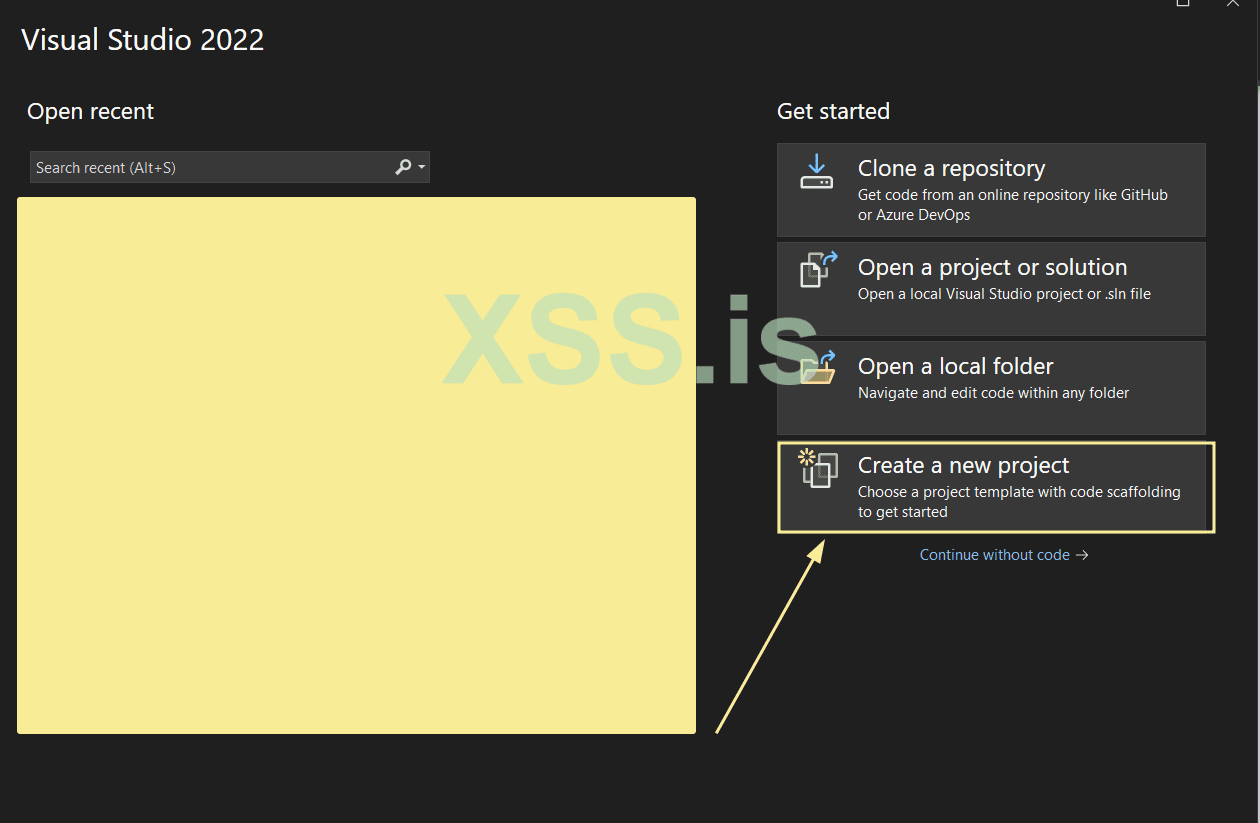
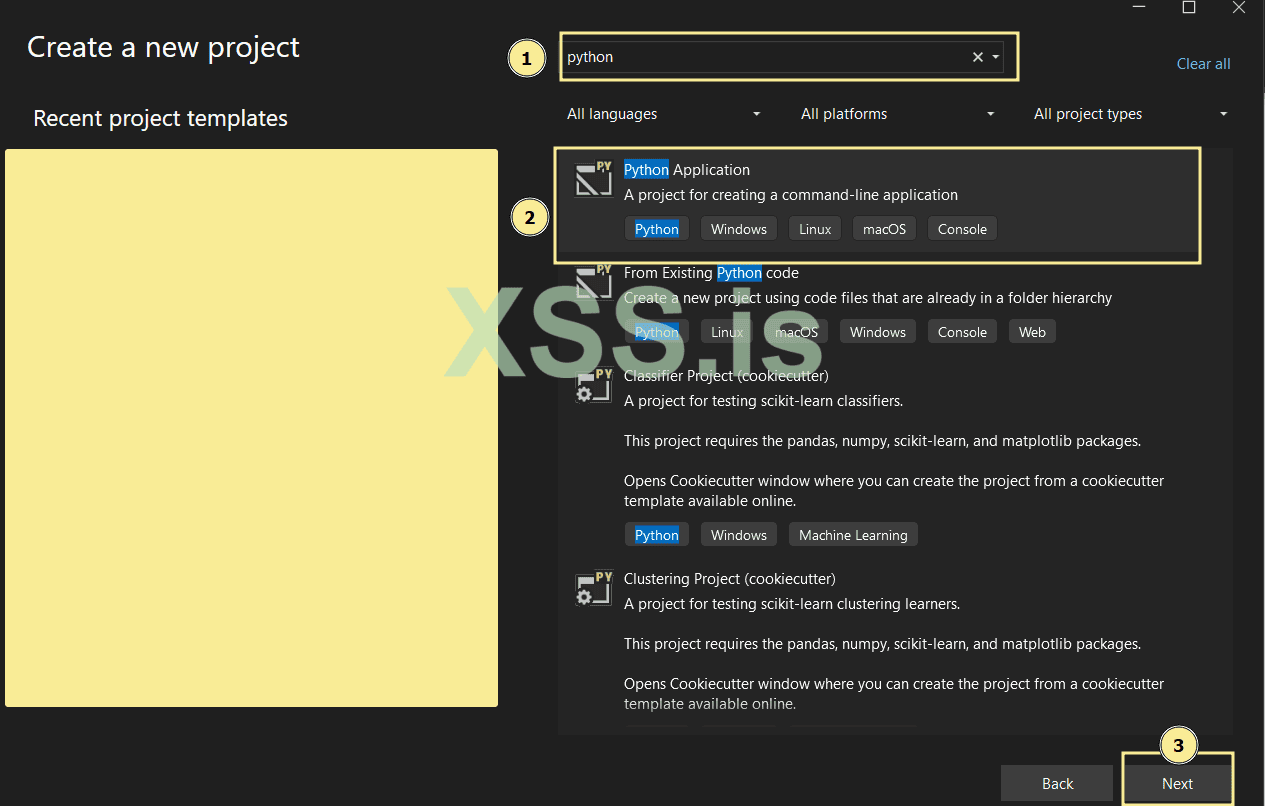
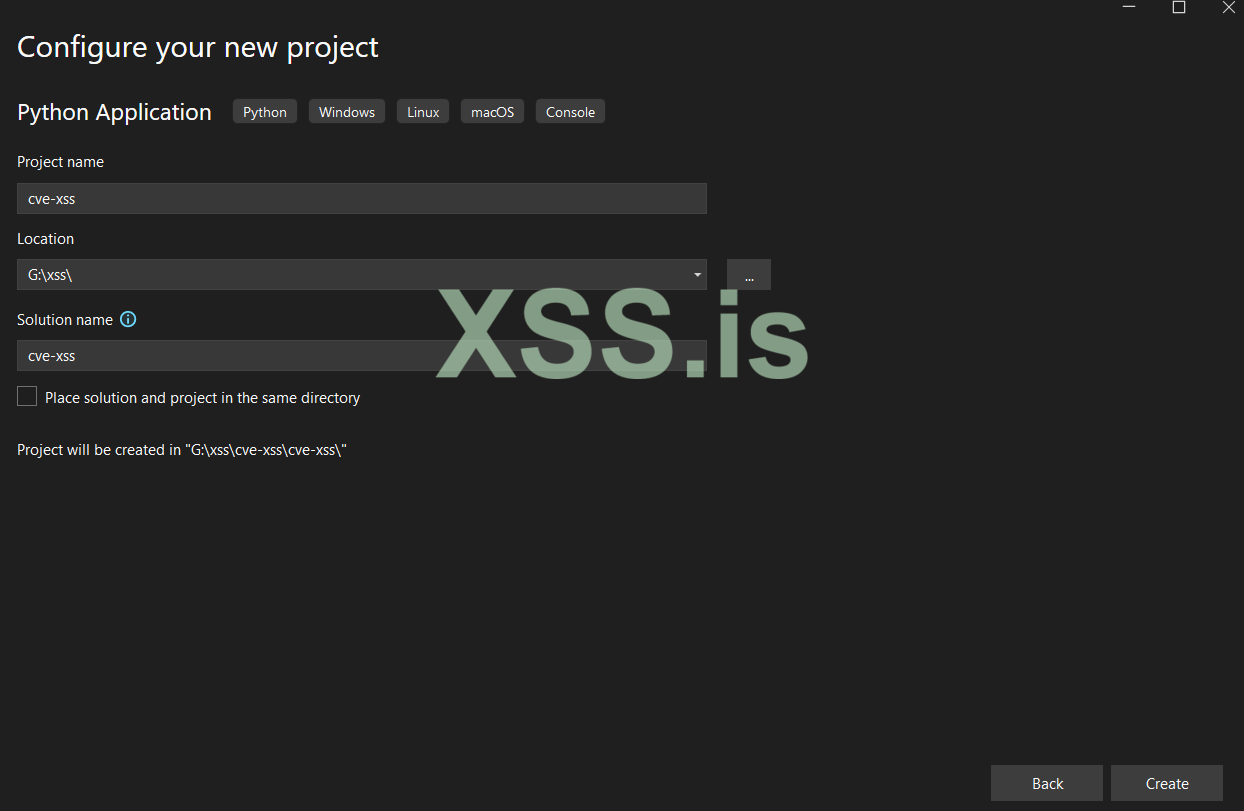
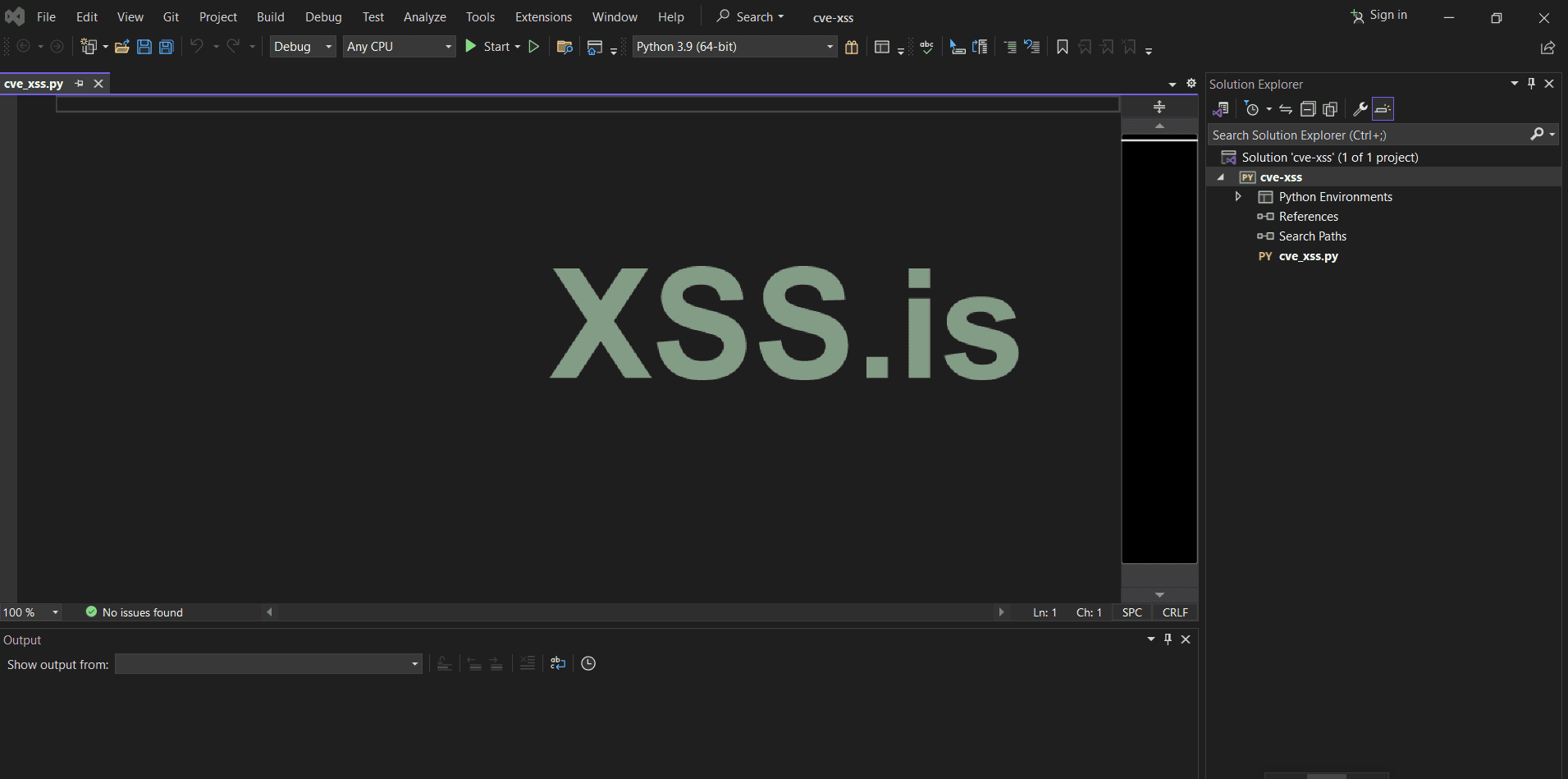
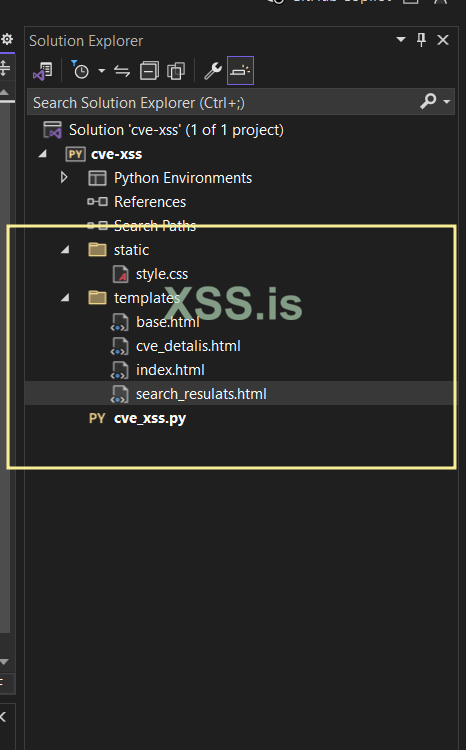
Let's build the script step by step together.
cve_xss.py
install packages :
import flask: This line imports the necessary libraries.
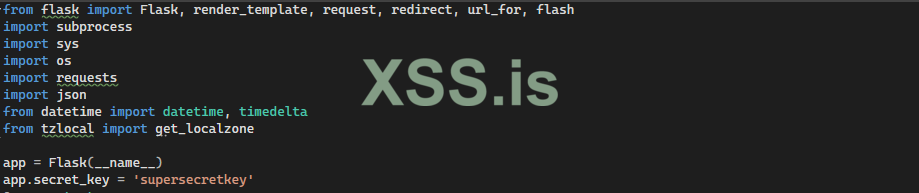
Define a context processor in Flask :
@app.context_processor: A context processor in Flask that introduces the function

SETTINGS_FILE: Specifies the name of the settings file.
LAST_SEARCH_FILE: Specifies the name of the last search file.

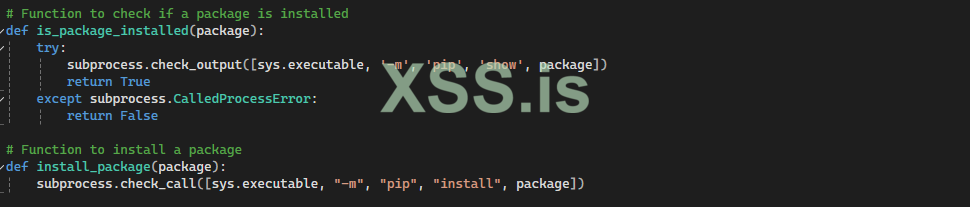
Checking package installation :
is_package_installed: Checks whether the package is installed or not.
install_package: Installs the package if it is not already installed.
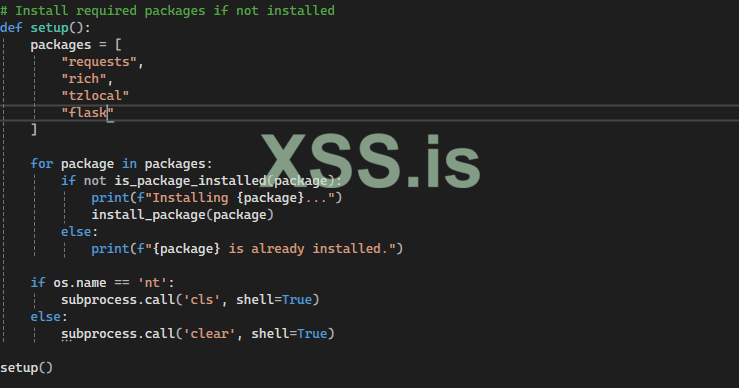
Setting up the initial project :
setup: This function installs required packages and clears the terminal screen.
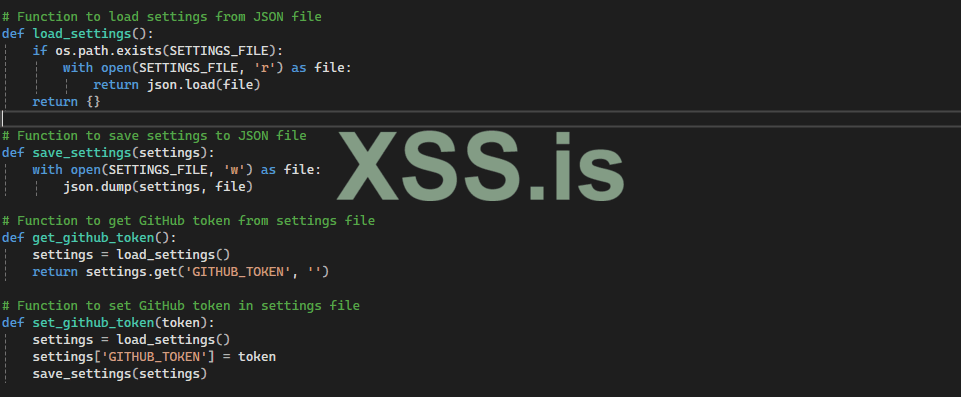
Managing settings and GitHub tokens :
load_settings: Loads the settings file.
save_settings: Saves the settings to a file.
get_github_token: Retrieves the GitHub token from the settings file.
set_github_token: Saves the GitHub token to the settings file.
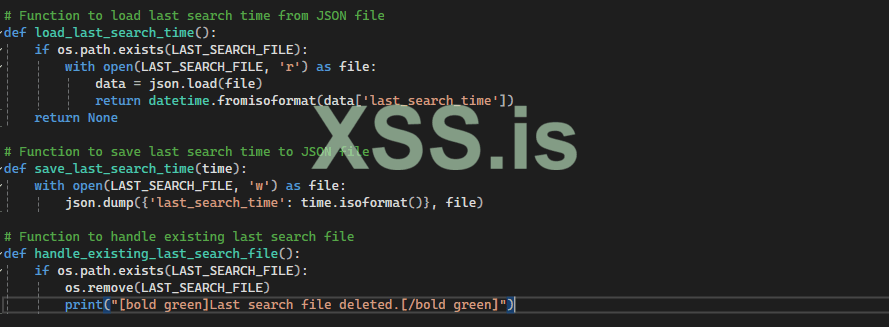
Managing search time :
load_last_search_time: Loads the last search time from a file.
save_last_search_time: Saves the last search time to a file.
handle_existing_last_search_file: Deletes the existing last search time file.
Cloning a repository :
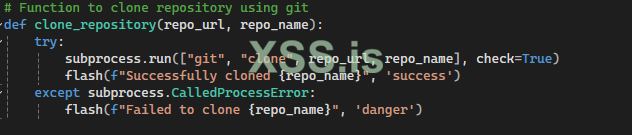
clone_repository: Clones a GitHub repository and displays success or failure messages to the user.
Searching repositories :
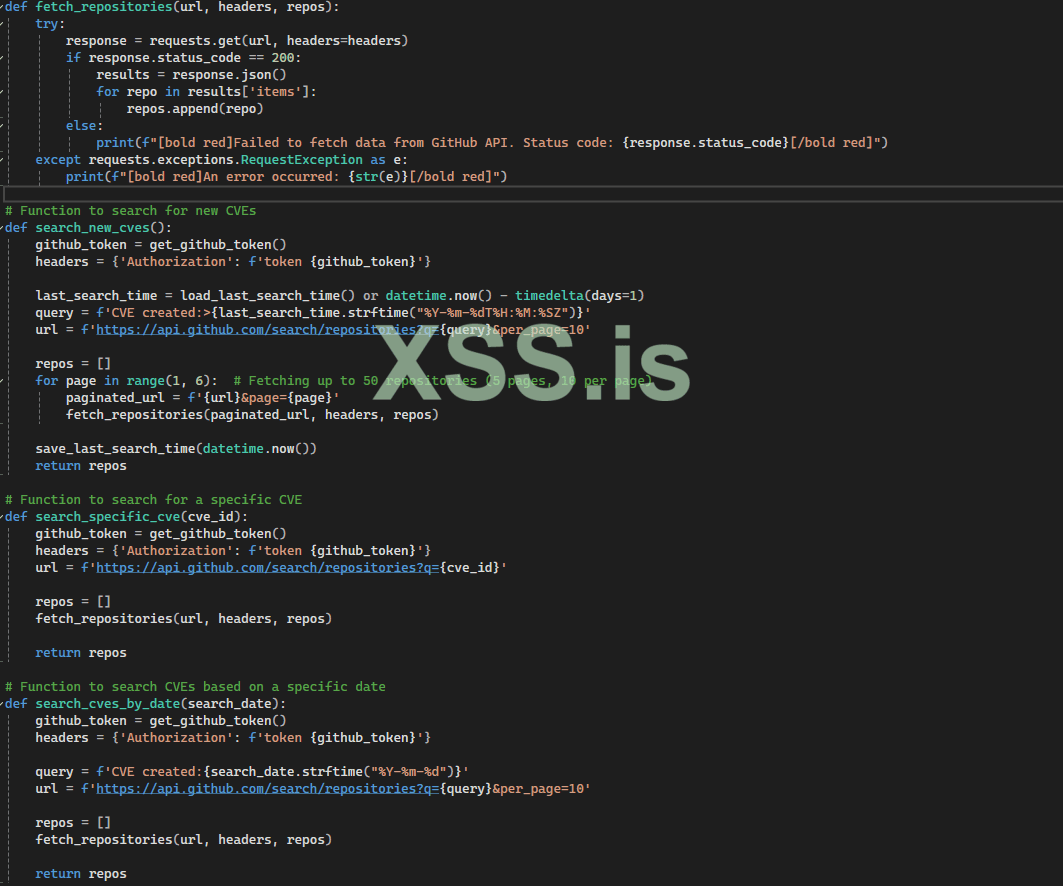
These functions are used to search repositories related to CVEs using the GitHub API.
Flask Route:
This route serves the index page. It checks if a GitHub token is set in the settings and passes it to the template if it exists.
Explanation:

Flask Route: /set_token
This route handles the submission of the GitHub token and stores it in the settings.
Explanation:

Flask Route: /search
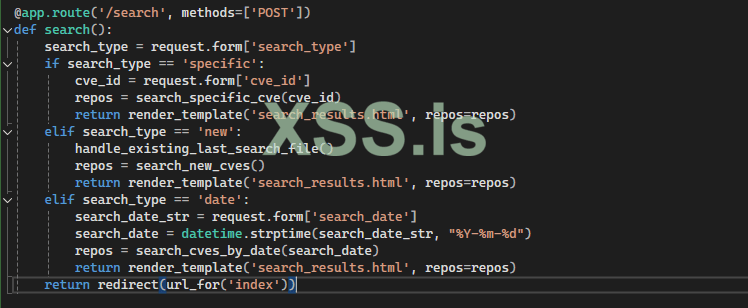
This route handles different types of CVE searches based on user input.
Explanation:
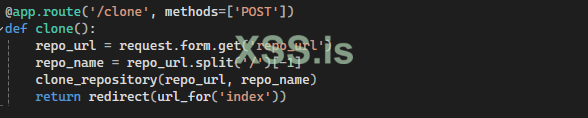
Flask Route: /clone
This route handles the cloning of a GitHub repository based on user input.
Explanation:
Running the Flask App
Explanation:
if __name__ == "__main__": Checks if the script is being run directly (not imported as a module).
app.run(debug=True): Runs the Flask app in debug mode, allowing for live code updates and detailed error messages.

index.html :
The HTML code contains two POST forms form for setting GitHub Token:
Explanation:
Form for searching:
Explanation:
The JavaScript code below allows you to dynamically change the display of input fields based on the search type selected:
Explanation:
Explanation:
Explanation:
1. Overall HTML Structure
Explanation:
2. Body Content
The body section of the HTML document contains the main content of the page:
ok now let's to run and test script :
open folder project with command line (i'm using windows 10)
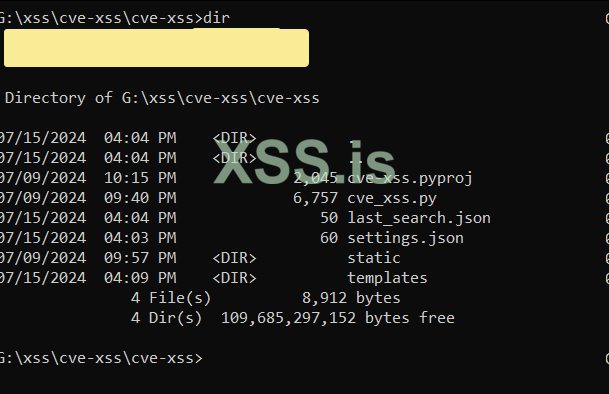
Run Script :
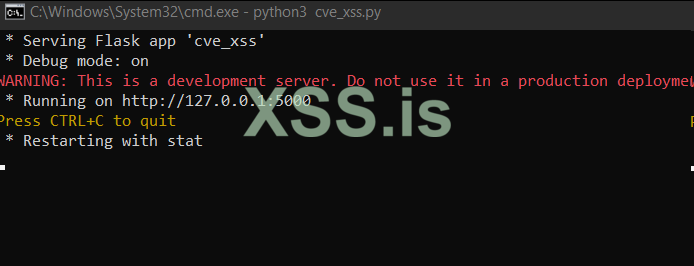
let's open 127.0.0.1:5000 :
open browser and type 127.0.0.1:5000 :
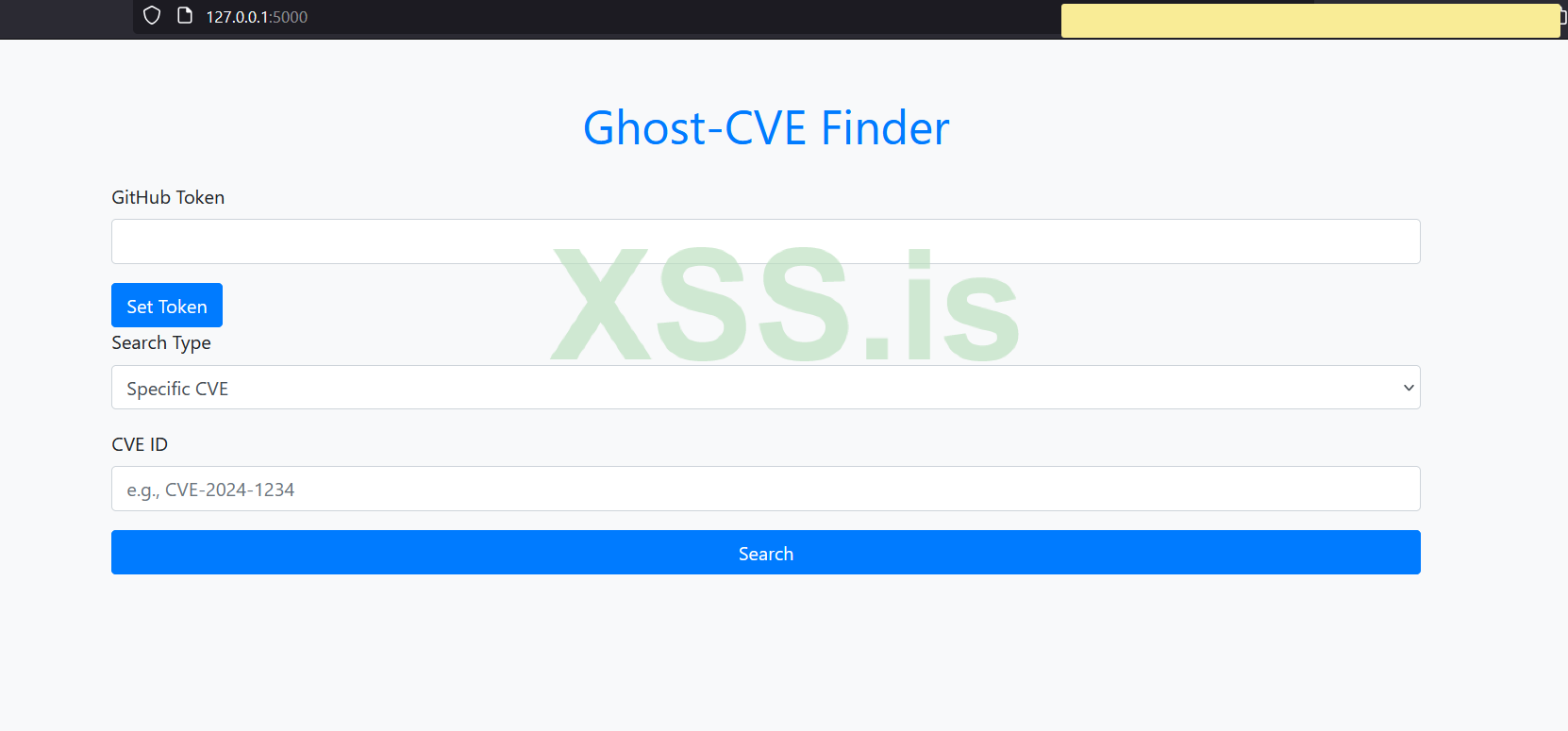
Serach and clone :
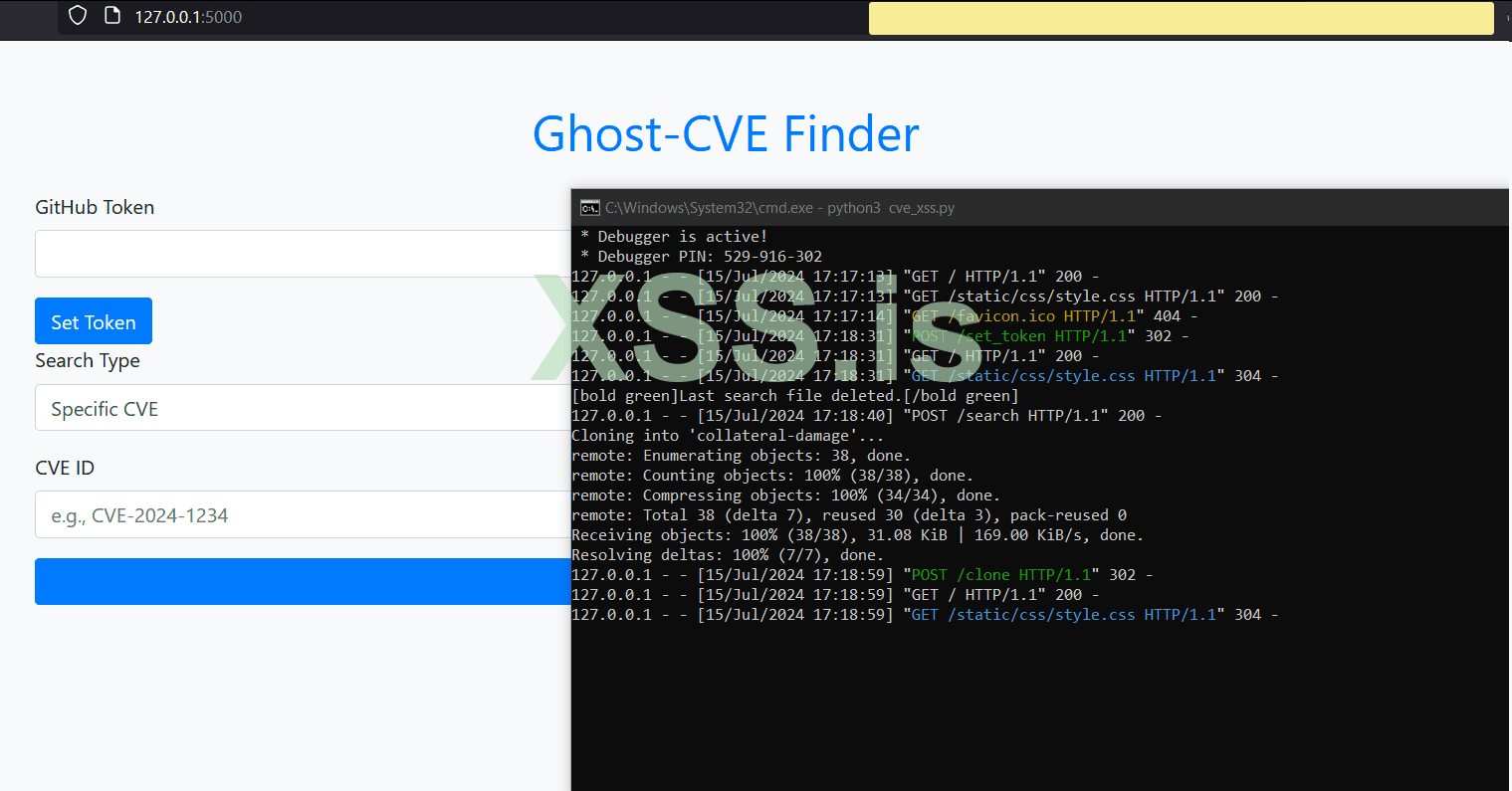
I hope this is a good flask project. Good evening to all members of the forum.
Best Regards BlackHunt .
Author : blackhunt
Special for xss.pro
The entire project has been added for testing and execution, available for download.
CVE-XSS.ZIP
First of all, let me give an explanation about Flask in Python and its functionality in this project. (Note that this article is prepared for beginners, but this can be a very good and professional tool for all individuals.)
What is Python Flask?
Python Flask: Flask is a micro web framework for Python that, due to its simplicity and flexibility, is very suitable for small to medium-sized projects. Flask allows developers to quickly implement web applications with minimal coding and configuration.
GitHub API: GitHub API allows developers to receive information about repositories, users, and other GitHub resources using HTTP requests. In this project, the GitHub API is used to search for repositories related to CVEs.
Project structure:
Код:
cve.py
static/
    style.css
templates/
    base.html
    cve_details.html
    index.html
    search_results.html
Well, I wrote this script using VS 2022. You can download it by clicking here.
First, let's install Flask using pip:
Код:
pip install flaskNow, let's create a Python project in VS and create the necessary files and folders.
Let's build the script step by step together.
cve_xss.py
install packages :
Python:
from flask import Flask, render_template, request, redirect, url_for, flash
import subprocess
import sys
import os
import requests
import json
from datetime import datetime, timedelta
from tzlocal import get_localzone

app = Flask(__name__)
app.secret_key = 'supersecretkey'
import flask: This line imports the necessary libraries.
Flask is used for creating a web server, and render_template is used for rendering templates. request and redirect are used for handling requests and redirecting the user to another page. flash is used for displaying temporary messages
Define a context processor in Flask :
Python:
@app.context_processor
def utility_processor():
    def enumerate_function(iterable, start=0):
        return enumerate(iterable, start)
    return dict(enumerate=enumerate_function)
@app.context_processor: A context processor in Flask that introduces the function
enumerate_function to Jinja2 templates.
Python:
SETTINGS_FILE = 'settings.json'
LAST_SEARCH_FILE = 'last_search.json'
SETTINGS_FILE: Specifies the name of the settings file.
LAST_SEARCH_FILE: Specifies the name of the last search file.
Checking package installation :
Python:
def is_package_installed(package):
    try:
        subprocess.check_output([sys.executable, '-m', 'pip', 'show', package])
        return True
    except subprocess.CalledProcessError:
        return False

def install_package(package):
    subprocess.check_call([sys.executable, "-m", "pip", "install", package])
is_package_installed: Checks whether the package is installed or not.
install_package: Installs the package if it is not already installed.
Setting up the initial project :
Python:
def setup():
    packages = [
        "requests",
        "rich",
        "tzlocal",
         "flask"
    ]

    for package in packages:
        if not is_package_installed(package):
            print(f"Installing {package}...")
            install_package(package)
        else:
            print(f"{package} is already installed.")

    if os.name == 'nt':
        subprocess.call('cls', shell=True)
    else:
        subprocess.call('clear', shell=True)

setup()
setup: This function installs required packages and clears the terminal screen.
Managing settings and GitHub tokens :
Python:
def load_settings():
    if os.path.exists(SETTINGS_FILE):
        with open(SETTINGS_FILE, 'r') as file:
            return json.load(file)
    return {}

def save_settings(settings):
    with open(SETTINGS_FILE, 'w') as file:
        json.dump(settings, file)

def get_github_token():
    settings = load_settings()
    return settings.get('GITHUB_TOKEN', '')

def set_github_token(token):
    settings = load_settings()
    settings['GITHUB_TOKEN'] = token
    save_settings(settings)
load_settings: Loads the settings file.
save_settings: Saves the settings to a file.
get_github_token: Retrieves the GitHub token from the settings file.
set_github_token: Saves the GitHub token to the settings file.
Managing search time :
Python:
def load_last_search_time():
    if os.path.exists(LAST_SEARCH_FILE):
        with open(LAST_SEARCH_FILE, 'r') as file:
            data = json.load(file)
            return datetime.fromisoformat(data['last_search_time'])
    return None

def save_last_search_time(time):
    with open(LAST_SEARCH_FILE, 'w') as file:
        json.dump({'last_search_time': time.isoformat()}, file)

def handle_existing_last_search_file():
    if os.path.exists(LAST_SEARCH_FILE):
        os.remove(LAST_SEARCH_FILE)
        print("[bold green]Last search file deleted.[/bold green]")
load_last_search_time: Loads the last search time from a file.
save_last_search_time: Saves the last search time to a file.
handle_existing_last_search_file: Deletes the existing last search time file.
Cloning a repository :
Python:
def clone_repository(repo_url, repo_name):
    try:
        subprocess.run(["git", "clone", repo_url, repo_name], check=True)
        flash(f"Successfully cloned {repo_name}", 'success')
    except subprocess.CalledProcessError:
        flash(f"Failed to clone {repo_name}", 'danger')
clone_repository: Clones a GitHub repository and displays success or failure messages to the user.
Searching repositories :
Python:
def fetch_repositories(url, headers, repos):
    try:
        response = requests.get(url, headers=headers)
        if response.status_code == 200:
            results = response.json()
            for repo in results['items']:
                repos.append(repo)
        else:
            print(f"[bold red]Failed to fetch data from GitHub API. Status code: {response.status_code}[/bold red]")
    except requests.exceptions.RequestException as e:
        print(f"[bold red]An error occurred: {str(e)}[/bold red]")

def search_new_cves():
    github_token = get_github_token()
    headers = {'Authorization': f'token {github_token}'}

    last_search_time = load_last_search_time() or datetime.now() - timedelta(days=1)
    query = f'CVE created:>{last_search_time.strftime("%Y-%m-%dT%H:%M:%SZ")}'
    url = f'https://api.github.com/search/repositories?q={query}&per_page=10'

    repos = []
    for page in range(1, 6):  # Fetching up to 50 repositories (5 pages, 10 per page)
        paginated_url = f'{url}&page={page}'
        fetch_repositories(paginated_url, headers, repos)

    save_last_search_time(datetime.now())
    return repos

def search_specific_cve(cve_id):
    github_token = get_github_token()
    headers = {'Authorization': f'token {github_token}'}
    url = f'https://api.github.com/search/repositories?q={cve_id}'

    repos = []
    fetch_repositories(url, headers, repos)

    return repos

def search_cves_by_date(search_date):
    github_token = get_github_token()
    headers = {'Authorization': f'token {github_token}'}

    query = f'CVE created:{search_date.strftime("%Y-%m-%d")}'
    url = f'https://api.github.com/search/repositories?q={query}&per_page=10'

    repos = []
    fetch_repositories(url, headers, repos)

    return repos
These functions are used to search repositories related to CVEs using the GitHub API.
fetch_repositories retrieves repository data from the GitHub API. search_new_cves, search_specific_cve, and search_cves_by_date are respectively used for searching new CVEs, searching for a specific CVE, and searching CVEs by date.
Flask Route:
This route serves the index page. It checks if a GitHub token is set in the settings and passes it to the template if it exists.
Python:
@app.route('/')
def index():
    github_token = get_github_token()
    if (github_token):
        return render_template('index.html', github_token=github_token)
    else:
        return render_template('index.html')
Explanation:
- @app.route('/'): Defines a route for the root URL (homepage).
- def index(): Defines the function that will be called when the root URL is accessed.
- github_token = get_github_token(): Calls the
get_github_token()function to get the GitHub token from the settings. - if github_token:: Checks if the GitHub token is available.
- return render_template('index.html', github_token=github_token): Renders
index.htmland passes the GitHub token to the template if it exists. - else:: If no GitHub token is found.
- return render_template('index.html'): Renders
index.htmlwithout passing the GitHub token to the template.
Flask Route: /set_token
This route handles the submission of the GitHub token and stores it in the settings.
Python:
@app.route('/set_token', methods=['POST'])
def set_token():
    github_token = request.form['github_token']
    set_github_token(github_token)
    return redirect(url_for('index'))
Explanation:
- @app.route('/set_token', methods=['POST']): Defines a route for setting the GitHub token via a POST request.
- def set_token(): Defines the function that will be called when the
/set_tokenURL is accessed. - github_token = request.form['github_token']: Retrieves the GitHub token from the form data submitted via POST.
- set_github_token(github_token): Calls the
set_github_token()function to save the GitHub token in the settings. - return redirect(url_for('index')): Redirects the user to the
indexroute (likely the homepage in this case) after setting the token.
Flask Route: /search
This route handles different types of CVE searches based on user input.
Python:
@app.route('/search', methods=['POST'])
def search():
    search_type = request.form['search_type']
    if search_type == 'specific':
        cve_id = request.form['cve_id']
        repos = search_specific_cve(cve_id)
        return render_template('search_results.html', repos=repos)
    elif search_type == 'new':
        handle_existing_last_search_file()
        repos = search_new_cves()
        return render_template('search_results.html', repos=repos)
    elif search_type == 'date':
        search_date_str = request.form['search_date']
        search_date = datetime.strptime(search_date_str, "%Y-%m-%d")
        repos = search_cves_by_date(search_date)
        return render_template('search_results.html', repos=repos)
    return redirect(url_for('index'))
Explanation:
- @app.route('/search', methods=['POST']): Defines a route for performing searches via a POST request.
- def search(): Defines the function that will be called when the
/searchURL is accessed. - search_type = request.form['search_type']: Retrieves the search type from the form data submitted via POST.
- if search_type == 'specific':: Checks if the search type is 'specific'.
- cve_id = request.form['cve_id']: Retrieves the CVE ID from the form data.
- repos = search_specific_cve(cve_id): Calls the
search_specific_cve()function to search for the specific CVE. - return render_template('search_results.html', repos=repos): Renders
search_results.htmlwith the search results.
- elif search_type == 'new':: Checks if the search type is 'new'.
- handle_existing_last_search_file(): Calls the
handle_existing_last_search_file()function to remove any existing last search file. - repos = search_new_cves(): Calls
the search_new_cves()function to search for new CVEs. - return render_template('search_results.html', repos=repos): Renders
search_results.htmlwith the search results.
- handle_existing_last_search_file(): Calls the
- elif search_type == 'date':: Checks if the search type is 'date'.
- search_date_str = request.form['search_date']: Retrieves the search date from the form data.
- search_date = datetime.strptime(search_date_str, "%Y-%m-%d"): Converts the search date string to a datetime object.
- repos = search_cves_by_date(search_date): Calls the
search_cves_by_date()function to search for CVEs by date. - return render_template('search_results.html', repos=repos): Renders
search_results.htmlwith the search results.
- return redirect(url_for('index')): Redirects the user to the
indexpage if no valid search type is found.
Flask Route: /clone
This route handles the cloning of a GitHub repository based on user input.
Python:
@app.route('/clone', methods=['POST'])
def clone():
    repo_url = request.form.get('repo_url')
    repo_name = repo_url.split('/')[-1]
    clone_repository(repo_url, repo_name)
    return redirect(url_for('index'))
Explanation:
- @app.route('/clone', methods=['POST']): Defines a route for cloning a repository via a POST request.
- def clone(): Defines the function that will be called when the
/cloneURL is accessed. - repo_url = request.form.get('repo_url'): Retrieves the repository URL from the form data submitted via POST.
- repo_name = repo_url.split('/')[-1]: Extracts the repository name from the URL by splitting the URL at '/' and taking the last element.
- clone_repository(repo_url, repo_name): Calls the
clone_repository()function to clone the repository using the provided URL and name. - return redirect(url_for('index')): Redirects the user to the index page after the cloning process is completed.
Running the Flask App
Python:
if __name__ == "__main__":
    app.run(debug=True)
Explanation:
if __name__ == "__main__": Checks if the script is being run directly (not imported as a module).
app.run(debug=True): Runs the Flask app in debug mode, allowing for live code updates and detailed error messages.
index.html :
The HTML code contains two POST forms form for setting GitHub Token:
HTML:
<form method="POST" action="{{ url_for('set_token') }}">
    <div class="form-group">
        <label for="github_token">GitHub Token</label>
        <input type="text" class="form-control" id="github_token" name="github_token" required>
    </div>
    <button type="submit" class="btn btn-primary">Set Token</button>
</form>
Explanation:
- method="POST": Specifies that the form data will be sent using the HTTP POST method. This is commonly used for submitting data that modifies server-side state or performs an action.
- action="{{ url_for('set_token') }}": Specifies the URL to which the form data will be sent. url_for
('set_token')generates the correct URL for the set_token() function in Flask. When the form is submitted, the data will be sent to theset_token()function for processing on the server side.
Form for searching:
HTML:
<form method="POST" action="{{ url_for('search') }}">
    <div class="form-group">
        <label for="search_type">Search Type</label>
        <select class="form-control" id="search_type" name="search_type" required>
            <option value="specific">Specific CVE</option>
            <option value="new">New CVEs</option>
            <option value="date">By Date</option>
        </select>
    </div>
    <div class="form-group" id="cve_id_group">
        <label for="cve_id">CVE ID</label>
        <input type="text" class="form-control" id="cve_id" name="cve_id" placeholder="e.g., CVE-2023-1234">
    </div>
    <div class="form-group" id="date_group" style="display:none;">
        <label for="search_date">Search Date</label>
        <input type="date" class="form-control" id="search_date" name="search_date">
    </div>
    <button type="submit" class="btn btn-primary btn-block">Search</button>
</form>
Explanation:
- method="POST": Indicates that the form will submit its data using the HTTP POST method. This method is typically used when the form data contains sensitive information or when the operation triggered by the form can modify server-side data.
- action="{{ url_for('search') }}": Specifies the URL to which the form data will be submitted.
url_for('search')generates the correct URL for thesearch()function in Flask. When the form is submitted, the data will be sent to thesearch()function for processing on the server side.
The JavaScript code below allows you to dynamically change the display of input fields based on the search type selected:
JavaScript:
<script>
    document.getElementById('search_type').addEventListener('change', function () {
        var searchType = this.value;
        if (searchType === 'specific') {
            document.getElementById('cve_id_group').style.display = 'block';
            document.getElementById('date_group').style.display = 'none';
        } else if (searchType === 'new') {
            document.getElementById('cve_id_group').style.display = 'none';
            document.getElementById('date_group').style.display = 'none';
        } else if (searchType === 'date') {
            document.getElementById('cve_id_group').style.display = 'none';
            document.getElementById('date_group').style.display = 'block';
        }
    });
</script>
Explanation:
- document.getElementById('search_type').addEventListener('change', function () {...}): Adds an event listener to the
search_typeelement that triggers when its value changes. - var searchType = this.value;: Retrieves the selected value from the
search_typeelement. - if (searchType === 'specific') {...}: Checks if the selected value is
'specific'. If true, it displayscve_id_groupand hidesdate_group. - else if (searchType === 'new') {...}: Checks if the selected value is
'new'. If true, it hides bothcve_id_groupanddate_group. - else if (searchType === 'date') {...}: Checks if the selected value is
'date'. If true, it hidescve_id_groupand displaysdate_group.
HTML:
@app.route('/set_token', methods=['POST'])
def set_token():
    github_token = request.form['github_token']
    set_github_token(github_token)
    return redirect(url_for('index'))
Explanation:
- @app.route('/set_token', methods=['POST']): Defines a route
/set_tokenthat accepts POST requests. This route is typically used to handle form submissions. - github_token = request.form['github_token']: Retrieves the GitHub token from the form data submitted via POST.
- set_github_token(github_token): Calls the
set_github_token()function to save the GitHub token in the application settings or configuration. - return redirect(url_for('index')): Redirects the user back to the homepage (index route) after successfully setting the token. This is a common practice to show the main page or dashboard after form submission or data handling.
HTML:
@app.route('/search', methods=['POST'])
def search():
    search_type = request.form['search_type']
    if search_type == 'specific':
        cve_id = request.form['cve_id']
        repos = search_specific_cve(cve_id)
        return render_template('search_results.html', repos=repos)
    elif search_type == 'new':
        handle_existing_last_search_file()
        repos = search_new_cves()
        return render_template('search_results.html', repos=repos)
    elif search_type == 'date':
        search_date_str = request.form['search_date']
        search_date = datetime.strptime(search_date_str, "%Y-%m-%d")
        repos = search_cves_by_date(search_date)
        return render_template('search_results.html', repos=repos)
    return redirect(url_for('index'))
Explanation:
- @app.route('/search', methods=['POST']): Defines a route /search that accepts POST requests. This route is typically used for submitting search queries or forms.
- search_type = request.form['search_type']: Retrieves the search type from the form data submitted via POST.
- Depending on the search_type:
- if search_type == 'specific':: Checks if the search type is 'specific'. If true, retrieves cve_id from the form data and performs a search using search_specific_cve().
- elif search_type == 'new':: Checks if the search type is 'new'. If true, clears any existing search files (using handle_existing_last_search_file()) and performs a search using search_new_cves().
- elif search_type == 'date':: Checks if the search type is 'date'. If true, retrieves the search date from the form data, converts it to a datetime object (search_date), and performs a search using search_cves_by_date().
- return render_template('search_results.html', repos=repos): Renders the search_results.html template with the search results (repos variable).
- return redirect(url_for('index')): Redirects the user back to the homepage (index route) if the search type does not match any of the specified cases. This ensures graceful handling of unexpected form submissions or errors.
1. Overall HTML Structure
HTML:
<!DOCTYPE html>
<html lang="en">
<head>
    <meta charset="UTF-8">
    <meta name="viewport" content="width=device-width, initial-scale=1.0">
    <title>Search Results</title>
    <link href="https://maxcdn.bootstrapcdn.com/bootstrap/4.5.2/css/bootstrap.min.css" rel="stylesheet">
</head>
<body>
    <!-- Content Here -->
</body>
</html>
Explanation:
- <!DOCTYPE html>: Declares the document type as HTML5, which tells the browser how to interpret the document.
- <html lang="en">: Specifies the root element of the HTML document and sets the language to English (en).
- <head>: Contains meta-information about the HTML document that isn't displayed on the page but is used by browsers and search engines.
- <meta charset="UTF-8">: Sets the character encoding to UTF-8, ensuring the document can handle a wide range of characters and languages.
- <meta name="viewport" content="width=device-width, initial-scale=1.0">: Defines the viewport settings for responsive design, ensuring the page is initially displayed at the correct zoom level on different devices.
- <title>Search Results</title>: Sets the title of the web page, which appears in the browser tab or window.
- <link href="https://maxcdn.bootstrapcdn.com/bootstrap/4.5.2/css/bootstrap.min.css" rel="stylesheet">: Links to the Bootstrap CSS file hosted on a CDN. This file provides pre-defined styles and layout utilities from Bootstrap, making it easier to design responsive and visually appealing web pages.
2. Body Content
The body section of the HTML document contains the main content of the page:
HTML:
<div class="container mt-5">
    <h1 class="text-center mb-4">Search Results</h1>
    {% if repos %}
    <div class="row">
        {% for idx, repo in enumerate(repos) %}
        <div class="col-md-6 mb-4">
            <div class="card">
                <div class="card-body">
                    <h5 class="card-title">{{ repo.name }}</h5>
                    <p class="card-text">{{ repo.description or 'No description' }}</p>
                    <p class="card-text"><small class="text-muted">Created at: {{ repo.created_at }}</small></p>
                    <a href="{{ repo.html_url }}" class="btn btn-primary" target="_blank">View on GitHub</a>
                    <form method="POST" action="{{ url_for('clone') }}">
                        <input type="hidden" name="repo_url" value="{{ repo.html_url }}">
                        <input type="hidden" name="repo_name" value="{{ repo.name }}">
                        <button type="submit" class="btn btn-success mt-2">Clone Repository</button>
                    </form>
                </div>
            </div>
        </div>
        {% endfor %}
    </div>
    {% else %}
    <div class="alert alert-danger" role="alert">
        No repositories found.
    </div>
    {% endif %}
    <a href="{{ url_for('index') }}" class="btn btn-secondary mt-4">Back to Search</a>
</div>Breakdown:
- <div class="container mt-5">: Bootstrap container class with top margin (mt-5) for proper alignment and spacing of content.
- <h1 class="text-center mb-4">Search Results</h1>: Main heading centered (text-center) with bottom margin (mb-4).
- {% if repos %}: Jinja2 template syntax to check if repos (repositories) exist.
- Loop through repositories (repos list):
- <div class="row">: Bootstrap row class to create a horizontal group of columns.
- {% for idx, repo in enumerate(repos) %}: Jinja2 loop to iterate through each repository (repo) in repos, using enumerate to get both index (idx) and repository details (repo).
- <div class="col-md-6 mb-4">: Bootstrap column class (col-md-6) for each repository card with medium size (md) and bottom margin (mb-4).
- Repository Card (<div class="card">):
- <div class="card-body">: Body content of the card.
- <h5 class="card-title">{{ repo.name }}</h5>: Displays the repository name as the card title.
- <p class="card-text">{{ repo.description or 'No description' }}</p>: Displays the repository description if available, otherwise shows 'No description'.
- <p class="card-text"><small class="text-muted">Created at: {{ repo.created_at }}</small></p>: Shows the creation date of the repository in small, muted text.
- <a href="{{ repo.html_url }}" class="btn btn-primary" target="_blank">View on GitHub</a>: Button to view the repository on GitHub in a new tab.
- Cloning Form (<form method="POST" action="{{ url_for('clone') }}">):
- <input type="hidden" name="repo_url" value="{{ repo.html_url }}">: Hidden input field containing the repository URL.
- <input type="hidden" name="repo_name" value="{{ repo.name }}">: Hidden input field containing the repository name.
- <button type="submit" class="btn btn-success mt-2">Clone Repository</button>: Submit button to trigger the cloning process for the repository.
- {% else %}: Jinja2 else statement if no repositories (repos) are found.
- <div class="alert alert-warning" role="alert">: Bootstrap alert class for displaying a warning message.
- No repositories found.: Alert message indicating no repositories are found.
- <a href="{{ url_for('index') }}" class="btn btn-secondary mt-4">Back to Search</a>: Button to navigate back to the search page (index) using Flask's url_for function.
ok now let's to run and test script :
open folder project with command line (i'm using windows 10)
Run Script :
python3 cve_xss.py
let's open 127.0.0.1:5000 :
open browser and type 127.0.0.1:5000 :
Serach and clone :
I hope this is a good flask project. Good evening to all members of the forum.
Best Regards BlackHunt .
Author : blackhunt
Special for xss.pro
The entire project has been added for testing and execution, available for download.
CVE-XSS.ZIP