

Hey newbie hacker! So, you've decided to dive into the world of Tor, the onion-routing network that promises anonymity and security on the internet. Before you embark on your journey to becoming a Tor master, let's arm you with a powerful tool: a script that automates the configuration of Tor for enhanced privacy and security.
Additional security settings
1.`ConnectionPadding 1`
Purpose: Adds random padding to Tor connections to thwart traffic analysis attempts by adversaries.
Reason: By making it harder to distinguish communication patterns, this setting enhances privacy and complicates surveillance efforts.
2.`AvoidDiskWrites 1`
Purpose: Instructs Tor to minimize disk writes to mitigate risks of data leakage and residual traces.
Reason: Enhances operational security by reducing the footprint left on the system, thus lowering the risk of exposing Tor-related activities.
3.`MaxCircuitDirtiness 600`
Purpose: Limits the lifespan of Tor circuits to 600 seconds before automatic replacement.
Reason: Regularly cycling circuits improves user anonymity by preventing long-term traffic correlation, thereby thwarting tracking attempts by adversaries.
4.`DisableDebuggerAttachment 1`
Purpose: Prevents debuggers from attaching to the Tor process.
Reason: Mitigates the risk of malicious actors using debuggers to analyze or manipulate Tor's operations, thereby bolstering system security.
5.`EntryNodes {US}, {CA}, {FR}`
Purpose: Specifies Tor to primarily use entry nodes from the US, Canada, and France.
Reason: Provides geographic control over entry points into the Tor network, which is crucial for users seeking to align traffic paths with specific legal jurisdictions.
6.ExitNodes {NL}, {DE}, {UK}
Purpose: Directs Tor to use exit nodes located in the Netherlands, Germany, and the United Kingdom.
Reason: Similar to EntryNodes, this setting allows users to influence where traffic exits the Tor network, catering to preferences for accessing region-specific content or ensuring data privacy.
7.UseEntryGuards 1
Purpose: Ensures Tor employs entry guards, a subset of reliable entry nodes for initial network access.
Reason: Enhances security by reducing exposure to potentially compromised entry nodes, thereby safeguarding against attacks targeting entry point vulnerabilities.
8.ClientOnly 1
Purpose: Restricts Tor to operate solely as a client, disabling relay or exit node functionalities.
Reason: Essential for users focused solely on anonymous browsing, minimizing the system's exposure within the Tor network and reducing operational complexity.
9.MaxClientCircuits 200
Purpose: Sets a cap on the number of circuits Tor clients can concurrently establish.
Reason: Controls resource consumption, optimizing performance and stability by managing the volume of active circuits and ensuring efficient network utilization.
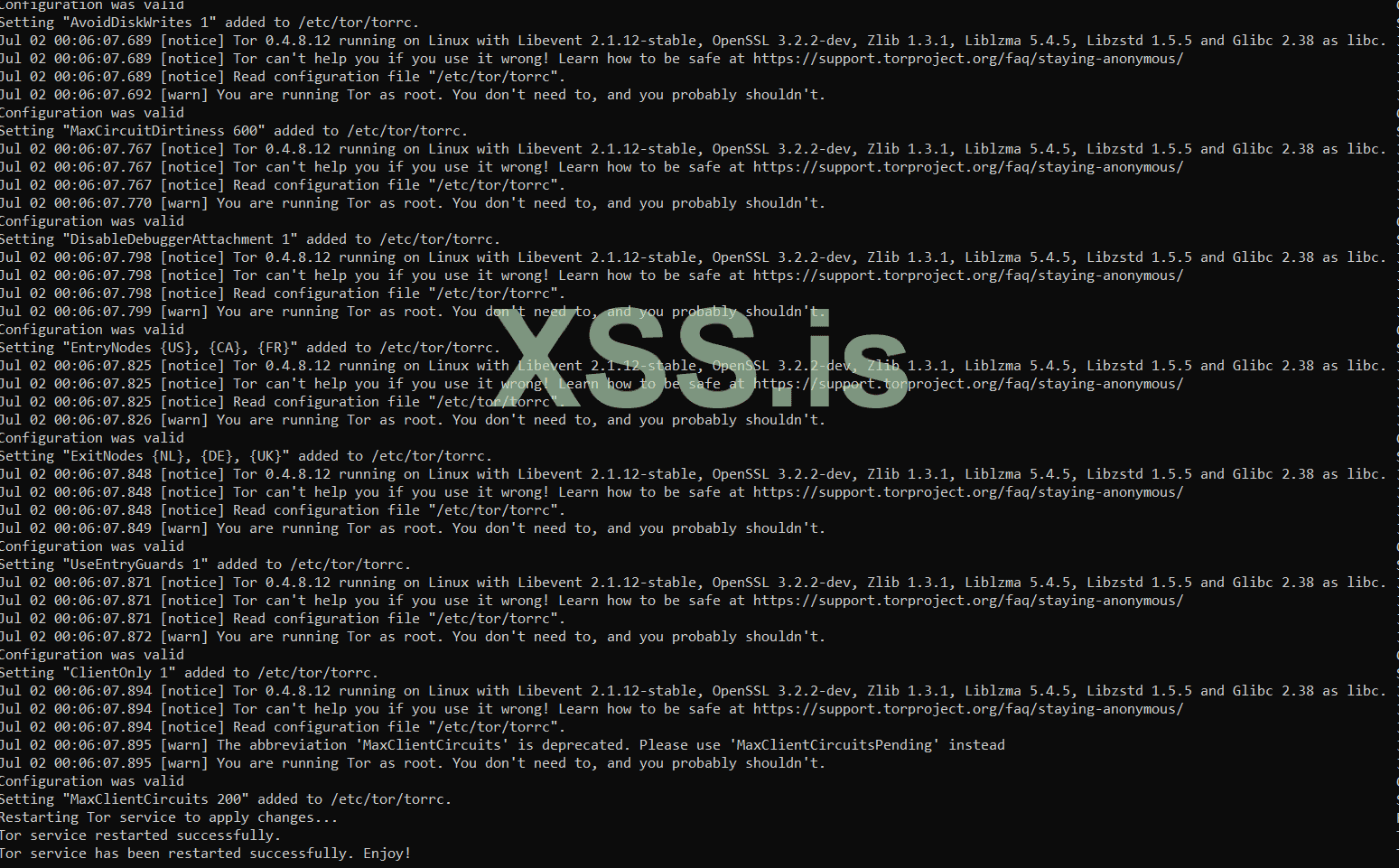
Best Regards !
~./Enjoy!
1. show_current_torrc()
Purpose: To display the current contents of the specified Tor configuration file.- Parameters:
torrc_file: The path to the Tor configuration file.
- Functionality:
- Uses cat to print the contents of the
torrc_fileto the terminal. - This allows the user to review the existing settings before any modifications are made.
- Uses cat to print the contents of the
Bash:
show_current_torrc() {
    local torrc_file="$1"
    echo "Current content of $torrc_file:"
    echo "--------------------------------"
    cat "$torrc_file"
    echo "--------------------------------"
}
2. add_torrc_setting()
Purpose: To add a specified setting to the Tor configuration file if it doesn't already exist and ensure the configuration remains valid.- Parameters:
setting: The setting to be added.torrc_file: The path to the Tor configuration file.
- Functionality:
- Copies the original
torrc_fileto a temporary file. - Checks if the setting already exists in the
torrc_fileusinggrep. - If the setting doesn't exist, it appends the setting to the temporary file.
- Verifies the temporary file with
tor --verify-configto ensure the new setting is valid. - If valid, appends the setting to the actual
torrc_file. - Deletes the temporary file to clean up.
- Copies the original
Bash:
add_torrc_setting() {
    local setting="$1"
    local torrc_file="$2"
    local temp_torrc_file="${torrc_file}.tmp"

    # Copy original torrc file to a temporary file
    sudo cp "$torrc_file" "$temp_torrc_file"

    # Check if the setting already exists in TORRC_FILE
    if grep -qF "$setting" "$torrc_file"; then
        echo "Setting \"$setting\" already exists in $torrc_file. Skipping."
    else
        # Append the setting to the temporary torrc file
        echo "$setting" | sudo tee -a "$temp_torrc_file" >/dev/null

        # Verify the temporary torrc file
        if ! sudo tor --verify-config -f "$temp_torrc_file"; then
            echo "Invalid setting \"$setting\". Not adding to $torrc_file."
            # Remove the temporary file
            sudo rm "$temp_torrc_file"
            return 1
        fi

        # Apply the setting to the actual torrc file
        echo "$setting" | sudo tee -a "$torrc_file" >/dev/null
        echo "Setting \"$setting\" added to $torrc_file."

        # Remove the temporary file
        sudo rm "$temp_torrc_file"
    fi
    return 0
}
3. restart_tor_service()
Purpose: To restart the Tor service to apply the new settings.- Parameters:
tor_service: The name of the Tor service, typically "tor".
- Functionality:
- Uses
systemctlto restart the Tor service. - Checks the success of the restart operation and prints appropriate messages.
- Uses
Additional security settings
Bash:
# Show current settings before modification
    show_current_torrc "$torrc_file"

    # Add ConnectionPadding setting
    add_torrc_setting "ConnectionPadding 1" "$torrc_file" || exit 1

    # Additional security settings
    add_torrc_setting "AvoidDiskWrites 1" "$torrc_file" || exit 1
    add_torrc_setting "MaxCircuitDirtiness 600" "$torrc_file" || exit 1
    add_torrc_setting "DisableDebuggerAttachment 1" "$torrc_file" || exit 1
    add_torrc_setting "EntryNodes {US}, {CA}, {FR}" "$torrc_file" || exit 1
    add_torrc_setting "ExitNodes {NL}, {DE}, {UK}" "$torrc_file" || exit 1
    add_torrc_setting "UseEntryGuards 1" "$torrc_file" || exit 1
    add_torrc_setting "ClientOnly 1" "$torrc_file" || exit 1

    # Additional security settings (enhanced security)
    add_torrc_setting "MaxClientCircuits 200" "$torrc_file" || exit 1
1.`ConnectionPadding 1`
Purpose: Adds random padding to Tor connections to thwart traffic analysis attempts by adversaries.
Reason: By making it harder to distinguish communication patterns, this setting enhances privacy and complicates surveillance efforts.
2.`AvoidDiskWrites 1`
Purpose: Instructs Tor to minimize disk writes to mitigate risks of data leakage and residual traces.
Reason: Enhances operational security by reducing the footprint left on the system, thus lowering the risk of exposing Tor-related activities.
3.`MaxCircuitDirtiness 600`
Purpose: Limits the lifespan of Tor circuits to 600 seconds before automatic replacement.
Reason: Regularly cycling circuits improves user anonymity by preventing long-term traffic correlation, thereby thwarting tracking attempts by adversaries.
4.`DisableDebuggerAttachment 1`
Purpose: Prevents debuggers from attaching to the Tor process.
Reason: Mitigates the risk of malicious actors using debuggers to analyze or manipulate Tor's operations, thereby bolstering system security.
5.`EntryNodes {US}, {CA}, {FR}`
Purpose: Specifies Tor to primarily use entry nodes from the US, Canada, and France.
Reason: Provides geographic control over entry points into the Tor network, which is crucial for users seeking to align traffic paths with specific legal jurisdictions.
6.ExitNodes {NL}, {DE}, {UK}
Purpose: Directs Tor to use exit nodes located in the Netherlands, Germany, and the United Kingdom.
Reason: Similar to EntryNodes, this setting allows users to influence where traffic exits the Tor network, catering to preferences for accessing region-specific content or ensuring data privacy.
7.UseEntryGuards 1
Purpose: Ensures Tor employs entry guards, a subset of reliable entry nodes for initial network access.
Reason: Enhances security by reducing exposure to potentially compromised entry nodes, thereby safeguarding against attacks targeting entry point vulnerabilities.
8.ClientOnly 1
Purpose: Restricts Tor to operate solely as a client, disabling relay or exit node functionalities.
Reason: Essential for users focused solely on anonymous browsing, minimizing the system's exposure within the Tor network and reducing operational complexity.
9.MaxClientCircuits 200
Purpose: Sets a cap on the number of circuits Tor clients can concurrently establish.
Reason: Controls resource consumption, optimizing performance and stability by managing the volume of active circuits and ensuring efficient network utilization.
Best Regards !
~./Enjoy!