
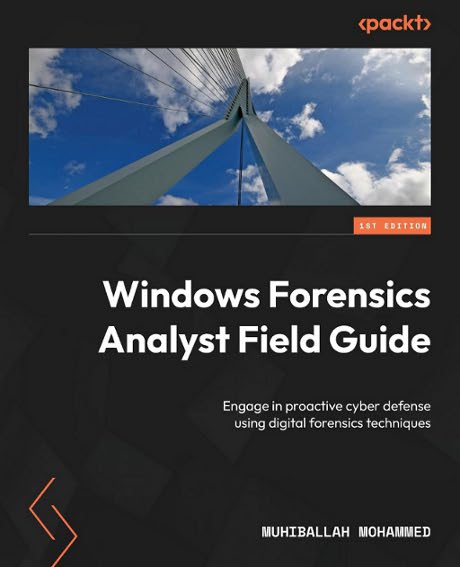
Приличная книга по форензике ОС Windows.
Скачать с LibGen PDF или c rutracker PDF + EPUB.
Part 1: Windows OS Forensics and Lab Preparation
Charter 1. Introducing the Windows OS and Filesystems and Getting Prepared for the Labs .. 3
Technical requirements ................................................................... 4
What is a Microsoft OS? .................................................................. 4
The modern Windows OS and filesystems .................................................... 8
Windows XP ............................................................................... 8
Windows Vista ............................................................................ 9
Windows 7, 8 and 8.1 .................................................................... 10
Windows 10 .............................................................................. 11
Digital forensics and common terminology ............................................... 12
What is digital forensics? .............................................................. 12
Digital forensic terminology ............................................................ 15
The process of digital forensics ........................................................ 17
Digital evidence ........................................................................ 18
Windows VSS ............................................................................. 21
Preparing a lab environment ............................................................. 23
Summary ................................................................................. 37
Questions ............................................................................... 37
Charter 2. Evidence Acquisition ......................................................... 39
Technical requirements .................................................................. 39
An overview of evidence acquisition for Windows OS ...................................... 40
A forensic analyst’s jump bag (first responder kit) ..................................... 42
Understanding the order of volatility ................................................... 43
Acquisition tools for Windows OS ........................................................ 45
Using FTK Imager ........................................................................ 46
Using KAPE .............................................................................. 53
Additional tools ........................................................................ 60
Evidence collection and acquisition exercise ............................................ 63
Summary ................................................................................. 64
Charter 3. Memory Forensics for the Windows OS .......................................... 65
Technical requirements .................................................................. 66
Understanding memory forensics concepts and techniques .................................. 66
Some techniques to overcome the challenges .............................................. 67
Why memory forensics is important ....................................................... 68
Exploring the main components of Windows ................................................ 68
The kernel .............................................................................. 68
Windows processes ....................................................................... 69
Windows services ........................................................................ 71
Device drivers .......................................................................... 71
DLLs .................................................................................... 72
The registry ............................................................................ 72
The filesystem .......................................................................... 73
Investigation methodology ............................................................... 74
Understanding Windows architecture ...................................................... 75
Looking at the memory acquisition tools ................................................. 76
Using FTK Imager to capture memory ...................................................... 76
WinPmem ................................................................................. 79
DumpIt .................................................................................. 83
Belkasoft RAM Capturer .................................................................. 85
MAGNET RAM Capture ...................................................................... 87
Using Volatility to analyze memory dumps and plugins .................................... 89
Volatility architecture ................................................................. 90
Volatility plugins ...................................................................... 90
Volatility commands ..................................................................... 90
Identifying the profile ................................................................. 92
The imageinfo plugin .................................................................... 93
The process list and tree ............................................................... 93
The netscan plugin ...................................................................... 95
The hivescan and hivelist plugins ....................................................... 96
A brief overview of Volatility 3 ........................................................ 98
Evidence collection and acquisition exercise ........................................... 102
Summary ................................................................................ 102
Charter 4. The Windows Registry ....................................................... 103
Technical requirements ................................................................. 104
Windows Registry fundamentals .......................................................... 104
Why do we care about the Windows Registry? ............................................. 104
Components of the Windows Registry ..................................................... 106
Windows Registry hierarchy ............................................................. 107
Windows Registry hives ................................................................ 108
HKLM ................................................................................... 109
HKCU ................................................................................... 110
HKCR ................................................................................... 112
Windows Registry data types ............................................................ 114
User registry hives .................................................................... 115
NTUSER.DAT ............................................................................. 116
UsrClass.dat .......................................................................... 117
Windows Registry acquisition and analysis ............................................. 118
regedit.exe and reg.exe ................................................................ 119
powershell.exe ........................................................................ 121
Windows Registry acquisition ........................................................... 122
Windows Registry analysis tools ....................................................... 127
Registry Explorer ...................................................................... 127
RegRipper .............................................................................. 130
Registry Viewer ........................................................................ 136
RECmd.exe .............................................................................. 138
Windows Registry forensic analysis exercises ........................................... 140
Summary ................................................................................ 140
Charter 5. User Profiling Using the Windows Registry ................................... 141
Profiling system details ............................................................... 141
Identifying the OS version ............................................................. 142
Identifying CurrentControlSet .......................................................... 144
Validating the computer name ........................................................... 145
Identifying time zones ................................................................. 146
Identifying services ................................................................... 147
Installed applications ................................................................. 150
The PrefetchParameters subkey .......................................................... 151
Network activities ..................................................................... 152
Autostart registry keys ................................................................ 154
Profiling user activities .............................................................. 156
SAM registry hive ...................................................................... 157
Domain and local user details .......................................................... 159
NTUSER.DAT ............................................................................. 160
The RecentDocs key ..................................................................... 160
The TypedPaths key ..................................................................... 162
The TypedURLs subkey ................................................................... 163
User profiling using Windows Registry exercises ........................................ 164
Summary ................................................................................ 164
Part 2: Windows OS Additional Artifacts
Charter 6. Application Execution Artifacts ............................................. 167
Technical requirements ................................................................. 168
Windows evidence of execution artifacts ................................................ 168
Looking at the NTUSER.DAT, Amcache, and SYSTEM hives ................................... 171
Understanding and analyzing UserAssist ................................................. 172
Background Activity Moderator (BAM) .................................................... 175
Shimcache .............................................................................. 176
Amcache.hve ............................................................................ 178
RunMRU ................................................................................. 179
LastVisitedPidlMRU ..................................................................... 180
Windows Prefetch ....................................................................... 181
Application execution artifact exercises ............................................... 186
Summary ............................................................................... 187
Charter 7. Forensic Analysis of USB Artifacts .......................................... 189
Technical requirements ................................................................. 190
Overview of USB devices and types ...................................................... 190
Understanding stored evidence on USB devices ........................................... 191
Analyzing USB artifacts ................................................................ 192
Identifying the USB device type, product, and vendor ID ................................ 194
Identifying the volume serial number ................................................... 197
Identifying the volume name and letter ................................................. 198
Using the USBDeview tool ............................................................. 199
Exploring a real-world scenario of identifying the root cause .......................... 201
USB artifacts analysis exercises ....................................................... 205
Summary ................................................................................ 205
Charter 8. Forensic Analysis of Browser Artifacts ..................................... 207
Technical requirements ................................................................. 208
Overview of browsers ................................................................... 208
Internet Explorer ...................................................................... 209
Microsoft Edge ......................................................................... 211
Google Chrome .......................................................................... 212
Chrome artifacts ....................................................................... 213
Firefox ................................................................................ 217
Browser forensics exercises ............................................................ 222
Summary ................................................................................ 223
Charter 9. Exploring Additional Artifacts .............................................. 225
Technical requirements ................................................................. 226
Email forensic analysis .............................................................. 226
Types of phishing emails ............................................................... 227
Email header analysis ................................................................. 227
Analyzing Outlook emails ............................................................... 236
Event log analysis ................................................................... 239
Security event logs .................................................................... 241
Application event logs ................................................................ 243
Analyzing $MFT ......................................................................... 244
MFTEcmd.exe ............................................................................ 248
LNK file analysis ...................................................................... 251
Recycle Bin analysis .................................................................. 257
ShellBags and jump lists ............................................................... 261
System Resource Utilization Monitor (SRUM) ............................................. 266
Case study – analyzing malware infections .............................................. 270
Analysis .............................................................................. 270
Belksoft Live RAM Capturer ............................................................. 270
KAPE ................................................................................... 271
Additional forensic artifacts exercises ................................................ 283
Summary ................................................................................ 283
Charter 1. Introducing the Windows OS and Filesystems and Getting Prepared for the Labs .. 3
Technical requirements ................................................................... 4
What is a Microsoft OS? .................................................................. 4
The modern Windows OS and filesystems .................................................... 8
Windows XP ............................................................................... 8
Windows Vista ............................................................................ 9
Windows 7, 8 and 8.1 .................................................................... 10
Windows 10 .............................................................................. 11
Digital forensics and common terminology ............................................... 12
What is digital forensics? .............................................................. 12
Digital forensic terminology ............................................................ 15
The process of digital forensics ........................................................ 17
Digital evidence ........................................................................ 18
Windows VSS ............................................................................. 21
Preparing a lab environment ............................................................. 23
Summary ................................................................................. 37
Questions ............................................................................... 37
Charter 2. Evidence Acquisition ......................................................... 39
Technical requirements .................................................................. 39
An overview of evidence acquisition for Windows OS ...................................... 40
A forensic analyst’s jump bag (first responder kit) ..................................... 42
Understanding the order of volatility ................................................... 43
Acquisition tools for Windows OS ........................................................ 45
Using FTK Imager ........................................................................ 46
Using KAPE .............................................................................. 53
Additional tools ........................................................................ 60
Evidence collection and acquisition exercise ............................................ 63
Summary ................................................................................. 64
Charter 3. Memory Forensics for the Windows OS .......................................... 65
Technical requirements .................................................................. 66
Understanding memory forensics concepts and techniques .................................. 66
Some techniques to overcome the challenges .............................................. 67
Why memory forensics is important ....................................................... 68
Exploring the main components of Windows ................................................ 68
The kernel .............................................................................. 68
Windows processes ....................................................................... 69
Windows services ........................................................................ 71
Device drivers .......................................................................... 71
DLLs .................................................................................... 72
The registry ............................................................................ 72
The filesystem .......................................................................... 73
Investigation methodology ............................................................... 74
Understanding Windows architecture ...................................................... 75
Looking at the memory acquisition tools ................................................. 76
Using FTK Imager to capture memory ...................................................... 76
WinPmem ................................................................................. 79
DumpIt .................................................................................. 83
Belkasoft RAM Capturer .................................................................. 85
MAGNET RAM Capture ...................................................................... 87
Using Volatility to analyze memory dumps and plugins .................................... 89
Volatility architecture ................................................................. 90
Volatility plugins ...................................................................... 90
Volatility commands ..................................................................... 90
Identifying the profile ................................................................. 92
The imageinfo plugin .................................................................... 93
The process list and tree ............................................................... 93
The netscan plugin ...................................................................... 95
The hivescan and hivelist plugins ....................................................... 96
A brief overview of Volatility 3 ........................................................ 98
Evidence collection and acquisition exercise ........................................... 102
Summary ................................................................................ 102
Charter 4. The Windows Registry ....................................................... 103
Technical requirements ................................................................. 104
Windows Registry fundamentals .......................................................... 104
Why do we care about the Windows Registry? ............................................. 104
Components of the Windows Registry ..................................................... 106
Windows Registry hierarchy ............................................................. 107
Windows Registry hives ................................................................ 108
HKLM ................................................................................... 109
HKCU ................................................................................... 110
HKCR ................................................................................... 112
Windows Registry data types ............................................................ 114
User registry hives .................................................................... 115
NTUSER.DAT ............................................................................. 116
UsrClass.dat .......................................................................... 117
Windows Registry acquisition and analysis ............................................. 118
regedit.exe and reg.exe ................................................................ 119
powershell.exe ........................................................................ 121
Windows Registry acquisition ........................................................... 122
Windows Registry analysis tools ....................................................... 127
Registry Explorer ...................................................................... 127
RegRipper .............................................................................. 130
Registry Viewer ........................................................................ 136
RECmd.exe .............................................................................. 138
Windows Registry forensic analysis exercises ........................................... 140
Summary ................................................................................ 140
Charter 5. User Profiling Using the Windows Registry ................................... 141
Profiling system details ............................................................... 141
Identifying the OS version ............................................................. 142
Identifying CurrentControlSet .......................................................... 144
Validating the computer name ........................................................... 145
Identifying time zones ................................................................. 146
Identifying services ................................................................... 147
Installed applications ................................................................. 150
The PrefetchParameters subkey .......................................................... 151
Network activities ..................................................................... 152
Autostart registry keys ................................................................ 154
Profiling user activities .............................................................. 156
SAM registry hive ...................................................................... 157
Domain and local user details .......................................................... 159
NTUSER.DAT ............................................................................. 160
The RecentDocs key ..................................................................... 160
The TypedPaths key ..................................................................... 162
The TypedURLs subkey ................................................................... 163
User profiling using Windows Registry exercises ........................................ 164
Summary ................................................................................ 164
Part 2: Windows OS Additional Artifacts
Charter 6. Application Execution Artifacts ............................................. 167
Technical requirements ................................................................. 168
Windows evidence of execution artifacts ................................................ 168
Looking at the NTUSER.DAT, Amcache, and SYSTEM hives ................................... 171
Understanding and analyzing UserAssist ................................................. 172
Background Activity Moderator (BAM) .................................................... 175
Shimcache .............................................................................. 176
Amcache.hve ............................................................................ 178
RunMRU ................................................................................. 179
LastVisitedPidlMRU ..................................................................... 180
Windows Prefetch ....................................................................... 181
Application execution artifact exercises ............................................... 186
Summary ............................................................................... 187
Charter 7. Forensic Analysis of USB Artifacts .......................................... 189
Technical requirements ................................................................. 190
Overview of USB devices and types ...................................................... 190
Understanding stored evidence on USB devices ........................................... 191
Analyzing USB artifacts ................................................................ 192
Identifying the USB device type, product, and vendor ID ................................ 194
Identifying the volume serial number ................................................... 197
Identifying the volume name and letter ................................................. 198
Using the USBDeview tool ............................................................. 199
Exploring a real-world scenario of identifying the root cause .......................... 201
USB artifacts analysis exercises ....................................................... 205
Summary ................................................................................ 205
Charter 8. Forensic Analysis of Browser Artifacts ..................................... 207
Technical requirements ................................................................. 208
Overview of browsers ................................................................... 208
Internet Explorer ...................................................................... 209
Microsoft Edge ......................................................................... 211
Google Chrome .......................................................................... 212
Chrome artifacts ....................................................................... 213
Firefox ................................................................................ 217
Browser forensics exercises ............................................................ 222
Summary ................................................................................ 223
Charter 9. Exploring Additional Artifacts .............................................. 225
Technical requirements ................................................................. 226
Email forensic analysis .............................................................. 226
Types of phishing emails ............................................................... 227
Email header analysis ................................................................. 227
Analyzing Outlook emails ............................................................... 236
Event log analysis ................................................................... 239
Security event logs .................................................................... 241
Application event logs ................................................................ 243
Analyzing $MFT ......................................................................... 244
MFTEcmd.exe ............................................................................ 248
LNK file analysis ...................................................................... 251
Recycle Bin analysis .................................................................. 257
ShellBags and jump lists ............................................................... 261
System Resource Utilization Monitor (SRUM) ............................................. 266
Case study – analyzing malware infections .............................................. 270
Analysis .............................................................................. 270
Belksoft Live RAM Capturer ............................................................. 270
KAPE ................................................................................... 271
Additional forensic artifacts exercises ................................................ 283
Summary ................................................................................ 283
Последнее редактирование:
