Пожалуйста, обратите внимание, что пользователь заблокирован
UserName MrDe3d
I am writing this article for xss.pro and there users
Today I will teach you all about Traffic (you can use this method to get unique install
you can also use this same method for sales or leads if you are selling something)
what we will cover in this blog
I will try to cover this topic in few lines because mostly people know about this topic
= you can find alot of cheap sellers which selling domains and hosting in some 2 usdt or 1 usdt like (orange host) in starting you can use this but i will not recommended to purchase from them one of the reason is they are selling shared hosting so you =r hosting or domain will be banded any time
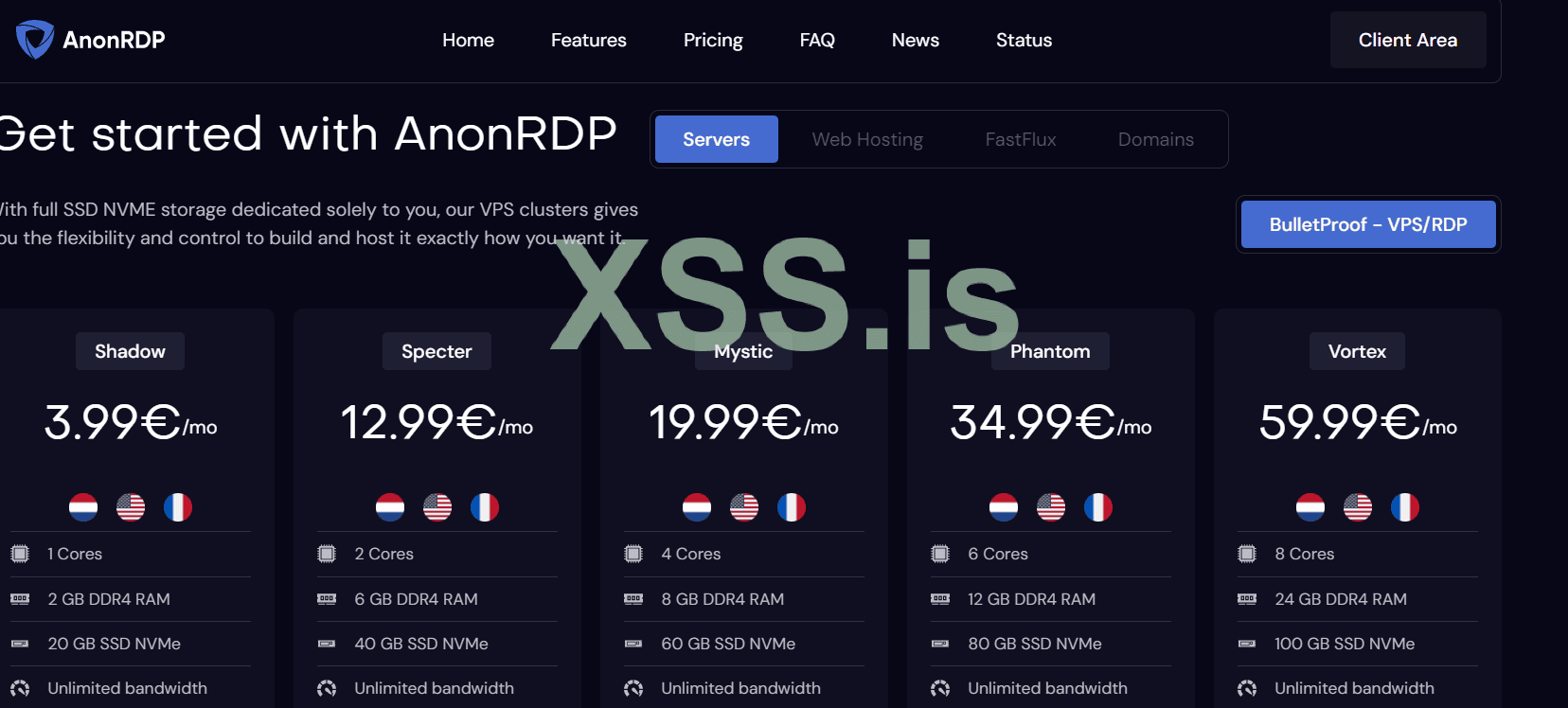
= I will recommended to purchase bullet proof domain and hosting you can find alot of opetions to get i will mention some provider (anonrdp.com) i have used there domains and hosting and they also providing ddos protection
= Third option in xss forum just search domian you also get sellers from here you can purchase from them
= also purchase hosting from them or you can use any option and just write in support to connect your domain and hosting together and in few hours your domain will be live
= open your cpanel (dont worry you will receive email with the access of cpanel when you purchase hosting no need to pay extra)
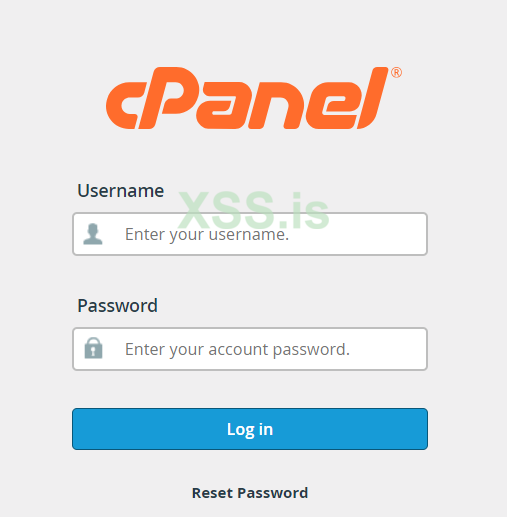
you will get details of username and password and url to access the cpane
use username and password to access
after success full login
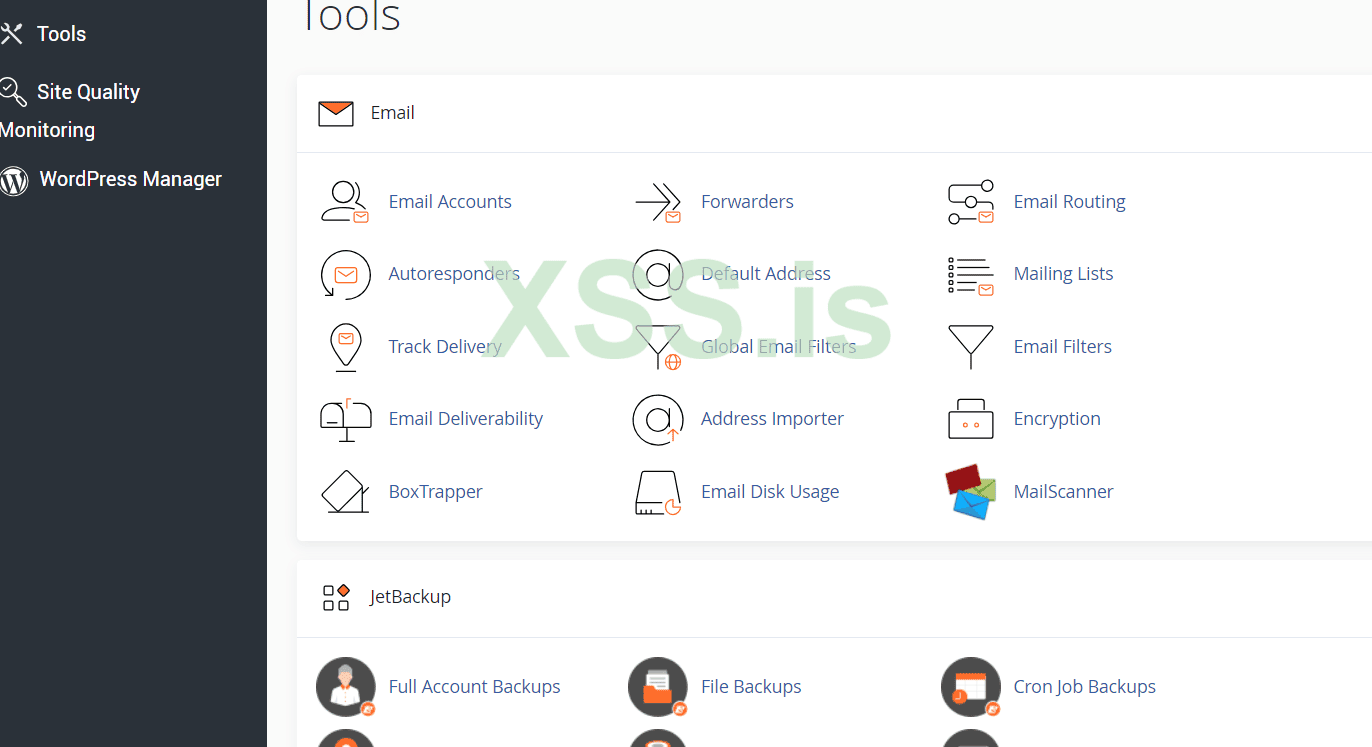
Now Come To WordPress Manager Scroll Down You will get in Software Tabs
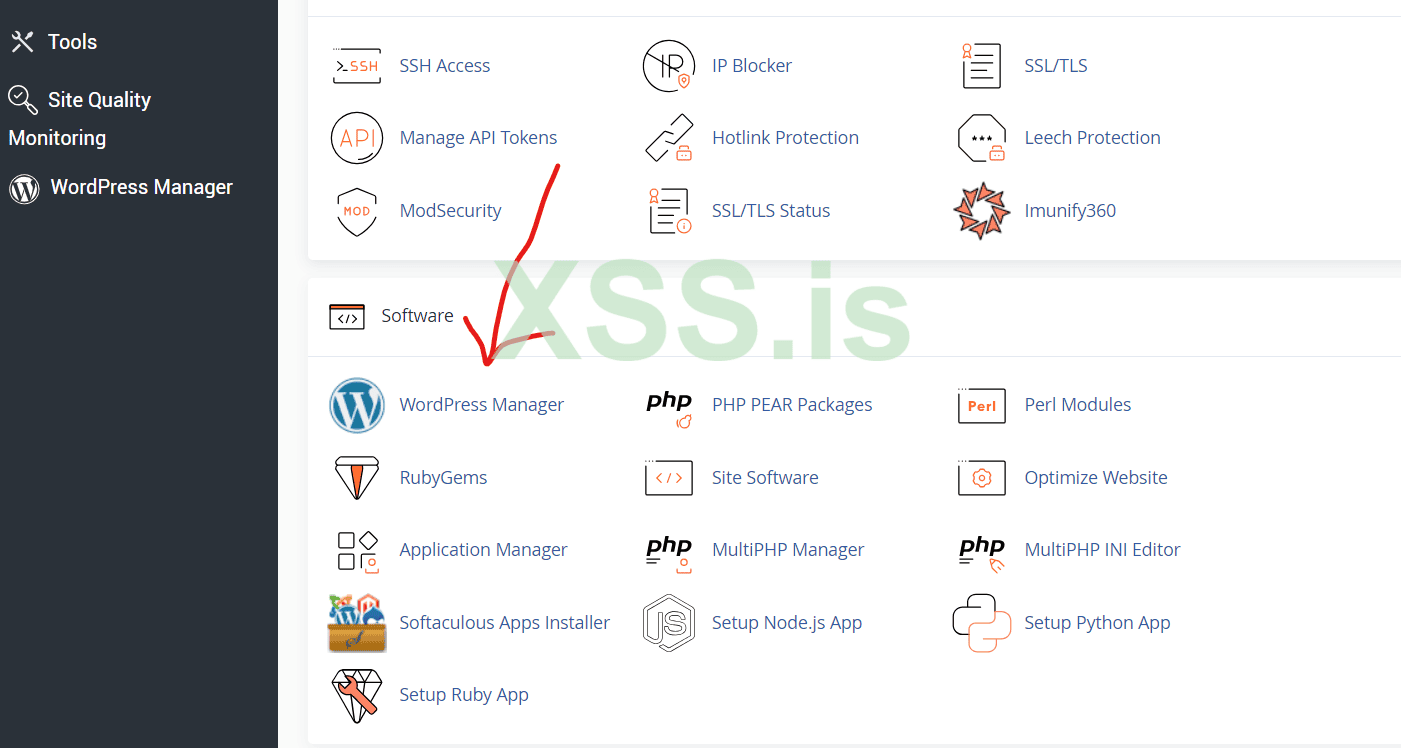
Click On Them
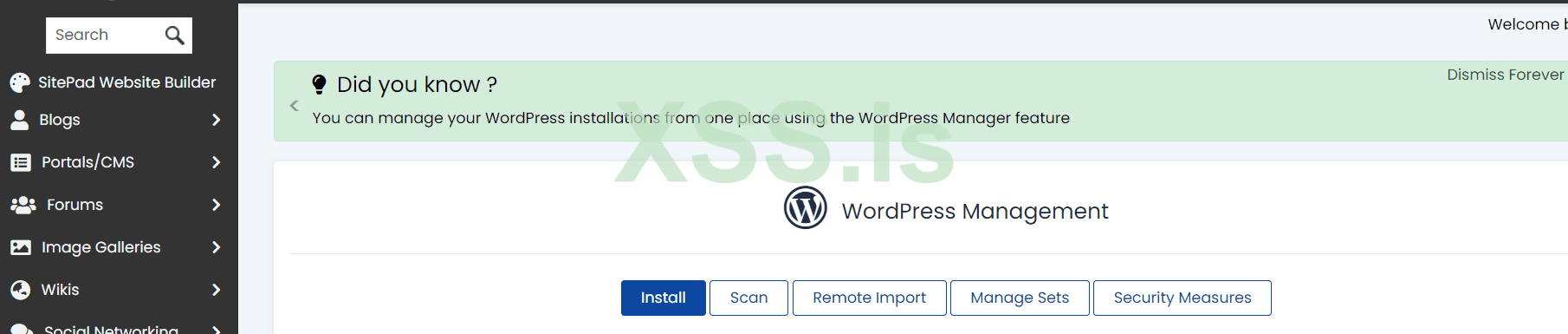
Now Click On Install
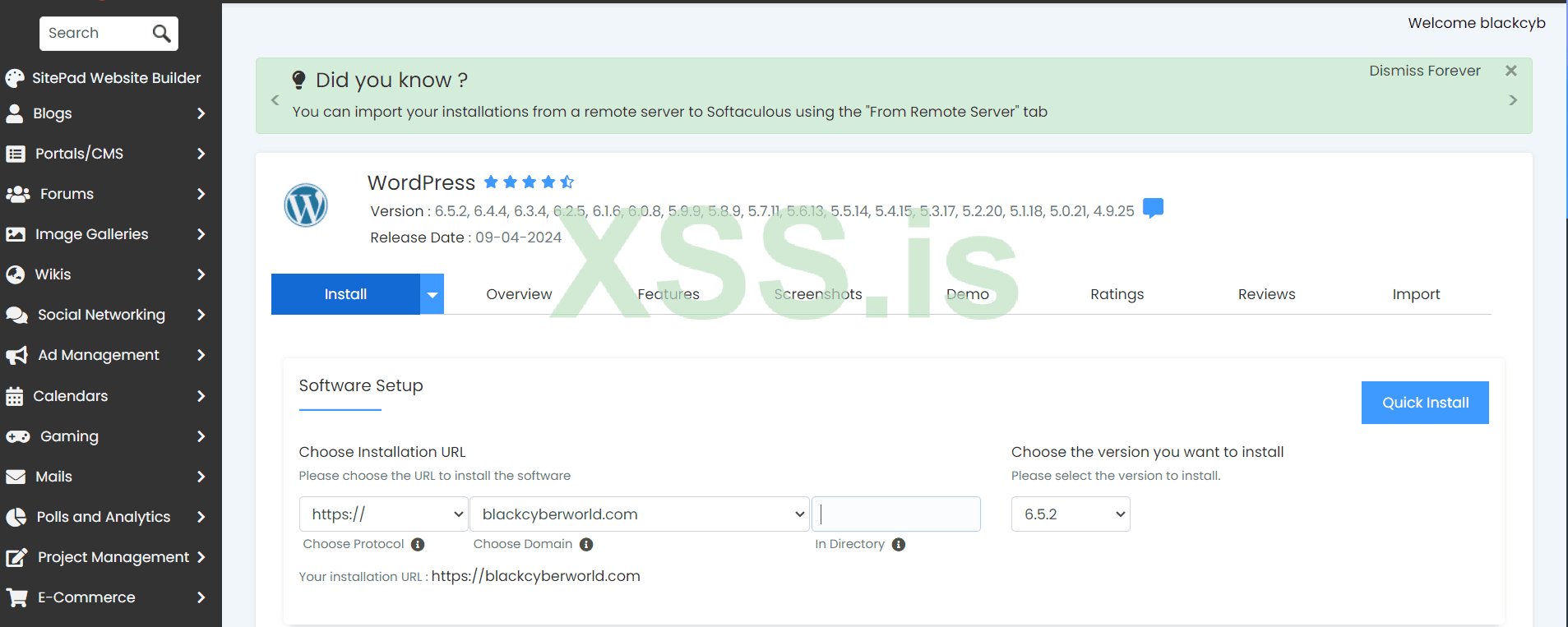
Now Click On Quick Install
= it will take few minutes and setup wordpress for you
During installion it will ask you for email and password remember this password or save in .txt file you will needed every time when you login
alwaye make sure to use firendly theme easy to read
you can use jannah theme
you can use astra theme
you can use Colormag theme
you can use benqu theme
you can use binduz theme
you can use wavy theme
you can use katen theme
for my self i am using katen theme
just copy the name and search on google you can find all of them free of cost
Login in your admin panel
at left side you will see Appearance
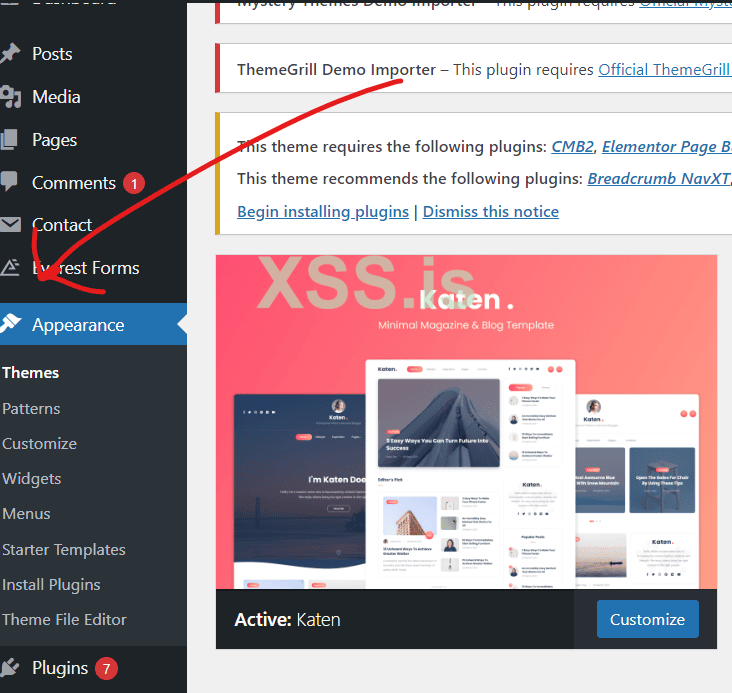
and go to Add New Theme
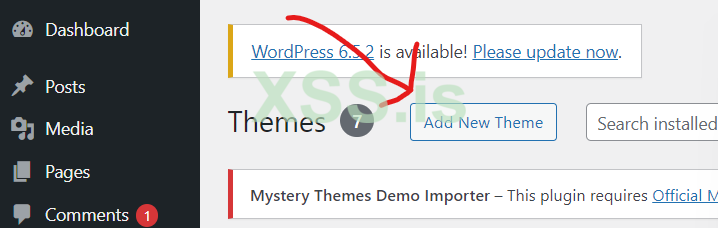
From here you can Upload theme
Come to post section you will see opetions of Categories
Click On theme and Create Categories
like 1 games
2 Vpns
3 Antiviruses etc
Dont bind your malware or add any link right now as i tell we have to run google ads so we have to follow all the rules
after the conformation of ads then you able to add link of your malware etc
give a attractive title you can use chatgpt
SOME TIPS FOR SEO
use rank math seo plugin for the seo they help you alot
use chatgpt seo in rank math seo plugin you can see the score of words which you are going to use for seo
in chat gpt ask them “ generate an attractive and user read friendly article on topic freedom fighter 6 game use ”freedom fighter “ games” word as a keyword"
same word you have to use in title
in the starting of paragraphs
also write this word in seo plugin you will see your seo results
please dont add any download able link etc wait more
lets swict to ads most important topic
There are two types of google ads account 1 was an normal 2 google agency account in google agency account you not need to wait any conformation you can promote directly black hat stuff on next belog we can talk about google agency account
what can you do by learning google ads if you are marketing expert then you know the importance of google ads
if you are seller you can use google ads to get leads
if you have your shopify store then you can use google ads
you can sell traffic to others belongs to blogging or may be traffic for stealers
you can teach others google ads by talking money from them
open google search google ads
click on the 1 link you will redirect to ads account
no special setting here just sign up with your gmail
Then verify your payment (link your card make sure they will cut temperory 10 usdt in few seconds they will return in your account then)
at the left side click on create then select Campaign
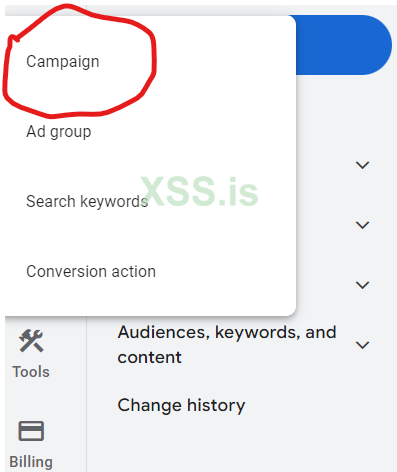
select website traffic and click on continue
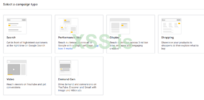
Then you Will See Campaign type
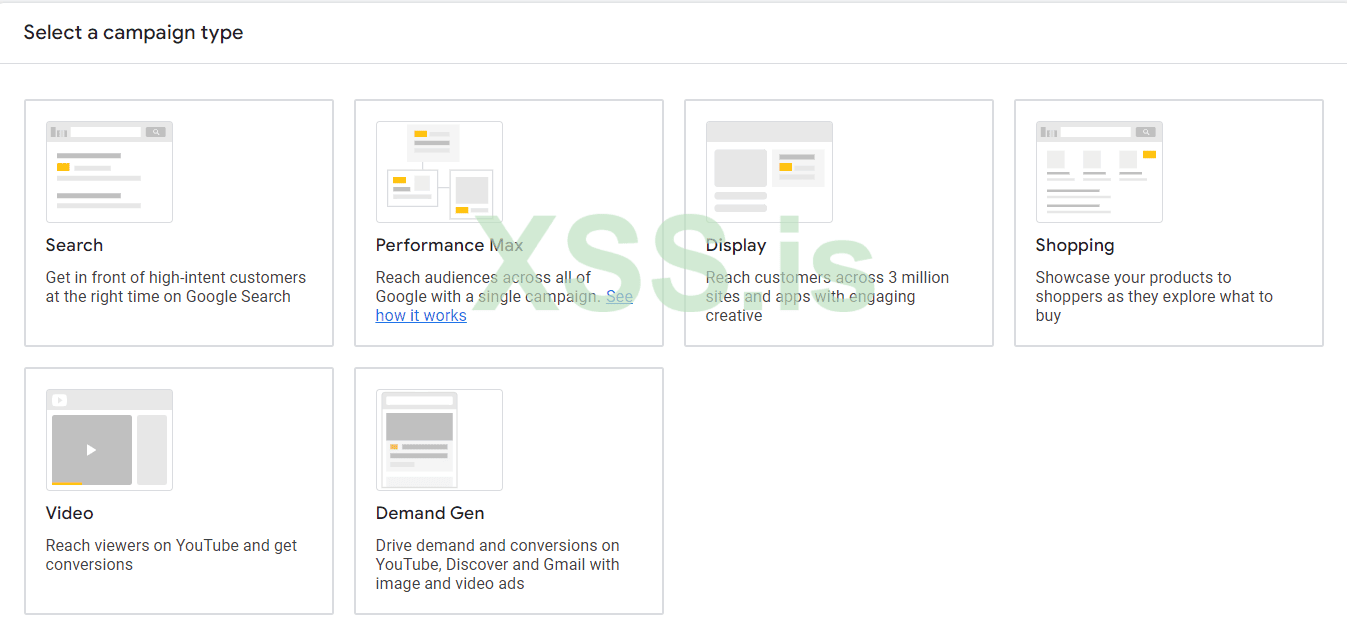
1 search
2 max performance
3 display
4 shopping
5 video
6 demand gen
we will use display ads due to cheap
if you choose max performance then your ads will be show on all places but expensive
choose display give website url and continue
then you will get campaign name option give any name may be your domain name not much important
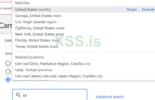
then you will see location option mostly clients need us so just choose us then your ads only show in us
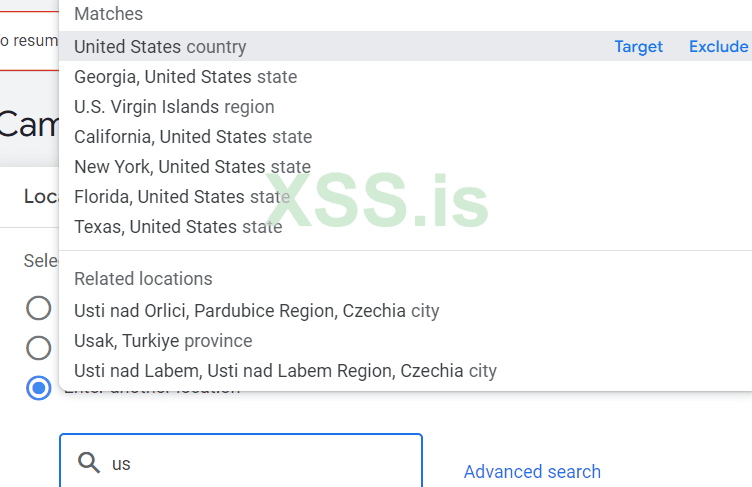
IN language you can choose any language
click on next
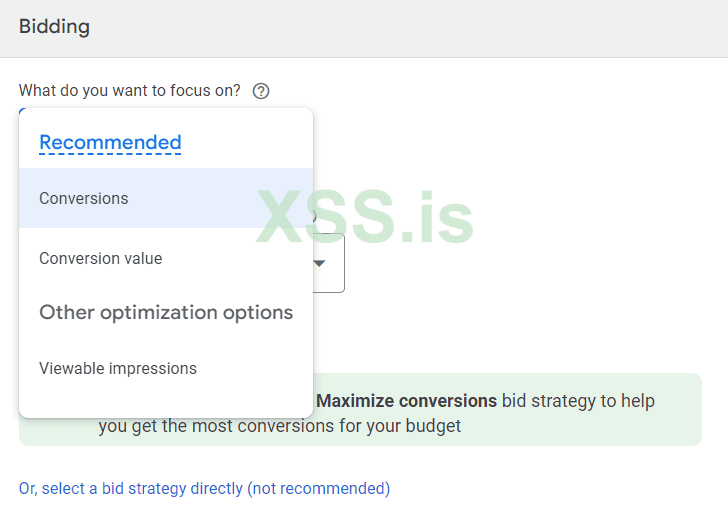
in biding section choose conversions
you can select your budget 10 us dollars etc
click next
Now Its Important Section
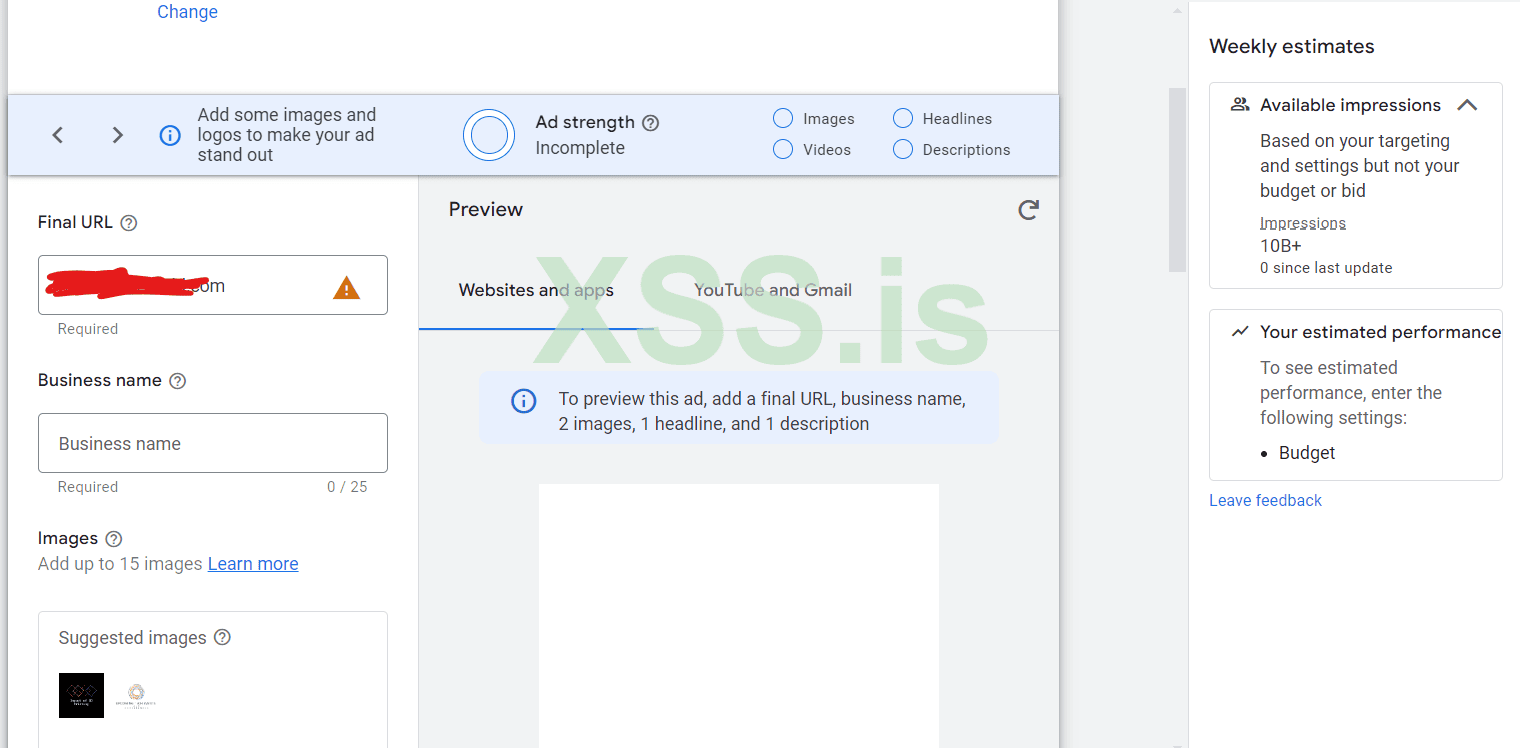
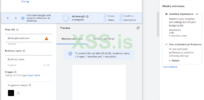
in business name section give any name
add your website logo you can create logo from canva
upload minimum 5 images
Headline you have to add minimum 8 headlines for better results
you can use chatgpt to ask theme to generate headline for you check the words limit
then same long headline
ask gpt to generate for you headline on based of most ranked keywords and must be uniuqe headline
have to add minimum 8 google recommandation was 5 but i recommended you to add minimum 8
then click next
then review your ads to make sure your daily budget was set if needed you can add end day
then click to submit
with in few hours your ads will be live
and with in day or in 24 hours you start getting results
when you start getting results then you able to upload download link or may be create an sub domain of website add download button when user click on download button it will redirect to subdomain there you can give them download link
all policies are followed
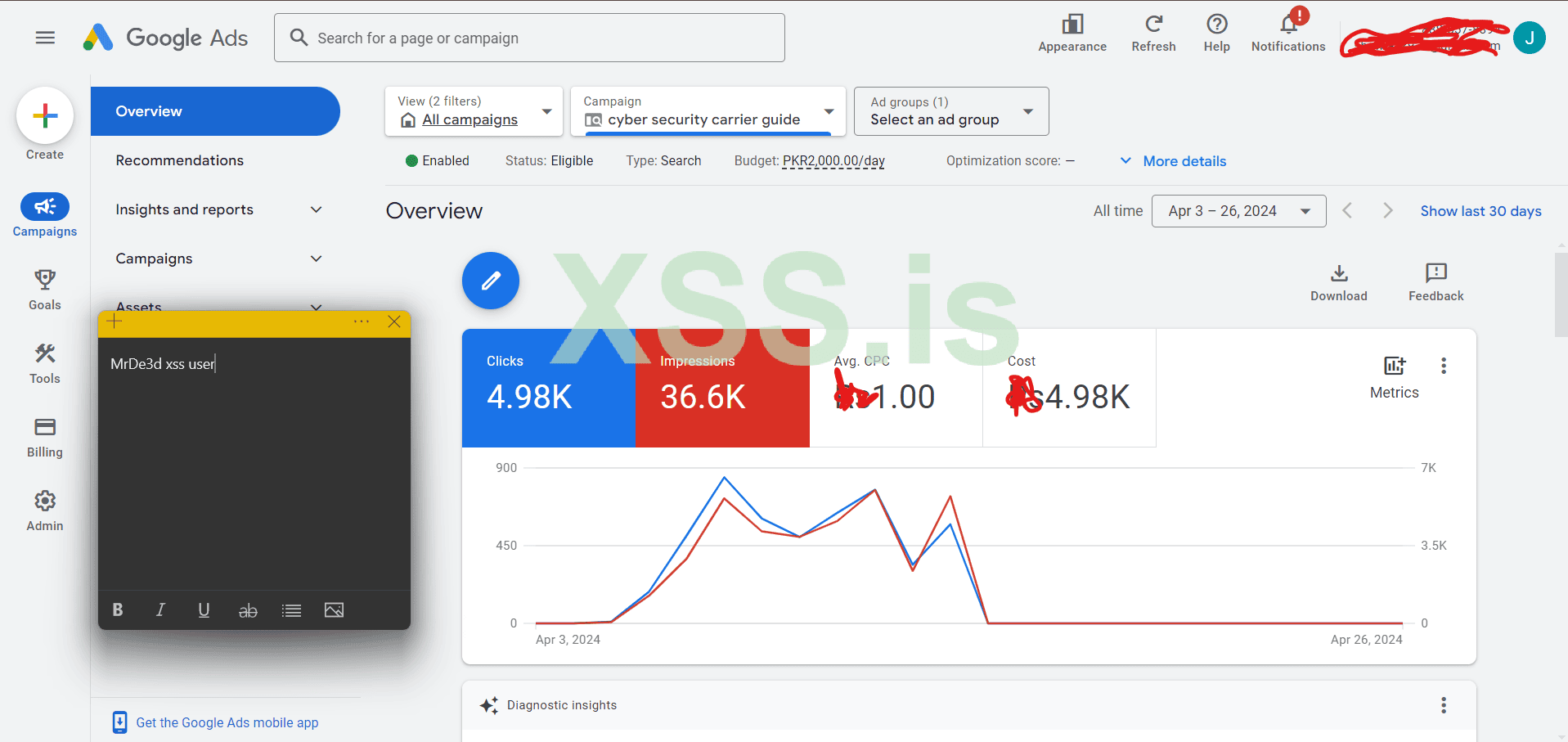
my recent ads results cost 12 usdt dollors
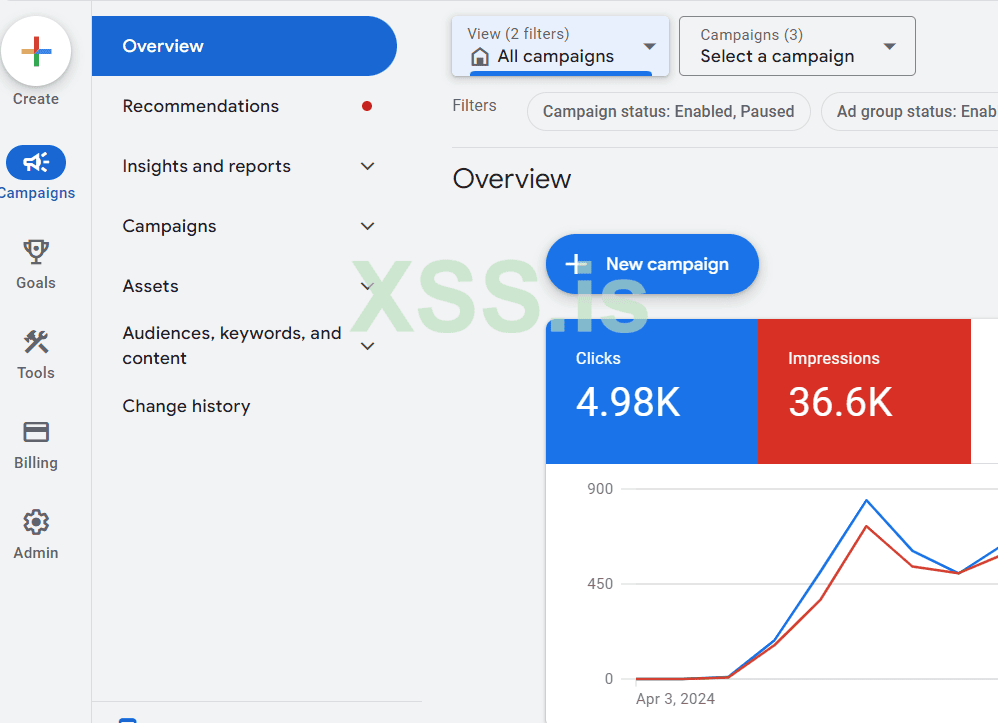
Rest ADS would be cover on next blogs
I am writing this article for xss.pro and there users
Today I will teach you all about Traffic (you can use this method to get unique install
you can also use this same method for sales or leads if you are selling something)
what we will cover in this blog
- we will learn how to get cheap domain and hosting
- how to connect them together
- how to setup wordpress
- which themes you have to use
- how to post blog
- how to start with google ads
- how to start with quora ads
- how to start with x ads (we know them with old name twitter)
HOW TO PURCHASE DOMAIN And Hosting
I will try to cover this topic in few lines because mostly people know about this topic
= you can find alot of cheap sellers which selling domains and hosting in some 2 usdt or 1 usdt like (orange host) in starting you can use this but i will not recommended to purchase from them one of the reason is they are selling shared hosting so you =r hosting or domain will be banded any time
= I will recommended to purchase bullet proof domain and hosting you can find alot of opetions to get i will mention some provider (anonrdp.com) i have used there domains and hosting and they also providing ddos protection
= Third option in xss forum just search domian you also get sellers from here you can purchase from them
= also purchase hosting from them or you can use any option and just write in support to connect your domain and hosting together and in few hours your domain will be live
How To Setup Wordpress
= open your cpanel (dont worry you will receive email with the access of cpanel when you purchase hosting no need to pay extra)
you will get details of username and password and url to access the cpane
use username and password to access
after success full login
Now Come To WordPress Manager Scroll Down You will get in Software Tabs
Click On Them
Now Click On Install
Now Click On Quick Install
= it will take few minutes and setup wordpress for you
During installion it will ask you for email and password remember this password or save in .txt file you will needed every time when you login
Which Themes Have To use
alwaye make sure to use firendly theme easy to read
you can use jannah theme
you can use astra theme
you can use Colormag theme
you can use benqu theme
you can use binduz theme
you can use wavy theme
you can use katen theme
for my self i am using katen theme
just copy the name and search on google you can find all of them free of cost
How to upload theme
Login in your admin panel
at left side you will see Appearance
and go to Add New Theme
From here you can Upload theme
Come to post section you will see opetions of Categories
Click On theme and Create Categories
like 1 games
2 Vpns
3 Antiviruses etc
Dont bind your malware or add any link right now as i tell we have to run google ads so we have to follow all the rules
after the conformation of ads then you able to add link of your malware etc
give a attractive title you can use chatgpt
SOME TIPS FOR SEO
use rank math seo plugin for the seo they help you alot
use chatgpt seo in rank math seo plugin you can see the score of words which you are going to use for seo
in chat gpt ask them “ generate an attractive and user read friendly article on topic freedom fighter 6 game use ”freedom fighter “ games” word as a keyword"
same word you have to use in title
in the starting of paragraphs
also write this word in seo plugin you will see your seo results
please dont add any download able link etc wait more
lets swict to ads most important topic
GOOGLE ADS
There are two types of google ads account 1 was an normal 2 google agency account in google agency account you not need to wait any conformation you can promote directly black hat stuff on next belog we can talk about google agency account
what can you do by learning google ads if you are marketing expert then you know the importance of google ads
if you are seller you can use google ads to get leads
if you have your shopify store then you can use google ads
you can sell traffic to others belongs to blogging or may be traffic for stealers
you can teach others google ads by talking money from them
open google search google ads
click on the 1 link you will redirect to ads account
no special setting here just sign up with your gmail
Then verify your payment (link your card make sure they will cut temperory 10 usdt in few seconds they will return in your account then)
at the left side click on create then select Campaign
select website traffic and click on continue
Then you Will See Campaign type
1 search
2 max performance
3 display
4 shopping
5 video
6 demand gen
we will use display ads due to cheap
if you choose max performance then your ads will be show on all places but expensive
choose display give website url and continue
then you will get campaign name option give any name may be your domain name not much important
then you will see location option mostly clients need us so just choose us then your ads only show in us
IN language you can choose any language
click on next
in biding section choose conversions
you can select your budget 10 us dollars etc
click next
Now Its Important Section
in business name section give any name
add your website logo you can create logo from canva
upload minimum 5 images
Headline you have to add minimum 8 headlines for better results
you can use chatgpt to ask theme to generate headline for you check the words limit
then same long headline
ask gpt to generate for you headline on based of most ranked keywords and must be uniuqe headline
have to add minimum 8 google recommandation was 5 but i recommended you to add minimum 8
then click next
then review your ads to make sure your daily budget was set if needed you can add end day
then click to submit
with in few hours your ads will be live
and with in day or in 24 hours you start getting results
when you start getting results then you able to upload download link or may be create an sub domain of website add download button when user click on download button it will redirect to subdomain there you can give them download link
all policies are followed
my recent ads results cost 12 usdt dollors
Rest ADS would be cover on next blogs
Вложения
Последнее редактирование: