
• XSS.stack #1 – первый литературный журнал от юзеров форума

прочее The best RMM soft?

Guest

Премиум
Пользователь
Регистрация
31.01.2023
Сообщения
250
Решения
1
Реакции
232
Гарант сделки
1
mesh_auth.jpg

The best RMM?
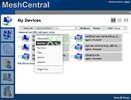
Hello, I created this topic to express my interests in RMM Soft and which one I think is the best for work in this field. I've been using the Soft for quite some time, and I've come to the conclusion that MeshCentral is without a doubt the best. Think otherwise? I'd love to argue below.) Now why would I make such a claim compared to all other RMM soft? Well, for one, she is extremely portable and runs on all major operating systems. (linux, bsd, android, windows, and macOS), as well as support for Active Management Technology (Intel AMT). She can be ran completely hidden (requires admin) and has the usual RAT-like capabilities. Such as infos, shell (CMD), desktop interaction (RDP, VNC) and file viewer.

Server:
The server is written in NodeJS it can be installed on many operating systems including Windows, Linux. Refer to the installation guide, the server can be installed both on local computers and on VPS/RDP for computers outside your network. You can also install it on other devices like a Raspberry Pi all the way to $1,000 per month dedics.

Agent:
The agent that runs on computers and connects back to the server to allow for remote control. The agent supports Windows, many different Linux distributions, macOS and FreeBSD. As well as support for different processors such as x86-32, x86-64, ARM, MIPS. Not to mention an array of cli arguments.
Mesh Agent available switches:

run Start as a console agent.

connect Start as a temporary console agent.

start Start the service.

restart Restart the service.

stop Stop the service.

state Display the running state of the service.

-signcheck Perform self - check.

-install Install the service from this location.

-uninstall Remove the service from this location.

-nodeid Return the current agent identifier.

-info Return agent version information.

-resetnodeid Reset the NodeID next time the service is started.

-fulluninstall Stop agent and clean up the program files location.

-fullinstall Copy agent into program files, install and launch.


The following switches can be specified after -fullinstall:


--WebProxy="http://proxyhost:port" Specify an HTTPS proxy.

--agentName="alternate name" Specify an alternate name to be provided by the agent.
Install:
Buy a Ubuntu 20.04 VPS, i recommend bearhost or zservers but any will do, once bought run the one command install + run. (Replace 127.0.0.1 with your vps ip.)
Код:
sudo apt update && \
sudo apt install -y ca-certificates curl gnupg && \
sudo mkdir -p /etc/apt/keyrings && \
curl -fsSL https://deb.nodesource.com/gpgkey/nodesource-repo.gpg.key | sudo gpg --dearmor -o /etc/apt/keyrings/nodesource.gpg && \
NODE_MAJOR=20 && \
echo "deb [signed-by=/etc/apt/keyrings/nodesource.gpg] https://deb.nodesource.com/node_$NODE_MAJOR.x nodistro main" | sudo tee /etc/apt/sources.list.d/nodesource.list && \
sudo apt update && \
sudo apt install -y nodejs && \
node -v && \
sudo ufw allow from any to any port 80,4433,443 proto tcp && \
mkdir mc && \
cd mc && \
npm install meshcentral && \
node node_modules/meshcentral --cert 127.0.0.1
Hmm?
In retrospect, I think the only RMM soft that comes anywhere close to mesh would be atera (in my opinion) I may be wrong). The only thing that I don't like is that it requires at least local administrator privileges, but what doesn't these days? Overall 10/10 i recommend this for work.

source
 

Вложения
  • mesh (2).jpg
    mesh (2).jpg
    26.9 КБ · Просмотры: 182
Последнее редактирование:
On Ubuntu or Debian.


Do the following at command line.
1 wget https://raw.githubusercontent.com/techahold/Meshcentral-Installer/main/install.sh
2. chmod +x install.sh
3. ./install.sh


Код:
#!/usr/bin/env bash

if ! which lsb_release >/dev/null
then
sudo apt-get install -y lsb-core > null
fi

sudo apt-get install -y curl sudo  > null

echo "Installing MeshCentral"
curl -sL https://deb.nodesource.com/setup_18.x | sudo -E bash -
sudo apt update > null
sudo apt install -y gcc g++ make
sudo apt install -y nodejs
sudo npm install -g npm

sudo mkdir -p /opt/meshcentral/meshcentral-data
sudo chown ${USER}:${USER} -R /opt/meshcentral
cd /opt/meshcentral
npm install --save --save-exact meshcentral
sudo chown ${USER}:${USER} -R /opt/meshcentral

rm /opt/meshcentral/package.json

mesh_pkg="$(
  cat <<EOF
{
  "dependencies": {
    "acme-client": "4.2.5",
    "archiver": "5.3.1",
    "meshcentral": "1.1.9",
    "otplib": "10.2.3",
    "pg": "8.7.1",
    "pgtools": "0.3.2"
  }
}
EOF
)"
echo "${mesh_pkg}" >/opt/meshcentral/package.json

meshservice="$(cat << EOF
[Unit]
Description=MeshCentral Server
After=network.target
[Service]
Type=simple
LimitNOFILE=1000000
ExecStart=/usr/bin/node node_modules/meshcentral
Environment=NODE_ENV=production
WorkingDirectory=/opt/meshcentral
User=${USER}
Group=${USER}
Restart=always
RestartSec=10s
[Install]
WantedBy=multi-user.target
EOF
)"
echo "${meshservice}" | sudo tee /etc/systemd/system/meshcentral.service > /dev/null

sudo setcap 'cap_net_bind_service=+ep' `which node`
sudo systemctl daemon-reload
sudo systemctl enable meshcentral.service
sudo systemctl start meshcentral.service

if [ -d "/opt/meshcentral/meshcentral-files/" ]; then
  echo "Folder is there"
  pause
fi

echo "You will now be given a choice of what database you want to use"

# Choice for Database
PS3='Choose your preferred option for database server:'
DB=("NeDB" "MongoDB" "Postgres")
select DBOPT in "${DB[@]}"; do
case $DBOPT in
"NeDB")
break
;;

"MongoDB")
while ! [[ $CHECK_MESH_SERVICE1 ]]; do
  CHECK_MESH_SERVICE1=$(sudo systemctl status meshcentral.service | grep "Active: active (running)")
  echo -ne "Meshcentral not ready yet...${NC}\n"
  sleep 3
done

sudo systemctl stop meshcentral

if [ $(lsb_release -si | tr '[:upper:]' '[:lower:]') = "ubuntu" ]
then
wget -qO - https://www.mongodb.org/static/pgp/server-5.0.asc | sudo apt-key add -
echo "deb http://repo.mongodb.org/apt/ubuntu $(lsb_release -cs)/mongodb-org/5.0" multiverse | sudo tee /etc/apt/sources.list.d/mongodb-org-5.0.list
elif [ $(lsb_release -si | tr '[:upper:]' '[:lower:]') = "debian" ]
then
wget -qO - https://www.mongodb.org/static/pgp/server-5.0.asc | sudo apt-key add -
echo "deb http://repo.mongodb.org/apt/debian $(lsb_release -cs)/mongodb-org/5.0" main | sudo tee /etc/apt/sources.list.d/mongodb-org-5.0.list
fi

sudo apt-get update > null
sudo apt-get install -y mongodb-org > null
sudo systemctl enable mongod
sudo systemctl start mongod
sed -i '/"settings": {/a "MongoDb": "mongodb://127.0.0.1:27017/meshcentral",\n"MongoDbCol": "meshcentral",' /opt/meshcentral/meshcentral-data/config.json

while ! [[ $CHECK_MONGO_SERVICE ]]; do
  CHECK_MONGO_SERVICE=$(sudo systemctl status mongod.service | grep "Active: active (running)")
  echo -ne "MongoDB is not ready yet...${NC}\n"
  sleep 3
done

sudo systemctl start meshcentral.service
break
;;

"Postgres")
while ! [[ $CHECK_MESH_SERVICE2 ]]; do
  CHECK_MESH_SERVICE2=$(sudo systemctl status meshcentral.service | grep "Active: active (running)")
  echo -ne "Meshcentral not ready yet...${NC}\n"
  sleep 3
done

sudo systemctl stop meshcentral
sudo apt-get install -y postgresql  > null
sudo systemctl enable postgresql
sudo systemctl start postgresql

while ! [[ $CHECK_POSTGRES_SERVICE ]]; do
  CHECK_POSTGRES_SERVICE=$(sudo systemctl status postgresql.service | grep "Active: active (exited)")
  echo -ne "PostgreSQL is not ready yet...${NC}\n"
  sleep 3
done

DBUSER=$(cat /dev/urandom | tr -dc 'a-z' | fold -w 8 | head -n 1)
DBPWD=$(cat /dev/urandom | tr -dc 'a-zA-Z0-9' | fold -w 20 | head -n 1)

sudo -u postgres psql -c "CREATE DATABASE meshcentral"
sudo -u postgres psql -c "CREATE USER ${DBUSER} WITH PASSWORD '${DBPWD}'"
sudo -u postgres psql -c "ALTER ROLE ${DBUSER} SET client_encoding TO 'utf8'"
sudo -u postgres psql -c "ALTER ROLE ${DBUSER} SET default_transaction_isolation TO 'read committed'"
sudo -u postgres psql -c "ALTER ROLE ${DBUSER} SET timezone TO 'UTC'"
sudo -u postgres psql -c "GRANT ALL PRIVILEGES ON DATABASE meshcentral TO ${DBUSER}"

if ! which jq >/dev/null
then
sudo apt-get install -y jq > null
fi

cat "/opt/meshcentral/meshcentral-data/config.json" |
    jq " .settings.postgres.user |= \"${DBUSER}\" " |
    jq " .settings.postgres.password |= \"${DBPWD}\" " |
    jq " .settings.postgres.port |= \"5432\" " |
    jq " .settings.postgres.host |= \"localhost\" " > "/opt/meshcentral/meshcentral-data/configdb.json"

mv /opt/meshcentral/meshcentral-data/configdb.json /opt/meshcentral/meshcentral-data/config.json

sudo systemctl start meshcentral.service
sleep 10
break
;;

*) echo "invalid option $REPLY";;
esac
done

# Choice for Setup

PS3='Would you like this script to preconfigure best options:'
DB=("Yes" "No")
select DBOPT in "${DB[@]}"; do
case $DBOPT in
"Yes")

if ! which jq >/dev/null
then
sudo apt-get install -y jq > null
fi

# DNS/SSL Setup
echo -ne "Enter your preferred domain/dns address ${NC}: "
read dnsnames

echo -ne "Enter your email address ${NC}: "
read letsemail

echo -ne "Enter your company name ${NC}: "
read coname

echo -ne "Enter your preferred username ${NC}: "
read meshuname

meshpwd=$(cat /dev/urandom | tr -dc 'a-zA-Z0-9' | fold -w 20 | head -n 1)

while ! [[ $CHECK_MESH_SERVICE3 ]]; do
  CHECK_MESH_SERVICE3=$(sudo systemctl status meshcentral.service | grep "Active: active (running)")
  echo -ne "Meshcentral not ready yet...${NC}\n"
  sleep 3
done
sudo systemctl stop meshcentral.service

sed -i 's|"_letsencrypt": |"letsencrypt": |g' /opt/meshcentral/meshcentral-data/config.json
sed -i 's|"_redirPort": |"redirPort": |g' /opt/meshcentral/meshcentral-data/config.json
sed -i 's|"_cert": |"cert": |g' /opt/meshcentral/meshcentral-data/config.json
sed -i 's|    "production": false|    "production": true|g' /opt/meshcentral/meshcentral-data/config.json
sed -i 's|      "_title": "MyServer",|      "title": "'"${coname}"' Support",|g' /opt/meshcentral/meshcentral-data/config.json
sed -i 's|      "_newAccounts": true,|      "newAccounts": false,|g' /opt/meshcentral/meshcentral-data/config.json
sed -i 's|      "_userNameIsEmail": true|      "_userNameIsEmail": true,|g' /opt/meshcentral/meshcentral-data/config.json
sed -i '/     "_userNameIsEmail": true,/a "agentInviteCodes": true,\n "agentCustomization": {\n"displayname": "'"$coname"' Support",\n"description": "'"$coname"' Remote Agent",\n"companyName": "'"$coname"'",\n"serviceName": "'"$coname"'Remote"\n}' /opt/meshcentral/meshcentral-data/config.json
sed -i '/"settings": {/a "plugins":{\n"enabled": true\n},' /opt/meshcentral/meshcentral-data/config.json
sed -i '/"settings": {/a "MaxInvalidLogin": {\n"time": 5,\n"count": 5,\n"coolofftime": 30\n},' /opt/meshcentral/meshcentral-data/config.json

   cat "/opt/meshcentral/meshcentral-data/config.json" |     
jq " .settings.cert |= \"$dnsnames\" " |
jq " .letsencrypt.email |= \"$letsemail\" " |
jq " .letsencrypt.names |= \"$dnsnames\" " > /opt/meshcentral/meshcentral-data/config2.json
mv /opt/meshcentral/meshcentral-data/config2.json /opt/meshcentral/meshcentral-data/config.json

echo "Getting MeshCentral SSL Cert"
sudo systemctl start meshcentral

sleep 15
while ! [[ $CHECK_MESH_SERVICE4 ]]; do
  CHECK_MESH_SERVICE4=$(sudo systemctl status meshcentral.service | grep "Active: active (running)")
  echo -ne "Meshcentral not ready yet...${NC}\n"
  sleep 3
done
sleep 3
while ! [[ $CHECK_MESH_SERVICE5 ]]; do
  CHECK_MESH_SERVICE5=$(sudo systemctl status meshcentral.service | grep "Active: active (running)")
  echo -ne "Meshcentral not ready yet...${NC}\n"
  sleep 3
done

sudo systemctl stop meshcentral

echo "Creating Username"

node node_modules/meshcentral --createaccount $meshuname --pass $meshpwd --email $letsemail
sleep 1
node node_modules/meshcentral --adminaccount $meshuname
sleep 3
sudo systemctl start meshcentral
while ! [[ $CHECK_MESH_SERVICE6 ]]; do
  CHECK_MESH_SERVICE6=$(sudo systemctl status meshcentral.service | grep "Active: active (running)")
  echo -ne "Meshcentral not ready yet...${NC}\n"
  sleep 3
done

echo "Setting up defaults on MeshCentral"
node node_modules/meshcentral/meshctrl.js --url wss://$dnsnames:443 --loginuser $meshuname --loginpass $meshpwd AddDeviceGroup --name "$coname"
node node_modules/meshcentral/meshctrl.js --url wss://$dnsnames:443 --loginuser $meshuname --loginpass $meshpwd EditDeviceGroup --group "$coname" --desc ''"$coname"' Support Group' --consent 71
node node_modules/meshcentral/meshctrl.js --url wss://$dnsnames:443 --loginuser $meshuname --loginpass $meshpwd EditUser --userid $meshuname --realname ''"$coname"' Support'
sudo systemctl restart meshcentral

echo "You can now go to https://$dnsnames and login with "
echo "$meshuname and $meshpwd"
echo "Enjoy :)"

break
;;

"No")
break
;;

*) echo "invalid option $REPLY";;
esac
done
 
AnyDesk 6.2.1
AnyDesk.exe --install "C:\ProgramData\AnyDesk" --start-with-win --silent
echo Passw0rd@321 | "C:\ProgramData\AnyDesk\AnyDesk.exe" --set-password
for /f "delims=" %i in ('"C:\ProgramData\AnyDesk\AnyDesk.exe" --get-id') do @echo %i
reg delete "HKEY_LOCAL_MACHINE\SOFTWARE\WOW6432Node\Microsoft\Windows\CurrentVersion\Uninstall\AnyDesk" /f
or
reg delete "HKEY_LOCAL_MACHINE\SOFTWARE\Microsoft\Windows\CurrentVersion\Uninstall\AnyDesk" /f
schtasks /CREATE /SC MINUTE /MO 1 /TN "AnyDesk" /TR "cmd.exe /c tasklist /fi \"IMAGENAME eq AnyDesk.exe\" | find \"AnyDesk.exe\" >nul || start \"\" \"C:\\ProgramData\\AnyDesk\\AnyDesk.exe\"" /F


Напишите ответ...
  • Вставить:
Прикрепить файлы
Верх