

Пожалуйста, обратите внимание, что пользователь заблокирован
I have nothing to do, so I'll help you solve the DVWA impossible challenge.
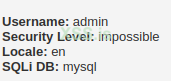
If we analyze the code....
you can see that the code checks for file extensions and types, it doesn't properly validate them.
We can bypass this by manipulating the Content-Type header in the HTTP request.
The code generates a unique filename using md5( uniqid() . $uploaded_name ), but it still retains the original file extension.
We can abuse this to upload PHP files disguised as other file types.
to exploit this we need to:
1 Craft the Payload
Use curl to craft the HTTP request. Here's an example command:
5 Send the Evil File
If we analyze the code....
PHP:
<?php

if( isset( $_POST[ 'Upload' ] ) ) {
    // Check Anti-CSRF token
    checkToken( $_REQUEST[ 'user_token' ], $_SESSION[ 'session_token' ], 'index.php' );


    // File information
    $uploaded_name = $_FILES[ 'uploaded' ][ 'name' ];
    $uploaded_ext  = substr( $uploaded_name, strrpos( $uploaded_name, '.' ) + 1);
    $uploaded_size = $_FILES[ 'uploaded' ][ 'size' ];
    $uploaded_type = $_FILES[ 'uploaded' ][ 'type' ];
    $uploaded_tmp  = $_FILES[ 'uploaded' ][ 'tmp_name' ];

    // Where are we going to be writing to?
    $target_path   = DVWA_WEB_PAGE_TO_ROOT . 'hackable/uploads/';
    //$target_file   = basename( $uploaded_name, '.' . $uploaded_ext ) . '-';
    $target_file   =  md5( uniqid() . $uploaded_name ) . '.' . $uploaded_ext;
    $temp_file     = ( ( ini_get( 'upload_tmp_dir' ) == '' ) ? ( sys_get_temp_dir() ) : ( ini_get( 'upload_tmp_dir' ) ) );
    $temp_file    .= DIRECTORY_SEPARATOR . md5( uniqid() . $uploaded_name ) . '.' . $uploaded_ext;

    // Is it an image?
    if( ( strtolower( $uploaded_ext ) == 'jpg' || strtolower( $uploaded_ext ) == 'jpeg' || strtolower( $uploaded_ext ) == 'png' ) &&
        ( $uploaded_size < 100000 ) &&
        ( $uploaded_type == 'image/jpeg' || $uploaded_type == 'image/png' ) &&
        getimagesize( $uploaded_tmp ) ) {

        // Strip any metadata, by re-encoding image (Note, using php-Imagick is recommended over php-GD)
        if( $uploaded_type == 'image/jpeg' ) {
            $img = imagecreatefromjpeg( $uploaded_tmp );
            imagejpeg( $img, $temp_file, 100);
        }
        else {
            $img = imagecreatefrompng( $uploaded_tmp );
            imagepng( $img, $temp_file, 9);
        }
        imagedestroy( $img );

        // Can we move the file to the web root from the temp folder?
        if( rename( $temp_file, ( getcwd() . DIRECTORY_SEPARATOR . $target_path . $target_file ) ) ) {
            // Yes!
            echo "<pre><a href='${target_path}${target_file}'>${target_file}</a> succesfully uploaded!</pre>";
        }
        else {
            // No
            echo '<pre>Your image was not uploaded.</pre>';
        }

        // Delete any temp files
        if( file_exists( $temp_file ) )
            unlink( $temp_file );
    }
    else {
        // Invalid file
        echo '<pre>Your image was not uploaded. We can only accept JPEG or PNG images.</pre>';
    }
}

// Generate Anti-CSRF token
generateSessionToken();

?>
you can see that the code checks for file extensions and types, it doesn't properly validate them.
We can bypass this by manipulating the Content-Type header in the HTTP request.
The code generates a unique filename using md5( uniqid() . $uploaded_name ), but it still retains the original file extension.
We can abuse this to upload PHP files disguised as other file types.
to exploit this we need to:
1 Craft the Payload
- Use your favorite text editor to create a PHP file with your malicious code. Let's call it evil.php.
- Inside evil.php, put your PHP code to execute commands or do whatever nefarious deeds you want.
- Rename evil.php to something harmless, like innocent.jpg. This fools the server into thinking it's just a harmless image file.
- You'll need a tool to manipulate HTTP requests. Let's use curl for this example. If you don't have it, install it.
- Open a terminal and navigate to the directory where innocent.jpg (formerly evil.php) is located.
Use curl to craft the HTTP request. Here's an example command:
Replace <your_csrf_token> with the CSRF token you obtained somehow (if there is no csrf token ignore that part )and <target_url> with the URL of the vulnerable file upload page.curl -X POST -F "uploaded=@innocent.jpg" -F "Upload=Upload" -F "user_token=<your_csrf_token_or_whatever>" <target_url>
5 Send the Evil File
- Execute the curl command in your terminal. This sends the HTTP request with your disguised evil PHP shell to the vulnerable server.
- Once the server accepts the upload, navigate to the upload directory on the server where innocent.jpg was uploaded.
- In your web browser, visit the URL of innocent.jpg. This executes your evil PHP code, giving you access to the server. ( don't forget the lfi trick).
- Now that you have access to the server through your shell, you can run commands, access files, or do whatever mischief you please.