

Hello People of XSS,
Today i am here to write a small tutorial on how to securely set up an onion site and to add basic security features.
In the following tutorial i am using ubuntu20.04 LTS.
1. Install Tor & Nginx
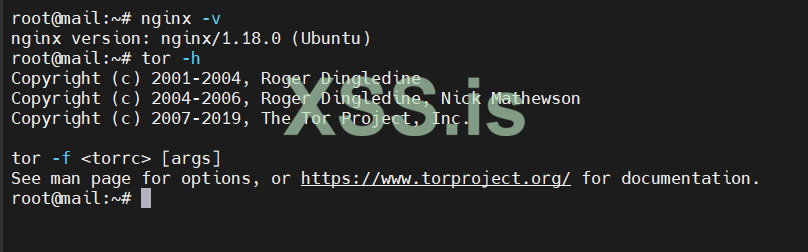
1.2 Check if installed correctly
----------------------------------
2. Enable Tor & Config Torrc File
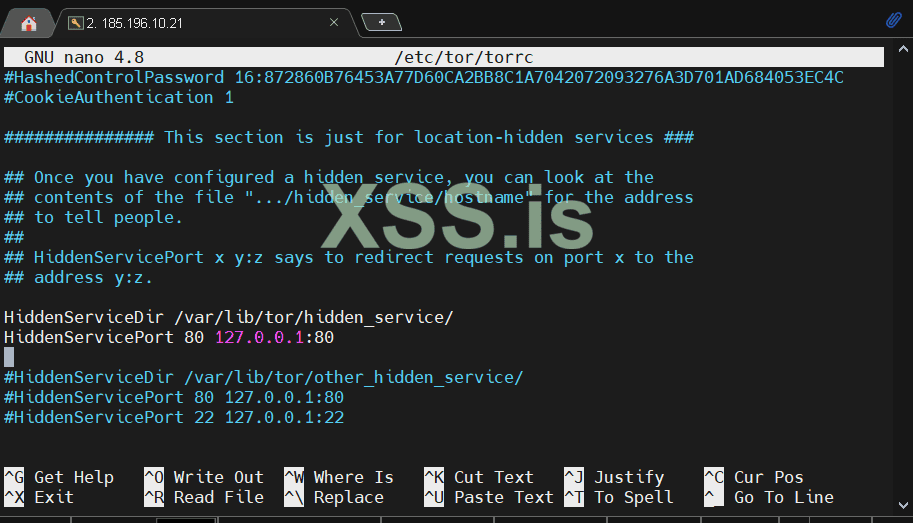
uncomment the following things:
save the file and reload tor:
----------------------------------
3. Our Onion Site is alive, now what?
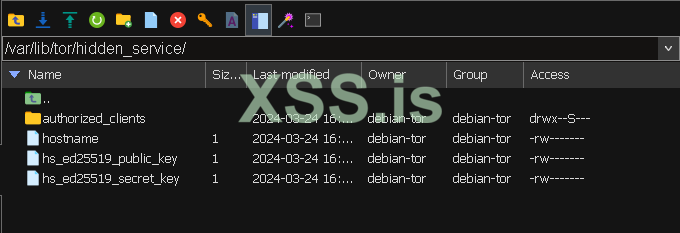
first head to /var/lib/tor/hidden_service, download the 3 files that are to be found in the dir, this are your private keys,public key and hostname.
open the hostname file to find out our hostname, in my case its:
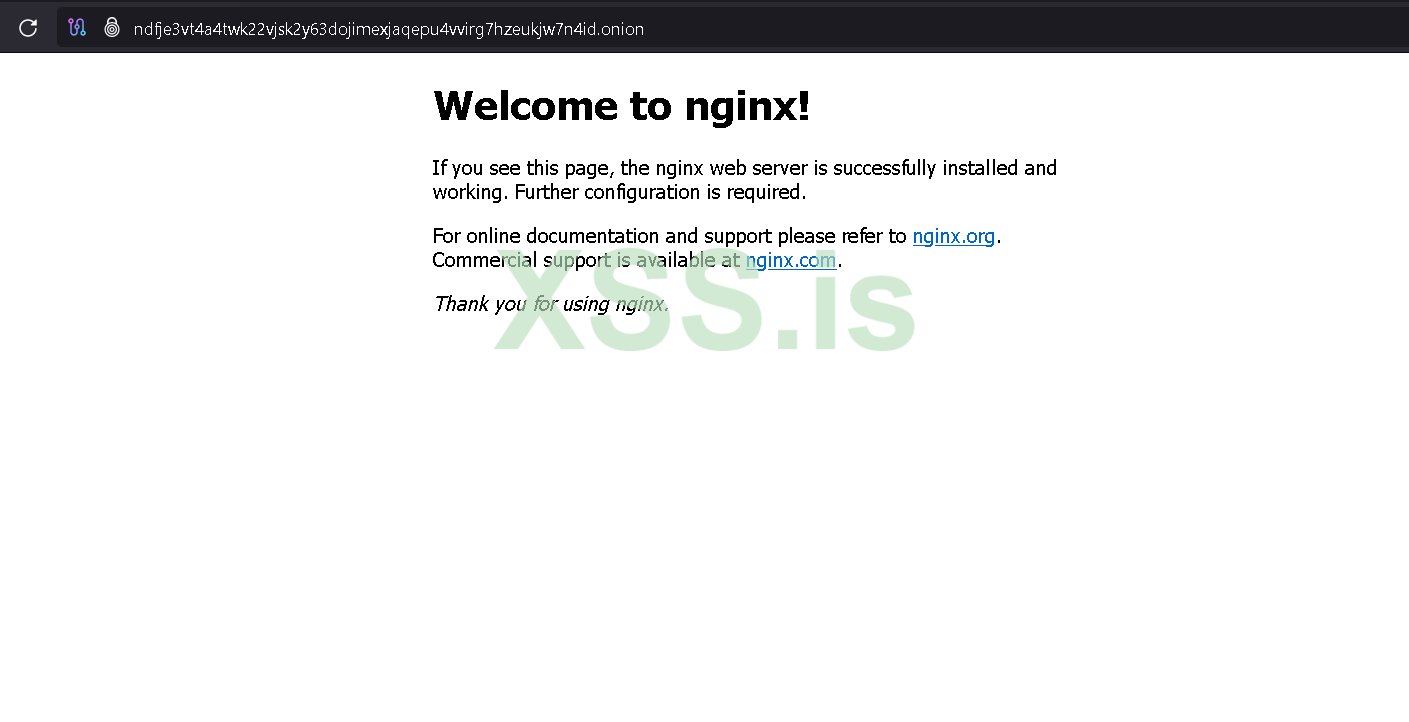
If we head to the browser and open the link, we will see our site is now alive!
-------
4. Security & Firewall
it is important not to get caught by scanners like censys/shodan and to get your backend leaked, to do this do the following rules:
------------------------------------
We are done, everything is now ready, the backend is unreachable from the clearnet, it is impossible for scanners to catch on where your server is secured.
Please note, this is a basic setup written for less than an hour. It is just a basic start of what you can do and how to do it.
Cheers,
For any questions, message me via forum
Today i am here to write a small tutorial on how to securely set up an onion site and to add basic security features.
In the following tutorial i am using ubuntu20.04 LTS.
1. Install Tor & Nginx
sudo apt install nginx -y && sudo apt install tor1.2 Check if installed correctly
nginx -vtor -h
----------------------------------
2. Enable Tor & Config Torrc File
nano /etc/tor/torrcuncomment the following things:
HiddenServiceDir /var/lib/tor/hidden_service/HiddenServicePort 80 127.0.0.1:80
save the file and reload tor:
sudo systemctl reload tor----------------------------------
3. Our Onion Site is alive, now what?
first head to /var/lib/tor/hidden_service, download the 3 files that are to be found in the dir, this are your private keys,public key and hostname.
open the hostname file to find out our hostname, in my case its:
ndfje3vt4a4twk22vjsk2y63dojimexjaqepu4vvirg7hzeukjw7n4id.onionIf we head to the browser and open the link, we will see our site is now alive!
-------
4. Security & Firewall
it is important not to get caught by scanners like censys/shodan and to get your backend leaked, to do this do the following rules:
curl -s https://check.torproject.org/torbulkexitlist | awk '{print "sudo ufw allow from " $1 " to any port 80"}' | sudo bashsudo ufw statussudo ufw enablesudo ufw allow sshsudo ufw deny 80------------------------------------
We are done, everything is now ready, the backend is unreachable from the clearnet, it is impossible for scanners to catch on where your server is secured.
Please note, this is a basic setup written for less than an hour. It is just a basic start of what you can do and how to do it.
Cheers,
For any questions, message me via forum
Последнее редактирование:


