• XSS.stack #1 – первый литературный журнал от юзеров форума

Failed Shell (NEED HELP)

nickzfam

RAID-массив
Пользователь
Регистрация
29.04.2023
Сообщения
69
Реакции
9
Гарант сделки
3
EN:
-----------------------------------------------
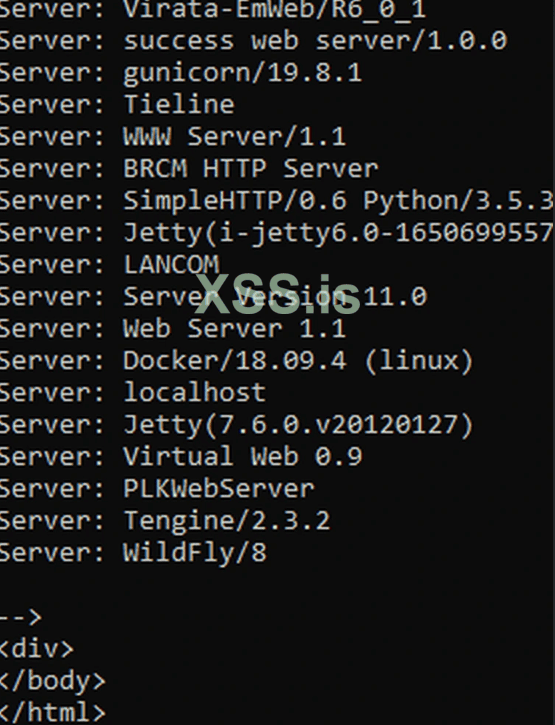
Everytime I get a shell from screenconnect exploit and I try a command I get this returned, instead of the command.
1709392295392.png


Also tried ping a machine to see if it could communicate with it and no response... What is the issue here? Bad exploit?

RU
--------------------------------------------------------------------------
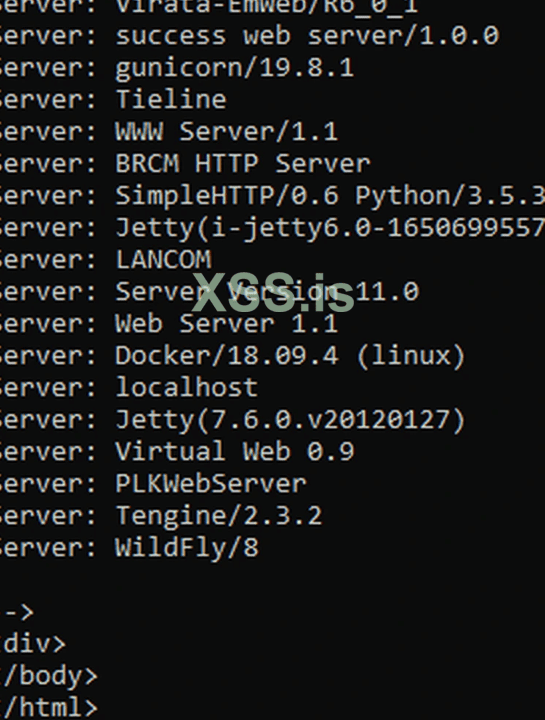
Каждый раз, когда я получаю оболочку от эксплойта screenconnect и пробую команду, я получаю это вместо команды.
1709392526114.png


Также попробовал пропинговать машину, чтобы узнать, может ли она с ней связаться, но ответа нет... В чем здесь проблема? Плохой эксплойт?
 
This output is typically returned by web servers when responding to HTTP requests.

The presence of these headers suggests that the command you are attempting to execute is likely being intercepted or blocked by a web server or proxy before it reaches the target system. Instead of executing the command directly on the target system, it seems that your input is being treated as part of an HTTP request and processed by a web server.
To solve this, you may need to find alternative methods that bypass the web server or exploit the vulnerability in a different way. This could involve modifying your payload to evade detection or attempting to exploit other vulnerabilities in the target system that allow for command execution without interference from the web server. Additionally, ensuring that you have proper access and permissions to execute commands on the target system is crucial for successful exploitation.

Check HTTP response headers returned by the server to identify any clues about the server software- curl -I <target_url>
Test Connectivity and Ports- telnet <target_ip> <port>
Check for any firewall if its blocking- iptables -L

Review the configuration of the web server running on the target system to see if there are any settings or modules that could be interfering with command execution- cat /etc/nginx/nginx.conf # For Nginx
cat /etc/apache2/apache2.conf # For Apache

Experiment with different payloads or encoding techniques to bypass any filters or detection mechanisms in place- python -c "print('<payload>')"

Experiment with different payloads or encoding techniques to bypass any filters or detection mechanisms in place- echo "<payload>" > /tmp/debug.txt

Let me know what your goal is.
 
This output is typically returned by web servers when responding to HTTP requests.

The presence of these headers suggests that the command you are attempting to execute is likely being intercepted or blocked by a web server or proxy before it reaches the target system. Instead of executing the command directly on the target system, it seems that your input is being treated as part of an HTTP request and processed by a web server.
To solve this, you may need to find alternative methods that bypass the web server or exploit the vulnerability in a different way. This could involve modifying your payload to evade detection or attempting to exploit other vulnerabilities in the target system that allow for command execution without interference from the web server. Additionally, ensuring that you have proper access and permissions to execute commands on the target system is crucial for successful exploitation.

Check HTTP response headers returned by the server to identify any clues about the server software- curl -I <target_url>
Test Connectivity and Ports- telnet <target_ip> <port>
Check for any firewall if its blocking- iptables -L

Review the configuration of the web server running on the target system to see if there are any settings or modules that could be interfering with command execution- cat /etc/nginx/nginx.conf # For Nginx
cat /etc/apache2/apache2.conf # For Apache

Experiment with different payloads or encoding techniques to bypass any filters or detection mechanisms in place- python -c "print('<payload>')"

Experiment with different payloads or encoding techniques to bypass any filters or detection mechanisms in place- echo "<payload>" > /tmp/debug.txt

Let me know what your goal is.
Thanks for the answer.

Although, I can not review the configs of the web (since any command I run is blocked).
I could change the payload-
 
Great. Is it working now?
Tried telnet, it didn't seem to give me an error, but for some reasons I couldn't connect to it.
Curled it and found possibly SPIP 4.1.1.

In conclusion, they are simply blocking me, since when I tried to make another HTTP request, I was prompted with the same output as when I tried the exploit.
 
Hello, that is due to the extension not being uploaded. If the extension is not loaded, it will not give output properly. This could be due to an anti-virus or firewall.
Hello, Although, the extension was uploaded successfully. So is it due to the antivirus/firewall?
 
Я не знаю, является ли ваша оболочка интерактивной. У меня есть одна идея: вы используете bash/ncat/, чтобы передать оболочку на ваш рабочий сервер, а затем превратить эту оболочку в интерактивную оболочку. Можете ли вы попробовать?


Напишите ответ...
  • Вставить:
Прикрепить файлы
Верх