
Hello.
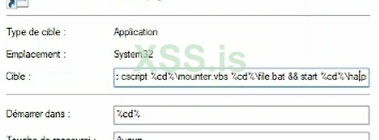
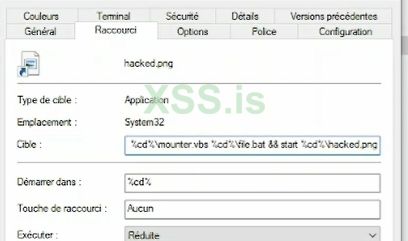
this is a script within a shortcut in Win 10 that allows to openseveral targets simultaniously. without any breaks or prompts...just click onthe icon and it opens several files at once.
can someone help with this code? what was it written in?
what are the variables% cd% for?
this is the sample .
cscript%cd% \ file1.vbs% ccd% \ file2.bat & & start% cd% \ file3.png
spasiba!
what la
cscript%cd% \ file1.vbs% ccd% \ file2.bat & & start% cd% \ file3.png
this is a script within a shortcut in Win 10 that allows to openseveral targets simultaniously. without any breaks or prompts...just click onthe icon and it opens several files at once.
can someone help with this code? what was it written in?
what are the variables% cd% for?
this is the sample .
cscript%cd% \ file1.vbs% ccd% \ file2.bat & & start% cd% \ file3.png
spasiba!
what la
cscript%cd% \ file1.vbs% ccd% \ file2.bat & & start% cd% \ file3.png

