

./yabot
Okay, this is a true story of how I came to this forum. It is my first article in English, and to be honest, I am more comfortable with writing in English.Content
- Story
- Starting from Scratch
- CAPTCHA is present and not present.
- There is no CAPTCHA
- Understanding the reCaptcha / CAPTCHA is present.
- yaBot
Story
June - I decided to live alone for a while. I paid for a house for two months before moving in and had very little money. In June and July, my total income was not more than $200-300. Those were hungry days, I can say, but it wasn't all that bad, thanks to my friend whom I also invited to the forum, even though he is lazy to write any articles. The guy is one of the smartest technically inclined people I have ever met. So, my days were like this: wake up, do nothing, watch anime, call my friend, go out for food and drinks.August - I finally found a job online. I was simply doing ads on one of the social networks (white). I was making about $200 a month. It was great for that time, and I was really happy that finally, the financial struggle was over. But it still didn't feel right. Maybe I'm not the best, but I am skilled enough for sure. Why shouldn't I use my skills to make money? I obviously knew that bug bounty hunting is crazy, but I gave it a shot and found duplicates. So I decided to explore what blackhats do. A long time ago, I had an account (it belonged to someone else) on exploit.in, but back then, I had no cybersecurity knowledge, and it was useless to me. In the middle of August, I heard people talking about "xss.pro," and I heard of it 1-2 times in the news. I asked, "Дамага?" - No, I'm not what Russians call an "олд" (old), I am a newbie. I registered on the forum. Some days later, I had to change location, so there would be a border crossing. I decided to start from scratch, left the $200 job, and went back to nothing. One night, I saw the admin's post about buying articles. I had nothing to lose, so I gave it a shot. My first article was ready, and it was time to post it. Five minutes later, the internet was down, lmao. I tried to ping the forum, but I saw that it couldn't find the IP address. So I simply added Cloudflare's DNS. I don't know what the problem was, but it was an issue with the ISP (I called them), which could be easily fixed by adding a DNS record to your local laptop.
So, this is a shorter version of how I found this forum. There are also some other reasons why I registered, which I better keep to myself =)
Starting from Scratch
What is CAPTCHA?Completely Automated Public Turing Test to Tell Computers and Humans Apart - an abbreviation, actually. We all know what captcha is, this is just a reminder.
What kinds of CAPTCHAs are there?
There are 4 types of what I call "Common madnesses":
Text-based CAPTCHAs: These CAPTCHAs consist of text that is so difficult to read that even humans can barely decipher it and have to type it. I call it madness number 1.
Image-based CAPTCHAs: Image CAPTCHAs are the ones you encounter on almost every website. Even if you answer correctly, you might still fail. It's madness number 2.
Audio CAPTCHAs: I believe these CAPTCHAs were created for hackers and the fame of the services. Hackers use them with voice recognition to bypass them, and companies then claim, "We support disabled people, we have audio CAPTCHA." It's madness number 3.
Checkbox CAPTCHAs: This is a funny CAPTCHA. It's simply a matter of clicking to pass. I understand that Google reCaptcha v3 is somewhat effective, but there are also ones developed by developers themselves, like "click to prove you are not a bot," which are essentially useless. In the request, it's like "captcha=1." This is madness number 4.
We are going to bypass the "Checkbox CAPTCHA." Before we start, I can explain the theoretical part of how to bypass all the CAPTCHAs mentioned above. Text CAPTCHAs are bypassed with OCR, audio CAPTCHAs with voice recognition, image CAPTCHAs with object recognition, and checkbox CAPTCHAs with Chromium. The technical part I will explain pertains to the bypass of the "Invisible reCaptcha V2." It works with the old V2. I also have a test domain, and we will attempt to bypass CAPTCHAs on typical websites.
Lab Hack Check
An administrator reading this might wonder, "So, in Russian, you do labs, and in English, you do I've identified three bypass methods:
- CAPTCHA is present and not present.
- There is no CAPTCHA.
- CAPTCHA is present.
CAPTCHA is present and not present.
I am not engaged in any illegal activities on the website, I am simply examining the requests.EuroDNS Whois Domain: www.eurodns.com
Upon opening the website, it appears quite straightforward with no apparent signs of a captcha. However, when we perform a WHOIS check, a small captcha icon becomes visible in the lower right corner of the website. Upon inspecting the requests, I confirmed the presence of captcha requests. Everything appears to be in order, as the captcha is there and seems to be functioning as intended.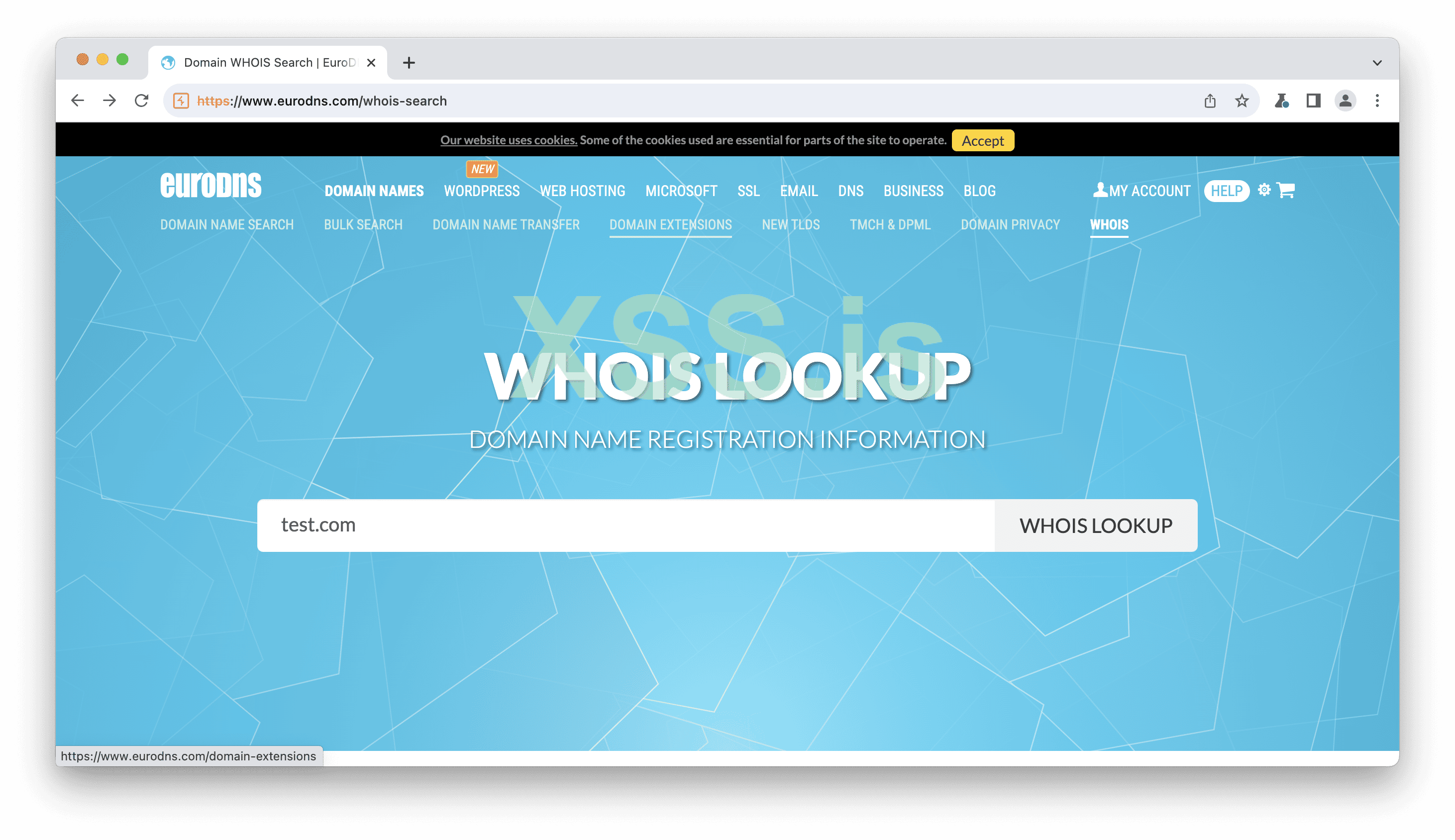
Image [1]
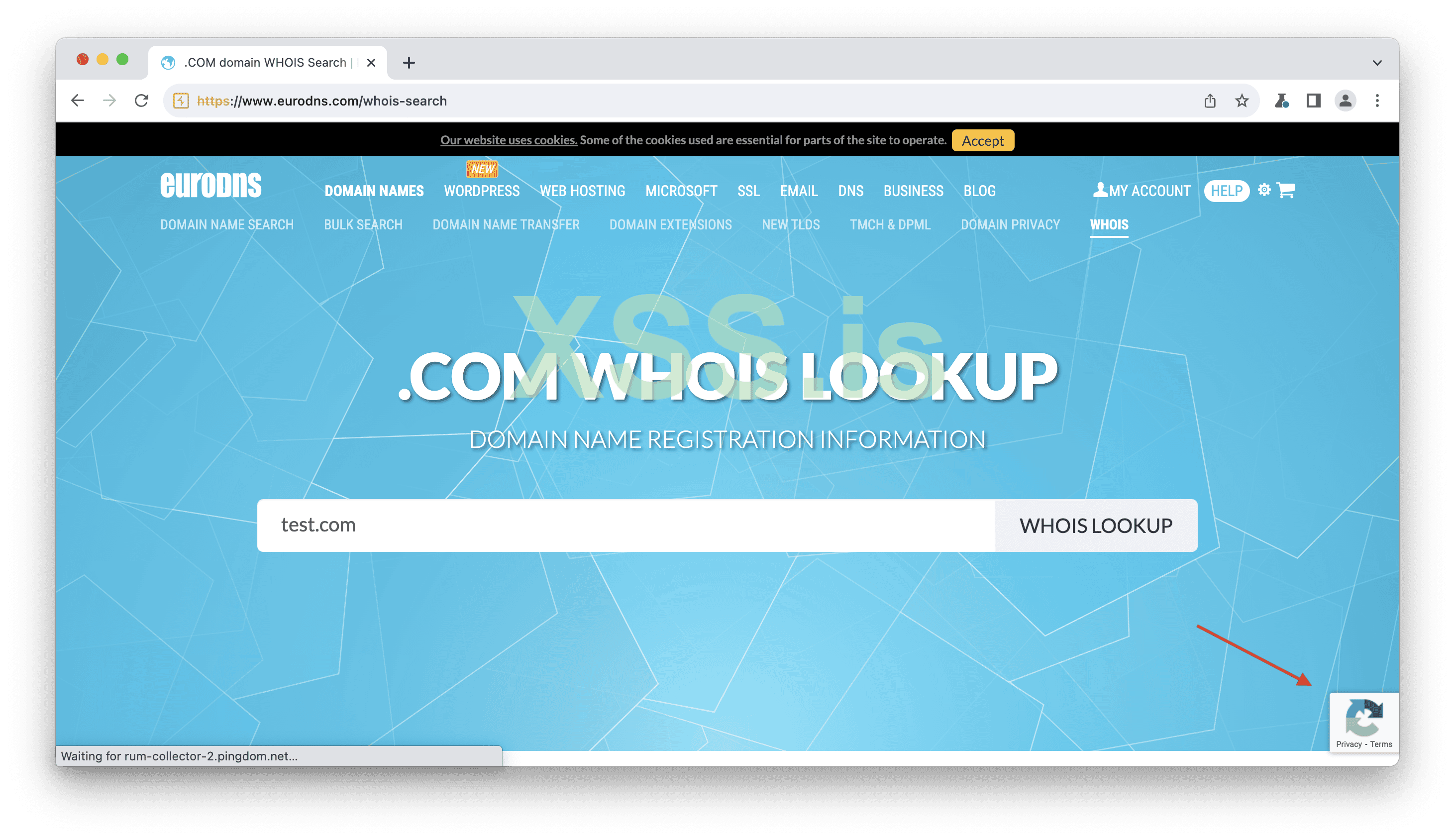
Image [2]
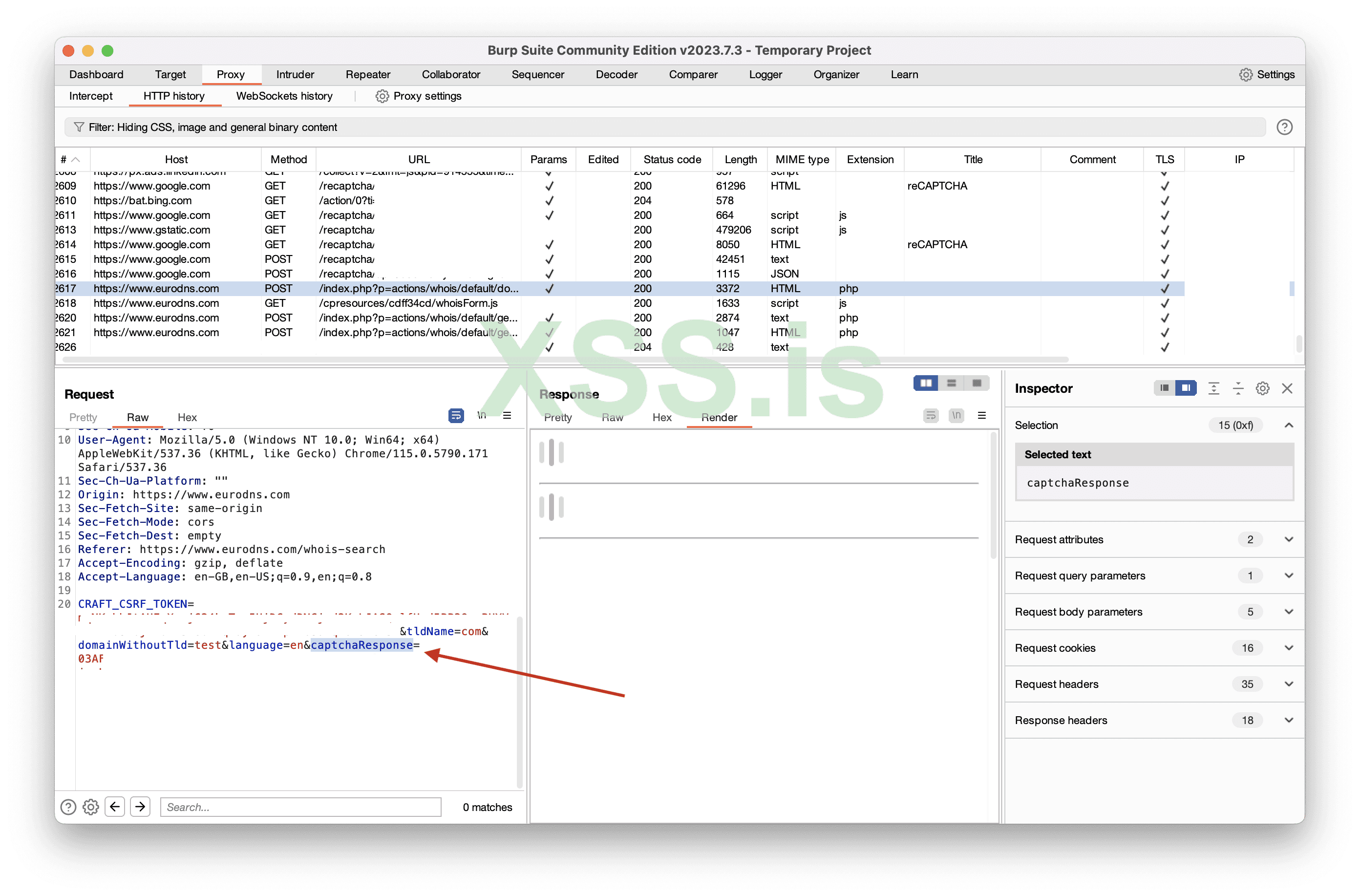
Image [3]
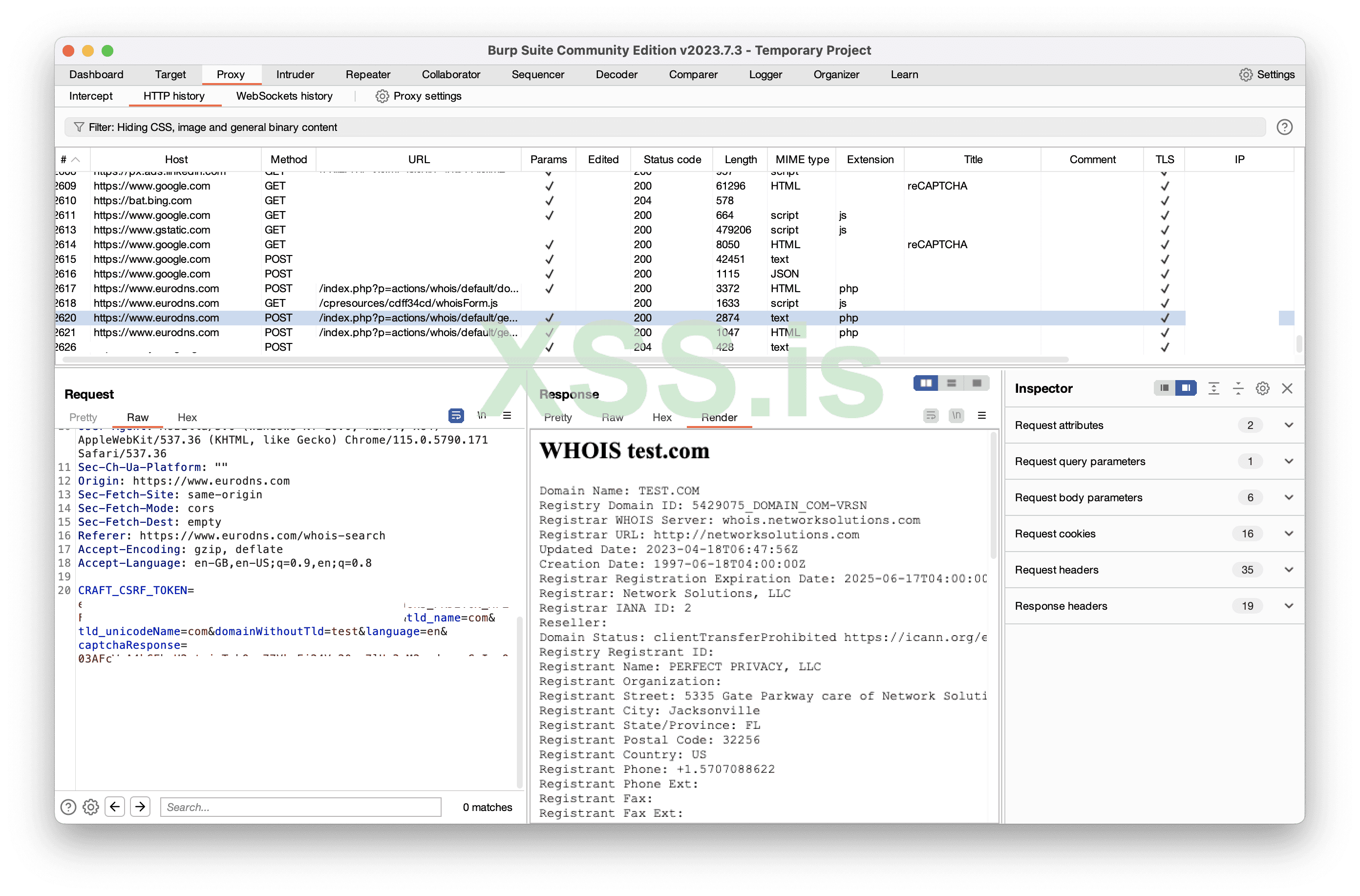
Image [4]
So, I decided to resend the request, but I changed the domain without altering the captcha. Surprisingly, it worked. This suggests that we can reuse old captcha tokens without any issues, doesn't it? We could even coin a catchy term for it, like "captcha token reuse," right?
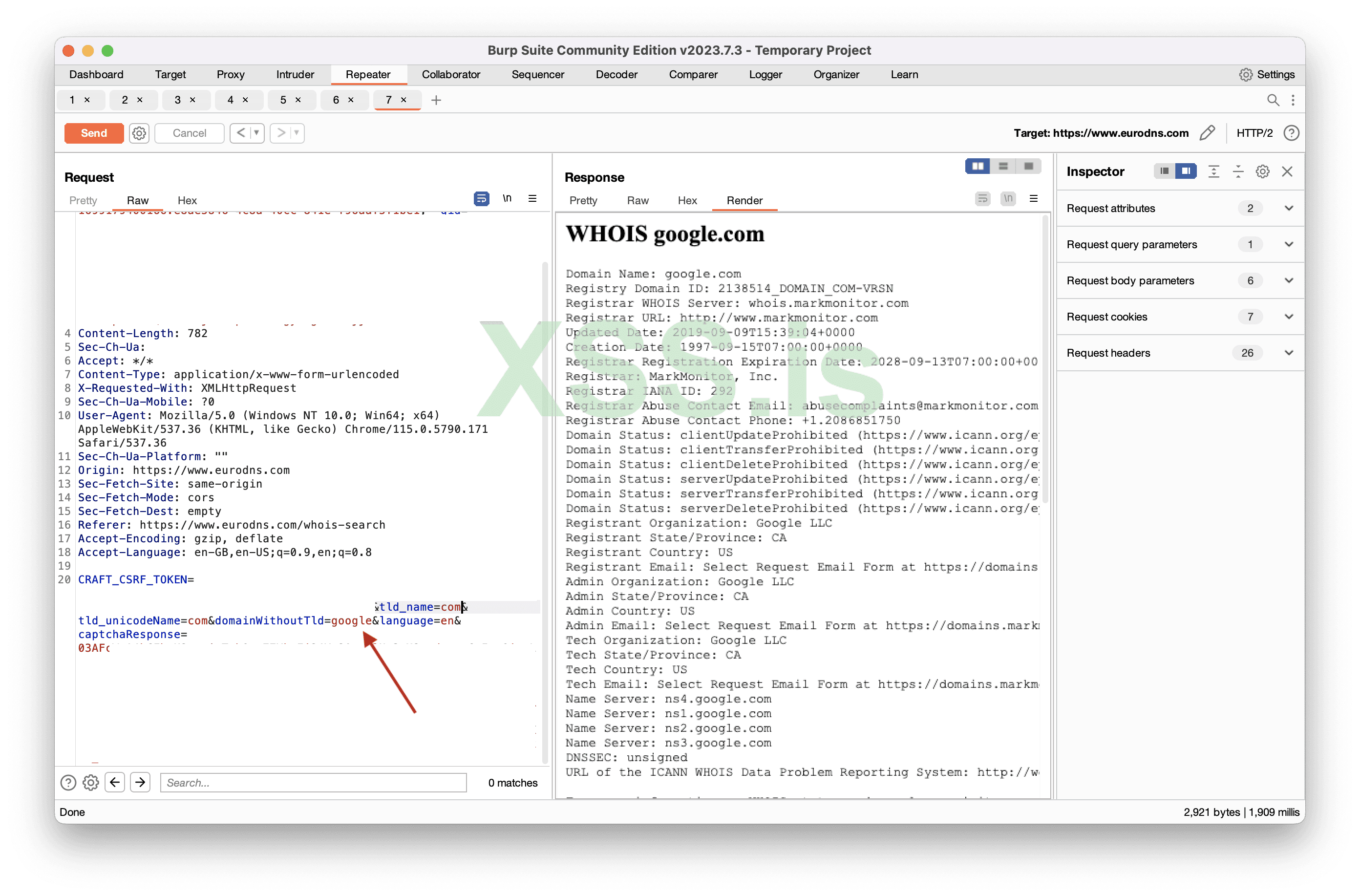
Image [5]
The answer is no, there is no captcha check at all! =D
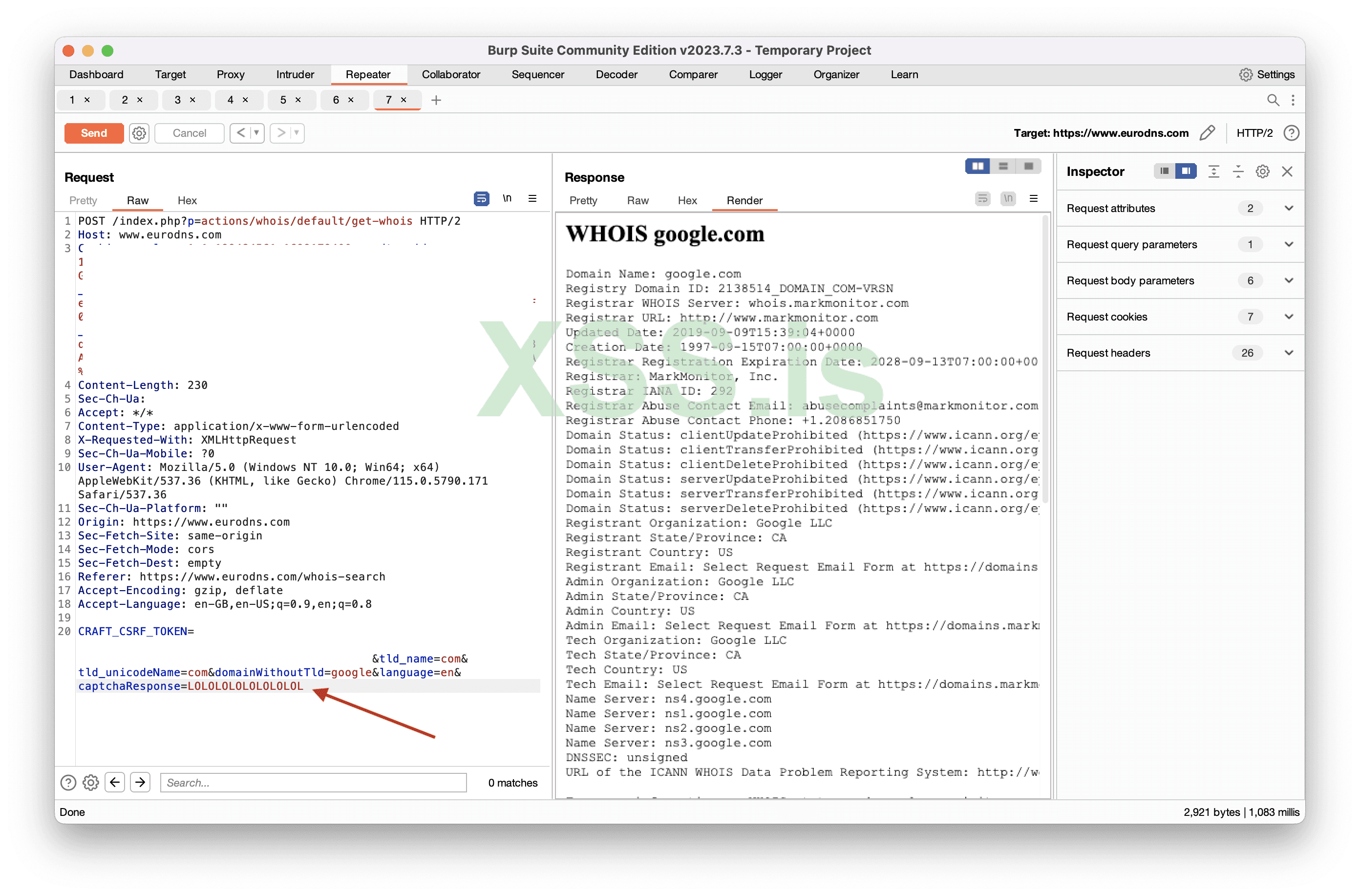
Image [6]
So, the captcha appears to be both present and not present at the same time. I have sent them report explaining the issue.
So, how should the CAPTCHA actually be implemented?
The typical implementation process involves the user solving the captcha, receiving a token, and then sending that token to the server for validation. On the server side, the website sends a request to Google's reCAPTCHA server for verification. This request includes the user's token and a private/secret key provided by Google. Google receives the verification request and uses the provided private/secret key to validate the response token. If the token is valid, it is a success.
In our case, the website has failed to execute the server-side part correctly. Instead, the website simply checks for the existence of the "captchaResponse" parameter. If it exists, it's considered a success, if it doesn't, it's a failure. There is no proper server-side implementation in place.
Whois Domain Domain: domain.com
We're all familiar with the famous Domain.com, right? So, what happened there?I opened the website and checked the WHOIS, and to my “surprise”, I encountered a captcha. I thought, "Cool!" If the captcha is solved correctly, you get a result, if it's not, you encounter an error. Everything seemed to be working as expected.
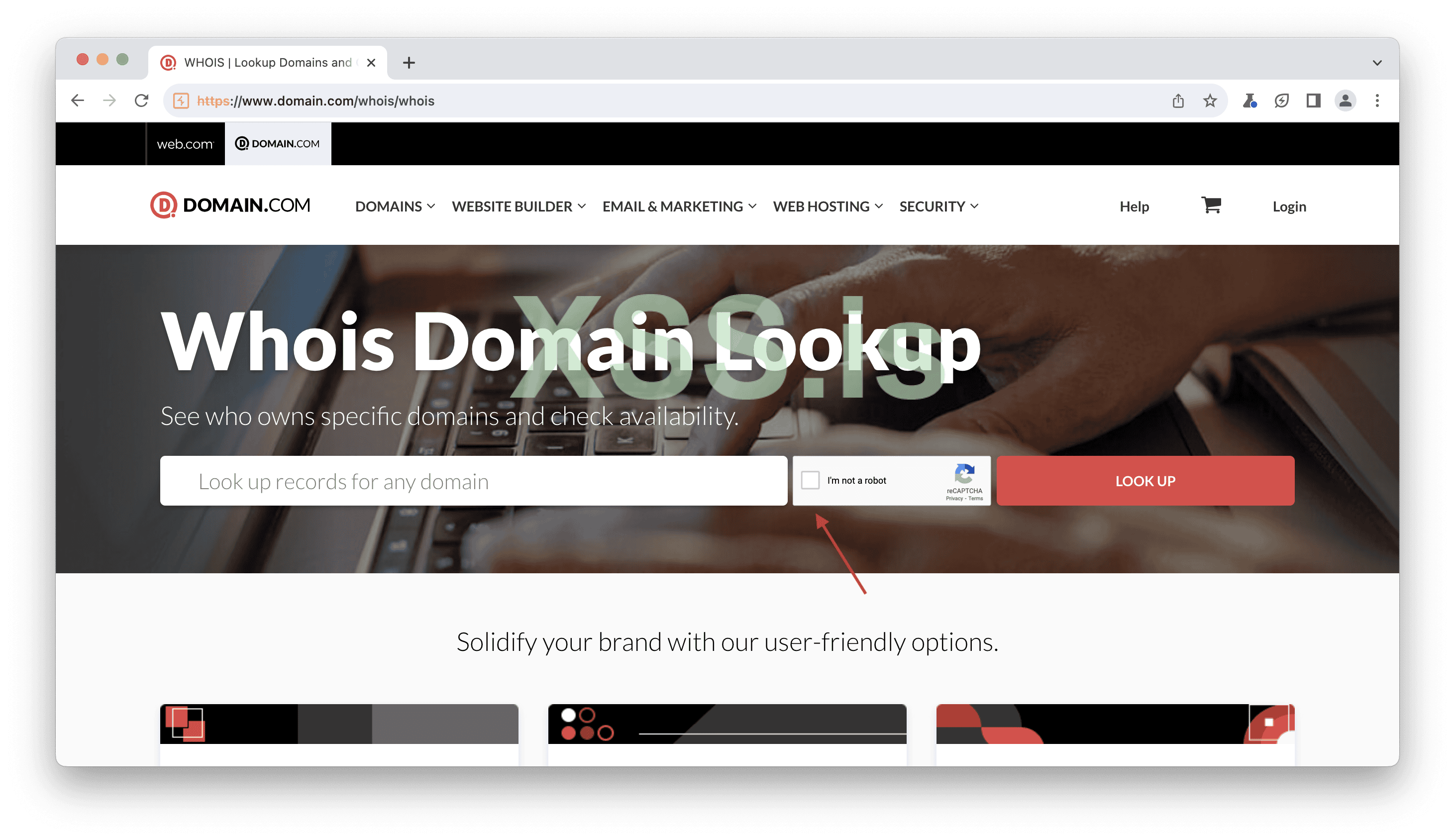
Image [7]
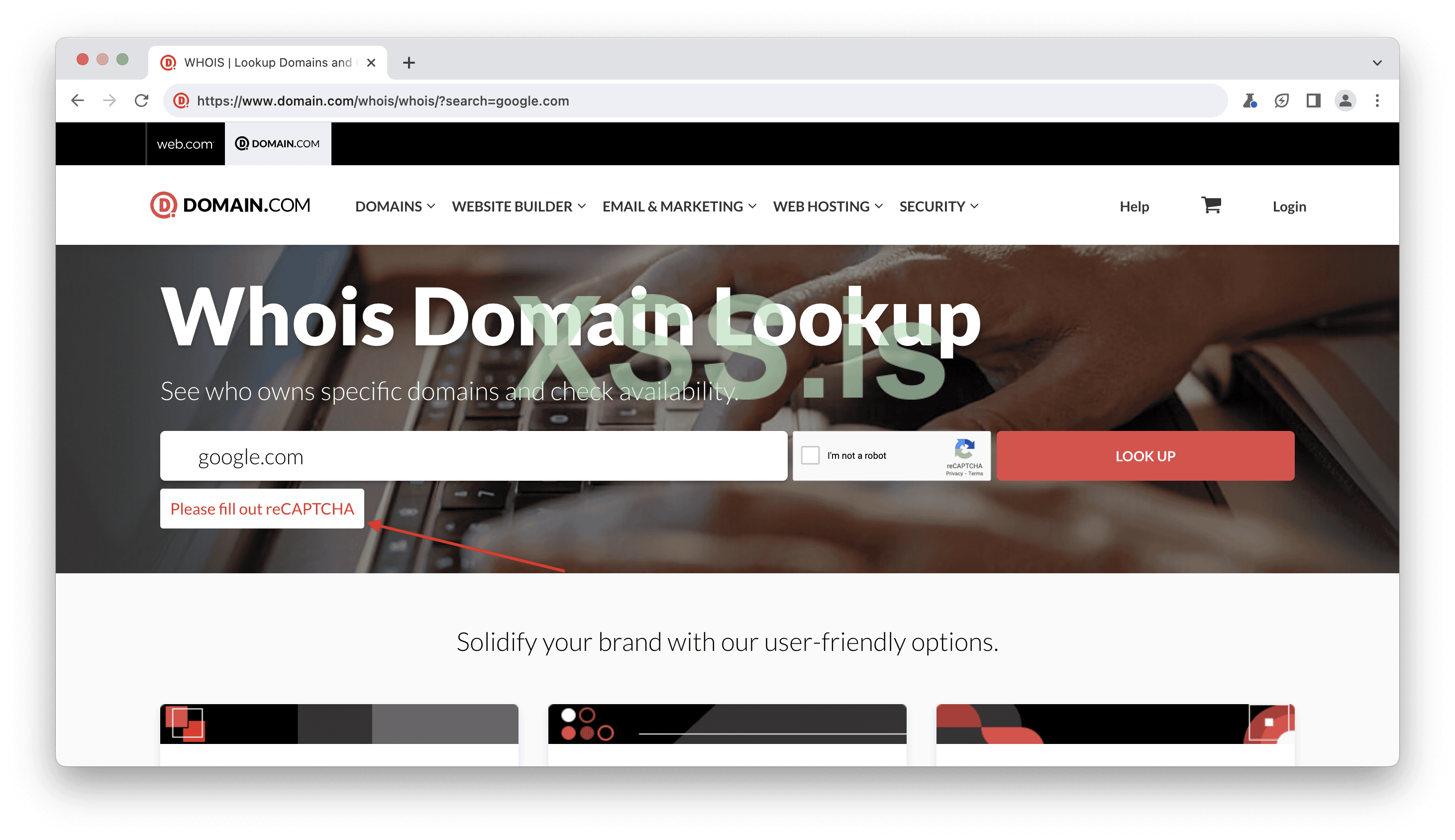
Image [8]
So, I decided to check the requests, and there I found a CAPTCHA request, which was promising. It indicated that CAPTCHA was being solved, but...
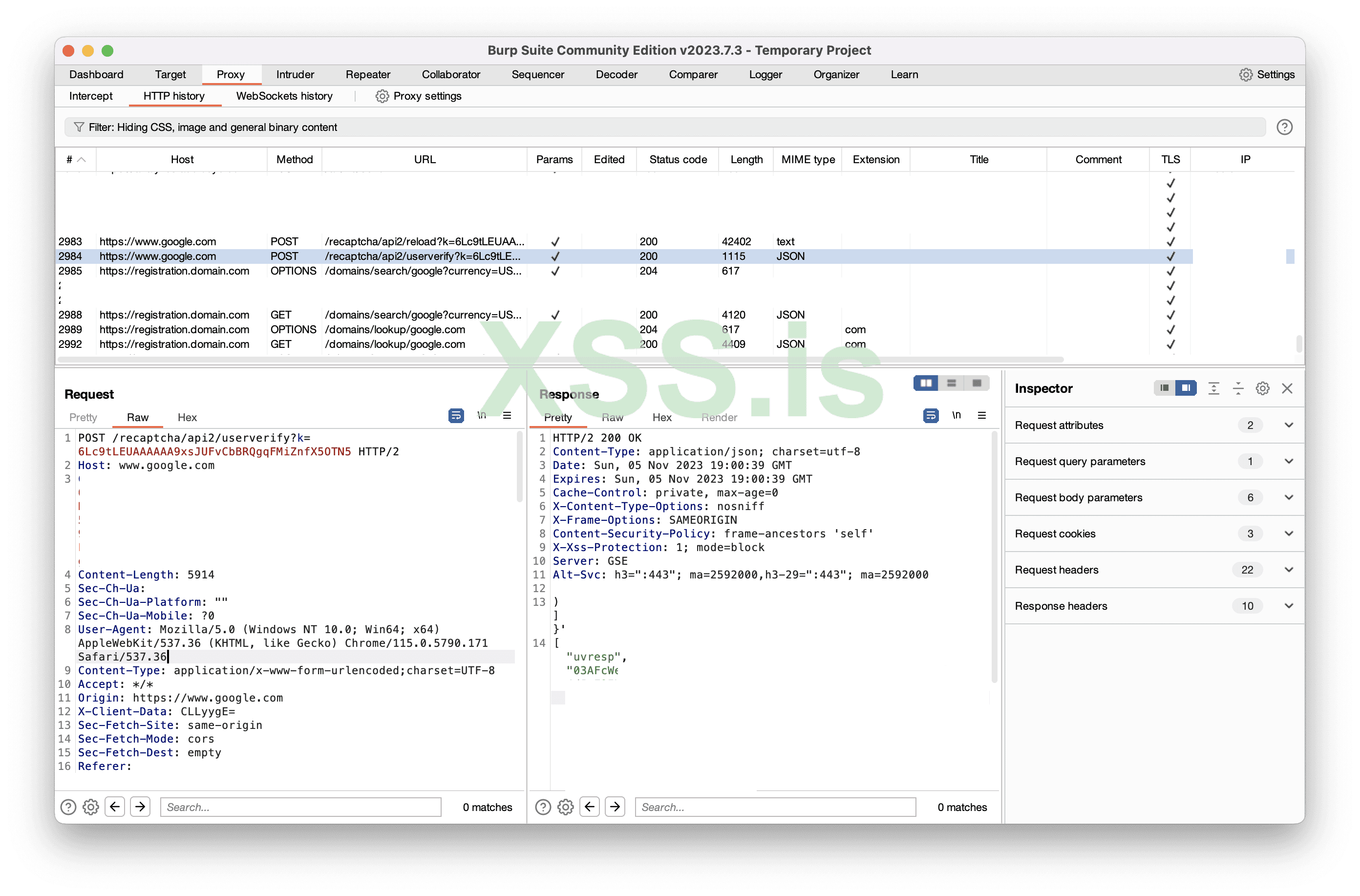
Image [9]
Well, it turned out there was no captcha check when checking the WHOIS record.
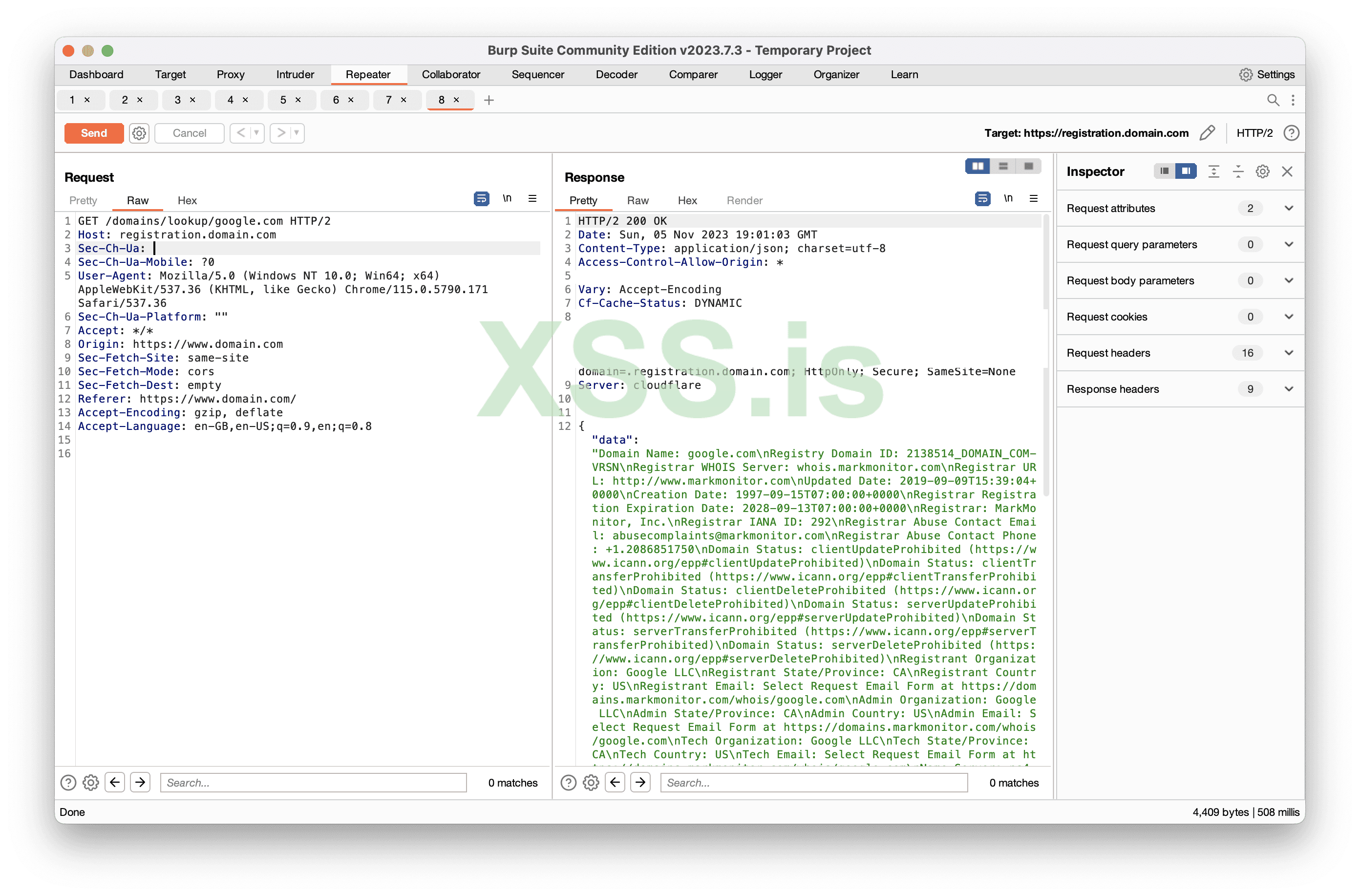
Image [10]
Once again, CAPTCHA seems to be both present and not present at the same time.
So, how should the CAPTCHA actually be implemented in this case?
In the previous issue, there was at least a parameter check, but in this one, there's nothing at all.
There is no CAPTCHA
7bitcasino Domain: 7bitcasino.comSome services, like 7bitcasino, do not use CAPTCHAs. I understand that some of you may wonder, "Dude, you're a whitehat, what are you doing on a casino website?" Well, I'm not a priest.
So, I decided to check the login with some fake credentials, and everything seemed to be working fine.
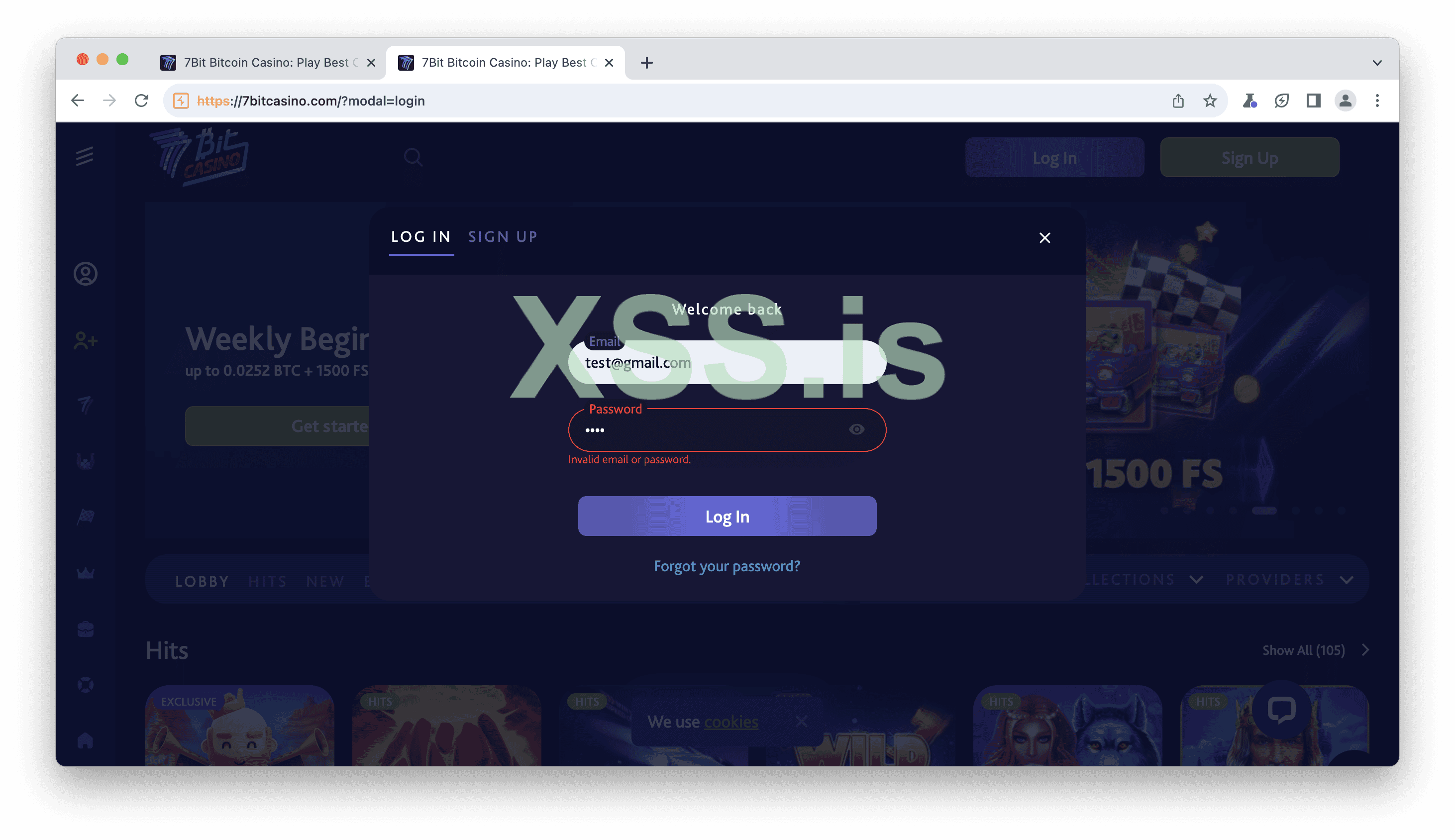
Image [11]
Upon inspecting the requests, it was another moment of madness. It appeared that there was a "Recaptcha" header in the request.
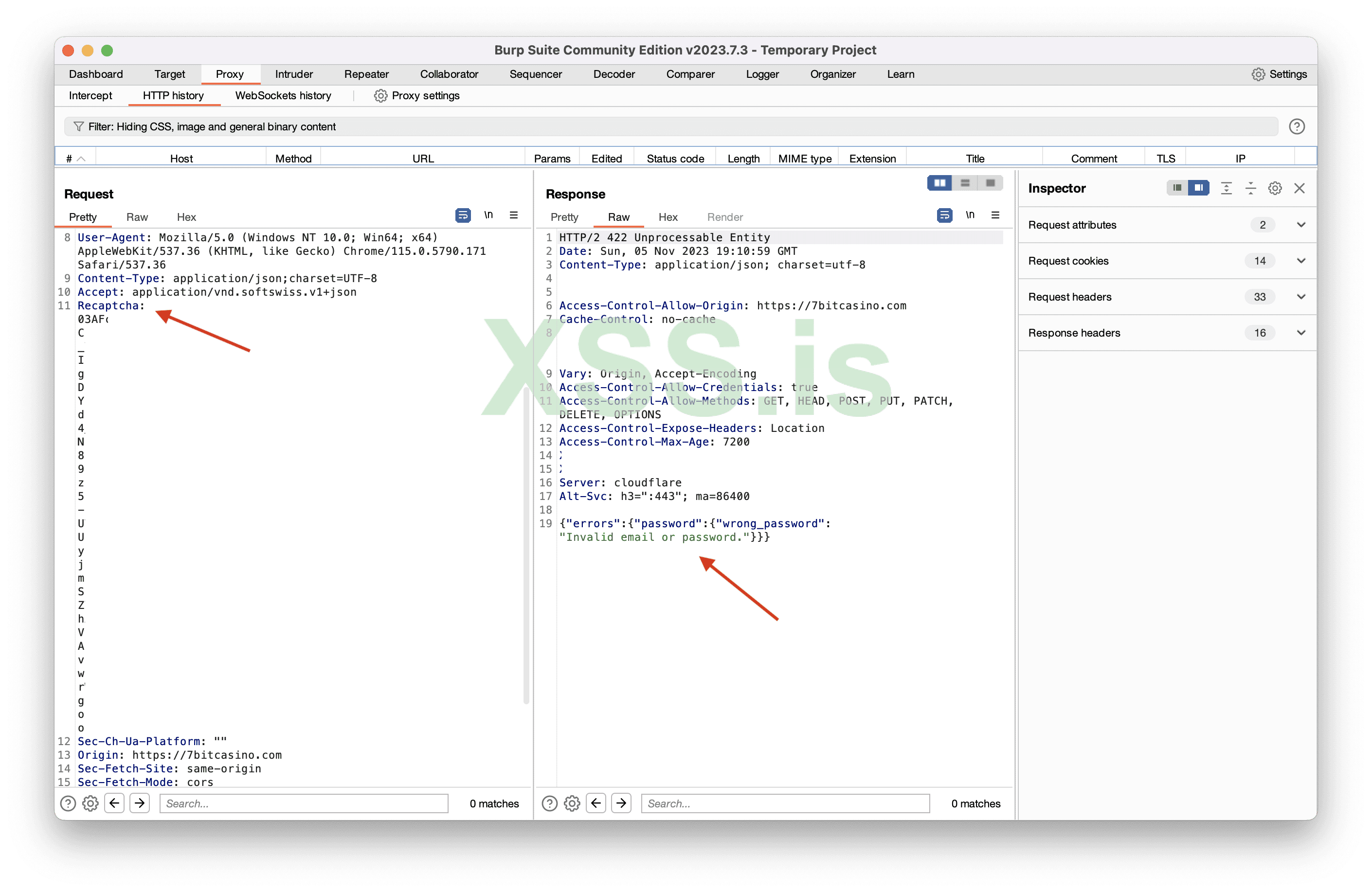
Image [12]
I decided to resend it and kept the "Recaptcha" header but changed its value to something random.
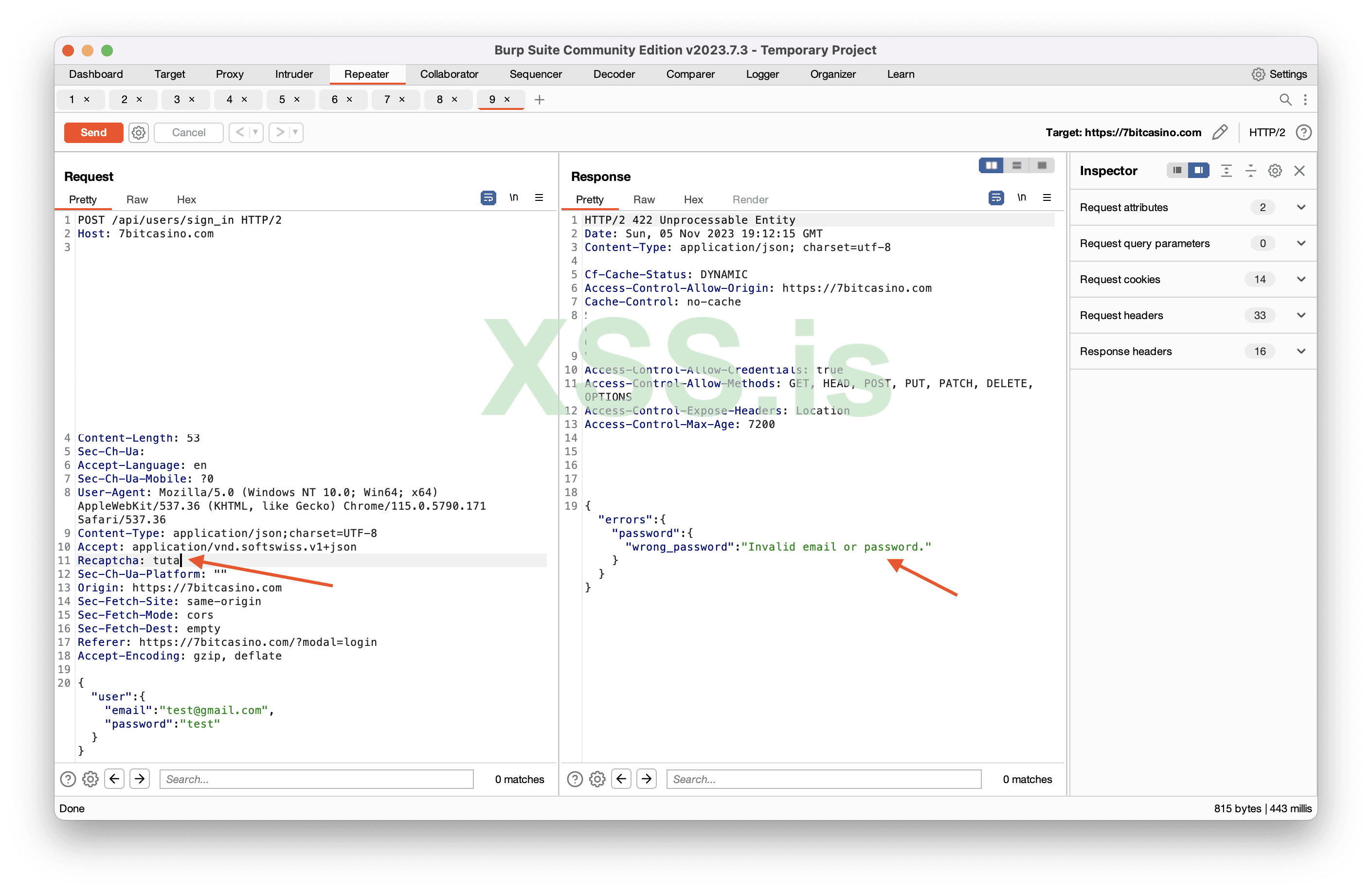
Image [13]
Then, I completely removed the "Recaptcha" header, and it still worked. This indicates that there is no CAPTCHA. We didn't see a CAPTCHA as a user during login, and when we checked the requests, it worked without the CAPTCHA header.
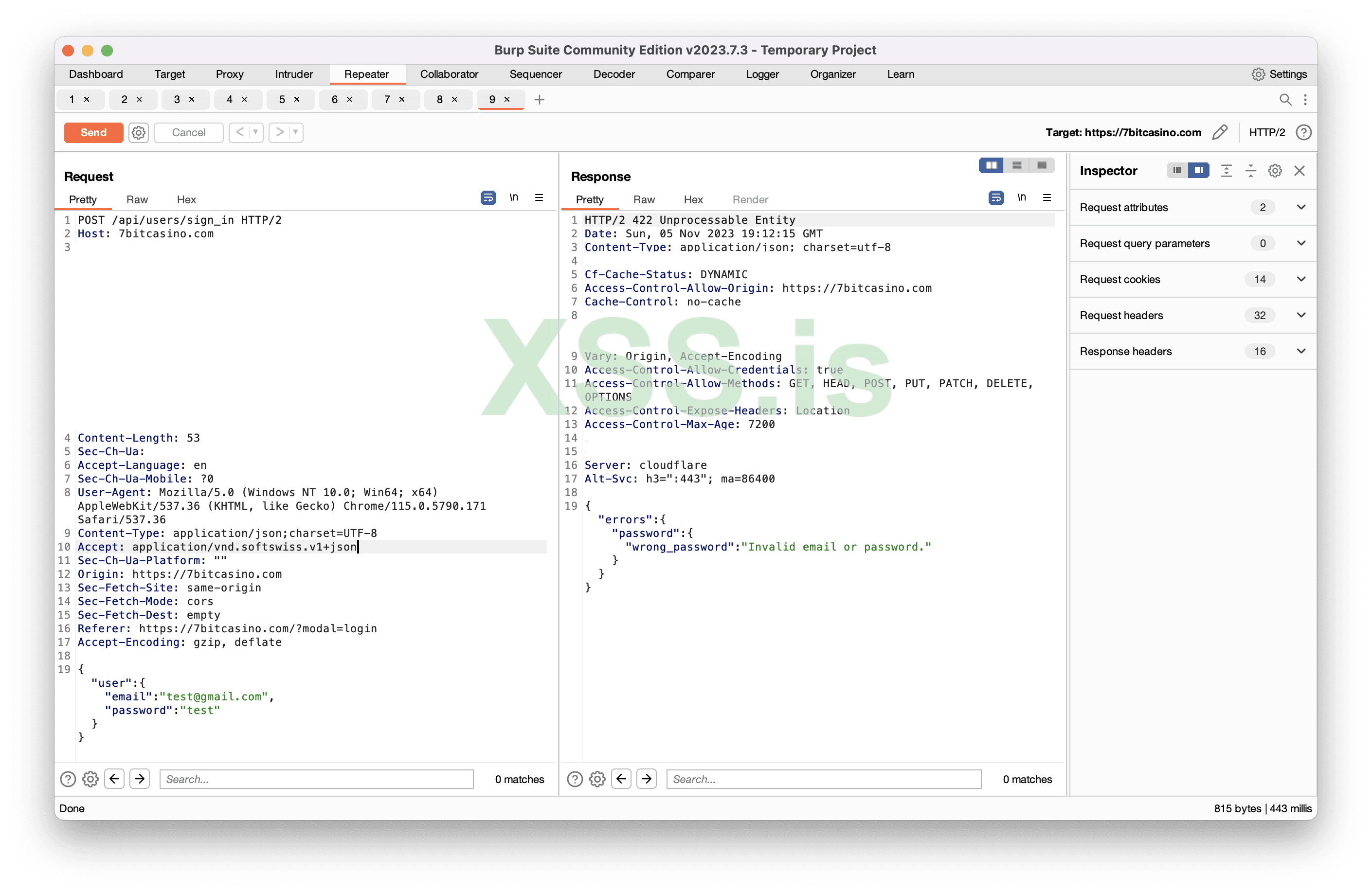
Image [14]
So, how should the CAPTCHA actually be implemented in this case?
If you are trying to implement an invisible CAPTCHA, at the very least, consider showing the icon and implementing a simple solution. In this case, it appears that there are issues with the implementation on every level.
Understanding the reCaptcha / CAPTCHA is present.
Google offers reCAPTCHA (v3 and v2) and reCAPTCHA Enterprise to safeguard websites from bots. In terms of user experience, v2 Invisible and v3 reCAPTCHA are currently considered the most optimal choices. Organizations can create and rely on their own CAPTCHA solution or rely on Google's offerings.v2 Invisible
Despite not being the latest version, v2 Invisible reCAPTCHA remains widely adopted. Its primary purpose is to prevent bot attacks while keeping user inconvenience to a minimum. You can easily recognize the use of CAPTCHA on a website through messages like "This site is protected by reCAPTCHA," logos, or requests.When you actively use the internet, you may come across the "This site is protected by reCAPTCHA" message without actually encountering the CAPTCHA itself. This is because the invisible CAPTCHA is automatically resolved in the background when you perform any action or click a button. This is precisely what should have been in the case of 7bitcasino.
Okay let’s take one of the websites as example, I will use astroproxy.com
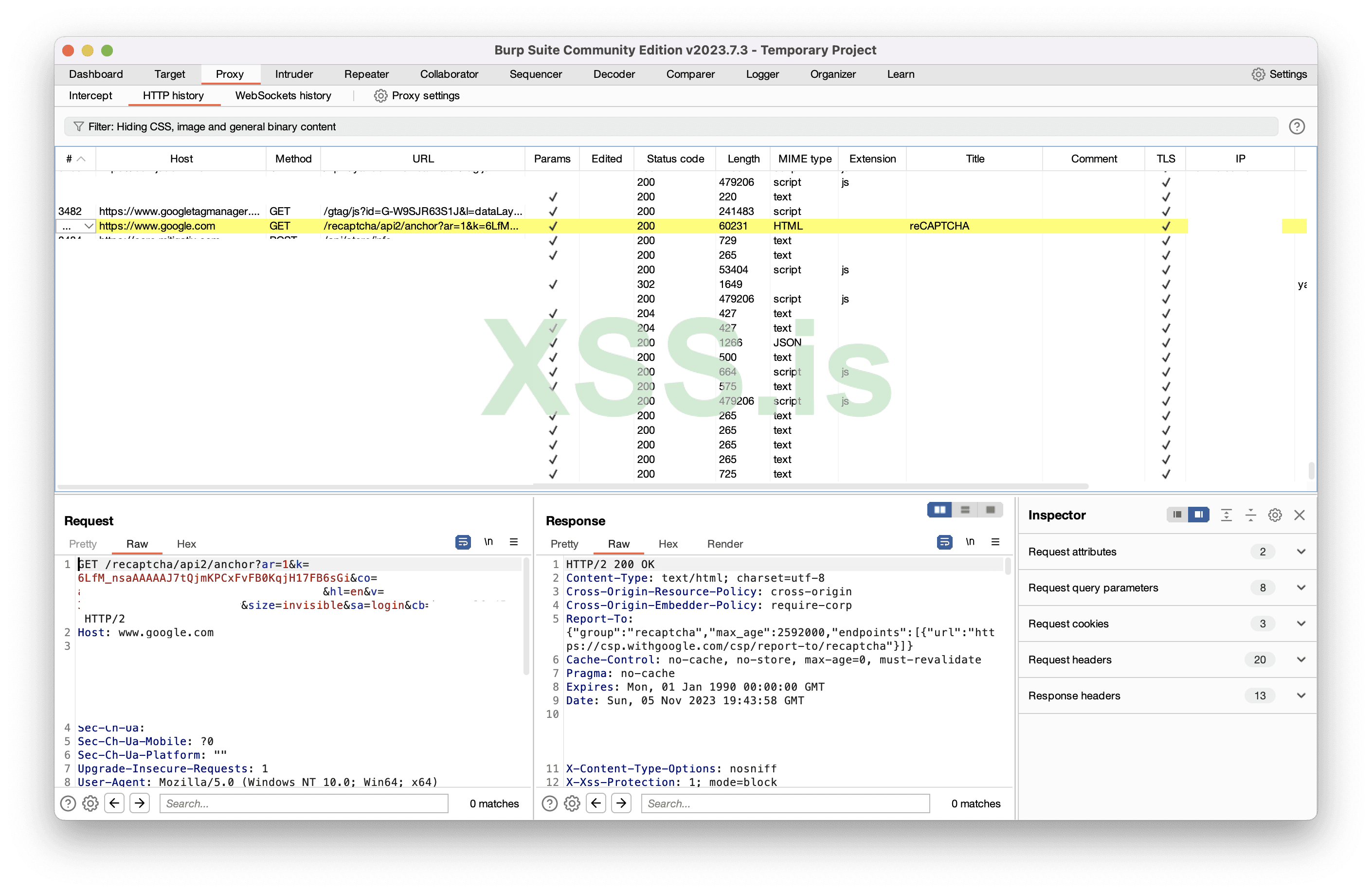
Image [15]
I just opened the website and there already is an anchor request. 2 parts of this request we must understand. Key and the size of the key.
Key is divided into two parts: Public (Site Key) and Private (Secret Key). The Public Key is openly visible, while the Private Key should remain confidential and is used on the backend. The keys we observe in the URL are all Public Keys, designated as "sitekey." In the previous example, there were no checks in the backend, but these checks should be executed with the private key.
Size of the Key: The key can be either normal or invisible. The normal key is employed for conventional image-based CAPTCHAs, whereas the invisible key remains hidden from users. Thus, the size for invisible captchas is, as the name suggests, invisible.
So the first request is sent, I call it the "anchor" request. The result of the anchor request is a recaptcha-token. It's not a solution, it's a token that we will use to obtain the solution.
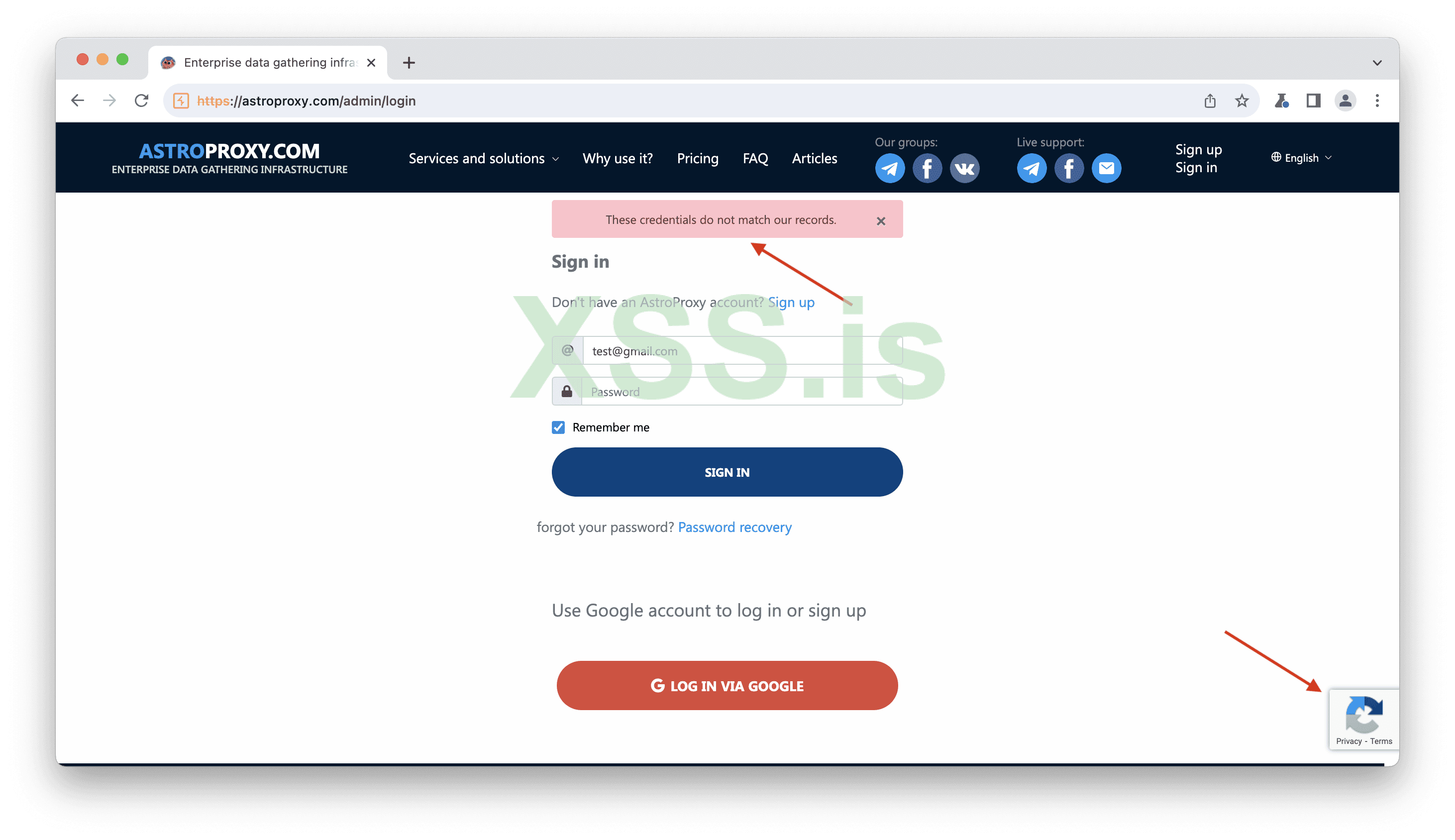
Image [16]
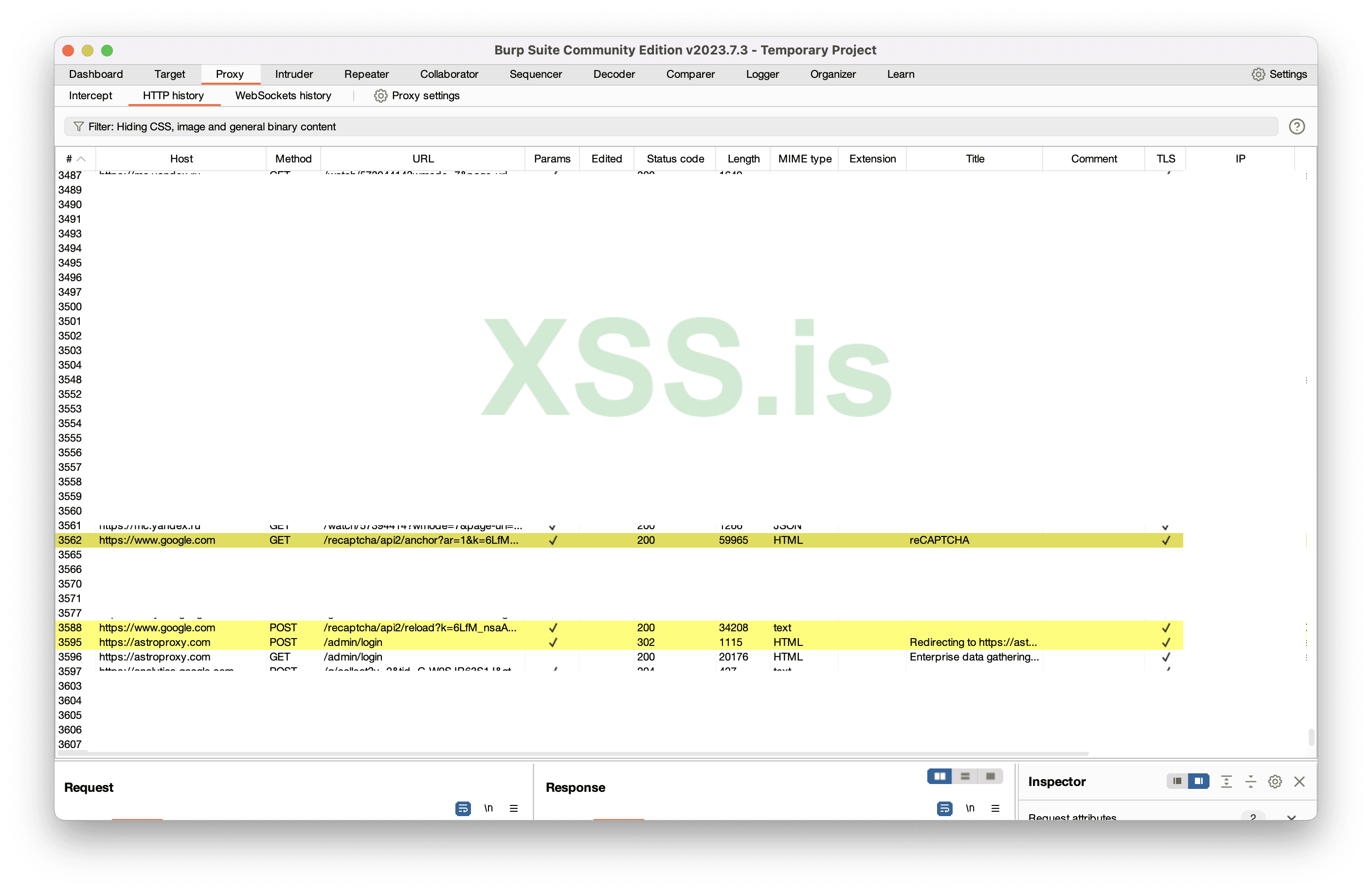
Image [17]
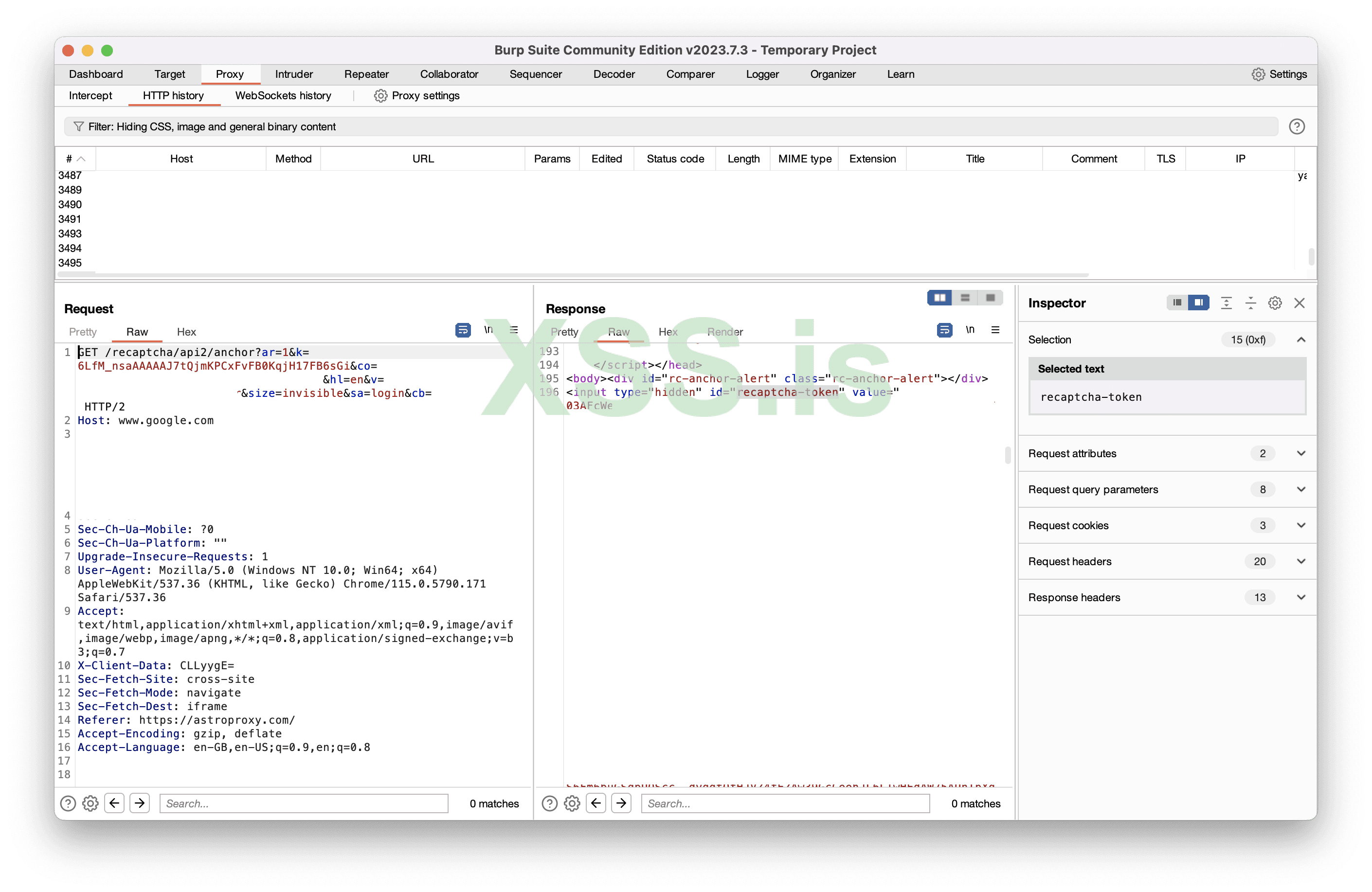
Image [18]
The second request is a POST request, which I refer to as "reload." The reload request sends the recaptcha-token and retrieves the solution.
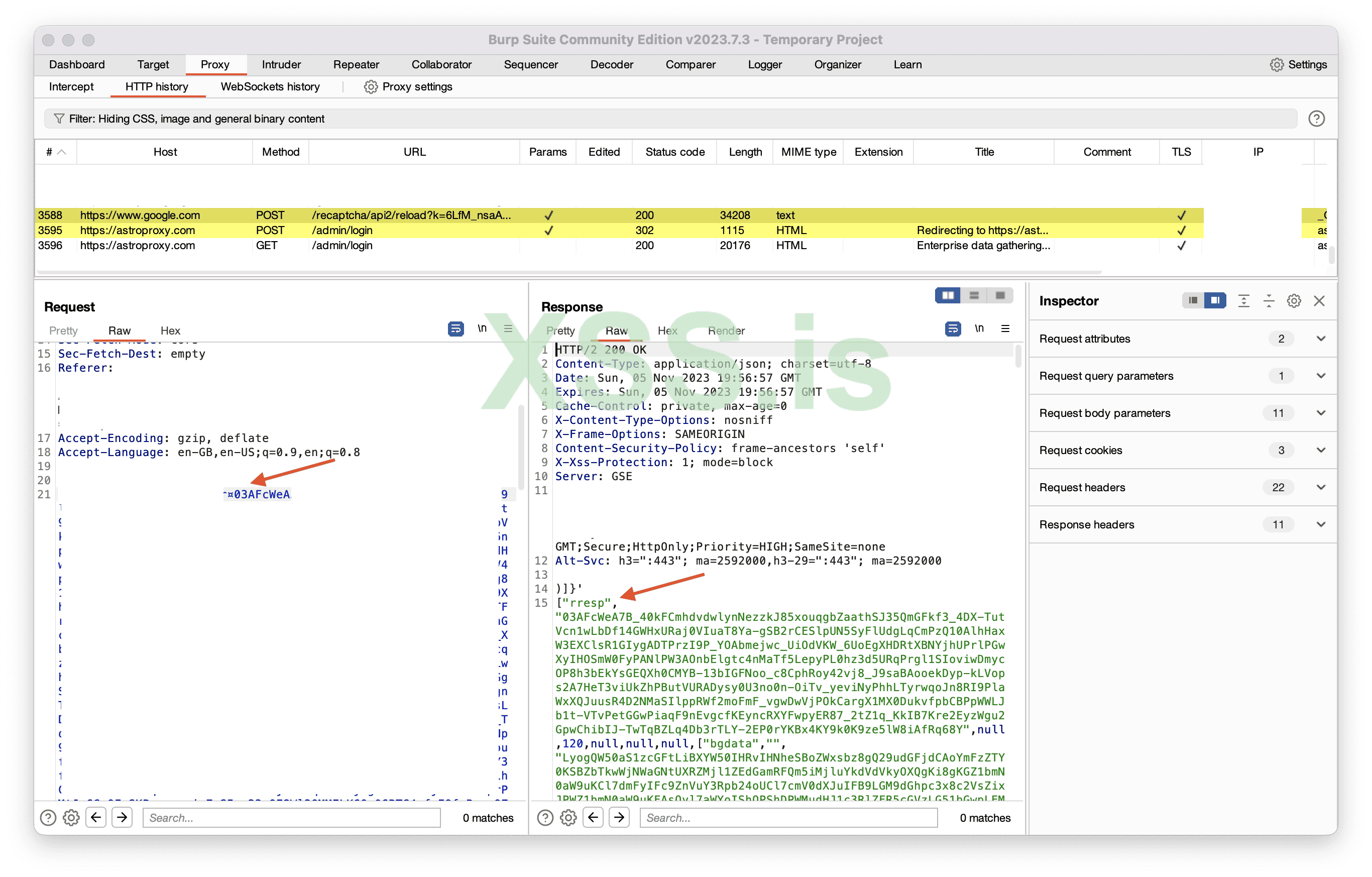
Image [19]
And the solution is passed to the website
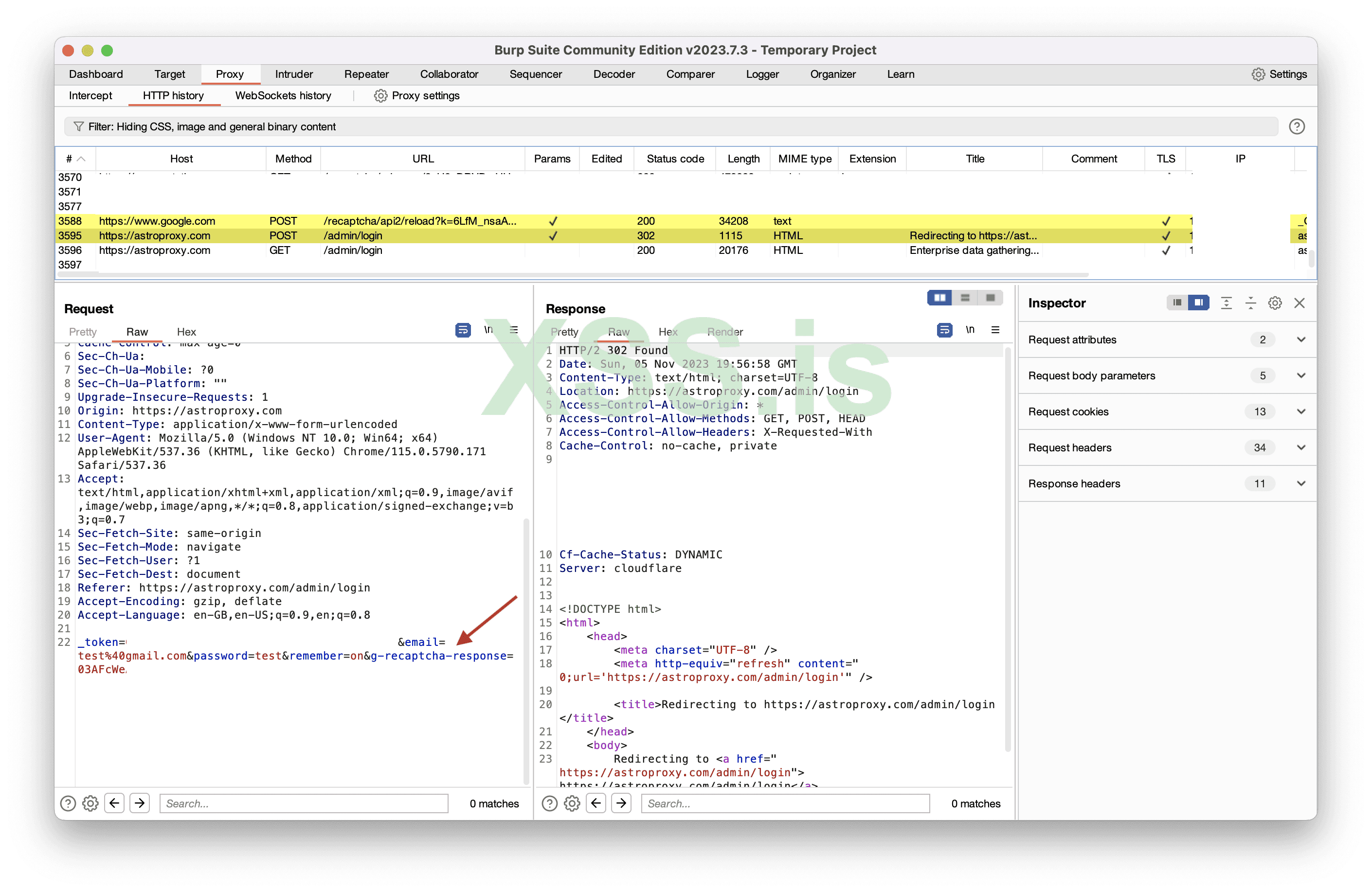
Image [20]
What will happen if we resent the request?
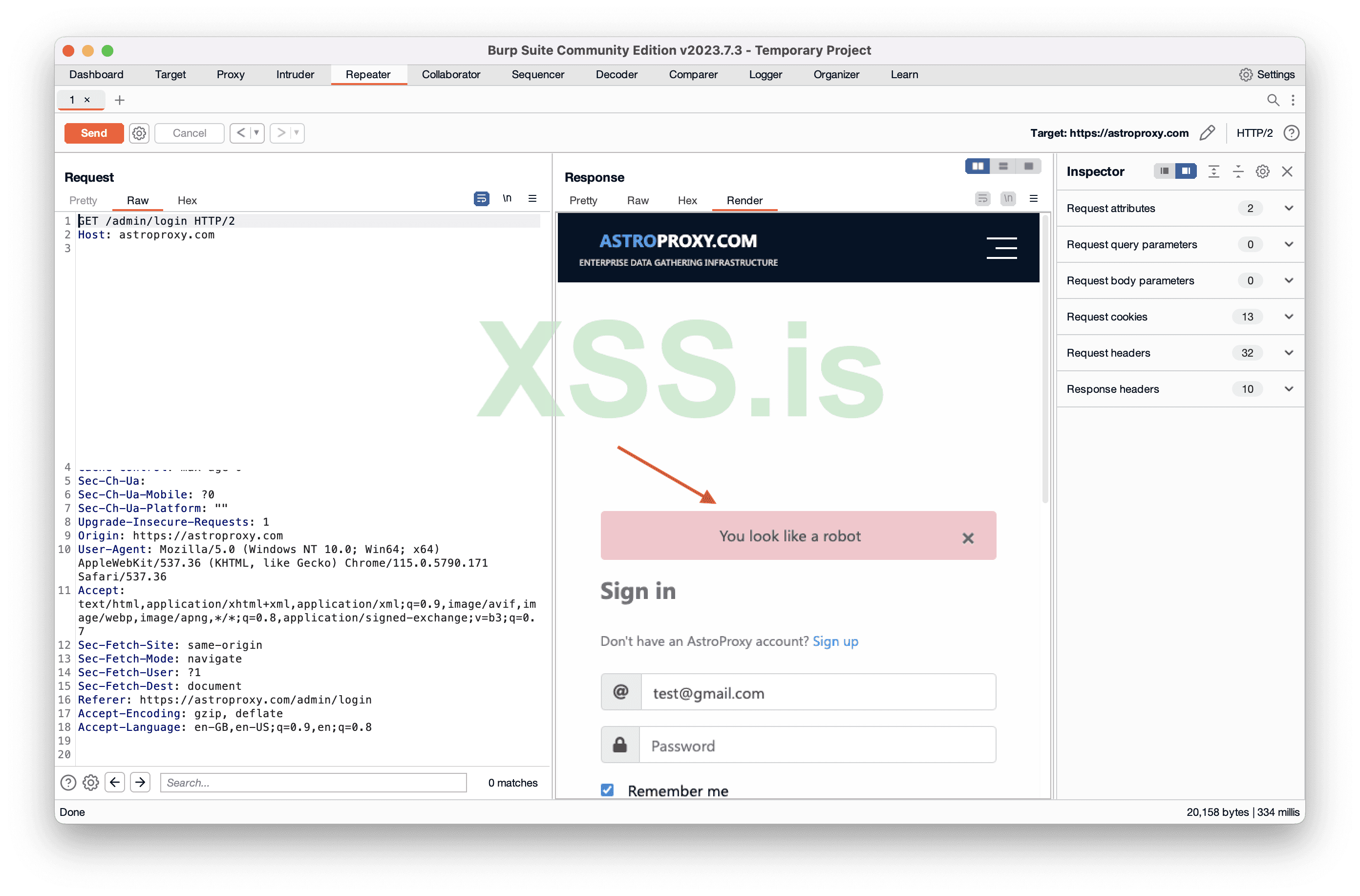
Image [21]
What if we remove the parameter “g-recaptcha-response”?
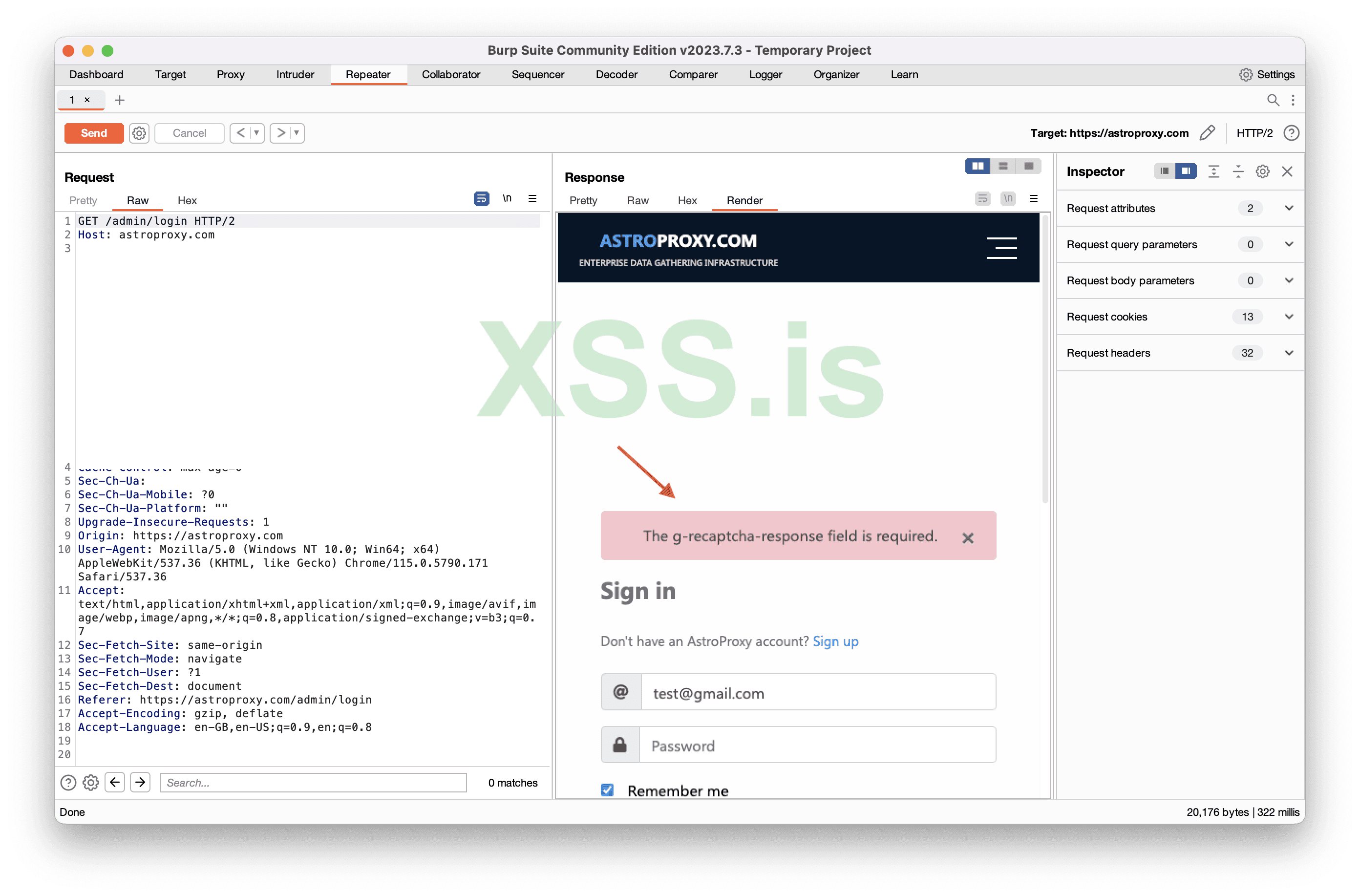
Image [22]
So the website implemented captcha correctly, everything seems to be nice, what can we do?
Time to write a custom tool called “YaBot”
The bypass methods mentioned above (the whois and casino) are my own discoveries. When I say "belong to me," I mean that I found these bypasses on those websites. It is original content authored by me. However, this reCaptcha v2 invisible bypass, which is actually not a bypass but is a solution, is not my own research. I don't know to whom it originally belongs, but I heard that it was initially shared by some Iranian individual. Again, I have no reference to support this statement, it's just online chit-chat.
yaBot
What should our tool do?Our tool should accept input and provide us with the solution, it will function similarly to a captcha solver API.
What will the input be?
The anchor URL, as it contains everything necessary.
Overview of what the code does:
The code imports an external package "github.com/PuerkitoBio/goquery" for parsing HTML documents. Starts a Goroutine that displays a custom text "Made with ˗ˋˏ ♡ ˎˊ˗ by GrozdniyAndy of xss.pro". And then it sets up an HTTP request handler that listens on the ("/") and accepts GET requests to "/cap" path. Then extracts the "url" query parameter from the incoming request. Tools makes an HTTP request to the specified URL, and retrieves a "key" and "token" which are needed to get soltuion. Actually key is in anchor URL that you provided. After sends a request to reCAPTCHA, passing the key and token, and receives a solution to the reCAPTCHA challenge. At the end yaBot constructs a JSON response containing the "key," "token," and "solution" and sends it as the HTTP response.
You can install yaBot from here: https://xss.pro/threads/101749/
So I started the yaBot and sent a request containing anchor URL.
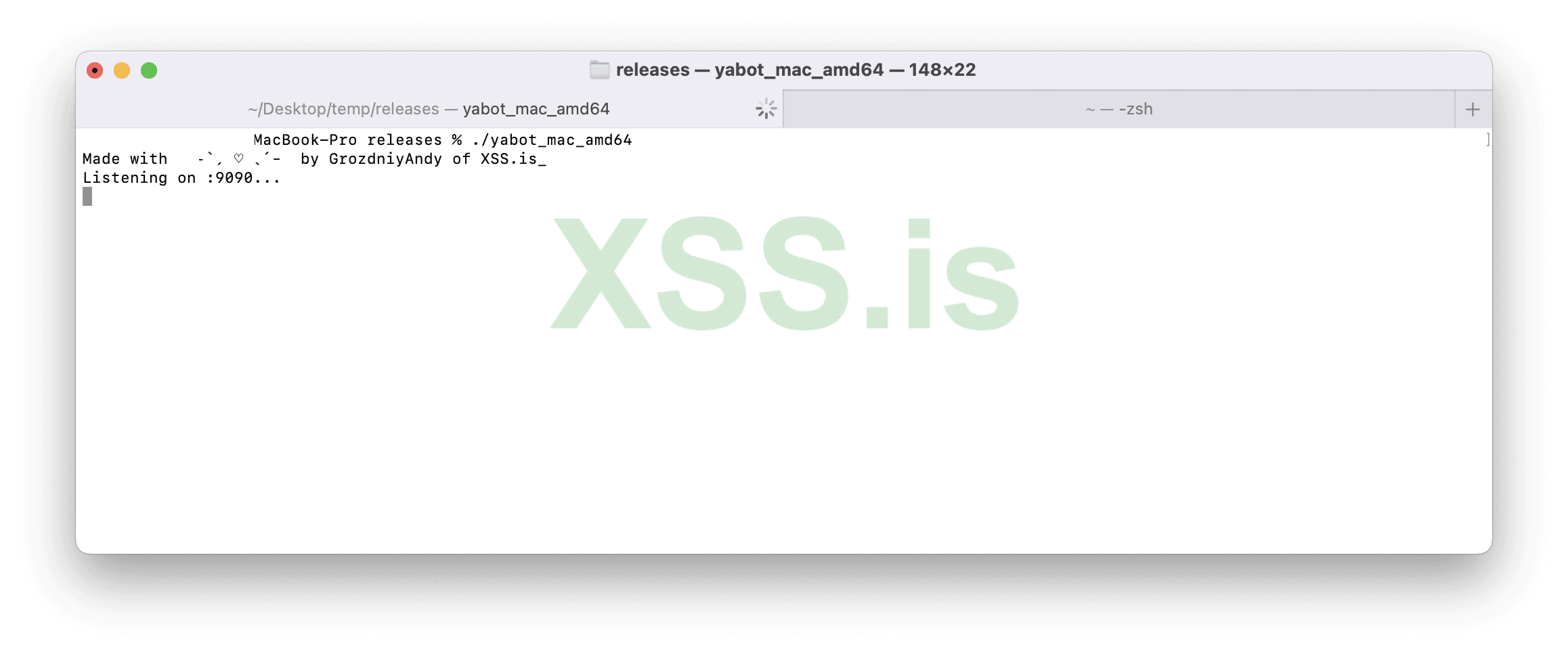
Image [23]
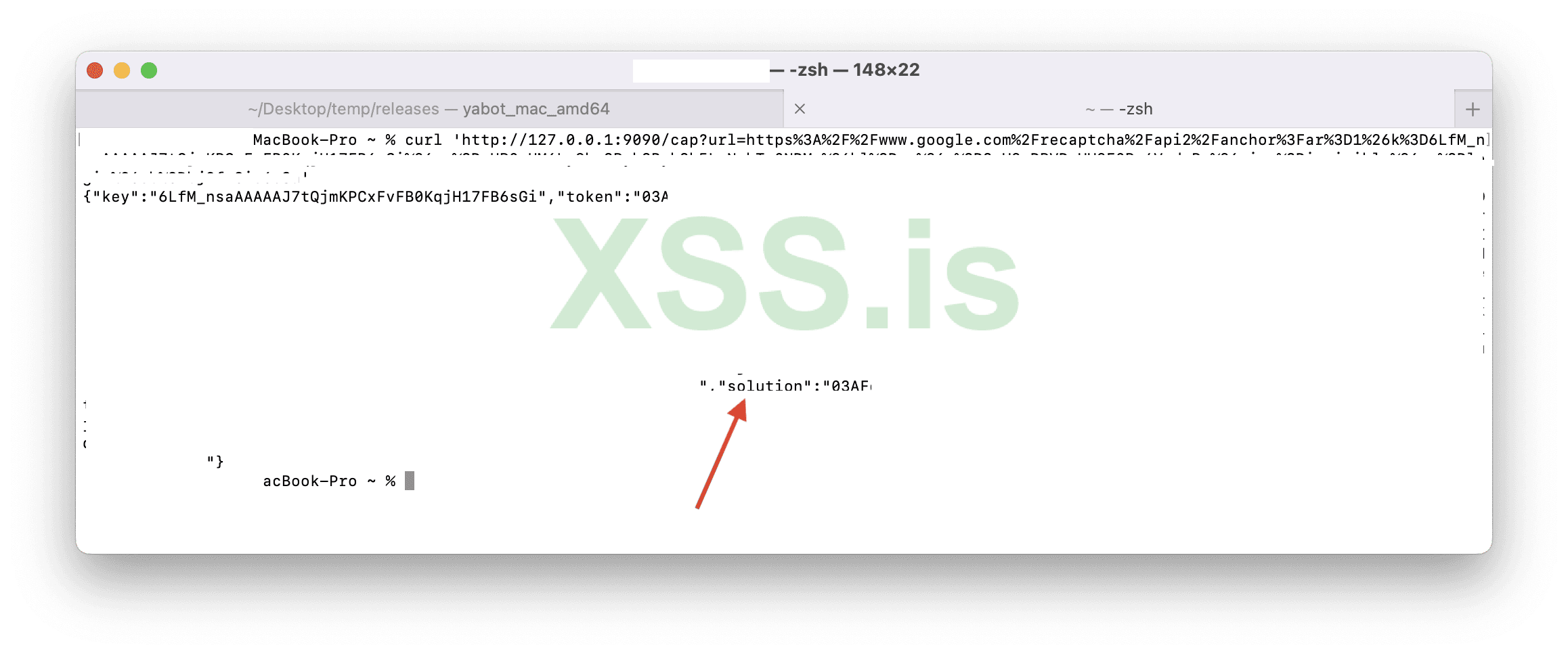
Image [24]
Then I sent login data with the solution we got from yaBot and it worked
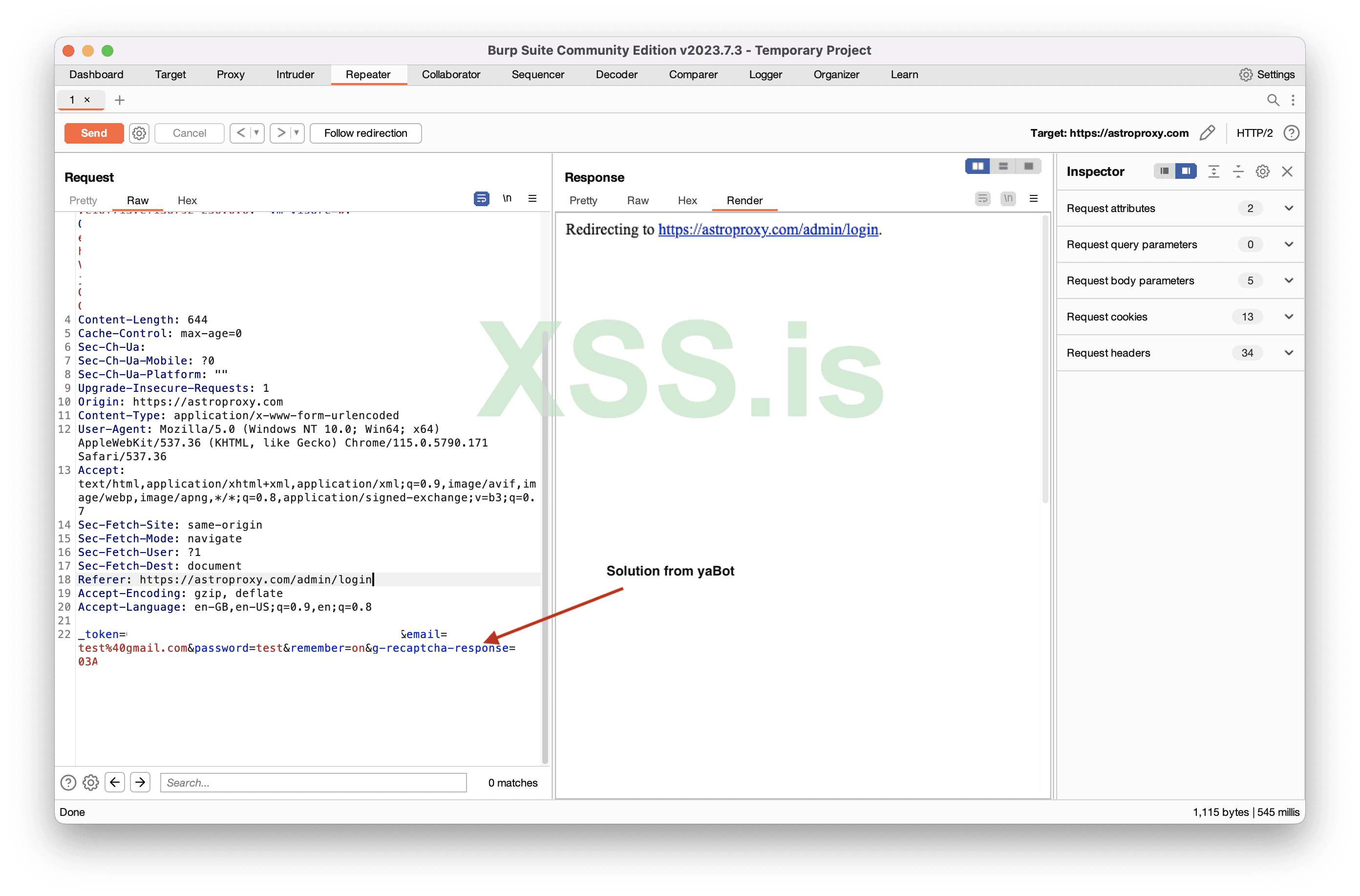
Image [25]
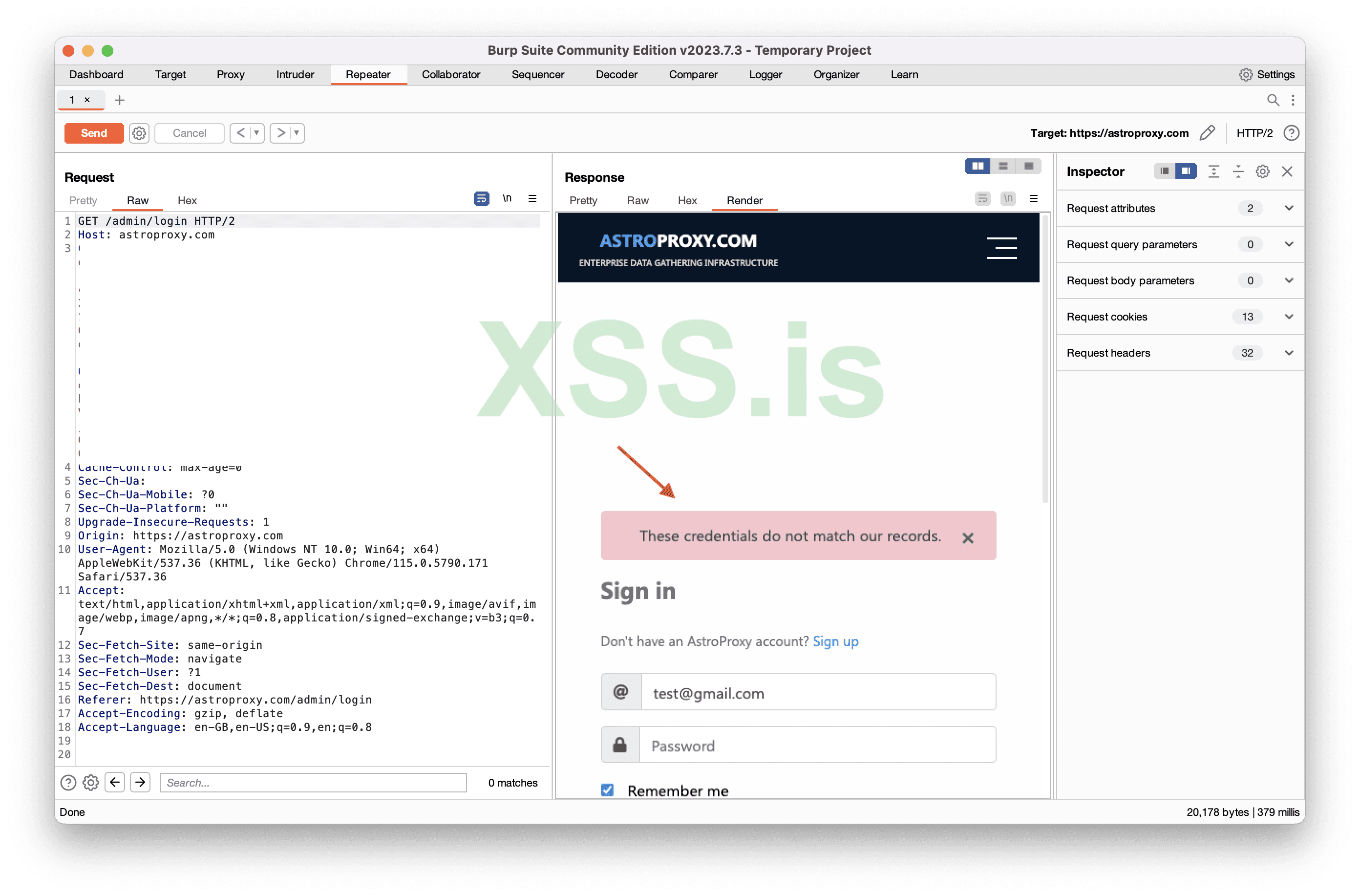
Image [26]
As you see the result is “These credentials do not match our records” Which actually means that CAPTCHA is correct, but credentials aren’t. So our tool worked great.
Author grozdniyandy
Source https://xss.pro/
Последнее редактирование:

